How does Scribenote work for veterinarians?
Scribenote works by converting spoken conversations of veterinarians into structured clinical notes. Veterinarians can use it during their tasks, for summaries, or reports about their patient. These conversations are recorded using a smartphone, tablet, or laptop and Scribenote immediately translates them into notes. These notes can then be edited and incorporated into the clinic's Practice Information Management System via features such as PIMSPal Pro or Widget Mode.
Can Scribenote be used on any device?
Yes, Scribenote can be used on any device. Whether it is a smartphone, tablet, or laptop, veterinarians can easily record their spoken interactions for immediate transformation into clear, structured clinical notes.
How does Scribenote transcribe my spoken conversations into clinical notes?
Scribenote uses sophisticated AI technology coupled with speech recognition to transcribe veterinarians' spoken conversations into clinical notes. The advanced AI models within the software are optimized for the job, capable of understanding even specific veterinary terminology, which helps in transcribing conversations with precision and speed.
What is the Adaptive Template feature in Scribenote?
The Adaptive Template feature in Scribenote helps simplify and speed up the creation of clinical notes. These templates can be quickly set up for creating automated notes based on specific criteria or types of veterinary consultations. The Adaptive Templates are designed to save substantial time on paperwork, contributing to more efficient documentation procedures.
Does Scribenote help improve the work-life balance of veterinarians?
Yes, Scribenote is designed to significantly improve the work-life balance of veterinarians. By minimizing the documentation time and managing the paperwork effectively, it allows veterinarians to divert their time and attention towards more patient care. The reduced time spent on paperwork helps to increase efficiency and offers relief from the burdensome documentation duties, contributing to the improvement of work-life balance.
What is the Template Library feature in Scribenote?
Scribenote's Template Library feature furnishes users with a wide array of preformed templates for different types of veterinary consultations. This allows for immediate application in generating clinical notes, enhancing efficiency and saving valuable time spent on manual documentation.
What difference does Scribenote make in enhancing work efficiency?
Scribenote greatly enhances work efficiency by automating and streamlining the process of creating clinical notes. It enables veterinarians to save substantial time by converting spoken interactions into well-structured notes, and provides the additional advantage of integrating these notes seamlessly with PIMS through features like PIMSPal Pro or Widget Mode. The ease of use and increased productivity that Scribenote offers contributes significantly to enhancing work efficiency.
Can I customize the automated notes on Scribenote?
Yes, the automated notes generated by Scribenote can be customized. With the Adaptive Template feature, users can set up templates that cater to their specific criteria or cases of veterinary consultations. These templates automate the creation of notes based on the set criteria, thus saving valuable time and offering personalized documentation styles.
How secure is Scribenote?, Is it safe to store clinical notes?
Scribenote assures high-level data security. It is SOC 2 Type II compliant, which means it provides an elevated level of care and security while handling sensitive client and patient data.
What kind of reports or summaries can Scribenote generate?
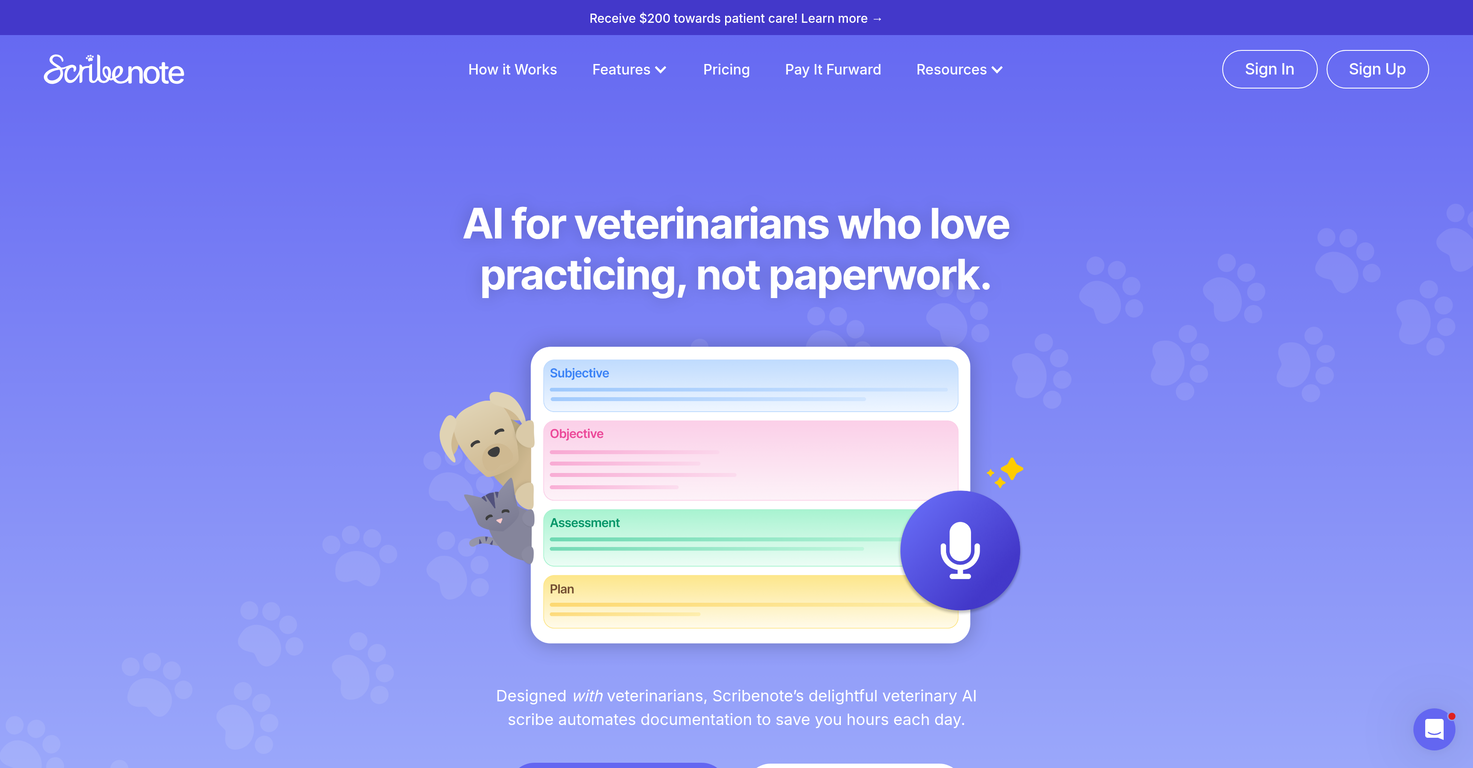
Scribenote is equipped to generate various kinds of reports or summaries based on the spoken interactions provided by veterinarians. These could range from SOAP notes (Subjective, Objective, Assessment, Plan) to detailed veterinary medical records and summaries or reports relating to specific tasks.
Does Scribenote integrate with any clinic's Practice Information Management System (PIMS)?
Yes, Scribenote can integrate seamlessly with any clinic's Practice Information Management System (PIMS). It incorporates features such as PIMSPal Pro and Widget Mode which are specifically designed to facilitate the integration of generated notes into PIMS, making the process efficient and user-friendly.
Can I edit the clinical notes generated by Scribenote?
Yes, the clinical notes generated by Scribenote can definitely be edited by the user. Users possess the flexibility to review, modify, and finalize the notes before integrating them into their clinic's Practice Information Management System.
What’s the cost of Scribenote for vet clinics?
Scribenote offers various pricing options for vet clinics. The 'Free' plan comes with a standard AI model and essential features for clinics needing only note documentation. The 'Pro' plan is priced at $79 per month for DVMs and includes advanced features, human support, and custom templates among other benefits. For multi-clinic groups wanting to maximize their efficiency, a customized 'Enterprise' plan is available with added benefits and features.
How much time can using Scribenote save in documentation?
Scribenote can help users save a significant amount of time on documentation. On day one, one can expect to save 1-2 hours as it automates a day's worth of notes. In a week, this sums up to 10+ hours and by the end of month 1, it potentially saves 50+ hours of your time.
What is Scribenote's Widget Mode feature?
Scribenote's Widget Mode feature is one of the ways to integrate Scribenote's notes into your clinic's PIMS. It provides an easy-to-use interface that allows efficient and quick transfer of notes into the PIMS.
Can non-veterinarians use Scribenote?
Yes, non-veterinarians can also use Scribenote as long as there is an associated paid DVM account. Care team staff members are able to use Scribenote for free with Teams Mode. They can also benefit from Scribenote's other types of automated notes for client communication, team rounds, or dictations.
Are there any training resources available to help me get used to Scribenote?
Although specific training resources were not mentioned on their website, it is indicated that Scribenote is user-friendly, designed to be set up in minutes, and assistive to a gentle learning curve. Additionally, the 'Pro' plan provides delightful human support for a smoother orientation and usage.
 Rocket - Think it. Type it. Launch it.
 Mini tools

 Digitail AI
 HappyDoc
 Goldie Vet
 PetDesk Scribe
 AskVet
 0
0






How would you rate Scribenote?
Help other people by letting them know if this AI was useful.