Does Tool Video offer video trimming feature?
Indeed, Tool Video offers a video trimming feature. This utility allows you to cut and trim your videos to specific timestamps. It offers fast processing and ensures high-quality output.
Can I remove watermarks using Tool Video?
Yes, with Tool Video, you can remove watermarks from your AI-generated videos. Its Sora Watermark Remover provides clean output ready for professional use.
What are the capabilities of Tool Video's thumbnail generator?
Tool Video's thumbnail generator has the ability to extract and generate video thumbnails at any timestamp. It's capable of supporting multiple formats including WebP, JPG, and PNG. It also has an AI Video Thumbnail Generator that uses AI to automatically select the best frames for maximum engagement.
What is the AI TVC Generator in Tool Video?
AI TVC Generator in Tool Video allows users to create AI-powered TV commercials and advertisement videos. This feature lets you produce professional quality advertisements in just a few minutes.
Is it possible to integrate Tool Video with other platforms via API?
Yes, it is possible to integrate Tool Video with other platforms via API. All of its utilities come engineered with API support to ensure better integration with other services and offers maximum flexibility for hybrid workflows.
How does AI storyboard image creation function in Tool Video?
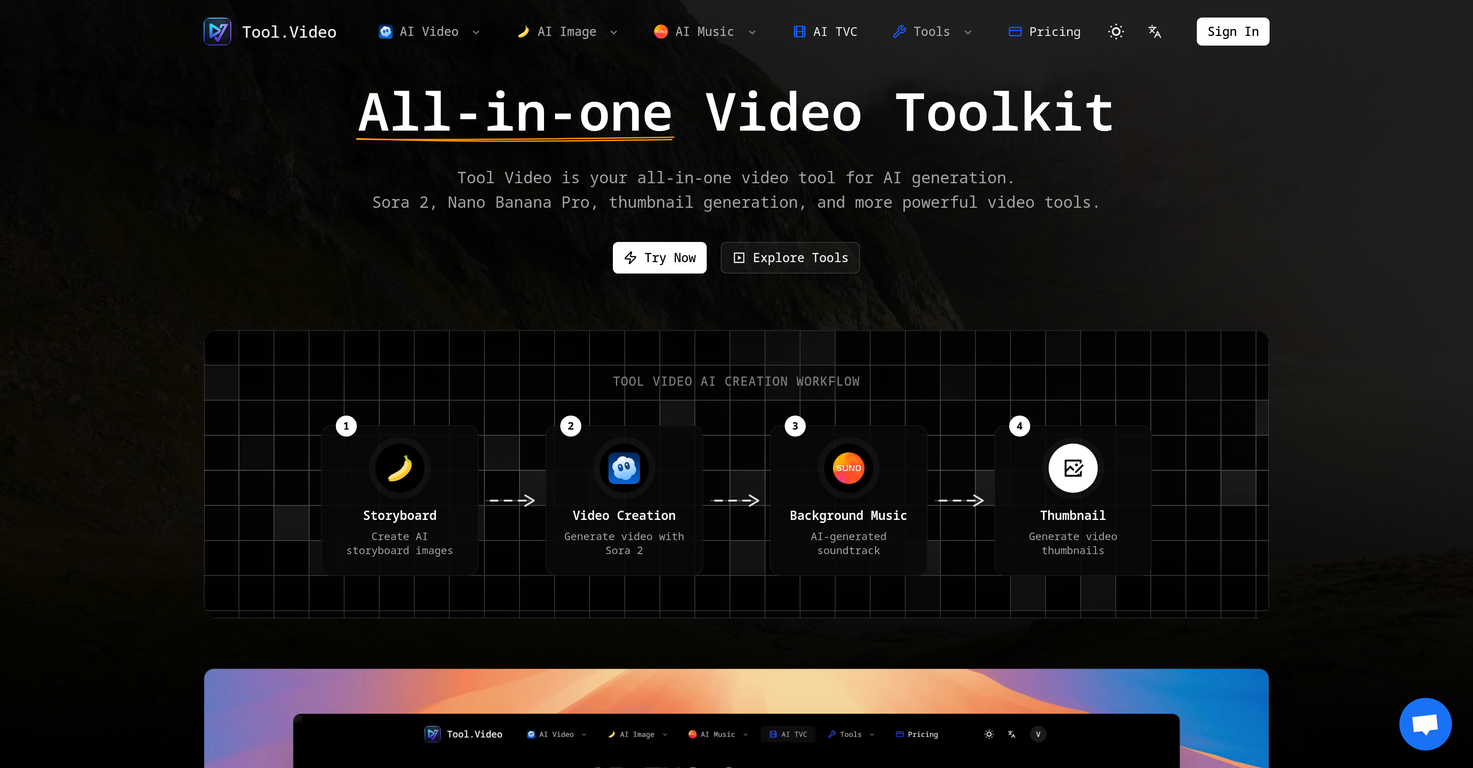
In Tool Video, AI storyboard image creation is the process where users can create a visual representation of their video content. This feature takes text inputs and translates them into a series of images that map out the progression of a video's narrative.
How do I use the image-to-image mode in Tool Video?
To use the image-to-image mode in Tool Video, you can simply select an image and the AI model will generate a high-quality AI image based on the selected one. This feature is part of the Nano Banana Pro AI model.
What are some commercial use cases for Tool Video?
Tool Video can be used for multiple commercial use cases. These include creating AI-powered commercials or advertisement videos with the AI TVC Generator, generating powerful storyboards, creating unique thumbnails for marketing videos, and more.
Is Tool Video suitable for professional video creators?
Absolutely, Tool Video is optimal for professional video creators. Its advanced AI models, efficient workflow, and integration capabilities make it suitable for all sorts of professional video generation needs.
How is the video quality of AI-generated videos in Tool Video?
The quality of AI-generated videos in Tool Video is highly professional. Leveraging advanced AI video generation models like Sora 2 and Nano Banana Pro, the platform ensures realistic and stunning visuals for all video outputs.
Can I use Tool Video for content creation?
Yes, Tool Video can be an ideal tool for content creation. Its comprehensive suite of AI-powered video tools, such as video generation, soundtrack generation, and thumbnail generation, can aid in creating high-quality multimedia content.
What is the difference between Sora 2 and Nano Banana Pro model in Tool Video?
Sora 2 and Nano Banana Pro in Tool Video are both advanced AI models but they serve different functions. Sora 2 facilitates realistic video generation from text prompts while Nano Banana Pro supports high-quality AI image generation through both text-to-image and image-to-image modes.
Can I customize the soundtrack for my videos in Tool Video?
Yes, you can certainly customize the soundtrack for your videos in Tool Video. The platform features Suno 5, a professional AI music generation tool that allows the creation of songs with adjustable lyrics, melodies, and full arrangements to suit your video content.
Is Tool Video user-friendly for beginners?
Tool Video is user-friendly for users of all skill levels. Its intuitive interface, along with comprehensive tools and solutions, make it easy for beginners to create high-quality videos powered by AI.
What is Tool Video?
Tool Video is a comprehensive AI-powered video generation toolkit designed to facilitate and streamline the video creation process. It incorporates a range of tools, including AI video generation models, an AI-stimulated soundtrack generator, and features for watermark additions, video trimming, among others. It offers multi-model video generation, high-quality AI image generation, and a unique AI TVC Generator for creating AI-powered commercials and advertisement videos.
What functions does Sora 2 provide in Tool Video?
Sora 2 is a component of Tool Video's toolkit that functions as a text-to-video AI model. It is capable of generating realistic videos from text prompts, recreating natural motion and vivid visuals.
Can you explain the capabilities of Nano Banana Pro within Tool Video?
Nano Banana Pro within Tool Video is a tool designed specifically for high-quality AI image generation. It supports text-to-image and image-to-image modes, enabling the creation of stunning visuals in a matter of seconds.
What is the role of Suno 5 in the Tool Video toolkit?
Suno 5 in the Tool Video toolkit is a professional AI music generator. It is capable of creating songs covering various genres, providing unique soundtracks for the AI-generated videos.
How does Tool Video's AI TVC Generator work?
Tool Video's AI TVC Generator allows users to create AI-powered commercials and advertisement videos. It uses AI technology to craft professional-grade commercials and ads quickly and easily, ensuring high-quality output.
What essential tools are included in the Video Utilities of Tool Video?
The Video Utilities in Tool Video include a thumbnail generator, watermark adder, and video trimmer. These are essential tools for enhancing and modifying the videos, all supported with API support for seamless integration.
What image generation modes does Nano Banana Pro support?
Nano Banana Pro supports two primary image generation modes: text-to-image and image-to-image. These modes allow for the rapid generation of high-quality visuals based on input text or existing images.
What does the API support in Tool Video imply?
The API support in Tool Video implies that all its utilities come with programming interfaces which allow for a smoother integration into other applications and services.
How can I add a watermark to my videos using Tool Video?
With Tool Video, a watermark can be added to videos using the Video Watermark Adder tool. Users can customize position, opacity, and styling of the watermark to suit their requirements.
Can Tool Video produce videos from textual prompts?
Yes, Tool Video is capable of producing videos from textual prompts. Its tool, Sora 2, is a powerful text-to-video AI model that can create realistic videos based on supplied textual input.
What genres of music can be generated by Suno 5?
Suno 5, the AI music generator in Tool Video, can generate songs covering various genres. This allows users to create unique soundtracks for their AI-generated videos, tailored to their specific needs and preferences.
Is it possible to remove watermarks from videos in Tool Video?
Yes, it is possible to remove watermarks from videos in Tool Video. The platform has a Sora Watermark Remover which can effectively remove Sora watermarks from AI-generated videos, producing clean output videos ready for professional use.
How is the thumbnail generation feature in Tool Video?
The thumbnail generation feature in Tool Video allows for automatic extraction and generation of video thumbnails at any timestamp. An AI-powered thumbnail creation tool smartly selects the best frames for maximum engagement.
Can Tool Video provide realistic video creation?
Yes, Tool Video can provide realistic video creation. Utilizing OpenAI's advanced text-to-video AI model, Sora 2, it creates videos from text prompts with realistic motion and compelling visuals.
What do you mean by multi-model video generation in Tool Video?
Multi-model video generation in Tool Video refers to the ability to generate videos with various styles and options by choosing from different AI providers.
Does Tool Video support high-definition video export?
Yes, Tool Video supports high-definition video export. This allows the users to export their AI-generated videos in HD quality for professional use.
How fast can Tool Video generate videos?
Tool Video is optimized for fast video generation. While the exact speed can depend on the complexity and length of the video, the platform is designed to deliver AI-generated videos in minutes, not hours.
Does Tool Video facilitate seamless integration with different AI tools?
Yes, Tool Video facilitates seamless integration with different AI tools. Its utilities are engineered with API support, enabling smoother integration into other applications and services.
Can Tool Video generate unique images from text descriptions?
Yes, Tool Video can generate unique images from text descriptions. This is accomplished through its Nano Banana Pro tool, which supports a text-to-image generation mode for creating visually stunning images based on specific text input.