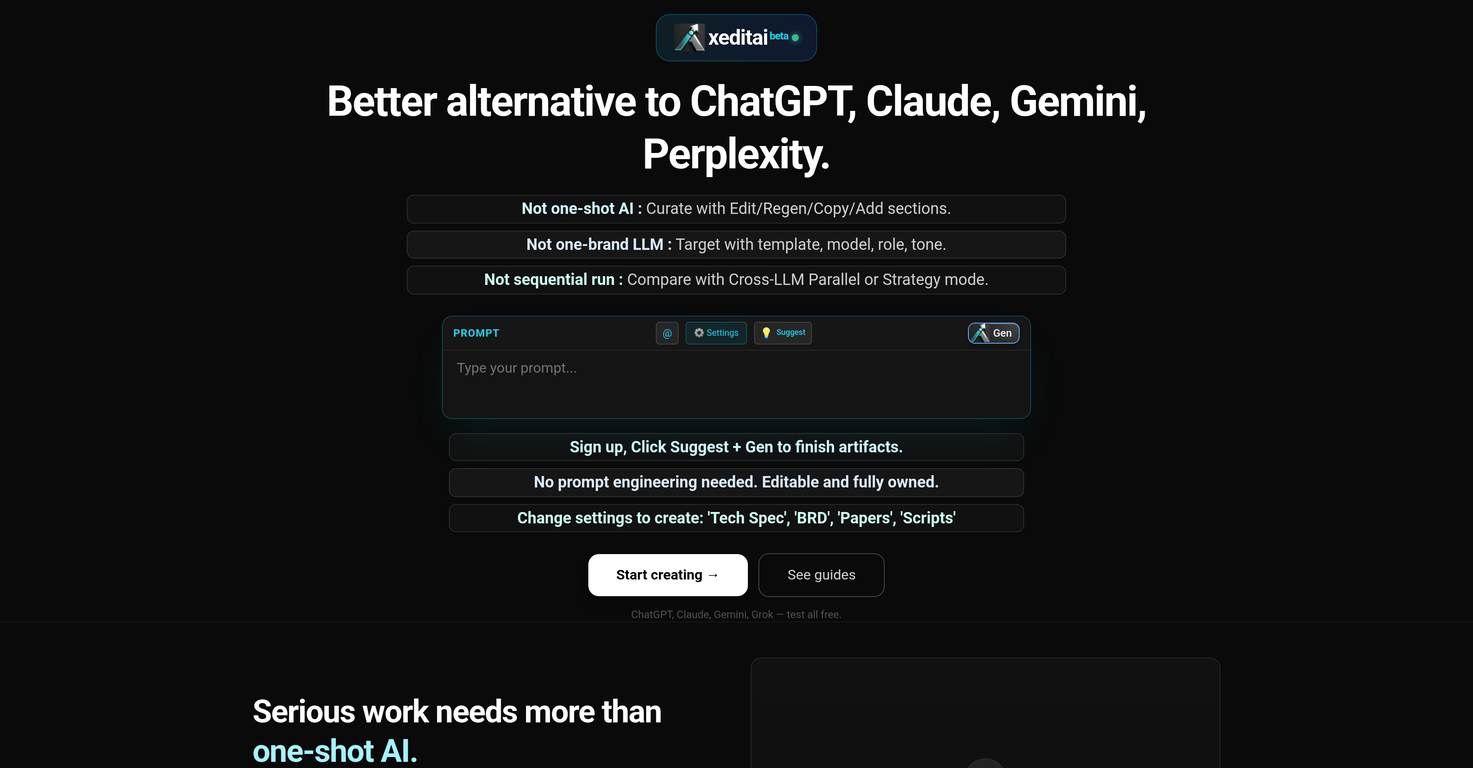
Is xeditai able to compare different language model outputs?
Yes, xeditai does provide the ability to compare different language model outputs. This is facilitated by the cross-LLM Parallel or Strategy modes, empowering users to target concepts using various templates, models, roles, and tones.
What kind of content can I create with xeditai?
On xeditai, you can create a wide variety of content including Tech Spec, BRD, Papers, Scripts and more. It's designed to accommodate the specifications of real work environments.
How does xeditai facilitate iterative work?
xeditai facilitates iterative work by enabling draft comparisons, refinement, and structuring of output. The platform supports full rich-text editing and the automatic saving of work with its cloud persistence feature. This setup is conducive to effective and efficient iterative work.
Does xeditai offer full rich-text editing capabilities?
Yes, xeditai does offer full rich-text editing capabilities. This allows users to create content that includes various formatting options, and maintain ownership and control over their generated content.
How does xeditai's cloud persistence feature work?
xeditai's cloud persistence feature ensures that your work is automatically saved to the cloud. This safeguards your edits, context settings, and generations, preventing any accidental losses.
Can I access xeditai projects from anywhere?
With xeditai's cloud persistence feature, you have the convenience to access your projects from anywhere. This is because all edits and generations are automatically stored and saved to the cloud.
What are the different structured outputs available in xeditai?
xeditai offers multiple structured outputs customized to the user's needs. The types of outputs available include 'Tech Spec', 'BRD', 'Papers', and 'Scripts'.
What file formats can I export my work into with xeditai?
xeditai allows you to export your work in a variety of file formats including PDF, DOCX, and PPTX. This export function ensures your work is ready for sharing and collaboration with ease and convenience.
How can I collaborate and publish using xeditai?
xeditai facilitates collaboration and publishing by featuring an export function that prepares files in easily shareable formats like PDF, DOCX, or PPTX. This ensures that your work is ready for stakeholders, publishing, or team collaboration.
Can I run and compare multiple AI models simultaneously in xeditai?
Indeed, xeditai allows running and comparing multiple AI models simultaneously. This can be done using its 'Parallel Mode'. The outputs from the various models are presented side-by-side for a clear comparison.
How can I chain models together using xeditai?
xeditai offers a unique feature known as 'Strategy Mode' that lets you chain multiple AI models together using debate, scoring, and synthesis. This provides an insightful and comprehensive analysis to identify the strongest output.
Can xeditai help me identify the strongest output?
Yes, xeditai is designed to help users identify the strongest output. Through 'Strategy Mode', models are chained together using a process of debate, scoring, and synthesis to pin down the most potent output.
Can I switch between different AI models within the same document in xeditai?
Yes, xeditai allows for seamless switching between different AI models within the same document. You can modify the model being used section by section, aligning each part with the model best suited to serve it.
How does the non-sequential approach in xeditai work?
The non-sequential approach in xeditai facilitates a different way of working with AI models. Rather than being constrained to a linear, sequence-dependent progression, you can leverage features like Cross-LLM Parallel or Strategy mode to compare outputs from different language models and target concepts with a variety of templates, models, roles, and tones.
What is xeditai?
xeditai is a generative AI studio that provides a workspace for curating, refining, and comparing outputs from multiple AI models. It is designed to provide users the freedom from one-brand language model lock-in and allows versatility in concept targeting with different models, templates, and tones.
How does xeditai work?
xeditai works by allowing users to use multiple AI models in one layout, making it possible to switch seamlessly within the same document section by section according to the appropriate AI model. It provides users with a non-sequential workspace for draft comparison, refinement, and output structuring. It offers a Parallel Mode for comparing different language model outputs side by side and a Strategy Mode for chaining models together to identify the strongest output.
Is xeditai a one-shot or sequential AI?
xeditai is not a one-shot or sequential AI. It supports both 'Parallel Mode' and 'Strategy Mode'. The first allows side-by-side comparison of outputs from multiple AI models, while the second allows chaining models together using debate, scoring, and synthesis to identify the strongest output.
What is the Cross-LLM Parallel or Strategy mode in xeditai?
The Cross-LLM Parallel or Strategy mode in xeditai refers to the platform's capacity to run multiple AI models side by side (Parallel Mode) or chain models together using debate, scoring, and synthesis (Strategy Mode) for output comparison or refinement.
What AI models are supported in xeditai?
xeditai supports a variety of AI models such as GPT-4, Claude, Gemini, Llama, Qwen, and others. This allows users to switch models seamlessly while working on the same document, section by section, depending on the requirements of the task.
How does the workspace of xeditai support iterative work?
The workspace of xeditai is designed to facilitate iterative work. It allows users to draft, compare, and refine content until thought clarity is achieved. Projects are automatically saved to the cloud, ensuring the accessibility of the work from anywhere. This supports a continuous, iterative workflow.
What are the key features of xeditai?
Key features of xeditai include full rich-text editing, cloud persistence, templates and tones for structure, Parallel Mode and Strategy Mode for output comparison, varied model support including GPT-4, Claude, Gemini, Llama and Qwen. It also supports work export in formats such as PDF, DOCX, PPTX.
What is meant by 'cloud persistence' in xeditai?
'Cloud persistence' in xeditai refers to the automatic saving of users' work to the cloud. This means that users can access their drafts, specifications, and generations from any location, ensuring continuous and uninterrupted workflow.
Can xeditai run multiple AI models concurrently?
Yes, xeditai can run multiple AI models concurrently. It possesses 'Parallel Mode' that allows users to run and compare outputs from various AI models side by side.
What kind of outputs can be structured using xeditai?
xeditai allows structuring of various outputs including technical specifications, business requirement documents (BRD), research papers, scripts etc. These options cater to different user needs, making content creation more targeted and efficient.
How can xeditai be used to compare and refine model outputs?
xeditai enables users to refine and compare model outputs through features like Parallel Mode and Strategy Mode. Parallel Mode allows users to run multiple AI models simultaneously to compare their outputs side by side. Strategy Mode facilitates the chaining of models with debate, scoring and synthesis to converge on the most robust output.
Can xeditai export factsheets, research docs and scripts?
Yes, xeditai includes an export function which allows sharing of files in formats such as PDF, DOCX, or PPTX. This makes it easier for collaboration and helps users in publishing their specifications, research, and scripts.
Is it possible to change between AI models like GPT-4, Claude, Gemini within the same document in xeditai?
Yes, in xeditai, users can change between AI models like GPT-4, Claude, Gemini, and others within the same document, section by section. This provides versatility in content creation as users can select the appropriate AI model for the task at hand.
What are the structured output options in xeditai?
xeditai provides a variety of structured output options such as 'Tech Spec', 'BRD', 'Papers', 'Scripts' that a user can choose from based on their specific need.
What is xeditai's 'Parallel Mode'?
The 'Parallel Mode' in xeditai is a feature that allows users to run multiple AI models concurrently and compare their outputs side by side. This helps in determining which model produces the most favorable result for a given task.
What is the 'Strategy Mode' in xeditai?
'Strategy Mode' in xeditai is a feature that allows users to chain different AI models together using debate, scoring, and synthesis. The goal is to converge on the most robust output generated by the different models.
How does xeditai facilitate content creation?
xeditai facilitates content creation by hosting multiple AI models and offering versatile features. Users can switch between different AI models within a document section by section, based on the needs of their task. Key features like full rich-text editing, cloud persistence, templates & tones, Parallel Mode, Strategy Mode, and work export in different formats, facilitate efficient and effective content creation.
Can I access my xeditai projects anywhere?
Yes, your work in xeditai is automatically saved to the cloud with the cloud persistence feature, allowing you to access your projects from anywhere.
How can I share my files from xeditai for collaboration?
xeditai allows exporting the work in different formats such as PDF, DOCX, or PPTX. This makes it easier to share files with stakeholders or team members for seamless collaboration.
Are there guides and tutorials to help understand xeditai's functionality?
Yes, xeditai provides comprehensive guides and video tutorials that can help users understand the functionality of each feature in the workspace. It also has step-by-step documentation to assist in mastering the platform.