
 Mini tools
▼ Top rated
Ppt
Free mode
100% free
Freemium
Free Trial
Featured matches
-
 Joran Hofman🙏 4 karmaJan 22, 2026@MiroAIMiro has massively improved how we collaborate and execute. The AI features have made a real difference in day-to-day productivity, helping us structure ideas quickly and get to decisions faster. What really surprised me is the new prototyping feature: it’s now much easier to turn a workshop board into an actual prototype and iterate with the team. If you’re running product work, workshops, roadmaps, or even GTM planning, Miro is worth it.
 -

-
 Open
Open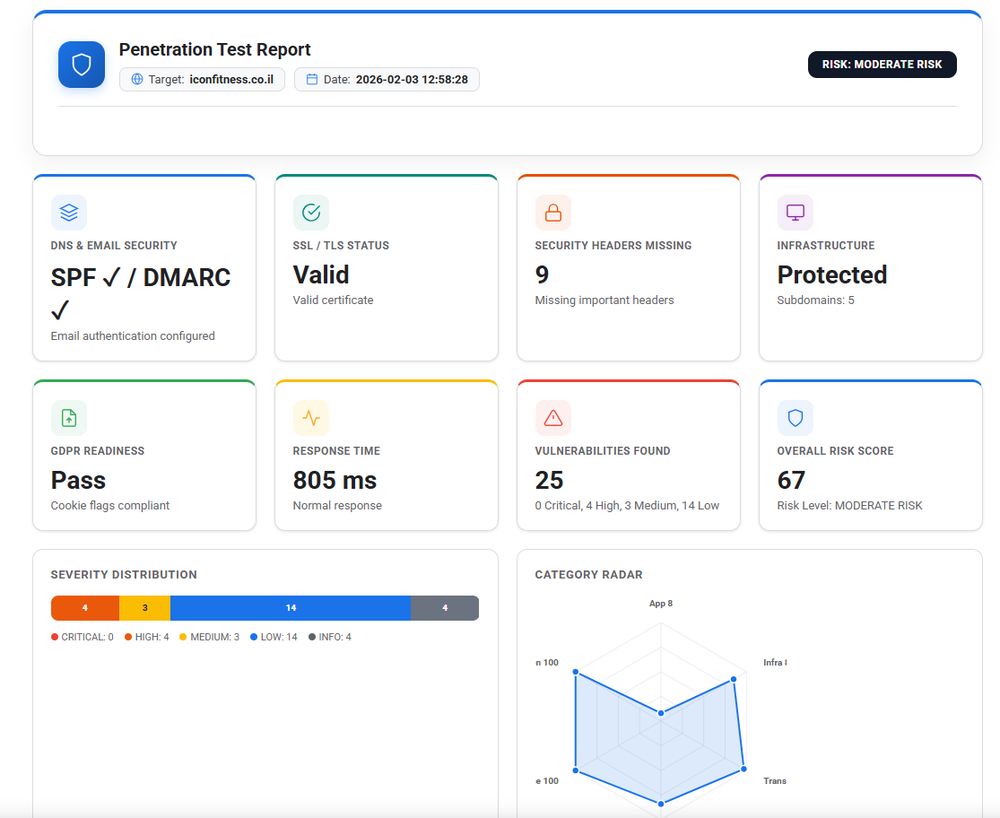
-
 As founder, this was a great product for working on for enterprise teams, and looking forward to more releases
 -
 Great tool! Was very helpful in content production
 -
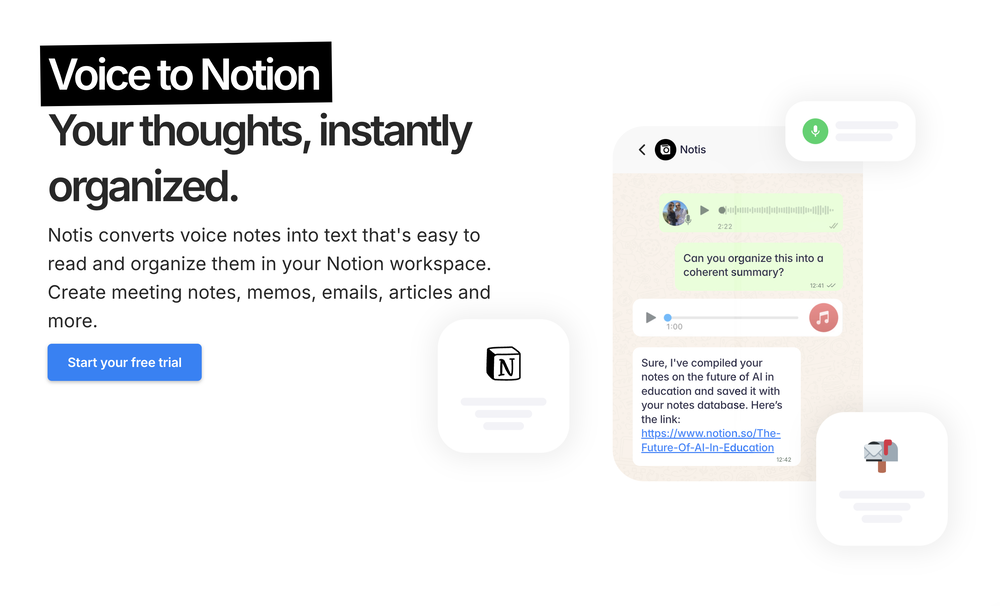 Notis is the AI intern one message away from your entire tool stack. Dictate ideas, delegate the busywork, and watch it update everything from your CRM to your socials — right from WhatsApp, iMessage, Telegram, or emails. In this week's release: - Broader file + media ingestion improvements so Notis can understand more of the context she gathers. - Better media handling for sharing content with integrations (e.g attach a pdf to an email). - Stronger safety + cost guardrails to keep runs predictable. - Automations & integrations got more reliable, with better handling of edge cases.
 -

-
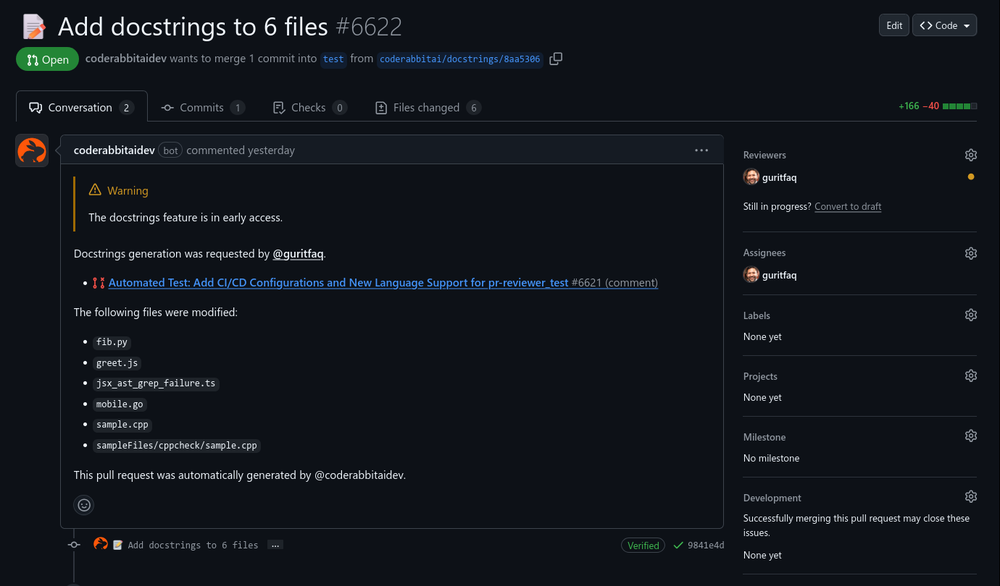 Introducing CodeRabbit Issue Planner! ✨ AI agents made coding fast but planning messy. Turn planning into a shared artifact in your issue tracker, grounded in related issues and decisions. Review prompts as a team, then hand them off to an agent! Claude or Cursor can generate a plan in seconds, but they won’t know about the related issue from last sprint, the architectural decision buried in comments, or the refactor already in flight. So they confidently plan the wrong thing. Plans like these either lead to an iterative prompting time suck, or are subtly wrong in ways you only discover during implementation or review, after assumptions harden and rewrites erase all your AI speed gains. CodeRabbit Issue Planner turns planning into a shared artifact in your issue tracker. > Plans are grounded in related issues, past decisions, and context. > Teams align with prompt reviews before code exists. > Plans are then handed off to any agent. By aligning on intent up front, teams reduce AI slop and rework, save time, and make AI usable for everyone… not just a few “prompt whisperers” on the team. So, you ACTUALLY move faster with AI.
 -
-















Other tools
- Sponsor:
 Base44💻 Vibe coding
 -
Love the app. Used it to find a good balance in performance to play at a higher graphics setting but with over 100 FPS which was really useful in making Marvel Rivals more enjoyable to play this season!
-
Helping brands get more traffic and conversion from AI search in the most effective way. Also including AI presence management features for individuals.
-
Had an incredibly insightful meeting with the team. It’s definitely worth your attention if you’re planning to automate your property management.
-
I have used cheers to review several different companies around me and it has been a much better experience than traditional methods like QR codes. I love seeing cheers when I try out new businesses.
-
 OpenI built Remy to solve a problem I face every day: Newsletter overload 📬 Remy is your personal AI assistant that summarizes all your newsletters into a single digest email. Go from a cluttered inbox to a clear, concise briefing in one go.
 -
Really smooth experience with Vivgrid, makes taking agents to production way easier.
-
Hey everyone, I'm Florent, maker of Facet! Please feel free to give me any feedback good or bad you have, it will help me make great improvements! We already have dozens of users and try to use all feedback to enhance the application!
- Didn't find the AI you were looking for?
-
-
 Your AI-powered file organizer that respects privacy for macosOpenGood Replacement for the sparkle. Keep it up
 -
-
I am a SRED consultant. The ability to upload documents and instantly get SR
-
threw it at our dusty help center and it cooked. pulled context from tickets and updates and wrote clean articles and faqs. inbox got quieter fast. solid tool.
-
 Ellie, your AI for crafting personalized email replies.Open
 -
I built NewsForYou.ai to make staying informed effortless and meaningful. Your personal AI briefing delivers curated news tailored to your interests — plus smart extras like business insights, tech repos, or daily curiosities to help you grow every day. 🚀
-
One of the better AI marketing tools out there. It's clear that the people behind this are passionate about delivering brand value
-
The Advert generator buil in web it's such a good time saver. Must be worked on better details in the adverts though.
-
 OpenMultiple models reviewing content is so helpful because we can better understand when there's a strong case for X, or divergences about Y, and ultimately get a more full understanding because of that. Great work!
























Ask the community

fire power
Jan 24, 2025
Here’s an updated and more detailed prompt for a PowerPoint presentation with **specific image suggestions** for each slide. The goal is to create an engaging, visually appealing, and informative presentation on the topic.
---
### **Detailed Prompt for AI-Generated PPT with Images**
Create a PowerPoint presentation covering the following topics: *"Slow In and Slow Out, Constant Force and Acceleration, and Forces Exerted by Characters."* Include detailed content and visuals. Use a modern and clean design with minimal text on each slide and visually represent key ideas through images, animations, and icons.
---
### **Slide Breakdown with Image Suggestions**
#### **Slide 1: Title Slide**
- **Title:** *"Principles of Motion in Animation"*
- **Subtitle:** *"Slow In and Slow Out, Constant Force, and Character-Driven Forces"*
- **Images/Visuals:**
- An animated image of a character walking or jumping.
- A visually dynamic background, such as motion trails, physics-inspired graphics, or gradient shapes symbolizing energy.
---
#### **Slide 2: Introduction**
- **Content:**
- Why understanding motion is critical for animators: *"Realistic animation enhances storytelling and audience immersion."*
- **Images/Visuals:**
- A comparison image of a natural-looking animated walk vs. a robotic walk.
- Icons representing physics principles (force, motion, acceleration).
---
### **Section 1: Slow In and Slow Out**
#### **Slide 3: Definition and Explanation**
- **Content:**
- Define the principle: *"Slow In and Slow Out adds realistic easing to motion by gradually accelerating and decelerating."*
- **Images/Visuals:**
- A pendulum animation showing it slowing down at the peak and speeding up at the bottom.
- A graph showing a smooth curve of motion ease (Bezier curve).
#### **Slide 4: Why It Matters in Animation**
- **Content:**
- Benefits: *"Makes motion fluid, reduces abruptness, and mirrors real-world physics."*
- **Images/Visuals:**
- A visual comparison:
- A ball rolling with abrupt stops (linear) vs. smooth stops (eased).
- Annotated diagram of a motion curve (highlighting slow start and stop).
#### **Slide 5: Applications in Animation**
- **Content:**
- Use cases for Slow In and Slow Out:
- Character movement, object interactions, and camera transitions.
- **Images/Visuals:**
- A side-by-side animation: A car accelerating abruptly vs. gradually.
- Diagram of a character starting to run and coming to a stop with speed curves.
---
### **Section 2: Constant Force and Acceleration**
#### **Slide 6: Definition and Physics Concept**
- **Content:**
- Define constant force: *"A continuous push or pull that causes uniform acceleration."*
- Formula: **F = ma (Force = Mass × Acceleration)**
- **Images/Visuals:**
- Diagram showing a box being pushed with arrows representing force.
- A ball rolling downhill with a force vector (constant acceleration).
#### **Slide 7: Importance in Animation**
- **Content:**
- Use of constant force to mimic real-world physics (e.g., falling, collisions).
- **Images/Visuals:**
- Animated object falling under gravity (freefall).
- Projectile motion diagram: A ball being thrown with force and trajectory.
#### **Slide 8: Examples in Animation**
- **Content:**
- Examples of objects experiencing constant force and acceleration:
- Falling objects, rockets lifting off, and characters jumping.
- **Images/Visuals:**
- An animated rocket launching with force vectors.
- Visual representation of a jumping character showing the upward force and gravity pulling them down.
---
### **Section 3: Forces Exerted by Characters**
#### **Slide 9: Introduction to Character Forces**
- **Content:**
- Define character forces: *"Forces applied by characters to interact with their environment (e.g., pushing, pulling, throwing)."*
- **Images/Visuals:**
- A character pushing a heavy object with visible effort (body posture, facial expression).
- Arrows showing the direction and magnitude of forces applied.
#### **Slide 10: Key Examples of Character Forces**
- **Content:**
- Highlight actions:
- Pushing: Moving a heavy box.
- Pulling: A character tugging a rope.
- Jumping: Exerting force to leap into the air.
- **Images/Visuals:**
- A sequence of a character pulling a rope with increasing tension.
- Diagram of a character crouching before a jump and landing with force indicators.
#### **Slide 11: Visualizing Force in Animation**
- **Content:**
- Techniques animators use:
- Exaggeration (e.g., squash and stretch).
- Anticipation (e.g., preparing to throw).
- **Images/Visuals:**
- Before-and-after comparison: Subtle vs. exaggerated force.
- Motion paths of a thrown object (showing trajectory, force vectors, and anticipation).
---
### **Slide 12: Integrating Principles in a Scene**
- **Content:**
- Explain how the three principles combine to create realistic animation.
- **Images/Visuals:**
- A single animated scene showing a character lifting an object, walking with it, and setting it down.
- Visual overlays showing easing (Slow In/Out), constant force, and exerted forces in the sequence.
---
### **Slide 13: Conclusion**
- **Content:**
- Recap the key takeaways:
- *"Slow In/Out creates smooth transitions, Constant Force ensures realism, and Character Forces bring interactivity to life."*
- **Images/Visuals:**
- A collage of all the concepts: a pendulum swing, a falling object, and a character interacting with their environment.
---
### **Slide 14: Q
Post





