
 Mini tools
▼ Most saved
Entertainment
Free mode
100% free
Freemium
Free Trial
Featured matches
-
 Leah🙏 3 karmaFeb 11, 2026@FindTube.aiSuper interesting tool! I’ve been using FindTube to learn data analysis, and it solved a problem I always had with YouTube—I could easily collect too many tutorials, but I was always lost about where to start, and everything felt unstructured.
 -

-
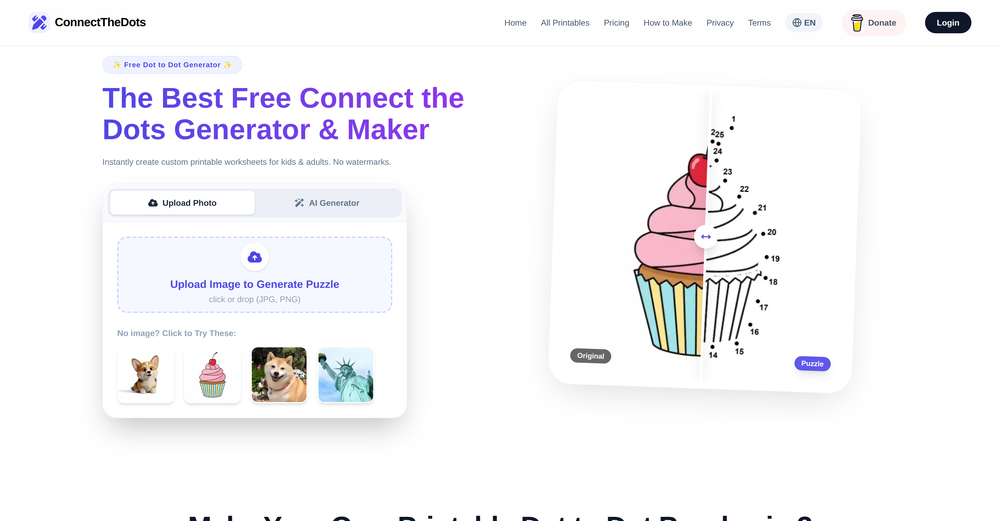 I just published a children's drawing book on Amazon in 2-3 hours of fiddleing with this tool. Really really good!
 -

-
-
-
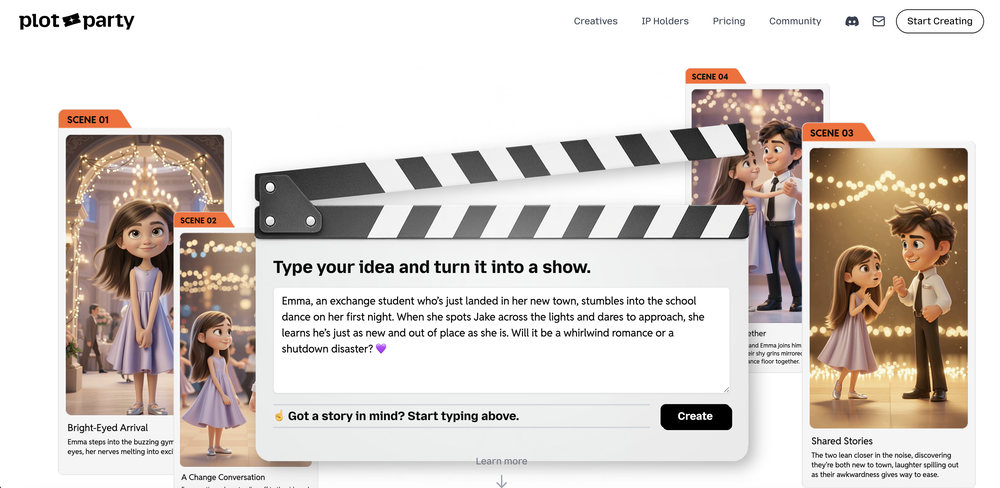
-

-
-












Other tools
-
I got some top quality results after learning how to prompt songs 🤩
-
Great idea, but does not find what you are looking for-about the same as Google Scholar
-
 Create and download your digital clone to live forever. Interact with others.Open
 - Sponsor
 Rocket - Think it. Type it. Launch it.
 -
-
 OpenVideo editing is the process of selecting, trimming, and arranging footage to create a cohesive story or visual narrative. Here are some fundamental concepts and techniques: Types of Video Editing Linear editing: A straightforward, sequential approach to editing, where clips are arranged in a linear timeline. Non-linear editing: A more flexible approach, where clips can be arranged and rearranged freely in a timeline. Key Video Editing Techniques Cutting: A transition between two clips, where one clip ends and another begins. Cutting on action: Cutting between two clips while an action is in progress, to create a seamless transition. J-cut: Cutting from one clip to another while audio from the second clip starts playing before the video cuts to it. L-cut: Cutting from one clip to another while audio from the first clip continues to play. Video Editing Software Popular video editing software includes: Adobe Premiere Pro: A professional-level editing software with advanced features and integration with other Adobe tools. Final Cut Pro: A professional-level editing software for Mac users, known for its user-friendly interface and advanced features. DaVinci Resolve: A free and paid editing software that offers advanced color grading and audio editing tools. Best Practices for Video Editing Plan your edit: Develop a clear vision and storyboard before starting to edit. Organize your footage: Label and categorize your clips to make them easily accessible. Keep it simple: Avoid overusing transitions and effects; focus on telling a clear story. Advanced Video Editing Techniques Color grading: Adjusting the color and brightness of footage to create a specific mood or atmosphere. Audio ducking: Automatically reducing the volume of background audio when dialogue is present. Motion graphics: Adding animated text, logos, or other graphics to enhance the visual narrative. Video editing involves selecting, trimming, and arranging footage to create a cohesive story. Linear and non-linear editing are two fundamental approaches. Key techniques include cutting, cutting on action, J-cuts, and L-cuts. Popular software includes Adobe Premiere Pro, Final Cut Pro, and DaVinci Resolve. Best practices involve planning, organizing footage, and keeping it simple. Advanced techniques include color grading, audio ducking, and motion graphics. Capcat pro Capcat pro Download image-to-image-generator generated imagetransparent pixel Image to Image Generator Image to Image Generator Download image-to-image-generator generated imagetransparent pixel Image to Image Generator Image to Image Generator Download image-to-image-generator generated imagetransparent pixel Image to Image Generator Image to Image Generator Download image-to-image-generator generated imagetransparent pixel Image to Image Generator Image to Image Generator Download image-to-image-generator generated imagetransparent pixel Image to Image Generator Image to Image Generator Download image-to-image-generator generated imagetransparent pixel Image to Image Generator Image to Image Generator Download image-generator generated imagetransparent pixel Image Generator Image Generator Copy Video Editing Basics Video editing is the process of selecting, trimming, and arranging footage to create a cohesive story or visual narrative. Here are some fundamental concepts and techniques: Types of Video Editing Linear editing: A straightforward, sequential approach to editing, where clips are arranged in a linear timeline. Non-linear editing: A more flexible approach, where clips can be arranged and rearranged freely in a timeline. Key Video Editing Techniques Cutting: A transition between two clips, where one clip ends and another begins. Cutting on action: Cutting between two clips while an action is in progress, to create a seamless transition. J-cut: Cutting from one clip to another while audio from the second clip starts playing before the video cuts to it. L-cut: Cutting from one clip to another while audio from the first clip continues to play. Video Editing Software Popular video editing software includes: Adobe Premiere Pro: A professional-level editing software with advanced features and integration with other Adobe tools. Final Cut Pro: A professional-level editing software for Mac users, known for its user-friendly interface and advanced features. DaVinci Resolve: A free and paid editing software that offers advanced color grading and audio editing tools. Best Practices for Video Editing Plan your edit: Develop a clear vision and storyboard before starting to edit. Organize your footage: Label and categorize your clips to make them easily accessible. Keep it simple: Avoid overusing transitions and effects; focus on telling a clear story. Advanced Video Editing Techniques Color grading: Adjusting the color and brightness of footage to create a specific mood or atmosphere. Audio ducking: Automatically reducing the volume of background audio when dialogue is present. Motion graphics: Adding animated text, logos, or other graphics to enhance the visual narrative. Video editing involves selecting, trimming, and arranging footage to create a cohesive story. Linear and non-linear editing are two fundamental approaches. Key techniques include cutting, cutting on action, J-cuts, and L-cuts. Popular software includes Adobe Premiere Pro, Final Cut Pro, and DaVinci Resolve. Best practices involve planning, organizing footage, and keeping it simple. Advanced techniques include color grading,
 -
 AI-powered social media content creator for engaging posts.Open
 -
I stumbled upon this site, so happy I did . I asolutely love it. There is a mother load of AI tools to choose from. My new favorite site!
-
 Open
Open -
 Transform yourself into a tiny figure trapped in a pickle jar.Open
 -
Love the product has many useful tools that I can use for my brand and the design needs little more work.
- Didn't find the AI you were looking for?
-
-
 AI-powered storytelling tool that creates magical children's books for ages 4-10.Open
 -
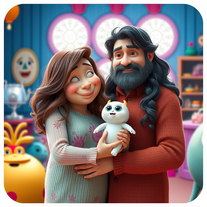 Transform family photos into magical Monsters Inc. scenes.OpenSimply upload your photo; you don't need to type anything in the prompt field. Just click "generate" and watch the magic happen.
 -
 One click, every headline: Real-time global news at your fingertips.Open
 -
 Open
Open -
 AI-powered lyricist that transforms any theme into hilariously catchy songs.Open
 -
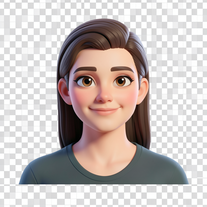 Transform your photo into a premium Pixar-style 3D character.Open
 -
 Transform children's stories into vivid illustration prompts instantly.Open
 -
 Transform photos into cinematic 8K portraits with Minions.Open
 -
 Transform photos into hilarious cartoon wake-up scenes.OpenSimply upload your photo; you don't need to type anything in the prompt field. Just click "generate" and watch the magic happen.
 -
 Transform any photo into charming crayon art with childlike wonder.Open
 -
 Open
Open -
 Transform photos into Hollywood-style action movie posters.OpenSimply upload your photo; you don't need to type anything in the prompt field. Just click "generate" and watch the magic happen.
 -
Looks very unseful. I'd really like to read a tailored newsfeed without overwhelming me with unnecessary news. Well done.
-
 Open
Open -
 Transform kids' doodles into interactive stories and games.Open
 -
 Creates stunning, professional movie posters for fictional films.Open
 -
-
 Transform photos into cinematic movie scenes instantly.Open
 -
 Transform photos into cinematic scenes with cartoon characters.OpenNot what I expected . Need more info
 -
 AI-powered cartoon character generator for vibrant, inclusive characters.Open
 -
 Creates hilarious, family-friendly images by combining unlikely elements.Open
 -
 Create ultra-realistic selfies with The Mask characters.Open
 -
 Transform photos into ultra-realistic cinematic scenes.Open
 -
Simply upload your photo; you don't need to type anything in the prompt field. Just click "generate" and watch the magic happen.
-
 Transform selfies into horror movie group photos.Open
 -
Simply upload your photo; you don't need to type anything in the prompt field. Just click "generate" and watch the magic happen.
-
 Generate ultra-realistic skydiving portraits from your photos.Open
 -
 Transform photos into epic 3D cartoon characters.OpenSimply upload your photo; you don't need to type anything in the prompt field. Just click "generate" and watch the magic happen.
 -
As the founder of Genstory.app, I’ve always believed that every child deserves a story of their own. Genstory.app was built with one simple idea: anyone should be able to use AI to easily create high-quality, imaginative, and personalized stories that truly spark a child’s curiosity. We simplified the entire creative process into three steps—enter a theme, choose characters, and generate both the story and illustrations. In just a few minutes, you can have a complete mini storybook. Since launch, the feedback we hear most often is: “I no longer have to struggle to make up stories every night.” “My child loves seeing themselves as the main character.” This is exactly what we hoped to achieve: making storytelling easier, more fun, and more personal. Genstory.app is growing fast, and we’ll continue refining the experience to become a creative playground that anyone can enjoy.
-
 Creates authentic country song lyrics with heartfelt storytelling.Open
 -
Simply upload your photo; you don't need to type anything in the prompt field. Just click "generate" and watch the magic happen.
-
 Transform yourself into hyper-realistic celebrity group photos.OpenSimply upload your photo; you don't need to type anything in the prompt field. Just click "generate" and watch the magic happen.
 -
Clean UI, multiple video models in one place, and fair credit refunds when generations fail. Nice that you can try it for free before committing.
-
 Transform photos into ultra-realistic Disney park portraits.Open
 -
 Generate ultra-realistic 8K selfies with legendary rockstars.Open
 -
Create an emotional Afro-pop / TikTok viral song titled “Don’t Leave Me on Seen”. Male vocal, emotional but smooth tone. Tempo: mid-tempo (90–105 BPM). Mood: sad but catchy, relatable, modern TikTok vibes. Lyrics theme: being ignored, left on read, online silence, emotional honesty, love frustration. Include a strong catchy chorus suitable for TikTok trends and short videos. Clean production, soft afro drums, light piano or guitar, subtle bass. Song length: 1:30 – 2:00 minutes. Language: English. Style inspired by modern Afro-pop and TikTok viral songs (emotional but danceable).
-
 Open
Open -
 Transform your photo into El Chavo del 8 memories.OpenSimply upload your photo; you don't need to type anything in the prompt field. Just click "generate" and watch the magic happen.
 -
 Ultra-realistic AI image generator with perfect identity preservation.OpenJust put your photo, dont put prompt text ok
 -
 Transform yourself into hilariously tiny cinematic scenes.Open
 -
-
Simply upload your photo; you don't need to type anything in the prompt field. Just click "generate" and watch the magic happen.
-
 Transform photos into cinematic Arnold Schwarzenegger barbershop scenes.Open
 -
 Transform photos into epic warrior battle scenes.Open
 -
 Transform photos into cinematic Funko-Pop portraits.Open
 -
Pretty disgusting. Someone should make the same thing for incels and rate the likelihood of becoming a school shooter or killing themselves.
-
 Transform yourself into ultra-realistic scenes with impossible scale.Open
 -
 Create hyper-realistic beach party scenes for personal branding.Open
 -
 Turn baby photos into talking podcast videos.OpenWow, The AI tool is so interesting for the AI talking baby podcast. I like it. Thank you for the AI
 -
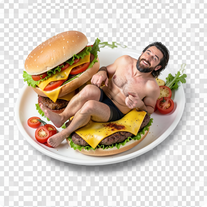
 Wrestle giant food in hyper-realistic cinematic photos.Open
 -
 Transform yourself into a Fast & Furious action hero!Open
 -
 Star in paparazzi photos with celebrities.Open
 -
 Transform your photo into an ultra-realistic beach scene with SpongeBob!Open
 -
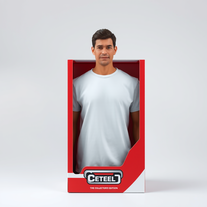 Transform yourself into a hyperrealistic collectible action figure.Open
 -
 Transform your selfie into a cinematic horror masterpiece.Open
 -
 Transform any topic into fascinating, little-known facts.Open
 -
So cute! It's actually crazy how real the dance moves look. Highly recommend using high-quality photos for the best result.
-
 Open
Open -
 Bulk colorize manga and webtoon chapters with perfect consistency.Openworks as it should, the website responds so well. keep this updated
 -
I’m honestly impressed with how far AI music maker has come. I’ve been using this web app daily for more than a week, and it has become an essential part of my workflow. The high-fidelity audio it generates is professional grade. I love that I can experiment with the free credits daily without worrying about copyright strikes. Yes, the downloads are behind a subscription, but given the "pro" output, I find it very reasonable.
-
 Transform portraits into cinematic shooting range scenes.Open
 -
 Transform yourself into photorealistic Star Wars scenes.Open
 -
 AI Santa for personalized holiday moments with Advent Calendar and Radio.Open
 -
 Transform photos into cinematic selfies with gorilla companions.Open
 -
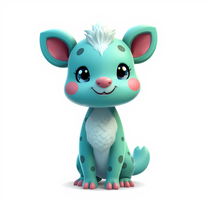 Creates vibrant, whimsical animal characters with unique features.Open
 -
 Become Batman's master engineer with AI photo transformation.Open
 -
I like pay for what I love, just like go shopping and buy clothes. what do you think?
-
 OpenA perfect blend of entertainment and education! QualiTime.ai makes learning playful and interactive for children. Great overview!
 -
 Transform yourself into cinematic dessert scenes.Open
 -
 Open
Open -
 Create cinematic photos with holographic twin projections.Open
 -
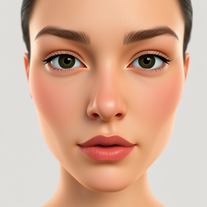 Transform selfies into cinematic horror scenes.Open
 -
 AI-generated truth questions and dare challenges for parties.Open
 -
 Generate magical Harry Potter-inspired potion recipes.Open
 -
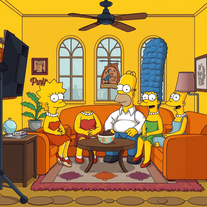 Transform yourself into a live-action Simpsons character.Open
 -
Lmao this is gold. Kirkify my friend's face in seconds. 😂
-
 Open
Open -
 Track the Tooth Fairy's magical journey to your house.Open
 -
 Recommends mobile apps for productivity, entertainment, and lifestyle.Open
 -
 Suggest music, movies, TV shows, books, video games, and podcastsOpen
 -
 Your guide to movies, music, gaming, and pop culture.Open
 -
 Open
Open -
Blending entertainment with information in romantic comedies.Open
-
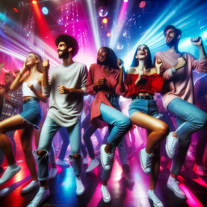
Find the hottest club events, nightlife, and entertainment in your area.Open
-
 Open
Open -
 Top-tier in education, productivity, and entertainment.Open
 -
 Recommending books, movies, and games you'll love.Open
 -
 Your pocket guide for entertainment licensing news and insights.Open
 -
 Open
Open -
 Open
Open -
A local's guide to Los Angeles, enlightening on neighborhoods, entertainment, and lifestyle.Open
-
 Providing unmatched, evolving AI insights in Entertainment & Media.Open
 -
 Adaptable expert on current entertainment and media trends.Open
 -
 AI companion modeled after idols for entertainment and conversation.Open
 -
 Open
Open -
 Your ultimate guide for food, entertainment, and travel.Open



















































































Post





