
 Mini tools
▼ Most saved
Interactive entertainment
Free mode
100% free
Freemium
Free Trial
Featured matches
-

-

-
 Mihnea Stanila🛠️ 1 tool 🙏 30 karmaFeb 23, 2026@ConnectTheDots GeneratorI just published a children's drawing book on Amazon in 2-3 hours of fiddleing with this tool. Really really good!
 -

-
 Turn baby photos into talking podcast videos.Open
 Wow, The AI tool is so interesting for the AI talking baby podcast. I like it. Thank you for the AI
 -
 AI Santa for personalized holiday moments with Advent Calendar and Radio.Open
-
 Open
Open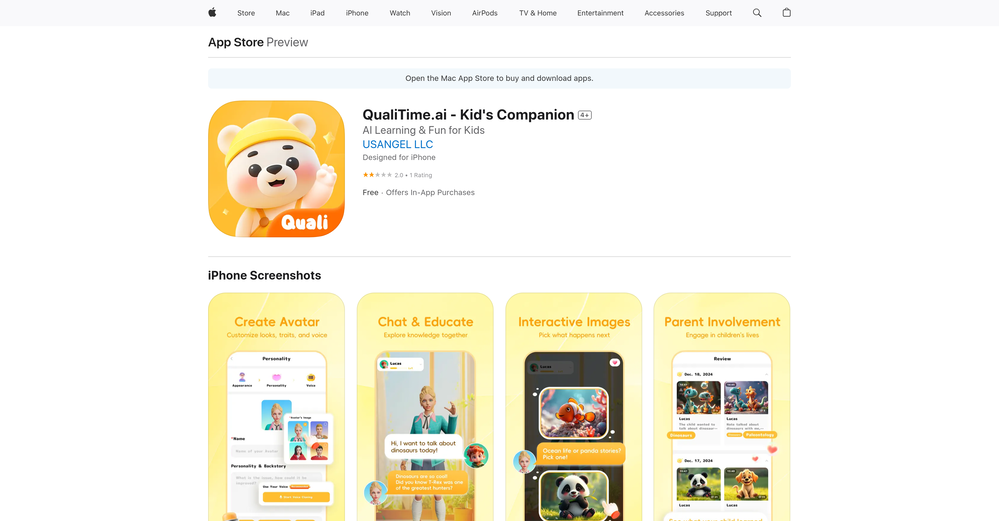 A perfect blend of entertainment and education! QualiTime.ai makes learning playful and interactive for children. Great overview!
 -
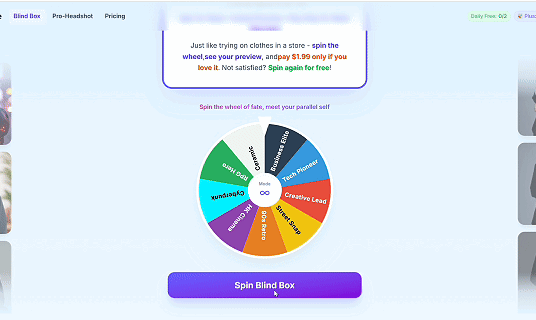 I like pay for what I love, just like go shopping and buy clothes. what do you think?
 -

-
 Track the Tooth Fairy's magical journey to your house.Open




Other tools
-
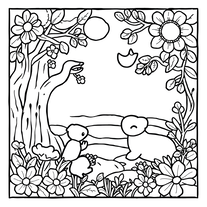
 OpenI especially like that there's a colored side to guide the artist as reference
 -
 Create and download your digital clone to live forever. Interact with others.Open
 -
-
 OpenVideo editing is the process of selecting, trimming, and arranging footage to create a cohesive story or visual narrative. Here are some fundamental concepts and techniques: Types of Video Editing Linear editing: A straightforward, sequential approach to editing, where clips are arranged in a linear timeline. Non-linear editing: A more flexible approach, where clips can be arranged and rearranged freely in a timeline. Key Video Editing Techniques Cutting: A transition between two clips, where one clip ends and another begins. Cutting on action: Cutting between two clips while an action is in progress, to create a seamless transition. J-cut: Cutting from one clip to another while audio from the second clip starts playing before the video cuts to it. L-cut: Cutting from one clip to another while audio from the first clip continues to play. Video Editing Software Popular video editing software includes: Adobe Premiere Pro: A professional-level editing software with advanced features and integration with other Adobe tools. Final Cut Pro: A professional-level editing software for Mac users, known for its user-friendly interface and advanced features. DaVinci Resolve: A free and paid editing software that offers advanced color grading and audio editing tools. Best Practices for Video Editing Plan your edit: Develop a clear vision and storyboard before starting to edit. Organize your footage: Label and categorize your clips to make them easily accessible. Keep it simple: Avoid overusing transitions and effects; focus on telling a clear story. Advanced Video Editing Techniques Color grading: Adjusting the color and brightness of footage to create a specific mood or atmosphere. Audio ducking: Automatically reducing the volume of background audio when dialogue is present. Motion graphics: Adding animated text, logos, or other graphics to enhance the visual narrative. Video editing involves selecting, trimming, and arranging footage to create a cohesive story. Linear and non-linear editing are two fundamental approaches. Key techniques include cutting, cutting on action, J-cuts, and L-cuts. Popular software includes Adobe Premiere Pro, Final Cut Pro, and DaVinci Resolve. Best practices involve planning, organizing footage, and keeping it simple. Advanced techniques include color grading, audio ducking, and motion graphics. Capcat pro Capcat pro Download image-to-image-generator generated imagetransparent pixel Image to Image Generator Image to Image Generator Download image-to-image-generator generated imagetransparent pixel Image to Image Generator Image to Image Generator Download image-to-image-generator generated imagetransparent pixel Image to Image Generator Image to Image Generator Download image-to-image-generator generated imagetransparent pixel Image to Image Generator Image to Image Generator Download image-to-image-generator generated imagetransparent pixel Image to Image Generator Image to Image Generator Download image-to-image-generator generated imagetransparent pixel Image to Image Generator Image to Image Generator Download image-generator generated imagetransparent pixel Image Generator Image Generator Copy Video Editing Basics Video editing is the process of selecting, trimming, and arranging footage to create a cohesive story or visual narrative. Here are some fundamental concepts and techniques: Types of Video Editing Linear editing: A straightforward, sequential approach to editing, where clips are arranged in a linear timeline. Non-linear editing: A more flexible approach, where clips can be arranged and rearranged freely in a timeline. Key Video Editing Techniques Cutting: A transition between two clips, where one clip ends and another begins. Cutting on action: Cutting between two clips while an action is in progress, to create a seamless transition. J-cut: Cutting from one clip to another while audio from the second clip starts playing before the video cuts to it. L-cut: Cutting from one clip to another while audio from the first clip continues to play. Video Editing Software Popular video editing software includes: Adobe Premiere Pro: A professional-level editing software with advanced features and integration with other Adobe tools. Final Cut Pro: A professional-level editing software for Mac users, known for its user-friendly interface and advanced features. DaVinci Resolve: A free and paid editing software that offers advanced color grading and audio editing tools. Best Practices for Video Editing Plan your edit: Develop a clear vision and storyboard before starting to edit. Organize your footage: Label and categorize your clips to make them easily accessible. Keep it simple: Avoid overusing transitions and effects; focus on telling a clear story. Advanced Video Editing Techniques Color grading: Adjusting the color and brightness of footage to create a specific mood or atmosphere. Audio ducking: Automatically reducing the volume of background audio when dialogue is present. Motion graphics: Adding animated text, logos, or other graphics to enhance the visual narrative. Video editing involves selecting, trimming, and arranging footage to create a cohesive story. Linear and non-linear editing are two fundamental approaches. Key techniques include cutting, cutting on action, J-cuts, and L-cuts. Popular software includes Adobe Premiere Pro, Final Cut Pro, and DaVinci Resolve. Best practices involve planning, organizing footage, and keeping it simple. Advanced techniques include color grading,
 - Sponsor
 Rocket - Think it. Type it. Launch it.
 -
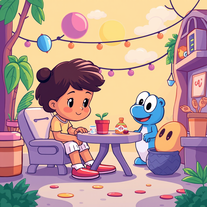 Transform story ideas into vibrant cartoon scenes.Open
 -
I stumbled upon this site, so happy I did . I asolutely love it. There is a mother load of AI tools to choose from. My new favorite site!
-
 AI-powered coloring book creator for kids' stories.Open
 -
-
-
 All-in-one AI assistant for Chatting, Searching, Writing, Reading and more.OpenI downloaded the Windows version, but couldn't generate even 1 sentence of TTS for free. There seems to be NO demo trial whatsoever. Buy, buy, till you die ;-(
 -
 Creates unique Minecraft skins from your descriptions instantly.Open
 - Didn't find the AI you were looking for?
-
Love the product has many useful tools that I can use for my brand and the design needs little more work.
-
Nice post! I recently tried infinite-fusion.net/generator and it’s a really fun Pokémon fusion tool.
-
 Open
Open -
 Open
Open -
 AI coloring book for enchanting kids' art adventures.Open
 -
Ooh. this tickles my nerd side. I already created our next BBEG, it will help so much with making custom DnD campaigns. Thank you!!
-
Not what I expected. The roblocks stuff. When you say PDF to video, I was expecting whatever the PDF says there would be an animation or cartoon or something visually animated going on.
-
interesting concept, but it still needs quite a bit of refinement. i get that interpreting vague or simple prompts can be tricky for the ai, but for this to really work as a game creation tool, it needs more control, better clarity in execution and tighter results overall. definitely has potential, but not quite there yet.
-
It appears their site may be overwhelmed - a 1-second old email confirmation code was considered "expired". Sign-up was impossible.
-
 Open
Open -
 Transform ducks into 3D whimsical masterpieces.Open
 -
 Transform number picking into theatrical ceremony.Open
 -
 Test your 60s-70s music and Route 66 trivia in an AI treasure hunt.Open
 -
i like the format but the jokes aren’t anything to write home about. still, it is pretty fast and you can basically choose any topic you want. decent tool overall
-
-
 Generate hilariously exaggerated failure scenarios for any character.Open
 -
Yoo, just gave this chat a theme and it spat out a brain-twister that's straight fire! kinda dope, but u ll need some hints to dial down the guesswork
-
 Generate epic 3D fisheye selfies with original TMNT.Open
 -
It is easy to use, has a low threshold for getting started, and is inexpensive.
-
 Open
Open -
What I really like about this AI is that it doesn't feel like you're chatting with an AI as much as other options. The daily check-ins are a good way to keep an ongoing journal and the prompts help with figuring out what to talk about. It's not free and probably why some will rate it low, but you do get unlimited access for a reasonable price and an interesting, fun way to interact with AI. If you've ever heard of Little Prince, this app will have an odd familiarity to that story. Overall, it's a great AI tool that I'm getting a lot of enjoyment out of it and can see the potential for it as the developers add more to it and fine-tune the AI even more.
-
 Transform photos into epic 3D cartoon characters.OpenSimply upload your photo; you don't need to type anything in the prompt field. Just click "generate" and watch the magic happen.
 -
 Craft riveting beauty pageant narratives with AI.Open
 -
 Create custom AI gaming companions with voice chat and live screenshare.Open
 -
As the founder of Genstory.app, I’ve always believed that every child deserves a story of their own. Genstory.app was built with one simple idea: anyone should be able to use AI to easily create high-quality, imaginative, and personalized stories that truly spark a child’s curiosity. We simplified the entire creative process into three steps—enter a theme, choose characters, and generate both the story and illustrations. In just a few minutes, you can have a complete mini storybook. Since launch, the feedback we hear most often is: “I no longer have to struggle to make up stories every night.” “My child loves seeing themselves as the main character.” This is exactly what we hoped to achieve: making storytelling easier, more fun, and more personal. Genstory.app is growing fast, and we’ll continue refining the experience to become a creative playground that anyone can enjoy.
-
 Transform any topic into clever jokes, puns, and one-liners instantly.Open
 -
 Transform yourself into hyper-realistic celebrity group photos.OpenSimply upload your photo; you don't need to type anything in the prompt field. Just click "generate" and watch the magic happen.
 -
-
 OpenChanged the prompt to improve results.
 -
 Open
Open -
 AI-powered Truth or Dare for unforgettable parties.Open
 -
 Transform yourself into ultra-realistic scenes with impossible scale.Open
 -
 Transform yourself into a Fast & Furious action hero!Open
 -
Used to make coloring pages for the wedding of a friend’s son. Was easy to use. Can pay monthly.
-
 Wrestle giant food in hyper-realistic cinematic photos.Open
 -
 AI-powered Truth or Dare Generator creates unique questions and challenges.Open
 -
 Open
Open -
Of course I'm biased. This was so fun to make. Would love to hear feedback.
-
 Get your life's 80s soundtrack in secondsOpen
 -
 AI-generated truth questions and dare challenges for parties.Open
 -
 Generate magical Harry Potter-inspired potion recipes.Open
 -
 Ask a former U.S. President for advice or answers to your questionsOpen
 -
 Outsmart clockwork conundrums in an interactive escape game.Open
 -
 Open
Open -
 Crafting engaging and balanced board games digitally.Open
 -
![Echo [Character's Name]](https://media.theresanaiforthat.com/icons/echo-character-s-name.png?height=207) Mirrors a character's humor and style with adaptability.Open
Mirrors a character's humor and style with adaptability.Open -
 Ready for adventurous and thoughtful discussions.Open
 -
 Host a comedic game show of absurd inventions!Open
 -
 Open
Open



























































































































Post





