Go to section
Sponsor
 Flow - 4x faster than typing
🎤 Dictation
Flow - 4x faster than typing
🎤 Dictation
The front page of AI.Used by 90M+ humans.

TAAFT Tutorial
Generate image
Tasks
Generate text
Free mode
Trending
Leaderboard
Characters
 Mini tools
New
Featured
Lists
Agents
Requests
Jobs
Map
Newsletter
Starter pack
Free tools
Speech to text
Text translator
Remove background
Settings
Edit profile
My tools
Gallery
Dashboard
Inbox
Get featured
Contact TAAFT
For you
Popular
Job impact index
Most saved
Affiliate program
Submit AI tool
Notification preferences
Glossary
Home
Timeline
My profile
Create tool
Deals
Companies
Models
Robots
Papers
Fundraises
Repositories
Devices
Organizations
Events
Prompt Pack
Merchendise
APIs
Features
Tools
Countries
Collections
Videos
Mini tools
New
Featured
Lists
Agents
Requests
Jobs
Map
Newsletter
Starter pack
Free tools
Speech to text
Text translator
Remove background
Settings
Edit profile
My tools
Gallery
Dashboard
Inbox
Get featured
Contact TAAFT
For you
Popular
Job impact index
Most saved
Affiliate program
Submit AI tool
Notification preferences
Glossary
Home
Timeline
My profile
Create tool
Deals
Companies
Models
Robots
Papers
Fundraises
Repositories
Devices
Organizations
Events
Prompt Pack
Merchendise
APIs
Features
Tools
Countries
Collections
Videos
Mini tools
New
Featured
Lists
Agents
Requests
Jobs
Map
Newsletter
Starter pack
Free tools
Speech to text
Text translator
Remove background
Settings
Edit profile
My tools
Gallery
Dashboard
Inbox
Get featured
Contact TAAFT
For you
Popular
Job impact index
Most saved
Affiliate program
Submit AI tool
Notification preferences
Glossary
Home
Timeline
My profile
Create tool
Deals
Companies
Models
Robots
Papers
Fundraises
Repositories
Devices
Organizations
Events
Prompt Pack
Merchendise
APIs
Features
Tools
Countries
Collections
Videos

▼ Top rated
Smart filtering
Free mode
100% free
Freemium
Free Trial
Featured matches
-
-

-
 Enable LLMs to search and analyze live social media through natural language.Open
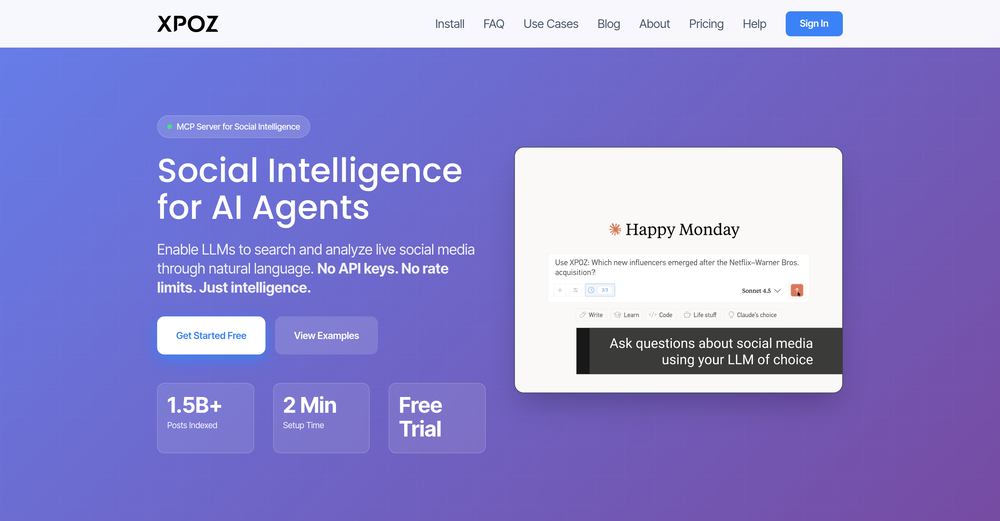 Ido Avnir🙏 11 karmaJan 14, 2026@Xpoz MCPSimple idea, well executed. Makes social data usable inside LLM-based workflows instead of external dashboards
 -




Other tools
-
-
 OpenHi all, I am the founder of Futurwise, and we build this tool to help people keep up-to-date on fast-changing topics as the world is changing so incredibly fast. Our objective is to build a next gen media platform and help anyone cut through the noise of information overload and find your next insight faster. At the moment, we do that with an MVP focused on super fast summaries of many types of content but from trusted sources, available with one click, in your style and language. Ready in under 5 seconds, regardless of content type. Securely stored in your private library. Distraction free, no ads, forever. As we collapse hours into seconds and keep professionals aligned on what matters across 25 languages and trusted sources, we envision helping individuals, enterprises and global societies increase awareness on fast changing topics, such as emerging technologies, climate change or healthcare, that will affect humanity in the long run. I hope you enjoy our app!
 -
Hey AI fans, I am Kalo, co-founder of Breezemail. If your inbox is anything like mine, you spend at least 20% of your life opening, answering, and unsubscribing from emails. Arguably, the only thing more tedious than this is fixing your grandma’s Windows XP (arguably). Or you just gave up, and your inbox app has a cute red dot with a truncation ellipsis (…), also known as the symbol of inbox doom. Either way, the whole inbox situation is an absolute disaster. We wanted to solve this challenge using AI. Breezemail will help you enter the holy land of Inbox Zero. It’s an email categorizer tool that keeps important emails in your inbox and categorizes the rest into folders using natural language prompts. How does it work? 1. Breezemail has a default Important category which leaves all your real human emails in your inbox. 2. Everything else is organized into AI folders (or labels). Labels using natural language prompts, for example, “All emails from my family”. 3. We give you a bunch of pre-defined categories to start with, and you can create your own custom categories, the same way you would write a ChatGPT prompt (yes, our tool also uses ChatGPT). We’ve been testing it in-house for both our personal and business emails, and it worked so well that I no longer hate link builders and outreach people because their requests are neatly organized into a couple of folders. For my personal inbox, I can finally see all my receipts in one place, and all stock newsletters are ready for daily review in a different folder. Go try it out now for free. We’d love to hear your feedback, so please don’t be shy and drop me a line back. Currently, the tool is only available for Outlook, but we are working on a Gmail app, too. If you’d like to try it for Gmail, please let us know. Thank you, Kalo
-
Great tool. It's a very efficient way for searching through podcasts. Also made a video on it here: https://www.youtube.com/watch?app=desktop&v=dCE3b3ycDTw
- SponsorFlow - 4x faster than typing🎤 Dictation
-
 OpenAmazing! This is exactly what I‘ve been looking for for years
 -
🐦 Pounce v2.4 — Smoother Setup & Sharper Sessions 🎨 A Redesigned Onboarding 1. Setting up a campaign is cleaner and more guided — the setup, refine, and new-campaign flows now share a consistent, step-by-step experience that's easier to follow start to finish. 2. Every step breathes better and reads more clearly, so getting Pounce dialed in feels effortless whether it's your first campaign or your fifth. 🛡️ Reply With Confidence 1. New explanations on the homepage and throughout setup spell out exactly why using Pounce won't get your account banned or suspended. 2. Know what Pounce can and can't do before you connect — no more guessing about account safety. 📒 A Reply Log That Makes Sense 1. Your reply log now groups replies by day, so your history reads like a timeline instead of an endless list. 2. Filter by platform or by account to zero in on exactly the replies you want to review. ⚡ Sharper Sessions 1. Your queue now flags tweets from people you interact with frequently, so familiar faces are easy to spot at a glance. 2. The "here's what you're missing" digest email has a clearer subject line — see how many tweets are waiting and what they're about before you even open it.
-
Clever email management design and easy to use. I love the kanban board style with summarize and auto response.
- Didn't find the AI you were looking for?
-
Hey TAAFT, I’m Richie, cofounder of Forage Mail! 👋 Forage has seriously changed my relationship to my inbox, and I'm excited for more of you to experience it. Forage is not a new email app you need to learn. It’s an AI that plugs right into your Gmail account and filters out your low-priority mail. Then, it sends you a clean daily summary with everything it filtered out—including a TLDR of every newsletter you received.
-
with no complex prompts or workflows required, it delivers immediate, high-quality results. Among the unique transformations offered are Studio Ghibli and Sesame Street styles, setting it apart from more generic AI tools.
-
This looks like a solid tool for managing calls. Looking forward to more updates!
-
The resulting face loses any resemblance to the original. It's just comically bad and slow. Maybe with a better model and more styles they could pass some sort of bar but not like this...
-
I personally think it's unfair for companies to use ATS to decide on candidates, when most of the time it's specifically that search that helps you find the diamond in a pool of dirt. This at least levels the playing field 👍
-
Registration before trial is a bad 1st impression and even worse user experience.