
 Mini tools
▼ Latest
Teatro
Free mode
100% free
Freemium
Free Trial
Verified tools
-
 Kar Bar🙏 5 karmaDec 10, 2023@Textero AI Essay WriterNo longer cites works and the free version only allows for 275 words. Expensive subscription for subpar output. Help team is also non responsive.
 -
I think this is the future of movies, but I have to give you some advice : 1. Make all images automatically animated and animating them does not cost additional credits 2. Make sure it doesn't all have to be family friendly, put age ratings (PG, PG-13, R) This way all your creations won't have to be family friendly and your site will be much more successful.
- Sponsor
 Base44 Superagents-AI agent that does it all
 -
 " AI-powered test management that simplifies bugs, tests, and releases.”OpenUsing @Bugasura has been a game-changer for our QA workflow. The AI automatically generates precise issue descriptions, assesses impact, and suggests assignments, cutting down bug logging time by more than half while keeping everything organized and collaborative across teams.
 -
-




Other tools
-
-
tried veo 3 today and it honestly feels like a sneak peek into the future. one short prompt and it gave me a crisp 4K video with perfect audio and cinematic camera moves. not flawless yet, but wow.
-
Waitlist
works well with some adult stories as well.
-
Inscrivez-vous, c'est gratuit! 9h41  Qu’est-ce que Playtext ? Playtext transforme n'importe quel texte en livre audio et vous aide à lire 3 x plus rapidement. Nous extrayons le contenu et le présentons dans un environnement sans distraction tout en utilisant l'IA pour générer des voix humaines qui lisent le texte à haute voix. Avec Playtext, vous pouvez lire à un rythme qui vous convient, que ce soit 1x, 2x ou même 3x la vitesse. Vous pouvez entraîner vos oreilles à lire jusqu'à 3 fois plus vite avec une utilisation régulière ! Pour accélérer les choses, appuyez simplement sur l'icône . Et le meilleur ? Vous pouvez toujours comprendre tout ce que vous lisez, même à des vitesses plus élevées. En effet, Playtext vous permet de lire et d'écouter en même temps, ce qui améliore considérablement la rétention et la compréhension du contenu. Donc, si vous cherchez une nouvelle façon de profiter de vos articles préférés et d'améliorer votre vitesse de lecture, essayez Playtext. Vous pourriez être surpris de voir à quel point vous allez l'adorer !
- Didn't find the AI you were looking for?
-
it does not give you enough credits to use veo3 which it claim to .
-
 Creates ultra-realistic cinematic portraits from your photos.Open
 -
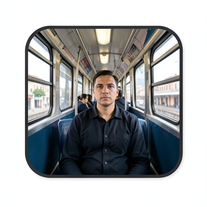 Create cinematic AI photographs of yourself anywhere.Open
 -
 Creates vintage automotive illustrations with classic advertisement aesthetics.Open
 -
 Transform your photo into a cinematic masterpiece.Open
 -
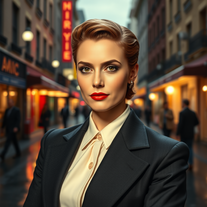
 Transform photos into stunning vintage portraits with AI.Open
 -
 Transform your photo into an ultra-realistic 8K cinematic portrait.Open
 -
 Transform photos into vintage comic book covers.Open
 -
 Transform photos into charming retro cartoons.Open
 -
Changed the prompt to improve results.
-
 Open
Open -
 Transform photos into Lichtenstein pop-art portraits.Open
 -
 AI visual art generator creating stunning 'Futuristic Retro' images.Open
 -
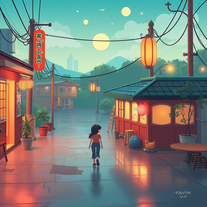 Craft nostalgic anime art with retro flair.OpenNow I got a new wallpaper for my phone home-screen. Thank you very much! Nice tool.
 -
not very consistent with the pixels, but the main image request at least is respected to some degree. could be better tho
-
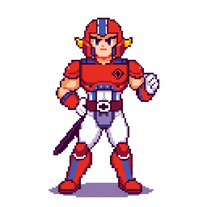 Openquick n easy to use, great results with upscaling option. great tool. 5/5
 -
Such a legendary epic badass tool and I sincerely appreciate it being free and thx very much to the adept developer. Exquisite tool. Peace. ✌️
-
 Open
Open -
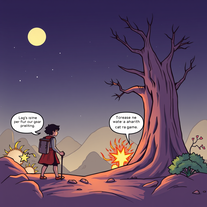 Transform text into vibrant comic book pages.Open
 -
This is pretty good. I think it might have me hooked !
-
 OpenVideo editing is the process of selecting, trimming, and arranging footage to create a cohesive story or visual narrative. Here are some fundamental concepts and techniques: Types of Video Editing Linear editing: A straightforward, sequential approach to editing, where clips are arranged in a linear timeline. Non-linear editing: A more flexible approach, where clips can be arranged and rearranged freely in a timeline. Key Video Editing Techniques Cutting: A transition between two clips, where one clip ends and another begins. Cutting on action: Cutting between two clips while an action is in progress, to create a seamless transition. J-cut: Cutting from one clip to another while audio from the second clip starts playing before the video cuts to it. L-cut: Cutting from one clip to another while audio from the first clip continues to play. Video Editing Software Popular video editing software includes: Adobe Premiere Pro: A professional-level editing software with advanced features and integration with other Adobe tools. Final Cut Pro: A professional-level editing software for Mac users, known for its user-friendly interface and advanced features. DaVinci Resolve: A free and paid editing software that offers advanced color grading and audio editing tools. Best Practices for Video Editing Plan your edit: Develop a clear vision and storyboard before starting to edit. Organize your footage: Label and categorize your clips to make them easily accessible. Keep it simple: Avoid overusing transitions and effects; focus on telling a clear story. Advanced Video Editing Techniques Color grading: Adjusting the color and brightness of footage to create a specific mood or atmosphere. Audio ducking: Automatically reducing the volume of background audio when dialogue is present. Motion graphics: Adding animated text, logos, or other graphics to enhance the visual narrative. Video editing involves selecting, trimming, and arranging footage to create a cohesive story. Linear and non-linear editing are two fundamental approaches. Key techniques include cutting, cutting on action, J-cuts, and L-cuts. Popular software includes Adobe Premiere Pro, Final Cut Pro, and DaVinci Resolve. Best practices involve planning, organizing footage, and keeping it simple. Advanced techniques include color grading, audio ducking, and motion graphics. Capcat pro Capcat pro Download image-to-image-generator generated imagetransparent pixel Image to Image Generator Image to Image Generator Download image-to-image-generator generated imagetransparent pixel Image to Image Generator Image to Image Generator Download image-to-image-generator generated imagetransparent pixel Image to Image Generator Image to Image Generator Download image-to-image-generator generated imagetransparent pixel Image to Image Generator Image to Image Generator Download image-to-image-generator generated imagetransparent pixel Image to Image Generator Image to Image Generator Download image-to-image-generator generated imagetransparent pixel Image to Image Generator Image to Image Generator Download image-generator generated imagetransparent pixel Image Generator Image Generator Copy Video Editing Basics Video editing is the process of selecting, trimming, and arranging footage to create a cohesive story or visual narrative. Here are some fundamental concepts and techniques: Types of Video Editing Linear editing: A straightforward, sequential approach to editing, where clips are arranged in a linear timeline. Non-linear editing: A more flexible approach, where clips can be arranged and rearranged freely in a timeline. Key Video Editing Techniques Cutting: A transition between two clips, where one clip ends and another begins. Cutting on action: Cutting between two clips while an action is in progress, to create a seamless transition. J-cut: Cutting from one clip to another while audio from the second clip starts playing before the video cuts to it. L-cut: Cutting from one clip to another while audio from the first clip continues to play. Video Editing Software Popular video editing software includes: Adobe Premiere Pro: A professional-level editing software with advanced features and integration with other Adobe tools. Final Cut Pro: A professional-level editing software for Mac users, known for its user-friendly interface and advanced features. DaVinci Resolve: A free and paid editing software that offers advanced color grading and audio editing tools. Best Practices for Video Editing Plan your edit: Develop a clear vision and storyboard before starting to edit. Organize your footage: Label and categorize your clips to make them easily accessible. Keep it simple: Avoid overusing transitions and effects; focus on telling a clear story. Advanced Video Editing Techniques Color grading: Adjusting the color and brightness of footage to create a specific mood or atmosphere. Audio ducking: Automatically reducing the volume of background audio when dialogue is present. Motion graphics: Adding animated text, logos, or other graphics to enhance the visual narrative. Video editing involves selecting, trimming, and arranging footage to create a cohesive story. Linear and non-linear editing are two fundamental approaches. Key techniques include cutting, cutting on action, J-cuts, and L-cuts. Popular software includes Adobe Premiere Pro, Final Cut Pro, and DaVinci Resolve. Best practices involve planning, organizing footage, and keeping it simple. Advanced techniques include color grading,
 -
 Transform your photo into El Chavo del 8 memories.OpenSimply upload your photo; you don't need to type anything in the prompt field. Just click "generate" and watch the magic happen.
 -
 Generate nostalgic 90s-style analog photos of yourself.Open
 -
Changed the prompt to improve results.
-
 Transform any concept into stunning 1980s-inspired visuals.OpenChanged the prompt to improve results.
 -
 Generate nostalgic visions of tomorrow from the past.OpenChanged the prompt to improve results.
 -
 Transform modern photos into authentic vintage masterpieces with AI.Openi love the vintage aesthetic, this is a perfect AI tool for me! pictures are great!!
 -
being just a text to image it's pretty hard to "transform myself" into a '50 film icon haha. but in general the outcomes here are niceeeeee!
-
-
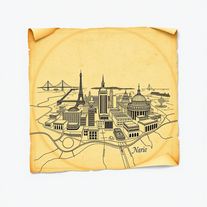
 Resurrect historical cityscapes with AI-generated vintage architecture.Open
 -
 Creative and marketing support for Spanish-speaking theater directors.Open
 -
 Attach an image and our bot generates it in text.Open
 -
Indeed, i checked up the tool too, you must have GPT and DALLE image generation enabled. without those you can generate the description and design of the cartoon you want to display.
-
 A creative aide for Theatre Directors, offering suggestions and support.Open


















![Metro AI.[ IMAGE ]](https://media.theresanaiforthat.com/icons/metro-ai-image@2812607.png?height=207)









































Post





