TAAFT Tutorial
Generate image
Tasks
Generate text
Free mode
Trending
Leaderboard
Characters
 Mini tools
New
Featured
Lists
Agents
Requests
Jobs
Map
Newsletter
Starter pack
Free tools
Speech to text
Text translator
Remove background
Settings
Edit profile
My tools
Gallery
Dashboard
Inbox
Get featured
Contact TAAFT
For you
Popular
Job impact index
Most saved
Affiliate program
Submit AI tool
Notification preferences
Glossary
Home
Timeline
My profile
Create tool
Deals
Companies
Models
Robots
Papers
Fundraises
Repositories
Devices
Organizations
Events
Prompt Pack
Merchendise
APIs
Features
Tools
Countries
Collections
Videos
Mini tools
New
Featured
Lists
Agents
Requests
Jobs
Map
Newsletter
Starter pack
Free tools
Speech to text
Text translator
Remove background
Settings
Edit profile
My tools
Gallery
Dashboard
Inbox
Get featured
Contact TAAFT
For you
Popular
Job impact index
Most saved
Affiliate program
Submit AI tool
Notification preferences
Glossary
Home
Timeline
My profile
Create tool
Deals
Companies
Models
Robots
Papers
Fundraises
Repositories
Devices
Organizations
Events
Prompt Pack
Merchendise
APIs
Features
Tools
Countries
Collections
Videos
Mini tools
New
Featured
Lists
Agents
Requests
Jobs
Map
Newsletter
Starter pack
Free tools
Speech to text
Text translator
Remove background
Settings
Edit profile
My tools
Gallery
Dashboard
Inbox
Get featured
Contact TAAFT
For you
Popular
Job impact index
Most saved
Affiliate program
Submit AI tool
Notification preferences
Glossary
Home
Timeline
My profile
Create tool
Deals
Companies
Models
Robots
Papers
Fundraises
Repositories
Devices
Organizations
Events
Prompt Pack
Merchendise
APIs
Features
Tools
Countries
Collections
Videos

▼ Popular
Video assembly
Free mode
100% free
Freemium
Free Trial
Featured matches
-
 Turn any song into scroll-stopping videos in minutes with AI-directed scripts andOpen
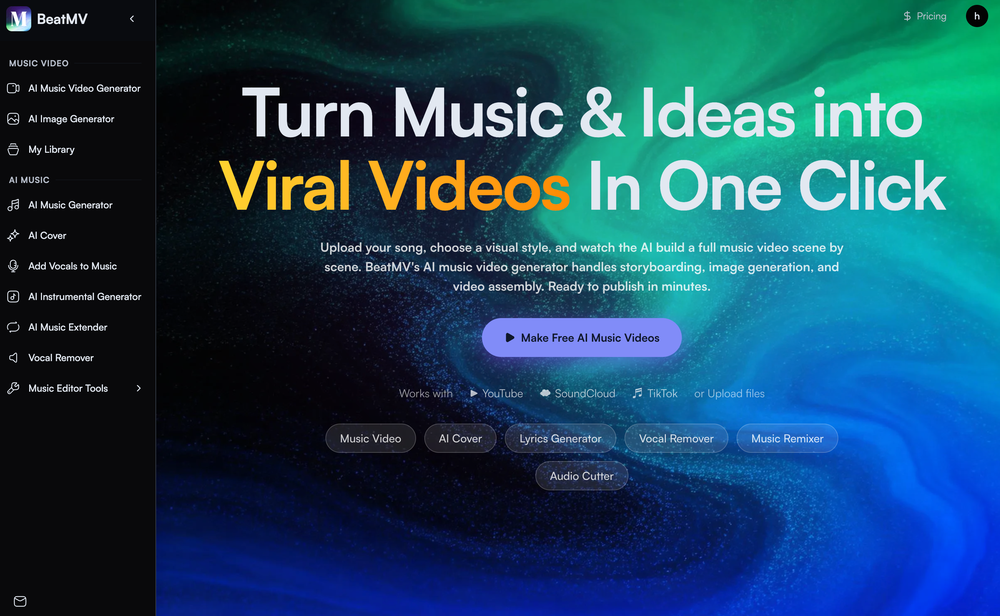 🎬 BeatMV v3.1 — Product Update Direct your music video in the visual language of the masters — real cinematic framing, not just a color filter. ✨ New Features 🎬 Signature Director Styles Shoot in the style of legendary directors. Each style carries a true shot-scale mandate — e.g. an intimate, close-up-driven look that bans drone and wide establishing shots — so your video actually feels directed, not just recolored. The style flows into every scene's framing automatically. 🎭 Full-Screen Script Reference Editor A redesigned, full-screen reference workspace for story-mode videos. Edit references per chapter across scene, character, costume, and prop — each with its own prompt, result, history, and one-click retry. 👗 Costume Consistency Sheet Costume references now generate as a four-view outfit sheet, so your character wears the same outfit — front, side, and back — across every shot of the video. 🔧 Improvements & Fixes 🎞️ Cohesive Storyboard Video Storyboard-to-video now renders with native audio and uses your reference image as the first frame (instead of the grid panel), for a character-first, consistent result. 🎯 Style That Actually Lands Director styles now drive shot scale and composition — not only palette — so the chosen look reads clearly in the final cut.
 -


Other tools
-
 jennafera🙏 10 karmaNov 26, 2025@Kirkify AII don't know how to use it because it's difficult to use
 -
tried veo 3 today and it honestly feels like a sneak peek into the future. one short prompt and it gave me a crisp 4K video with perfect audio and cinematic camera moves. not flawless yet, but wow.
-
not that good it cant generate your prompt it can only generate custom prompt as saved by itself
- Sponsor
 Tripo AI 3D Generator
 -
 Open
Open -
I've been using it for a while. In the begging I need to contact the support team to solve my issue, which is annoying. It has improved though. Especially after they launched the AI video director around Sep. Really time-saving for me. Anyway, hoping it could improve more
-
It's simple and easy to use. There are multiple AI models to choose from. The veo3 model produces very good videos with natural sound and is attractive. There are also economical and affordable AI models that also produce good videos.
-
 Transform static images into animated videos instantly.OpenHi everyone! I'm the creator of AI Video Maker. It's completely free to use and doesn't require any signup. You can instantly generate unlimited 5-second AI videos from text or images. Great for testing ideas before upgrading to HD or commercial plans. Excited to see what you all create!
 -
v03 ai is the only veo 3 videos generator supporting vertical videos for instagram, tiktok and other social media platforms, try it now!
-
VideoWeb AI is an useful AI tool for my video creation. I like the video to video feature that I can create the anime video with my videos.
- Didn't find the AI you were looking for?
-
-
-
 OpenThe features are incredibly comprehensive. I really love it — the AI videos I created got a ton of praise when I shared them. Likes galore!
 -
-
-
-