 Rocket - Think it. Type it. Launch it.
 Mini tools
 Photo AI
 Freepik AI Image Generator
 Stockimg AI
 Midjourney
 CreativePixel
 INLINER
 BestPhotoAI
 Ideogram
 SD Telegram bot
 Getimg.ai
 Shoots by Diktatorial
 Seedream
 Picsman - AI Photo Editor
 PixAI Art
 NewHero AI
 GenTube
 Reface
 FLUX
FLUX
 Stable Diffusion
 TinderProfile.ai
 So You Want To Be A Writer?
 Minka
Minka
 Ancient AI powered spirits
 Jvb ai
 somacguffin
 Cuty
Cuty
 Superfly Stoner






Overview
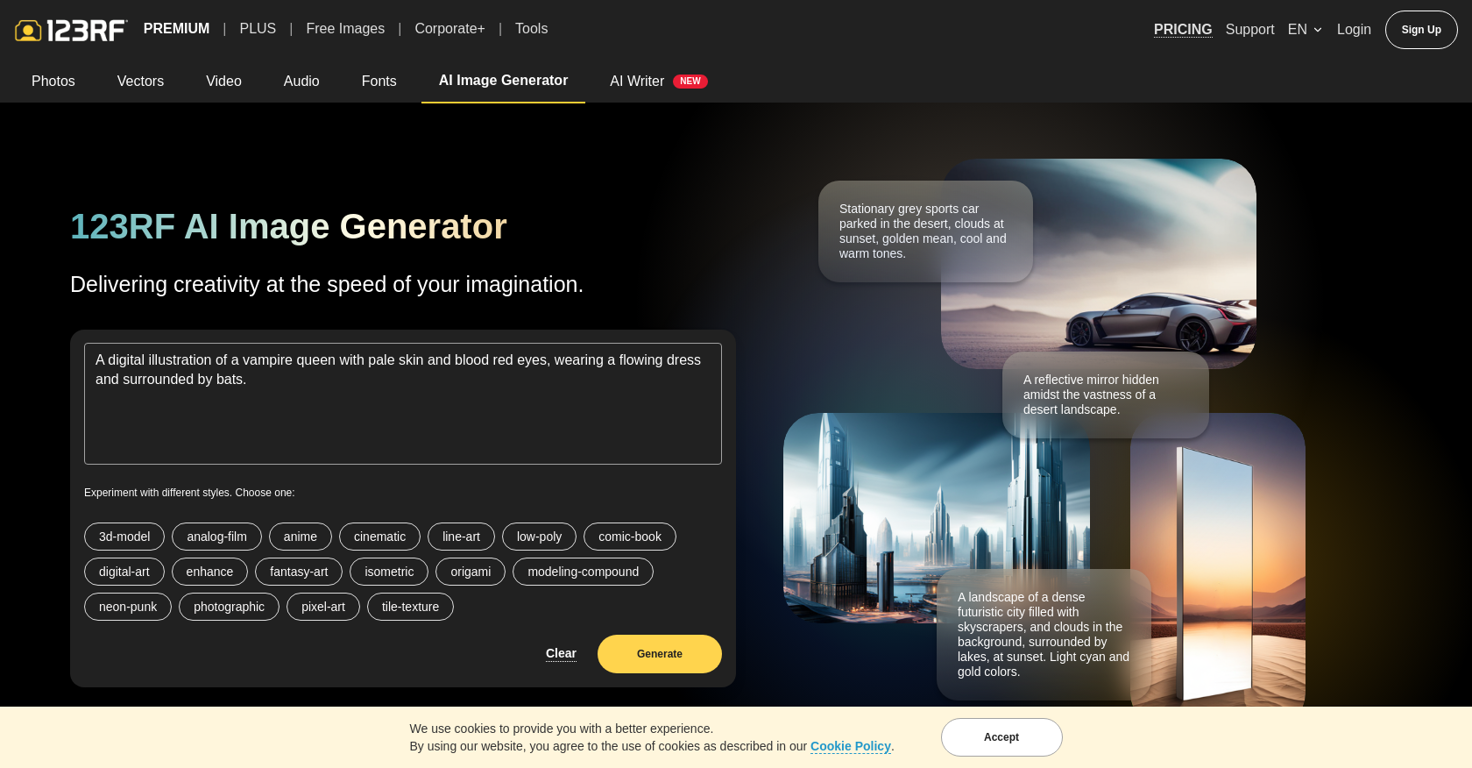
The AI Image Generator is a service that allows users to create unique, customized images from text prompts for various purposes such as websites, social media, and marketing materials.
The tool uses artificial intelligence algorithms to generate images that simulate human creativity and often include surreal or abstract elements.The process starts with users providing a text prompt that includes perspective, subject, action, keywords, lighting, and style.
The AI then generates four preview images that closely match the provided prompt. Users can review these images and choose the ones they like.Once the desired images are selected, users have the option to download and license them for personal or commercial use.
The downloaded images come with a license that grants legal coverage of $25,000. This allows users to sell or commercialize the generated images while adhering to copyright laws, intellectual property rights, and the terms and conditions set forth by the AI Image Generator License.While there is a limit to the number of images that can be generated per day, this ensures fair access and a good user experience for all users.
To access the AI image generation service, users need to be logged in with a 123RF account, and complimentary quotas are allocated to 123RF Subscribers with an active subscription plan or those who have purchased credits within the past 30 days.Overall, the AI Image Generator offers a convenient and efficient way to turn text ideas into visually appealing and unique images, empowering users to unleash their creativity without the need for advanced design skills.
Releases

Pricing
Top alternatives
-
Arvoly XSL🙏 122 karmaOct 31, 2023@Photo AIIt's not free, it forces you to input an email before shoving a price tag in your face.
-
Freepik helps people to create better designs, faster.
-
-
Midjourney — v8 AlphaV8 Model Launch – Much stronger prompt adherence, better aesthetic understanding (via personalization, srefs, moodboards), more coherent/detailed images, improved text rendering, and ~5× faster generation Faster Web Experience – Upgraded interface to match speed, plus new Conversation Mode (flow-based prompting), Grid Mode (focused viewing), and sidebar settings for uninterrupted work Style & Control Improvements – Significantly better at learning your visual taste and maintaining consistency across generations New + Existing Parameters – Supports multiple aspect ratios and includes --chaos, --weird, --exp, --raw, with full backward compatibility for V7 profiles, srefs, and moodboards Higher Quality Options – New --hd mode (native 2K renders) and --q 4 for extra coherence when needed Pricing & Modes Update – Relax mode not available yet; HD/Q4/SREF/Moodboard jobs are currently 4× slower and 4× more expensive Feedback Loop – Built-in rating system (like/dislike + hotkeys) to help train and improve V8 Usage Tips – Best results with longer, more specific prompts; use --raw or references for control; higher stylization (--stylize 1000) recommended New Model Behavior – V8 has different strengths/weaknesses and may require new prompting approaches—experimentation encouraged.
-
Six months ago I was building some landing pages and found myself wasting way too much time downloading stock photos, cropping them, resizing, rehosting... the whole thing felt broken. I looked around for a tool that just let me describe the image I wanted and get it in the right format instantly—but nothing really existed. So I built Inliner AI. Now when I need an image, I just write what I want directly into a URL like this: https://img.inliner.ai/my-project/panda-playing-guitar-on-stage_1200x750.png Hit enter and boom Inliner generates an original AI image, intelligently cropped, resized for the web, and served instantly via CDN. Need a quick edit? Just append it to the URL: .../remove-the-guitar_900x750.png No uploads, no UI, no waiting. You can also upload your own products, people, or logos and compose them into generated scenes. For more control, there's a Studio web GUI where you can play with prompts and dimensions and compare variants side by side before committing. Where this gets really powerful is when you show your LLM how to use these URLs. Once it knows the pattern like: https://img.inliner.ai/my-project/xxx-yyy-zzz.png It can generate, tweak, and iterate on image assets dynamically, right inside your prompts or your code. Everything stays self contained in the link. We also include copy/pasteable instructions for Claude, GPT, Cursor, and more so you can wire this up in minutes. If you're building a product, designing a page, or just prototyping something new try it out and let me know what you think!






 2
2





