

 Mini tools
 TheLibrarian.io
 Supernormal App
 Saidar
 MiroAI
 Collate
 Runable
 ComputerX
 Slashspace (Formerly RabbitHoles AI)
 AiAssistWorks - GPT Gemini Claude AI for Sheets Docs Slides
 ConsoleX AI
 Ask Steve
 Kolva
Kolva
 Alfred by Simbli.ai
 Affint
 Octofy
 Sup AI
 BrowseWiz
 ZeroTwo
 Support Flow
 Hyperis

Alice App







Overview
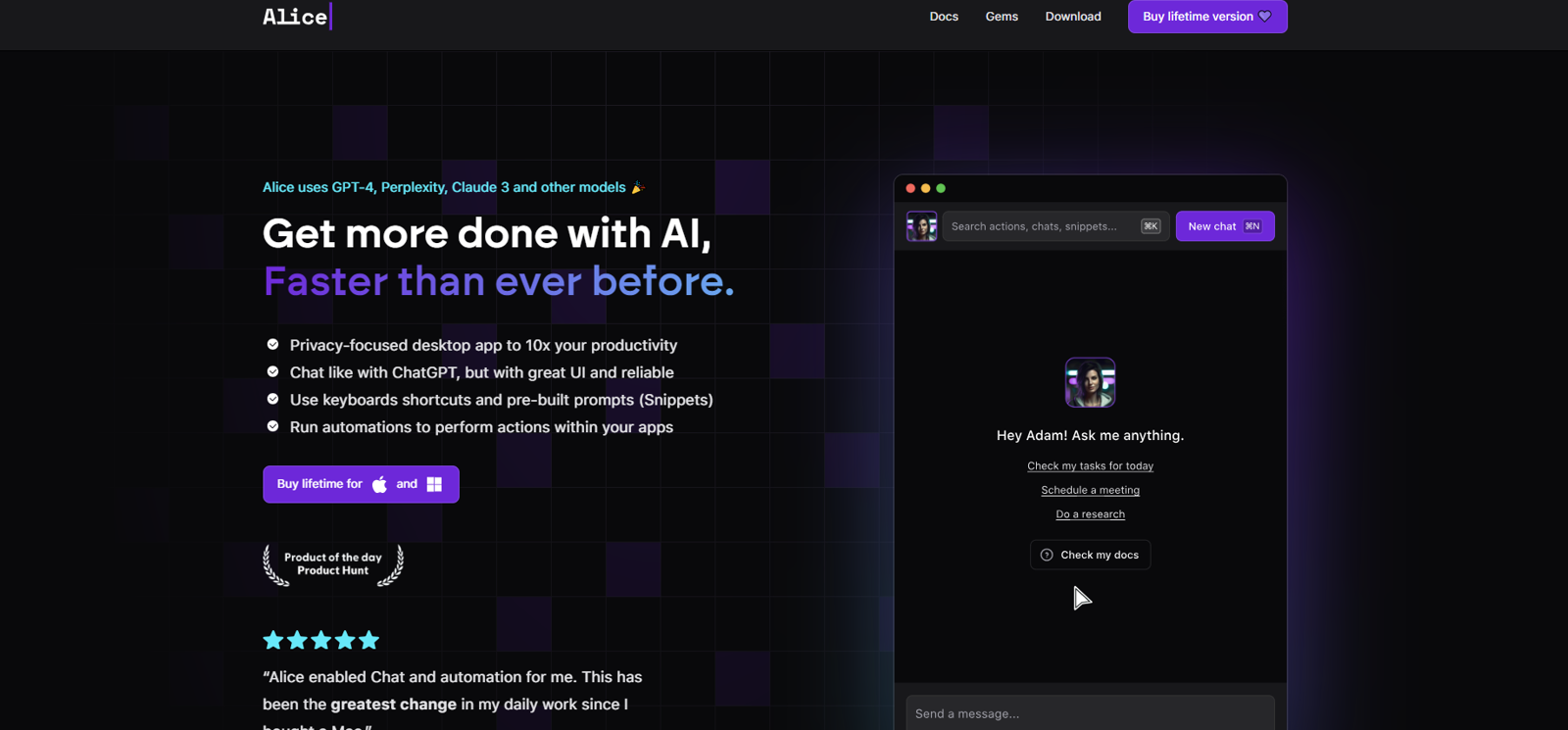
Alice App is a privacy-centred desktop application designed to augment productivity through AI. The app is capable of engaging with different AI models such as GPT-4, Perplexity, Claude 3, among others.
Alice App stands out with its user-friendly interface, pre-built prompts known as 'Snippets', and keyboard shortcut integration for quick access and commands.
The app allows users to create tailored assistants capable of various tasks including, but not limited to, social media content creation, scheduling, and cost management.
These assistants can communicate with linked applications, triggering automations and executing commands. Alice app has over 100 ready-to-use prompts for different purposes, including summaries, brainstorming, text correction, and more.
It also enables users to create their custom Snippets. Alice makes use of keyboard shortcuts, allowing users to execute commands within the app and assign shortcuts to Snippets.
It connects with several mainstream applications such as Stripe, Google Calendar, Dropbox, Gmail, Spotify, and Todoist, allowing Alice App to perform tasks within these apps based on user command.
Although setup requires minor no-code tweaks, the interoperability enhancement significantly increases Alice App's utility.
Releases
Other tools by EDUWEB
-
Greg Rog🛠️ 1 tool 🙏 48 karmaMar 30, 2025@Alice - AI Automation AppThanks for noticing this Tyler, we really liked the idea of getting back to lifetime one-time purchases. Alice is a desktop app and it doesn’t use our cloud resources much, so this should be also feasible for the long run. Please, give Alice a try, you won’t regret it!


Top alternatives
-
 Your WhatsApp AI assistant for instant productivity.Great tool! Was very helpful in content production
 -
 The AI assistant app that turns meetings into completed work
 -
 Your AI Secretary for Admin Tasks, now on SMSWorks well and connects with my apps easily. I’m considering using it for daily reports and posts
 -
 Unlock creative power with AI-driven collaboration.Miro has massively improved how we collaborate and execute. The AI features have made a real difference in day-to-day productivity, helping us structure ideas quickly and get to decisions faster. What really surprised me is the new prototyping feature: it’s now much easier to turn a workshop board into an actual prototype and iterate with the team. If you’re running product work, workshops, roadmaps, or even GTM planning, Miro is worth it.
 -
 Unlimited free and private summaries and chat with PDFI’ve been using Collate to go through technical PDFs, and it’s been surprisingly handy. Summarizing docs and being able to ask questions directly saves me time, especially when I’m skimming through research or API references. No sign-ups, works offline, and everything stays on my device — which I appreciate.
 -
 The Best Way to Work with AIUsed it for PPT generation and performed extremely well, especially the numbers and data part.







