In what ways can ArchRender adjust the material and style of a render?
ArchRender allows users to guide the material and style of a render by using natural language prompts. The AI then interprets these prompts to make the necessary adjustments.
Does ArchRender have 4K upscaling?
Yes, ArchRender offers 4K upscaling which turns any render into crisp, high-resolution 4K.
What makes ArchRender suitable for high resolution presentations and prints?
The 4K upscaling feature in ArchRender makes it suitable for high resolution presentations and prints. It allows users to transform their renders into high-definition, detailed and crisp images, ideal for presenting to clients or for printing purposes.
How does ArchRender help with architectural visualization?
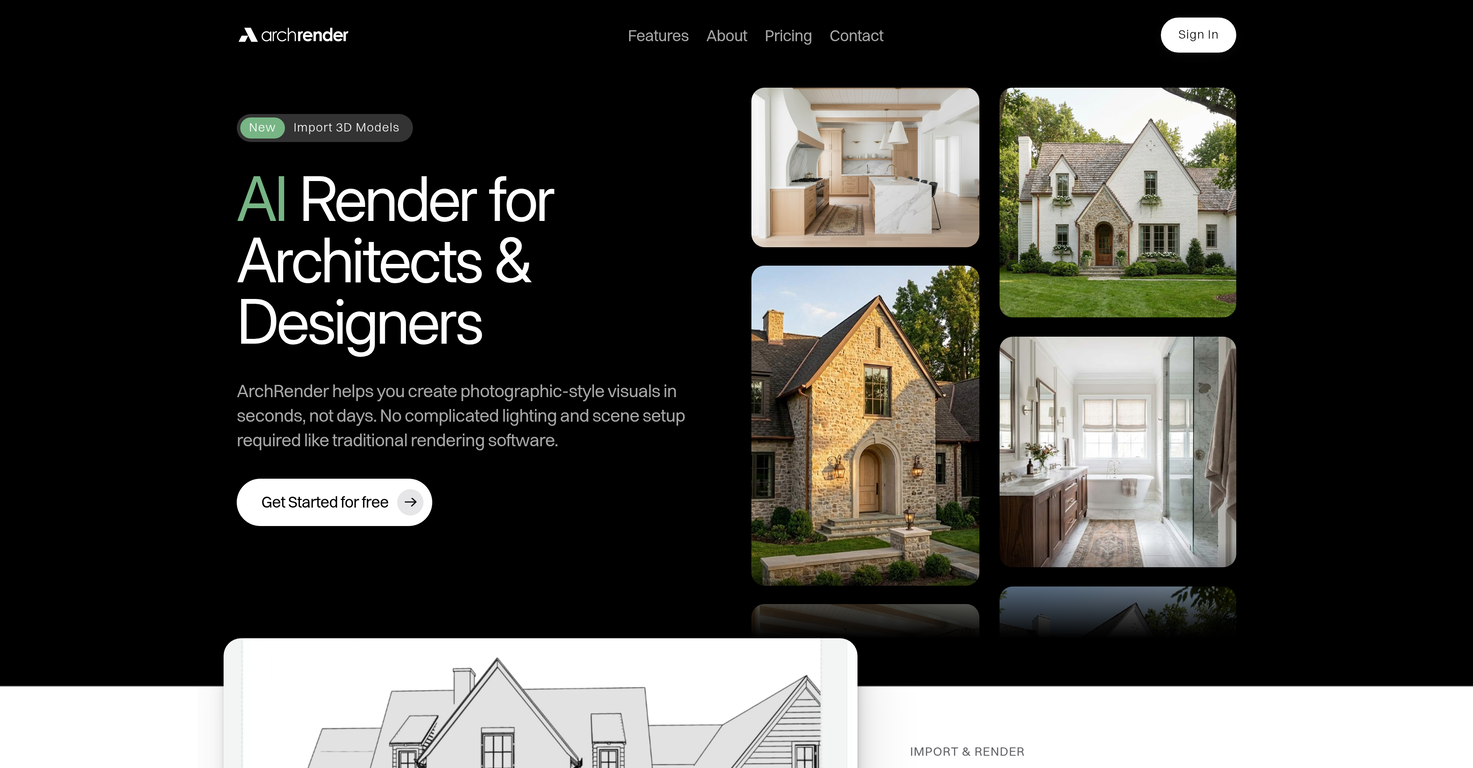
ArchRender helps with architectural visualization by transforming 3D models into photorealistic renders swiftly and conveniently. It provides the ability to adjust different conditions and settings such as time of day and season, thus aiding in accurate visualization.
How can ArchRender help with interior and exterior design?
ArchRender helps with both interior and exterior design by swiftly converting 3D models into photorealistic renders. Its array of features, including control over lighting and environment settings, natural language prompts for material and style adjustments, and 4K upscaling, allow designers to iteratively fine-tune and create accurate, realistic visualizations of interior and exterior spaces.
How does ArchRender adjust the mood and lighting of a scene?
ArchRender adjusts the mood and lighting of a scene through its natural language processing feature. Users can describe their desired look, and ArchRender will interpret these prompts into mood and lighting adjustments.
Can ArchRender create photorealistic renders?
Yes, ArchRender can create photorealistic renders. This is achieved by its AI-based technology and suite of visualization tools that interpret user-directed prompts into material, mood, and lighting adjustments.
What sort of environments can be simulated with ArchRender?
ArchRender can simulate different environments to place the architectural designs in context. These range from natural landscapes to more developed settings, providing versatile and realistic visualizations.
Does ArchRender allow for iterative design adjustments?
Yes, ArchRender allows for iterative design adjustments. It provides an 'Edit Mode' that lets users explore alternate styles and perfect their vision, one click at a time.
How user friendly is ArchRender?
ArchRender is user-friendly, designed to streamline the process of transforming 3D models into photorealistic renders. It eliminates the need for complex lighting and scene setups, instead, guiding users with features such as natural language commands, diverse scene controls, and a user-friendly editing mode.
What makes ArchRender ideal for architects and designers?
ArchRender is ideal for architects and designers as it is designed with them in mind. Its AI-based technology, user-friendly design, and features like 4K upscaling, flexible environment controls, and natural language processing make the job of architects and designers easier by simplifying and speeding up the generation of photorealistic renders for their projects.
Can I control the view and aspect ratio in ArchRender?
Yes, with ArchRender, users can control the view and aspect ratio. Before rendering, they can adjust the angle, Field of View (FOV), and set an ideal aspect ratio for the scenes.
Can ArchRender interpret prompts described in natural language?
Yes, ArchRender can interpret prompts described in natural language. This feature allows users to guide materials, style, mood, and lighting by just describing the look they're going for.
Does ArchRender offer any unique features?
ArchRender offers several unique features. One such feature is its ability to convert prompts described in natural language into material, style, mood, and lighting adjustments. It also offers 4K upscaling for high-resolution presentations and prints, and an 'Edit Mode' for iterative fine-tuning of designs.
What kind of files can be imported into ArchRender?
ArchRender is capable of importing several file types such as OBJ, FBX, and GLB seamlessly into the software.
How does ArchRender simplify the rendering process?
ArchRender uses AI to eliminate the need for complex lighting and scene setups, typically essential in traditional rendering software. It automates these aspects, streamlining the process considerably.
What control options does ArchRender offer?
ArchRender offers numerous control settings for a user-friendly experience. These include season and time of day controls enabling environmental customization, 3D model view controls for the perfect angle and aspect ratio, and mood boards for expressive rendering.
How does ArchRender allow users to adjust the view before rendering?
ArchRender empowers users to adjust the view prior to rendering by providing tools to tweak the angle and Field of View (FOV), and set the ideal aspect ratio for scenes. This ensures precise rendering as per the users' requirements.
What can I do in the 'Edit Mode' in ArchRender?
'Edit Mode' in ArchRender allows users to iteratively fine-tune their designs. This includes exploring alternate styles, making modifications, and perfecting the final vision step by step.
How does ArchRender convert natural language prompts into adjustments?
In ArchRender, the Prompt-Driven Control capability translates natural language prompts into specific instructions for material, style, mood, and lighting adjustments, aiding in creating accurate and custom renders.
Does ArchRender offer 4K upscaling?
Yes, ArchRender provides an option for 4K upscaling which ensures that its renders are suitable for high-resolution presentations and prints.
How does ArchRender aid in architectural visualization?
ArchRender leverages AI to transform 3D models into photorealistic renders swiftly and conveniently. This greatly assists architects in visualizing and presenting their design concepts realistically in different conditions and settings.
What makes ArchRender different from traditional rendering software?
ArchRender differentiates itself from traditional rendering software by employing AI to automate complex processes like lighting and scene setups. It also offers unique features like 4K upscaling and Prompt-Driven Control for a superior user-friendly experience.
Can ArchRender be used for interior design visualization?
Yes, ArchRender can be effectively employed for interior design visualization. Its AI-based rendering capabilities, combined with features such as Mood Boards and Edit Mode, make it a powerful tool for interior design presentations.
How does ArchRender control time of day in renders?
In ArchRender, users can control lighting conditions by setting the time of day. This feature aids in exploring how varying light conditions, shadows, and atmospheres influence the overall design.
How can users utilize Mood Boards in ArchRender?
Users can drop a single inspiration board into ArchRender. The AI will interpret the colors, finishes, and style from the Mood Board and translate these elements into the final rendered image.
What is meant by 'Prompt-Driven Control' in ArchRender?
'Prompt-Driven Control' in ArchRender refers to the ability of the software to use natural language prompts described by users to guide alterations to the material, style, mood, and lighting of a render.
Is ArchRender suitable for high-resolution rendering?
Absolutely, ArchRender is designed for high-resolution rendering. Its 4K upscaling feature empowers users to create crisp, high-resolution 4K renders that are perfect for presentations, client proposals, and print-ready marketing.
How does ArchRender facilitate design iteration?
ArchRender has a dedicated 'Edit Mode' that facilitates design iteration. It allows users to explore alternate styles, refine details, make updates, or continue where they left off, without overwriting previous work.
Why is ArchRender described as user-friendly?
ArchRender's user-friendly interface, coupled with effective automation of complex rendering processes, makes it easy for users to visualize and present designs. The software's features can be controlled through natural language prompts, further improving its accessibility.
Can ArchRender cater to the rendering requirements of outdoor architectural designs?
Yes, ArchRender has the tools necessitated for aptly capturing outdoor architectural designs. The Season Control feature, in particular, allows users to adjust the seasonal conditions around their designs for a realistic representation.
Does ArchRender allow users to save and apply custom prompts?
Yes, ArchRender includes a feature that allows users to save their custom prompts and apply them instantly to future renders, ensuring their unique style remains accessible.
How can ArchRender be used for design presentation?
ArchRender transforms 3D models into photorealistic renders, providing architects and designers with an impressive visual tool for design presentation. Its high-resolution rendering and customizable settings help produce client-ready visualization.
How does Season Control work in ArchRender?
Season Control in ArchRender allows users to adjust and visualize designs in different seasonal conditions. This includes options for spring, summer, fall, or winter conditions, thereby assisting in rendering a design representative for the whole year.