In what ways can users adjust the angle or perspective of their 3D models in Eler?
Eler allows users to capture any desired angle or perspective of their 3D models, offering a flexible approach in the representation of the final render.
What kind of artistic or aesthetic preferences can be applied with Eler?
Eler allows users to input style references, which guide the AI in creating images that align with users' specific artistic or aesthetic preferences.
How does Eler ensure the high quality of its rendered images?
Eler utilizes sophisticated AI technology and utilizes style references to ensure the high-quality of its rendered images.
What makes Eler an efficient platform for rendering images?
Eler's efficiency stems from its ability to swiftly convert 3D models into high-quality, photorealistic images and its provision to customize the rendering based on users' artistic or aesthetic preferences.
Is Eler used exclusively for architectural visualization?
While Eler's primary function is to transform 3D architectural models into photorealistic images, there is no information on their website that suggests it is used exclusively for architectural visualization.
How does the AI in Eler improve the rendering process?
The AI in Eler streamlines the rendering process by making it faster and more efficient. It also enhances the final product by applying style references and creating images that match the users' artistic or aesthetic preferences.
Can I upload any 3D model files or are only certain file types compatible with Eler?
Eler is compatible with SketchUp or GLB files. There is no mention of compatibility with other 3D model files on their website.
Is Eler suitable for professional use in architectural design?
Yes, given its capabilities, Eler is suitable for professional use in architectural design.
Can Eler be used for other kinds of 3D models beyond architectural?
While Eler's specific focus is on 3D architectural models, there is no information on their website suggesting that it can't be used for other kinds of 3D models.
What is Eler?
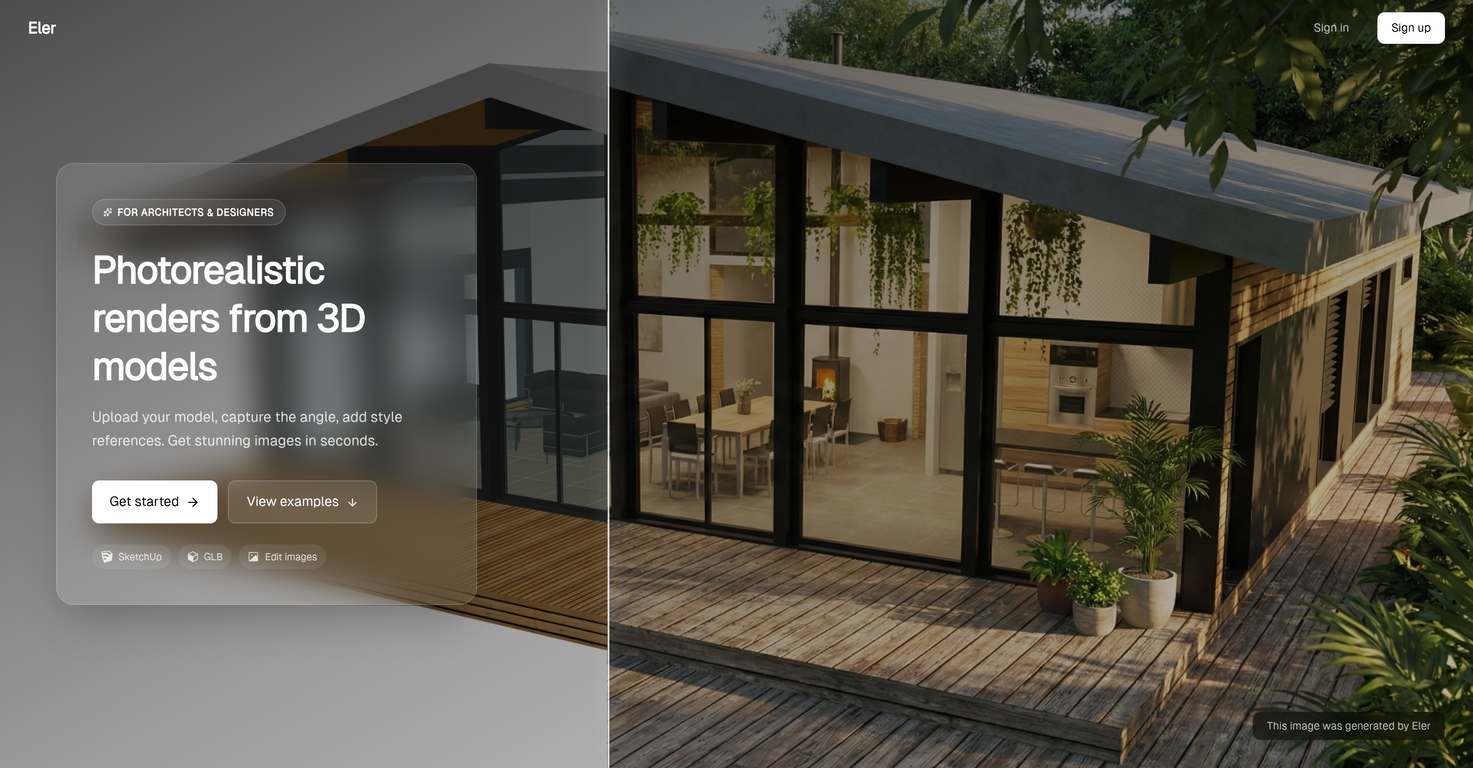
Eler is a specialized AI tool designed for rendering photorealistic images from 3D architectural models. It specifically caters to users who work with SketchUp or GLB files, enabling them to quickly and efficiently turn their 3D models into visually captivating renders.
How does Eler convert 3D models into photorealistic images?
Eler uses an AI-powered algorithm to convert 3D models into photorealistic images. It allows users to upload their 3D model files, choose a desired angle or perspective, and add style references. The AI then uses these inputs to synthesize and create compelling, high-quality images from the 3D models.
Is Eler compatible with SketchUp and GLB files?
Yes, Eler is highly compatible with SketchUp and GLB files. These are common file formats in 3D modeling, and Eler is designed to process these file types efficiently.
What file formats can be imported into Eler?
Currently, Eler supports the import of SketchUp and GLB files, as these are common file types used in 3D modeling.
Can I choose the angle or perspective of the renders in Eler?
Yes, Eler provides the flexibility of choosing the angle or perspective from which the user would like the rendering to be viewed. This introduces an additional level of customization to the 3D-to-2D conversion process.
What is a style reference in Eler?
A style reference in Eler serves as a guide for the AI during the image rendering process. Users can specify style references to align the generated images with their artistic or aesthetic preferences.
Can I add my own style preferences to the Eler renders?
Yes, one profound functionality of Eler is the ability for users to add their own style preferences or references. These references guide the AI during the rendering process and help mold the final image according to the user's desired aesthetic.
What kind of algorithms does Eler use for rendering?
Eler leverages AI algorithms to understand, interpret, and translate 3D models into 2D photorealistic views. These algorithms aid in the accurate reproduction of model characteristics in the final render.
How does Eler maintain realism in its renditions?
Eler maintains realism in its renditions by using sophisticated AI algorithms that accurately interpret and translate the 3D models into 2D photorealistic images. The tool also accepts style references from users, allowing it to generate images that align with the realism inherent in the original models.
What is the quality of Eler's rendered images?
Eler's rendered images are of exceptional high quality. The use of AI ensures the reproducibility of minute model characteristics, while user-specified style references guide the rendering process to produce visually striking and photorealistic images.
How can Eler benefit architects and visualizers?
Eler benefits architects and visualizers by providing them with an efficient platform to transform 3D models into high-quality photorealistic renders. The available customization options and style references allow for the creation of images that align closely with the desired aesthetics of these professionals.
Does Eler have a feature to convert 3D models into 2D views?
Yes, Eler has the capability to convert 3D models into 2D views. Eler's AI algorithms understand, interpret, and translate 3D models into 2D photorealistic views, accurately reproducing model characteristics in a visually satisfying format.
Can I use Eler as a presentation tool for my designs?
Yes, Eler can be an efficient presentation tool for designs. Its ability to quickly and accurately render 3D models into high-quality photorealistic images allows designers to showcase their designs in a captivating and understandable format.
Is Eler efficient for use in the construction and industrial design industry?
Yes, Eler is efficient for use in the construction and industrial design industry. Its fast and accurate rendering capabilities, coupled with the options for customization and style references, would make it a valuable tool in these fields.
How does Eler cater for interior design rendering needs?
Eler caters for interior design rendering needs by offering high-quality, photorealistic rendering of 3D models. These renderings, with their custom angles, viewpoints and style references, are ideal for showcasing intricate details, spatial concepts or certain aesthetic preferences inherent to interior design.
Does Eler support customization of the 3D model renders?
Yes, Eler does support customization of the 3D model renders. Users can specify the viewing angle or perspective, and also add style references to guide the AI in generating the final image.
What makes Eler a swift rendering tool?
Eler is termed as a swift rendering tool because of its ability to quickly process 3D models and output high-quality, photorealistic renders. Its AI algorithms rapidly and accurately understand, interpret, and translate 3D models into visually pleasing renders.
How does Eler utilize AI to create compelling images?
Eler utilizes AI in a way that it understands and interprets the 3D models and turns them into 2D photorealistic renderings. It uses AI to follow style references provided by the user, that aids in creating compelling images in line with the user's desired aesthetics.
Can Eler produce high-quality, photorealistic renders for real estate applications?
Yes, Eler is well-suited to produce high-quality, photorealistic renders for real estate applications. Its swift and accurate 3D-to-2D conversion capability, combined with its options for customization and style references, would be ideal for showcasing properties in visually stunning detail.
How swiftly can Eler turn 3D models into photorealistic renders?
Eler can swiftly turn 3D models into photorealistic renders. As per their website, this process happens in seconds, making it an efficient tool for creating high-quality visualizations.