What is conversational editing in GPTImage?
Conversational editing is an interactive editing mode on GPTImage. This allows users to command real-time changes to the images that are generated. Users can instruct the AI to make real-time alterations to the images, providing a more interactive and iteratively creative experience.
What are the specialized image generators offered by GPTImage?
GPTImage features several specialized image generators to cater to various specific needs. These include generators for film-quality frames with cinematic lighting presets and generators for stitch-accurate crochet pattern variations.
How does GPTImage remove text and watermarks from images?
GPTImage employs advanced AI technologies to remove text and watermarks from images. This is a free utility provided by the platform, enhancing the quality and usability of images by eliminating unwanted elements.
What is real-time progress tracking in GPTImage?
GPTImage provides real-time progress tracking. This ensures that users are updated about the processing status of their images, resulting in a user-friendly experience that is both efficient and transparent.
What are professional design applications for GPTImage?
GPTImage is incredibly suited for a range of professional design applications, including but not limited to graphic design, website design, advertising, and even social media content creation. Its versatile features and high-quality image generation make it ideal for a wide array of design related tasks.
How does GPTImage use AI technology for image creation?
GPTImage utilises state-of-the-art AI technology, majorly OpenAI's GPT-4o and Google Nano Banana Image, for image creation. The AI models create photorealistic images based on the prompts provided by users. The technology behind GPTImage is capable of understanding and interpreting these prompts, and consequently translating them into visually representational images.
What is Google Nano Banana Pro?
Google Nano Banana Pro is an advanced AI model available on GPTImage. It enhances the capability of the platform and aids in producing highly professional quality visuals instantly.
How do I use prompt variations in GPTImage?
Prompt variations in GPTImage allow users to iterate with different versions of their original prompts. By altering the original prompt slightly each time, users can generate a range of different images that all align with a similar theme or concept.
How to utilize the cinematic mode in GPTImage?
GPTImage offers a cinematic mode that lets users generate film-quality frames and mood boards. This is done using cinematic lighting presets which create high-quality, professional visuals, ideal for storyboard creation and concept exploration.
Can I create crochet patterns using GPTImage?
Yes, GPTImage features an AI Crochet Designer which is a specialized generator for creating stitch-accurate crochet patterns. Users can create a variety of pattern variations in seconds using this feature.
What does the multi-output format in GPTImage mean?
The multi-output format feature in GPTImage allows users to save their generated image in different file formats. This provides users with flexibility and convenience according to their specific use cases.
Is GPTImage suitable for content creation tasks?
GPTImage is extremely suitable for various content creation tasks. Its ability to generate high-quality, professional images quickly and easily makes it an ideal tool for content creators in a variety of fields such as digital marketing, blog post creation, social media content production and many more.
How do the aspect-ratio controls in GPTImage work?
The aspect-ratio controls in GPTImage provide users with the ability to adjust the spatial relationship between the width and height of the generated image. This feature ensures users retain comprehensive control over the dimensions and layout of the images they generate.
How is photorealism achieved in GPTImage?
GPTImage achieves photorealism through the use of advanced AI models including OpenAI's GPT-4o and Google Nano Banana Image. These models are capable of generating images that possess incredible detail, accurate lighting, accurate perspectives, and overall realism that matches real-world visuals to a high degree.
What is GPTImage?
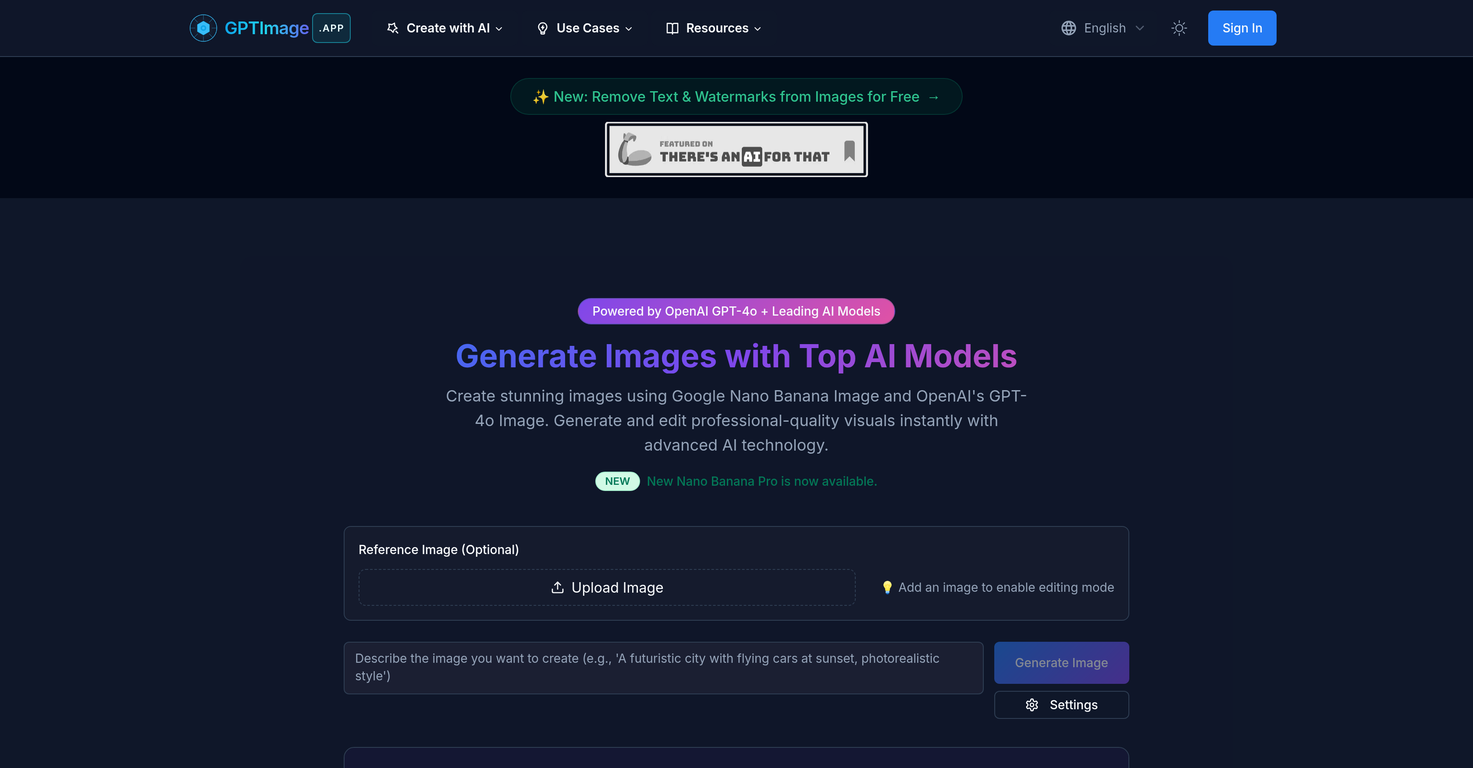
GPTImage is an advanced artificial intelligence tool for generating and editing high-quality images. It leverages leading AI models like OpenAI's GPT-4o and Google's Nano Banana Image for image creation. The tool allows users to create images instantly by providing a prompt to the AI, and it offers various customization options. It particularly excels in rendering texts visually within the images it generates. In addition, GPTImage also includes functionality for real-time conversational editing and offers specialized image generators for a wide array of needs.
What AI models does GPTImage use?
GPTImage uses several cutting-edge AI models for image creation. These include OpenAI's GPT-4o and other leading models, such as Google's Nano Banana Image. GPT-4o from OpenAI is one of the latest breakthroughs in image creation, delivering unmatched coherence and understanding of complex prompts. On the other hand, Google's Nano Banana Image assists in creating professional-quality visuals.
How does GPTImage produce images?
GPTImage produces images in an AI-driven process through its neural network. Users input a prompt, and the AI interprets this input to create an image that matches the description in the prompt. The images are created using a token-by-token process, which results in high levels of detail and photorealism.
What customization options does GPTImage offer?
GPTImage offers various customization options to its users. These include professional controls to adjust aspects like aspect ratios and quality settings. The tool also allows users to work with negative prompts, which help guide the AI in avoiding certain elements while creating the image. Another feature GPTImage offers is the ability to choose between multiple output formats, providing users with the flexibility to choose the format that works best for their specific requirements.
Could you explain GPTImage's text rendering feature?
The text rendering feature in GPTImage enables the AI to include text in the images it generates. This is done in such a manner that the text closely integrates with the rest of the image, maintaining consistency and realism. This unique feature of GPTImage can be particularly useful for applications such as diagrams, logos, and other text-heavy visuals.
How does the conversational editing work in GPTImage?
The conversational editing feature of GPTImage allows users to make real-time changes to the images. Instead of manual editing, users provide instructions in natural language, which the AI interprets to make the desired changes to the image. This allows for iterative refinement and fine-tuning of the image, resulting in the exact output the user wants.
What's the functionality of GPTImage's specialized image generators?
GPTImage provides specialized image generators for a wide range of applications. These could range from generating film-quality frames with specific luminance presets for capturing a cinematic feel, to creating variations of detailed stitch-accurate crochet patterns. This means that GPTImage could be used not just for image creation, but also for specialized tasks in various industries, from film to handicrafts and beyond.
How can I remove text and watermarks with GPTImage?
GPTImage offers a unique feature to remove text and watermarks from images, free of charge. This function enhances the usability of the tool, enabling users to recycle and repurpose images where text or watermarks would have otherwise been a hindrance or distraction.
What is the role of real-time progress tracking in GPTImage?
The role of real-time progress tracking in GPTImage is to provide a seamless and optimal user experience. It allows users to monitor how quickly and effectively the AI is creating their images. This feature ensures that users are updated about the progress of their image creation process, enabling them to better manage their time and expectations.
What kind of tasks is GPTImage suited for?
GPTImage is a versatile tool that is suited for a wide range of image creation and editing tasks. These tasks may range from content creation for social media, blogs, websites, or advertising, to more professional design applications such as creating detailed visuals for product design, storyboarding for films, or generating complex patterns for tasks like crochet design.
How quick is the image generation process with GPTImage?
The image generation process with GPTImage is lightning fast, typically taking between 30 to 60 seconds depending on the complexity and resolution of the image. The tool prioritizes not only accuracy and detail but also speed, ensuring that users get their images promptly.
What is the optimal input format for GPTImage?
The optimal input format for GPTImage is a text prompt. Users enter a prompt encompassing instructions or description of the image they want to generate. The AI interprets this prompt to create an image that satisfies the specifications. The more specific the prompt, the better the results.
What output formats does GPTImage support?
GPTImage supports multiple output formats to cater to different user needs. The exact formats are not specified on their website, but the presence of this feature implies a level of flexibility and adaptability to diverse user requirements.
What kind of control does GPTImage provide over aspect ratio and quality?
GPTImage provides professional controls over the aspect ratio and quality of the images generated by the AI. Users can specify the dimensions of the image they'd like to create via the aspect ratio controls, and can also adjust the quality settings to generate images that meet their specific requirements in terms of resolution and level of detail.
How are negative prompts used in GPTImage?
Within GPTImage, negative prompts are used as a guide for the AI to know what to avoid when generating the image. By specifying elements or characteristics that should not be present in the image, users can ensure that the output aligns more closely with their vision.
What is the Nano Banana Pro model in GPTImage?
Nano Banana Pro is an AI model available for use within GPTImage platform. While the specific capabilities of the Nano Banana Pro model are not explicitly stated on their website, the presence of this model offers another layer of flexibility and control for users seeking to create images with a certain aesthetic or quality.
How does GPTImage ensure photorealistic quality in image creation?
GPTImage ensures photorealistic quality in image creation by harnessing the power of AI models like OpenAI's GPT-4o and Google's Nano Banana Image. These models leverage advanced AI technology to interpret text prompts and create images that exhibit high degrees of realism, detail, and accuracy in their representation of the subject matter specified in the prompt.
Can I create images with GPTImage using a simple text prompt?
Yes, the process of creating images with GPTImage relies on a simple text prompt provided by the user. This text prompt is interpreted by the underlying AI models to generate an image that aligns with instructions or descriptions included in the prompt. So, by entering a detailed description of the desired image, users can generate visually stunning and detailed images using GPTImage.
Can GPTImage be used for professional design applications?
GPTImage can indeed be used for professional design applications. With its range of advanced features, including professional controls for adjustments, superior text rendering, high-quality and detailed image generation, and support for varying aspect ratios and quality settings, GPTImage is well-suited to professionals. These may include graphic designers, product developers, marketing specialists and even film makers who require high-quality, tailor-made images for their projects.
How does GPTImage render texts visually in images?
GPTImage renders texts visually in images by leveraging its superior text rendering capabilities. It generates images directly from its neural network in a token-by-token process. This approach results in text that's integrated seamlessly within the image, maintaining visual consistency and realism. Typical applications would include diagrams, logos, or other visuals where text is a key component.