Mini tools
 The Premier AI Workspace for Professionals.
 TheLibrarian.io
 Supernormal App
 Saidar
 MiroAI
 Collate
 Runable
 ComputerX
 Slashspace (Formerly RabbitHoles AI)
 AiAssistWorks - GPT Gemini Claude AI for Sheets Docs Slides
 ConsoleX AI
 Ask Steve
 Kolva
Kolva
 Alfred by Simbli.ai
 Affint
 Octofy
 Sup AI
 ZeroTwo
 BrowseWiz
 Support Flow
 Hyperis

HaloMatev1.1.3Version updatev1.1.3Apr 23, 2026Vibe Working: The Professional AI Workspace
-
Projects - Dedicated workspaces for complex tasks. Keep your files, instructions, and artifacts organized in one place, so your AI can always focus on your goals.
-
AI Filesystem - Purpose-built for AI, with built-in version control. Research and co-edit files with your AI, so you never lose a great idea in lengthy chats.
-
Multi-Tab Workbench - Easily work with multiple files and artifacts and switch between tabs and versions without losing your flow.
-
Modern Style Slides - Chat to create sleek HTML presentations in minutes. Refine them instantly and export straight to PDF.
Projects - Dedicated workspaces for complex tasks. Keep your files, instructions, and artifacts organized in one place, so your AI can always focus on your goals.
AI Filesystem - Purpose-built for AI, with built-in version control. Research and co-edit files with your AI, so you never lose a great idea in lengthy chats.
Multi-Tab Workbench - Easily work with multiple files and artifacts and switch between tabs and versions without losing your flow.
Modern Style Slides - Chat to create sleek HTML presentations in minutes. Refine them instantly and export straight to PDF.







Overview
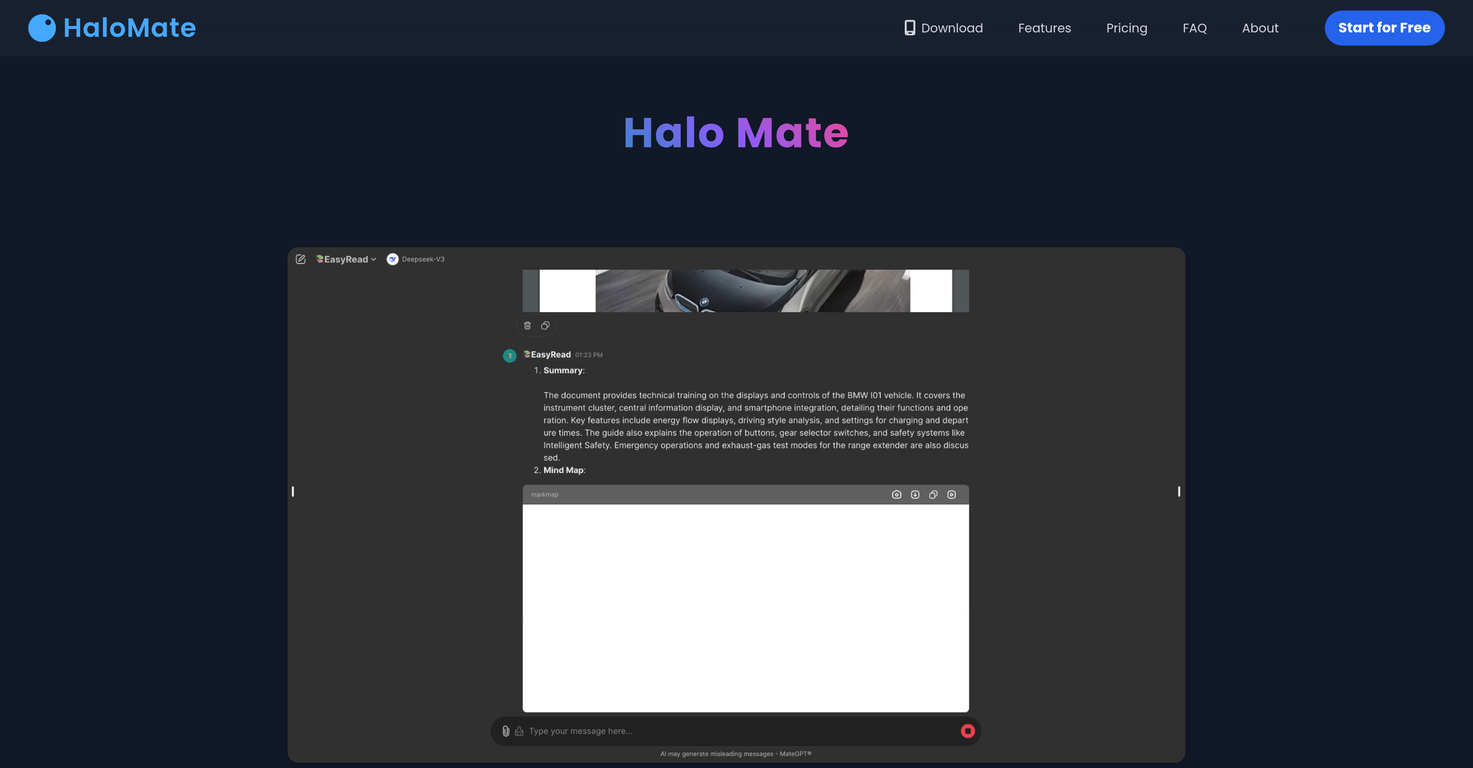
HaloMate is an integrated AI workspace for professionals. Work can be organized in Projects: shared workspaces that hold files, references, and instructions. Any AI assistant in the Project can access all the files and write back into these files, so documents evolve as the work progresses rather than sitting as static uploads.AI assistants in HaloMate are called Mates. Each Mate has its own persona and independent long-term memory, for example, a Writer Mate remembers style preferences, an Editor Mate retains quality standards, and these carry across every project and conversation. Mates are reusable specialists: the same Writer can move between a novel project and a marketing campaign, bringing its accumulated knowledge while adapting to each project's unique context. Users have full control over each Mate's memory - adding, editing, or removing entries at any time.
The platform integrates leading models including GPT, Claude, Gemini, Grok, DeepSeek, and more. Models are interchangeable: in any conversation, users can switch to a different model or regenerate any response with an alternative for a side-by-side "second opinion." The Mate's persona and memory remain the same regardless of which model powers it.
Conversations function as a living workspace — users can edit any message in place, and a multi-pane interface lets users view chats, visualizations, web pages, and reference materials simultaneously. Outputs can save directly to the Project and export to PDF, DOCX, source code, or high-resolution images. AutoPilot mode lets Mates execute multi-step tasks autonomously, including live web and academic research, while users stay in control.
Halo Computer gives every Mate a real computer inside the chat: run code, analyze data, and scrape the web without leaving the conversation, with results written back into the same Project. From the same workspace, HaloMate also composes slides, mind maps, diagrams, web applications, SVG graphics, LaTeX formulas, and music notations, all with instant preview. AI-powered smart forms gather structured inputs upfront to reduce back-and-forth on complex tasks.
The name comes from Australian slang, where "mate" means a trusted friend, reflecting the goal of making AI feel like a knowledgeable partner that remembers users' work and grows with them.
Key Features
- Multi-model Native: Switch Models Mid-chat & Compare Side-by-side
- Projects: Shared Workspace Where Ai Can Read And Write Files, Turning Documents Into Living Resources
- Halo Computer: Mates Run Code, Analyze Data, And Scrape The Web In Chat - Results Write Back To The Project
- Mates With Independent Persona And Long-term Memory That Grows Across Conversations
- Autopilot: Autonomously Research Across The Entire Web, News, And Academic Journals For Proven Insights.
- Visual Insights: Structure Complex Logic And Data Into Interactive Charts And Diagrams.
- Living Workspace: Edit Any Message In Place, Multi-pane Interface, Export To Pdf/docx/code/image
- Transform Ideas Into Web Applications, Slides, Svg Graphics, Music Notations And More.
Releases
Vibe Working: The Professional AI Workspace
-
Projects - Dedicated workspaces for complex tasks. Keep your files, instructions, and artifacts organized in one place, so your AI can always focus on your goals.
-
AI Filesystem - Purpose-built for AI, with built-in version control. Research and co-edit files with your AI, so you never lose a great idea in lengthy chats.
-
Multi-Tab Workbench - Easily work with multiple files and artifacts and switch between tabs and versions without losing your flow.
-
Modern Style Slides - Chat to create sleek HTML presentations in minutes. Refine them instantly and export straight to PDF.

Pricing
Top alternatives
-
 Your WhatsApp AI assistant for instant productivity.Duck Typer🙏 263 karmaFeb 12, 2025@TheLibrarian.ioGreat tool! Was very helpful in content production
 -
 The AI assistant app that turns meetings into completed work
 -
 Your AI Secretary for Admin Tasks, now on SMSWorks well and connects with my apps easily. I’m considering using it for daily reports and posts
 -
 Unlock creative power with AI-driven collaboration.Miro has massively improved how we collaborate and execute. The AI features have made a real difference in day-to-day productivity, helping us structure ideas quickly and get to decisions faster. What really surprised me is the new prototyping feature: it’s now much easier to turn a workshop board into an actual prototype and iterate with the team. If you’re running product work, workshops, roadmaps, or even GTM planning, Miro is worth it.
 -
 Unlimited free and private summaries and chat with PDFI’ve been using Collate to go through technical PDFs, and it’s been surprisingly handy. Summarizing docs and being able to ask questions directly saves me time, especially when I’m skimming through research or API references. No sign-ups, works offline, and everything stays on my device — which I appreciate.
 -
 The Best Way to Work with AIUsed it for PPT generation and performed extremely well, especially the numbers and data part.