Does Legasite only migrate content or does it cover image migration as well?
Legasite does not only migrate content, but also handles image migration. This ensures a comprehensive website generation process encompassing both text and visual aspects of a site.
Can Legasite be used for both personal and client projects?
Yes, Legasite is well-suited for various purposes, including both personal and client projects. This makes it a highly versatile tool for many kinds of web development tasks.
What kind of insights does Legasite provide through its FAQs?
Legasite provides an extensive FAQ section that covers many important aspects including the information and insights about the website generation process, available tech stacks, generation time, credit system, and ownership of the generated code, among other details.
Can Legasite migrate websites to both React and Next.js templates?
Yes, Legasite supports both React and Next.js templates for website migration, providing users with modern and professional site architectures.
How long does Legasite take to generate a website?
Legasite takes about 10-20 minutes to generate a website, which significantly reduces the time and effort traditionally required for the same process.
What are the steps involved in Legasite's website generation process?
There are three main steps involved in Legasite's website generation process: 1) Choosing the preferred template from options in HTML, React, or Next.js. 2) Providing the URL of the existing website for content extraction. 3) Downloading the newly generated production-ready code after 10-20 minutes.
Does Legasite offer custom template selection?
Yes, Legasite allows users to choose their preferred template for their website. Options are provided in HTML, React, or Next.js.
How does Legasite handle automated content extraction?
Legasite handles automated content extraction using its AI technology. Once the URL of the old site is provided, the AI extracts content from the site, which is subsequently mapped onto the new chosen template.
Does Legasite accommodate single projects as well as project bundles?
Yes, Legasite accommodates both single projects and project bundles. This flexibility allows it to cater to both smaller individual transformations and larger bundled projects.
What elements of web development does Legasite's AI handle?
Legasite's AI handles automated content and image extraction, content mapping on the new template, and production-grade code generation.
How does Legasite contribute to project management?
Legasite contributes to project management by automating the process of website migration. This includes content and image extraction, mapping to a new template, and generating code, thus saving considerable time on these tasks.
In what format is the code provided when downloaded from Legasite?
The code generated by Legasite can be downloaded in a ready-to-use format, but the specific format is not mentioned on their website.
Is the code generated by Legasite ready for production use?
Yes, the code generated by Legasite is production-ready. It automates this process within a short timeframe making the code ready for immediate use following download.
What types of tech stacks are available with Legasite?
The specific tech stacks available with Legasite are not directly mentioned on their website, but it supports templates in HTML, React, and Next.js, which implies support for JavaScript and related technologies including HTML and CSS.
What is Legasite?
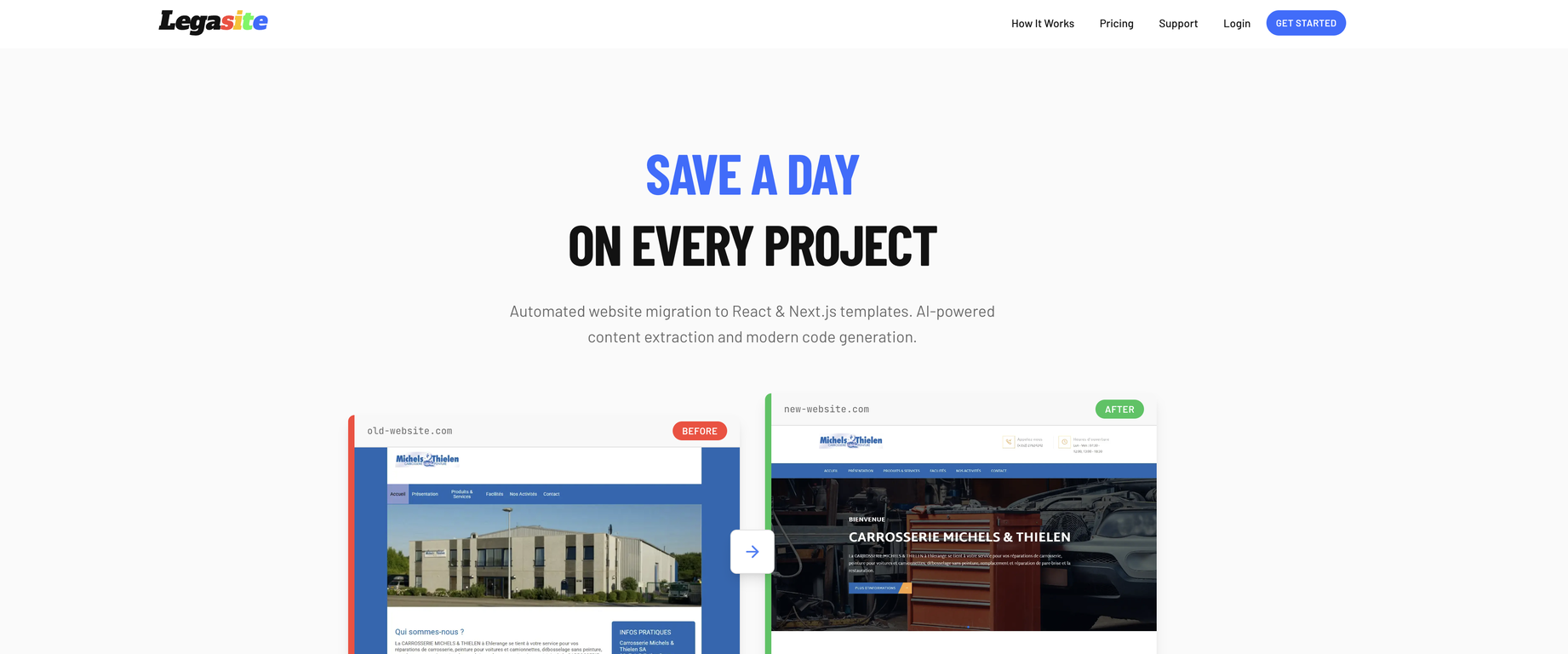
Legasite is an AI-assisted developer tool that is explicitly designed to automate the migration of legacy websites into modern templates. It performs this migration by extracting content from an old website, mapping it onto a professional template of the user's choice, and then producing production-ready code.
Can I use Legasite to migrate content from a specific URL?
Yes, you can use Legasite to migrate content from a specific URL. All you need to do is provide the URL of your old website during the process.
How does Legasite automate the migration of legacy websites?
Legasite automates the migration of legacy websites by first indexing the old website and allowing the user to choose which pages they want to migrate. The AI then handles the content and image migration, and maps the old structure and images to the template of choice. Legasite then generates the new website code which is ready for download.
What kinds of templates does Legasite allow me to choose from?
Legasite offers templates in HTML, React, and Next.js. You can choose the template that suits your needs from these options.
How long does it usually take to get my new website code using Legasite?
Legasite typically generates your new website code ready for download in 10 to 20 minutes.
Should I know any specific programming languages to use Legasite?
Youdo not need to know any specific programming languages to use Legasite. The AI tool takes care of the technical aspects for you.
Is there any limit to the number of pages I can migrate with Legasite?
Legasite allows users to choose which pages they want to migrate during the process. It does not explicitly mention a limit to the number of pages you can migrate.
Does Legasite offer plans for multiple projects?
Yes, Legasite does offer plans for multiple projects. There is a pricing option that is recommended for people who have more than one project, which includes a bundle offer of 4 + 1 free.
In what format will I receive my generated code from Legasite?
The website does not explicitly state the format in which you would receive your new code from Legasite. However, generally codes are given in downloadable formats such as .zip files which you can extract and work with.
Who retains ownership of the code generated by Legasite?
Users retain complete ownership of the code generated by Legasite. You can use the generated code for any purposes, such as client projects or personal projects, according to your needs.
Can Legasite be used for both personal and client projects?
Yes, Legasite can be used for both personal and client projects. The ownership of the generated code allows it to be used for various applications.
What is the tech stack compatibility of Legasite?
Legasite works with HTML, React, and Next.js tech stacks, ensuring flexibility and scalability for various projects.
How well can Legasite handle image migration when revamping my website?
Legasite handles image migration effectively as part of its service. The content and image migration is part of the automated process that the AI takes care of during the website revamping process.
Can I use Legasite to convert my website to a React or Next.js template?
Yes, you can use Legasite to convert your website to either a React or Next.js template. Those are among the choices of templates offered by Legasite.
Can I choose the pages I want to migrate using Legasite?
Yes, Legasite allows users to choose the pages they want to migrate during the transformation process.
Do I need any special skills to use Legasite?
No, you don’t need any special skills to use Legasite. The program is designed to handle the technical aspects, allowing users to simply select their template and provide the old site’s URL.
How does pricing work for Legasite?
Legasite operates with multiple pricing options. There's a single project price, a bundled offer for multiple projects, and credits. Single projects cost €89, while a bundle of 4 + 1 free projects cost €356.
How user-friendly is Legasite for non-tech savvy users?
Legasite is designed to be user-friendly. Users only need their old website URL, and the AI-assisted tool handles the rest, from content extraction to code generation.
Are there different pricing options available depending on my needs?
Yes, there are different pricing options available depending on your needs. There’s a single project rate as well as a package for multiple projects that offer a discount. You pay per project, with single projects priced at €89 and a bundle of four projects plus one free costing €356.
Is there a free trial or demo available for Legasite before full purchase?
Legasite does not mention the offer of a free trial or demo before the full purchase on its website. It does, however, provide a break down of its process and pricing options.