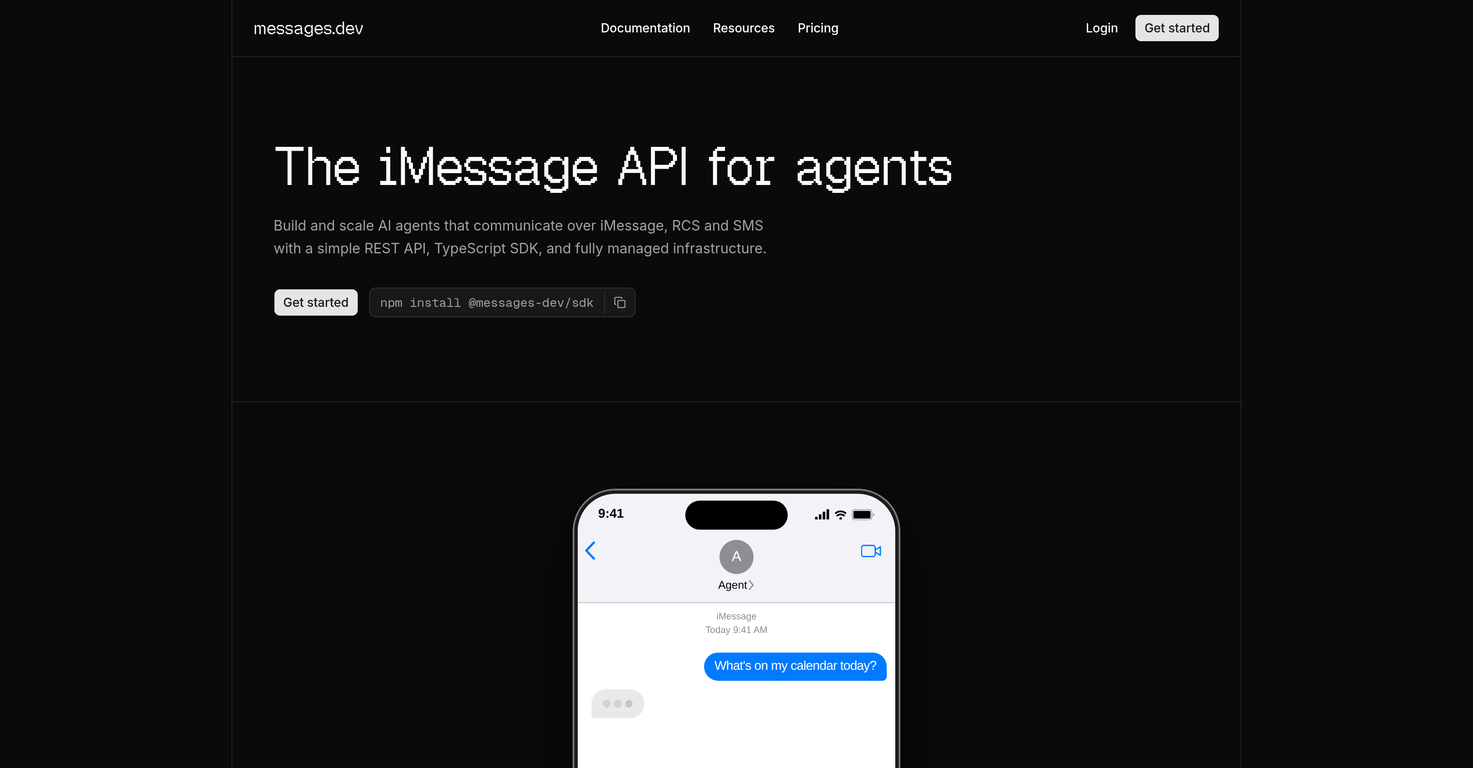
What are the main features of messages.dev?
The main features of messages.dev include a simple REST API, TypeScript SDK, communication via iMessage, RCS, SMS, a sandbox environment, real-time webhooks, built-in tapbacks, typing indicators, read receipts, API key scoping, webhook signature verification, and a fully managed, scaled, and monitored infrastructure.
What is the REST API in messages.dev used for?
The REST API in messages.dev is used to allow the sending of iMessages, RCS, and SMS messages. It supports built-in features like tapbacks, typing indicators, and read receipts in these messages.
How does messages.dev allow for communication via iMessage, RCS, and SMS?
messages.dev allows communication over iMessage, RCS, and SMS through its simple REST API which lets the sending of iMessages, RCS, and SMS messages. It also supports a TypeScript SDK for added convenience, catering to various needs of multiple platforms.
What exactly does 'managed infrastructure' mean in the context of messages.dev?
In the context of messages.dev, 'managed infrastructure' refers to a system where it handles the provisioning, scaling, and monitoring of the AI agents, allowing users only to focus on crafting their agent logic.
What security measures does messages.dev have in place?
messages.dev places a high importance on security. It has features like end-to-end encryption ensuring secure communications, API key scoping offering flexibility and control in permissions, and webhook signature verification guaranteeing the authenticity of received data.
What is the Sandbox environment in messages.dev used for?
The Sandbox environment in messages.dev is used for development and testing purposes. It provides 50 free messages per day to users, enabling them to build and test their integration before their AI agents go live.
What are real-time webhooks in messages.dev?
Real-time webhooks in messages.dev are used for instant notifications. They deliver notifications in milliseconds when messages arrive, reactions are added or receipts are sent, aiding in effective tracking of communications and interactions.
How does messages.dev handle monitoring and scaling of AI agents?
messages.dev handles monitoring and scaling of AI agents through its fully managed infrastructure. This means it oversees the provisioning, scaling, and monitoring processes, enabling users to only concentrate on programming their agent logic.
Does messages.dev have any typing indicators or read receipts?
Yes, messages.dev has full support for typing indicators and read receipts across all conversations. These features are part of messages.dev's built-in capabilities and provide real-time feedback for a more interactive experience.
What are tapbacks in the context of messages.dev?
In the context of messages.dev, tapbacks are reactions or feedback to messages. These are inbuilt in the API, allowing messages sent through it to have interactive reactions, improving user engagement and experience.
How can I start using messages.dev?
To start using messages.dev, you just need to go to their website and get your API key. With the key, you can start sending your first message, with the entire process being outlined in their documentation.
How do I set up my AI agents in messages.dev?
Setting up your AI agents in messages.dev has been simplified thanks to its TypeScript SDK and REST API. Both these components have been designed for user convenience, enabling a quick setup and initiation of message sending.
Can I get notifications when messages are received or sent in messages.dev?
Yes, messages.dev offers real-time webhooks that deliver instant notifications in milliseconds when messages arrive or receipts are sent. This enables efficient tracking of communications and interactions.
What kind of encryption does messages.dev use to ensure security?
messages.dev uses end-to-end encryption as one of its security measures. This ensures that communications within its system, especially those concerning your AI agents and the messages they send, are kept secure from any potential intrusions or breaches.
What is API key scoping in messages.dev?
API key scoping in messages.dev is a security feature that gives flexibility and control in permissions. It limits the scope of functions that can be performed with a particular API key, helping to reduce potential damage if the API key were to be compromised.
Can I test my AI agents before going live on messages.dev?
Yes, messages.dev provides a Sandbox environment for testing AI agents before they go live. In this environment, users receive 50 free messages per day, allowing them to test the functionality and integration of their AI agents.
What is webhook signature verification in messages.dev?
Webhook signature verification in messages.dev is a security measure used to authenticate the data received from the webhooks. This helps in ensuring the integrity and source of data received from webhooks, increasing the security of user data.
What is messages.dev?
messages.dev is a tool designed to build and scale AI agents capable of communication via iMessage, RCS, and SMS. It consists of key elements like a simple REST API, TypeScript SDK, and fully managed infrastructure that simplify the operation of your AI agents. Additionally, it offers a secure environment with features like end-to-end encryption, API key scoping, and webhook signature verification.
What is the purpose of the messages.dev iMessage API?
The purpose of the messages.dev iMessage API is to facilitate the construction and scaling of AI-powered communication agents capable of functioning over iMessage, RCS, and SMS. It simplifies the process of setting up and operating an agent's communication functionality. It allows developers to focus on writing agent logic while it handles provisioning, scaling, and monitoring.
How does messages.dev facilitate AI communication?
messages.dev provides AI communication by offering a streamlined platform to build and scale AI agents capable of sending iMessages, RCS, and SMS messages. This is facilitated through simple REST API, TypeScript SDK and fully managed infrastructure, along with support for several built-in messaging features like typing indicators, read receipts, and tapbacks.
How can I use the REST API provided by messages.dev?
The REST API provided by messages.dev serves as a way to interact with the platform and make use of its features. Users can leverage this API to send messages, manage conversations, and track communication data, among other functionalities. It is designed to optimize convenience and ease of setup, enabling initiating messaging quickly.
What features does the TypeScript SDK by messages.dev offer?
The TypeScript SDK offered by messages.dev is designed to get users sending messages in a short span of time. The SDK simplifies the interaction with the platform's API, allowing users to quickly set up and initiate messaging. It complements the REST API by providing a structured and user-friendly interface for managing agent communication.
How does messages.dev's Sandbox Environment work?
The Sandbox Environment provided by messages.dev serves as a testing ground for developing and experimenting with integration before deploying it live. It allows users to build and test their integration, offering 50 free messages per day within this environment. This helps in ironing out any issues or bugs before transitioning to a live setting.
What are real-time webhooks and how does messages.dev use them?
Real-time webhooks are a way to receive instant notifications when a specific event occurs. messages.dev leverages this feature to provide users with notifications in milliseconds when messages arrive, reactions are added, or receipts are dispatched. This ensures efficient tracking of communication and interactions, enabling users to stay updated with the latest developments.
Can I get an instant notification of message receipt with messages.dev?
Yes, with messages.dev, an instant notification of message receipt is possible. The platform employs real-time webhooks that provide immediate notifications when messages are received, reactions are added, or receipts are sent. This ensures that you have real-time insight into your messaging operations.
What are messages.dev's security features?
Security features of messages.dev include end-to-end encryption, API key scoping, and webhook signature verification. These include ensuring the integrity and confidentiality of data during transmission, controlling the access of API keys to guarantee only legitimate operations are performed, and verifying the legitimacy of incoming webhooks to prevent forgery or data corruption.
How does messages.dev handle provisioning, scaling, and monitoring?
messages.dev handles provisioning, scaling, and monitoring tasks by offering a fully managed infrastructure that allows users to focus on their agent logic. It takes care of the provisioning of needed resources, dynamic scalability to cater to varying traffic, and monitoring to keep a check on the system's health and performance. They manage everything from server uptime to network integrity.
What is message automation in messages.dev?
Message automation in messages.dev refers to the ability to automate the process of sending messages via iMessages, RCS, and SMS. The platform's REST API and TypeScript SDK have been designed for this purpose, allowing you to draft and send automated reply or notification messages with integrated features like tapbacks, typing indicators, and read receipts.
How does messages.dev ensure end-to-end encryption?
messages.dev ensures end-to-end encryption by encrypting data before it leaves a sender's system, maintaining this encryption while in transit and then decrypting it only after it has arrived at the intended recipient's system. This practice ensures the confidentiality and integrity of data, as only the intended recipients can read the content.
What is API Key Scoping feature in messages.dev?
API Key Scoping in messages.dev is a security feature that ensures that each API key only has the required set of permissions or scope it needs to perform certain operations. This limits the potential damage that could be caused if an API key is compromised, as it restricts what operations can be performed with any given API key.
What native features does messages.dev support?
Native features supported by messages.dev include the capability to send iMessages, RCS, and SMS with integrated features such as tapbacks, typing indicators, and read receipts. This makes using the platform more intuitive and provides a more engaging experience by mimicking the features typical of most messaging apps.
How does messages.dev handle webhook signature verification?
Webhook signature verification in messages.dev is used to ensure that the webhooks it receives are legitimate and haven't been tampered with. It uses cryptographic methods to validate the webhook signature accompanying each payload. Only if the verification is successful, the payload is accepted and processed, ensuring the data's integrity and authenticity.
How can I start building with messages.dev?
To start building with messages.dev, you can retrieve your API key and start sending your first message in minutes. The platform offers comprehensive documentation that guides you through the process, making it easy to leverage the API, TypeScript SDK, and other features offered by the platform.
How can I integrate messages.dev into my existing AI agent?
To integrate messages.dev into your existing AI agent, you can leverage the platform's REST API and TypeScript SDK. These tools allow you to streamline the interaction with the platform functionalities. Apart from this, messages.dev's managed infrastructure takes care of provisioning, scaling, and monitoring, letting you focus primarily on writing your agent logic.
Does messages.dev provide support for typing indicators and read receipts?
Yes, messages.dev provides full support for typing indicators and read receipts across all conversations. It's designed to give a comprehensive and unified messaging experience. The typing indicator informs when a party is currently typing a message while read receipts confirm when a message has been read by the recipient, facilitating smooth and transparent communication.
What is the limit for free messages in the Sandbox Environment of messages.dev?
The limit for free messages in the Sandbox Environment of messages.dev is 50 messages per day. This allows users to test and perfect their integrations in a controlled environment without incurring significant costs, and it also helps in finding and resolving any issues before taking the integration live.
What is Unified Messaging in messages.dev?
Unified Messaging in messages.dev refers to the API's ability to send messages across different platforms - iMessage, RCS, and SMS - through one unified interface, providing a seamless and consistent messaging experience across various channels. It also supports a range of native features across all conversations like tapbacks, typing indicators, and read receipts.