 Rocket - Think it. Type it. Launch it.
 Mini tools
 Sous | AI Recipe Generator & Kitchen Assistant
 InstaDish
 cookAIfood
 FoodiePrep
 ChefGPT
 rexipie
 Littlecook
 Mealpractice
 MealGenie
 Recipes By AI
 YouGotCooking
 DishGen
 Magic Chef AI Recipe Generator
 Meal GOAT
 Recipease
 Tomaito
 Recipe reactor
 GusteauAI
 Cooking-Genie
 SmartPlate
 55club
 Personal Performance
 The Mid Life Magic Woman
 Auramind
 fuelOS
 BiteRight
 🍒🩺💊 Food As Medicine 💊🩺🍒
 NutritionAI
 EvolveAI
 Food Shell AI
 Nutri AI Agent
 Munchlog AI
 Nutri energy
 look at food labels
 Vitamins B6
 N-Himalaya
 HOPE SUPREME - Food Calories Advisor

Scan My Kitchen






Overview
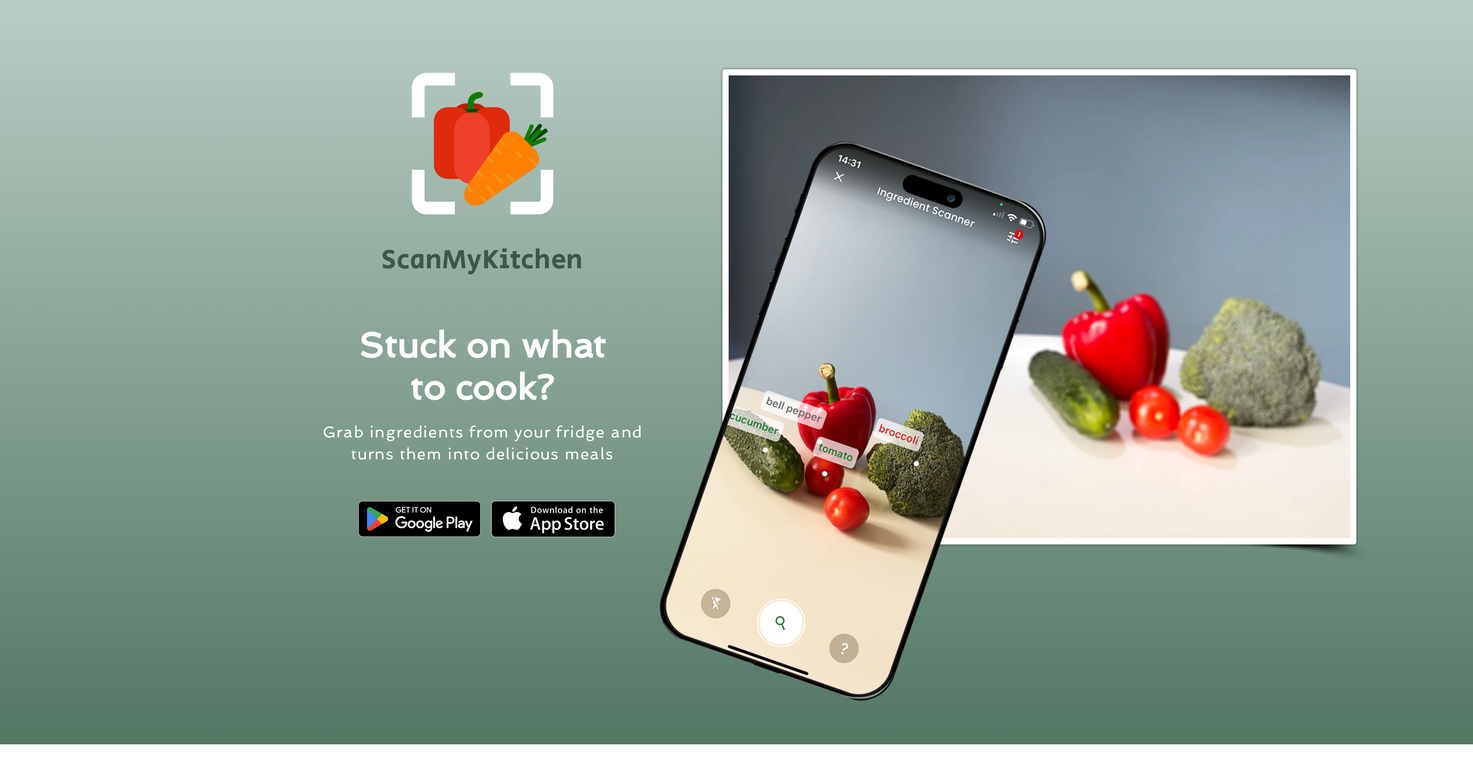
Scan My Kitchen is an AI-powered application that assists in meal preparation by offering recipe suggestions based on available ingredients. Users can select or exclude ingredients by sliding tiles within the app, allowing for the customization of up to five items.
This feature offers a wide variety of both traditional and AI-powered recipe suggestions, enabling endless meal ideas. The app is further equipped with customizable filters which help to narrow the search based on dietary preferences and meal types, providing flexibility to suit different user needs.
For users who need alternative methods of preparation, the app permits easy accessibility to alternative recipe texts or video tutorials with just a tap.
It is also in the beta phase of introducing a camera scanning feature, which uses the in-app camera to scan ingredients, thereby automating recipe suggestions with options for fine-tuning as required.
Moreover, it aims to minimize food waste, promote cost-effective cooking, and benefit the environment, all while inspiring users to create delicious meals.
Scan My Kitchen functions without needing any sign-ups, facilitating an instant start to cooking. Furthermore, it can be downloaded from both Google Play Store and Apple App Store.
Releases
Top alternatives
-
 All-in-one AI kitchen assistant: pantry management, recipe generation, meal planning, shopping listsOpenAlaina Schukraft🙏 7 karmaNov 30, 2025@Sous | AI Recipe Generator & Kitchen AssistantThis app is great- I use it weekly to create meal plans, recipes, and reduce waste and save money by using leftover ingredients that I already have!
 -
An overall pleasant experience. Easy to use. Loved the photo option for the ingredients
-
Has a few recipes, but doesn't give any search results (unless its in the 1st list you're shown)
-
I'm enjoying the current features and customization options – it's clear a lot of thought went into this! I'd love to see a recipe import feature from other websites to make it even better. This would significantly streamline my workflow and make it an even more indispensable tool. I believe it would be a valuable addition for many users.
-
INSANE TOOL! I threw in my ingredients and BOOM recipes I could actually make! It even remembered my allergies, restrictions, goals, weight
-
Detailed instructions with timers, adds and subtracts ingredients as needed, tasty recipes probably the best free recipe AI.







Related topics
 0
0





