🔍
YouTube
(12)
🎥
Movies
(25)
📹
Video scripts
(1)

freebeat AI
D-ID
MagicLight
HeyGen
Kaiber
Sora
Seedance
AI Video Generator by RenderFlow AI
Kling
Manga TV
BeatViz AI Music Video Generator
neural frames
ViGi
Videnly
Viddo AI - AI Video Generator
D-ID Creative Reality Studio
AI Studios
VideoGen
Aura AI - AI Video Generator
CreatorFrames
460,115
179,188
155,123
131,830
125,386
107,383
91,773
80,891
77,571
77,308
76,038
64,535
53,480
50,980
50,065
44,339
41,470
41,322
39,490
38,526
Go to 🎨 Creativity
📷
Images
(3181)
🔠
Text
(2047)
💻
Software
(1792)
🎥
Videos
(933)
🔊
Audio
(721)
🎨
Art
(543)
🎨
Design
(266)
🌪️
Brainstorming
(206)
🖌️
3D
(58)
📸
Multimedia
(13)
Creative Minds Think Alike
GoEnhance
Ceacle tools
Apple Creator Studio
Remini
cre8tiveAI
Unboring
SassyCo-Pilot
23,615
18,567
14,052
12,330
12,048
8,006
6,200
514
Videos
taaft.com/videosThere are 38 AI tools for Videos.
Get alerts
Number of tools
38
Most popular
freebeat AI
▼ State of the art
Free mode
100% free
Freemium
Free Trial
YouTube12
Open🔍Go to task🎥YouTube thumbnails2📹YouTube scripts3📺YouTube titles1📈YouTube content optimization1📺YouTube descriptions2🏷️YouTube tagging2🔍YouTube niche research1
-
Share
AI-powered YouTube niche researcher for profitable faceless channels.OpenReleased 2mo ago100% Free4181714.5178 -
Share
Released 4mo ago100% Free4451263.7119
-
Share
Generate engaging YouTube scripts instantly with AI.OpenReleased 4mo ago100% Free4421884.8171
Movies25
Open-
Share
Open -
Share
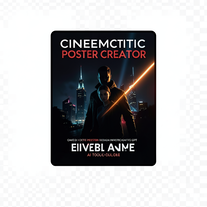
Transform screenplays into compelling movie posters instantly.Open -
Transform photos into Hollywood-style action movie posters.OpenShare
nilton Jr🛠️ 2308 tools 🙏 68,796 karmaFeb 18, 2026@Edge of Survival – Ultra-Cinematic High-Altitude ActionSimply upload your photo; you don't need to type anything in the prompt field. Just click "generate" and watch the magic happen.Reply Share Edit Delete Report
Video scripts1
Open-
ShareDiscover the power of meditation for stress relief and mindfulness. Learn easy techniques for beginners, and hear from people who've experienced the benefits firsthand.Reply Share Edit Delete ReportReleased 1y ago100% Free1,0762154.5283
Discussion(2,217)
📽️
Image to video
Bob Los
🙏 10 karma
1d ago
@VidFlux - Photo to Video Generator
Multiple video models available, easy to try with free credits, and the results look good.
2
Reply
Share
Edit
Delete
Report
🎥
YouTube shorts
Shane Banholzer
2d ago
@Eklipse
so far I’m enjoying the service but I’m fairly new
Reply
Share
Edit
Delete
Report
🎥
YouTube shorts
Dustin Joël Va
2d ago
@Eklipse
very good app
Reply
Share
Edit
Delete
Report
🎥
YouTube shorts
Glenwood Grayson
2d ago
@Eklipse
It’s an amazing app, and has helped me grow! I think the clips it saves could be a bit better, and give timestamps on all of them. That way we could go to our stream to edit further, if the clip that was saved, missed something!
Reply
Share
Edit
Delete
Report
🎥
Videos
ZH Y
2d ago
@VidGen
This is an amazing AIGC tool! The effect is incredible, it can perfectly restore what I want.
Reply
Share
Edit
Delete
Report
🎥
YouTube shorts
Big B
3d ago
@Eklipse
As a Day 1 user, Eklipse has been a huge time saver for turning full streams into short, post ready highlights without spending hours editing. The AI does a solid job catching big gameplay moments and adding captions, which makes it easy to stay consistent on TikTok, Shorts, and Reels. It is not perfect and sometimes needs small manual tweaks, but the automation alone makes the purchase worth it if you stream and want to grow faster by posting more content consistently. As a new streamer, i'm extremely impressed.
Reply
Share
Edit
Delete
Report
📽️
Image to video
Margarita Afanaseva
3d ago
@AnimateMyPic | Image to Video
I generate video for ads. I upload image before and after, and explait litteraly that i need, movement by movement, and it generate somehing other (or just one movement from my list). And it is undrstandable what i write there, becasue in other version it generates some of this movements, but cann't generate is one by one. And i tried different models (Kling, Advanced), both of them dont generate what i write (Kling is more or less good). So i wouldn't say that it is waste of my money, because some result i have, but it so diffecult, i need to cut all videos and merge.
Reply
Share
Edit
Delete
Report
🎥
YouTube shorts
Jose Lema
4d ago
@Eklipse
I wish there were more free options for streamers that don’t quite make good money yet, but want to use the service to be able to clip their gameplay simply
Reply
Share
Edit
Delete
Report
🎥
Videos
feng chen
🙏 1 karma
5d ago
@VidGen
is a very useful tool, especially that custom dancing feature, it's simply amazing, it can restore my favorite videos 1 to 1.
1
Reply
Share
Edit
Delete
Report
🔍
YouTube
Learning Badave
🙏 3 karma
5d ago
@TubeYakker
finally have a system for all those videos i save for research. it organizes everything and pulls key points so i can actually reference them later. been procrastinating on a scripting workflow forever and this solved it
Reply
Share
Edit
Delete
Report
🎥
Videos
Learning Badave
🙏 3 karma
5d ago
@Vidofy AI
needed broll for a travel vlog and didn't have footage of certain locations. generated some establishing shots with this and they blend in perfectly. not replacing my camera but great for filling gaps
Reply
Share
Edit
Delete
Report
🎥
YouTube shorts
Pirate Lover
6d ago
@Eklipse
I've never used anything so simple and innovative. It saves so much time while also producing top preforming content. Easily work enterprise SAAS prices but they give it for consumer rates. I love this company and wouldn't use anything else.
Reply
Share
Edit
Delete
Report
🎥
Videos
Emily Anne
🙏 4 karma
7d ago
@BeatViz AI Music Video Generator
AI companies like beetviz have huge potential, but real success comes from visibility on Google. SEO guest posting backlinks helps build authority, traffic, and rankings. I specialize in this for AI businesses. If you want your business to grow the same way your competitors are, get in touch.
Reply
Share
Edit
Delete
Report
🎥
YouTube shorts
Taylor Tinnon
7d ago
@Eklipse
I've been using Eklipse now for about a month and can truly say its worth every penny! Makes clipping and editing so easy! Highly recommend!
Reply
Share
Edit
Delete
Report
🎥
Videos
Michael Gaiser
🛠️ 1 tool
🙏 2 karma
7d ago
@VideoAI
cool tool. would be cool a free trial
Reply
Share
Edit
Delete
Report
🎥
YouTube shorts
Revan Bangga Pribadi
8d ago
@Eklipse
Pros :
I’ve been using Eklipse for my gaming live streams, and it has been very helpful. The auto-edit feature that converts streams into short-form clips saves me a lot of time and makes content repurposing much easier.
It simplifies the process of cutting highlights, allowing me to focus more on streaming and audience engagement instead of manual editing.
Cons :
An automatic TikTok integration feature would make the process much more seamless and efficient for live streamers who rely heavily on short-form distribution.
Reply
Share
Edit
Delete
Report
🎥
YouTube shorts
Spyce Gainz
8d ago
@Eklipse
BEST AI CLIPPER ON THE MARKET FOR STREAMERS :)
Reply
Share
Edit
Delete
Report
🎥
YouTube shorts
ilikecheese3434
8d ago
@Eklipse
used for years ai could use some more work but worth getting for sure
Reply
Share
Edit
Delete
Report
🎥
YouTube shorts
gpetigyor
9d ago
@Eklipse
The AI-powered clipping on Eklipse.gg is incredibly accurate and has streamlined my entire content workflow. It’s easily the best affordable alternative for any streamer looking to grow on vertical platforms.
Reply
Share
Edit
Delete
Report
🎥
YouTube shorts
Orbital Outlaws
9d ago
@Eklipse
A huge time-saver for streamers. Eklipse automates the most tedious part of content creation by finding clips and adding captions for you. The integrations with streaming platforms are seamless, making it incredibly easy to pull in your latest broadcasts.
Limitation: The free tier is quite restrictive with watermarks and lower export resolutions, so you really need to upgrade to a paid plan to get professional-looking results.
Reply
Share
Edit
Delete
Report
🎥
YouTube shorts
Tory DeMaio
9d ago
@Eklipse
My Experience with Eklipse.gg: A Solid Time-Saver for Streamers
I recently started using Eklipse.gg to automatically pull highlights from my Twitch streams and turn them into short clips for TikTok, YouTube Shorts, and Reels. At first, I was pretty unimpressed with the quality of the stream pulls—the clips looked a bit blurry or low-res, and it didn't quite live up to the hype.
But after tweaking my streaming gear (better bitrate, resolution settings, etc.) and adjusting my video output, the difference was noticeable. I'm now much more satisfied with the quality of the clips it pulls. It turns out the tool performs way better when your source stream is sharp and high-quality to begin with.
One feature I really like is the automatic shorts formatting—it works great when the base clip is already high quality. It handles the vertical conversion, layouts, and basic edits smoothly, saving a ton of manual work.
That said, the auto-editing still leaves some room for improvement. It does a decent job with basic stuff, but I often end up jumping in to fine-tune captions, timing, or effects myself.
In terms of hit rate, the clips it captures are usually about 50/50—half are usable keepers, half need skipping or heavy editing. That's honestly adequate, especially since it pulls around 20 clips per stream. It's not perfect, but it gives you a good starting point without having to scrub through hours of VOD footage manually.
Overall, Eklipse.gg is a useful tool, especially if you're looking for a quick way to grab a couple of solid clips and offload some of the post-stream grind. I won't use it for every single stream (sometimes I prefer full manual control), but when I'm backlogged on work or editing, this is the first tool I reach for to save time.
If you're a streamer who hates editing but needs content for socials, give it a shot—especially after optimizing your stream setup. It's not flawless, but it definitely helps get stuff out faster.
Reply
Share
Edit
Delete
Report
🎥
Videos
Mohd Najib Mohd Zaki
10d ago
@CreatOK
I recently subscribed to the Basic package (USD10) for CreatOK to test the system. The package states that it includes 50 videos (150 credits).
However, after subscribing, I started experiencing constant network errors whenever trying to generate videos. Interestingly, when I was using the free version, everything worked fine and video generation was smooth.
I have only created around 5 videos, and each video consumes 3 credits, so the total usage should be around 15 credits. But by Day 3, my account shows that I have already run out of credits, which does not match the package allocation.
Additionally, the session/page stability is problematic. Sometimes I can see my generated videos, and sometimes they disappear from the dashboard.
There is also no clear helpdesk or support channel to report or resolve these issues.
Based on my experience so far, this has been very disappointing and raises serious concerns about the platform’s reliability.
Reply
Share
Edit
Delete
Report
🎥
YouTube shorts
Greggory Wilson
10d ago
@Eklipse
Amazing platform I wish it makes streaming and editing so easy Id would recommend everyone give it a try . It has been so valuable to me , and ill never stop using Eklipse
Reply
Share
Edit
Delete
Report
🎥
YouTube shorts
Niro Nada
10d ago
@Eklipse
If you are still manually scrubbing through your Twitch VODs, STOP. Eklipse is literally a cheat code for growth. I used to spend hours downloading massive files and hunting for highlights, but now the AI just serves up quick-fire clips ready to post immediately. I can turn a 4-hour stream into a week’s worth of TikTok content in minutes. If you want to grow on TikTok and Twitch without the editing burnout, you need this in your toolkit. 10/10!
Reply
Share
Edit
Delete
Report
🎥
Videos
J.I.
🙏 121 karma
10d ago
@HeyGen
Amazing tool. So useful. I managed to put out videos showcasing the best new AI tools everyday thanks to this tool. Here's the video on it https://youtu.be/V1cMYlcWGrk
Reply
Share
Edit
Delete
Report
🎥
YouTube shorts
Jhery Jiménez
10d ago
@Eklipse
Great experience so far. The tool delivers exactly what it promises and keeps improving over time. It’s reliable, easy to use, and provides high-quality results. I appreciate the constant updates and the smooth user experience. A solid choice in the AI space.
Reply
Share
Edit
Delete
Report
🎥
YouTube shorts
Herbert Lester Giovanni Avendaño Paz
🙏 1 karma
11d ago
@Eklipse
Good tool for streamers makes the job easier. And the AI edits are so good.
10000/10
1
Reply
Share
Edit
Delete
Report
🎥
YouTube shorts
Shelby Binnee
11d ago
@Eklipse
Eklipse has given me back so many hours of my life. As a full time worker, mum of two and a streamer that is trying to break out in this community, this app has saved me 3-5hrs an evening of rewatching my VOD!
It spots moments that I wouldn’t have seen myself and even gives me ideas on captions.
Whether your new to streaming of just have a busy lifestyle - Eklipse has got you covered.
Reply
Share
Edit
Delete
Report
🎥
YouTube shorts
Zero Crow
11d ago
@Eklipse
I absolutely love it it helps so much with my streaming stuff. It is an absolute life saved for tiktok and keeping a consistent post schedule, 10 out of 10 would recommend
Reply
Share
Edit
Delete
Report
🎥
YouTube shorts
The Redux OG
11d ago
@Eklipse
This service is amazing !!! I saw an add for its amazing AI Editing And immediately hopped on my pc to check it out! If you Stream and need help producing content , You need To check out Eklipse forsure!!
Reply
Share
Edit
Delete
Report
🎥
Videos
Unify
🛠️ 1 tool
🙏 4 karma
11d ago
@Unify AI
Saving multiple AI subscriptions with Unify
4
Reply
Share
Edit
Delete
Report
🎥
YouTube shorts
nick warren
12d ago
@Eklipse
Love it comes up with some pretty cool clips and montages im still learning nut def a fan!!
Reply
Share
Edit
Delete
Report
🎥
YouTube shorts
PepegaAimWR
12d ago
@Eklipse
easy to use, dont have to put in much work for uploading anything, helps edit too
Reply
Share
Edit
Delete
Report
🎥
YouTube shorts
Anthony Joseph Ramirez
12d ago
@Eklipse@Eklipse
I have been using @Eklipse this has been amazing, eklipse.gg is the beta clipping tool you can use.
Reply
Share
Edit
Delete
Report
🎥
YouTube shorts
King Jay
12d ago
@Eklipse
Absolutely loving the app and how easy my content making has become because of eklipse it's a literal LIFE SAVER in terms of time saved and productivity put elsewhere definitely recommend to all my streaming buddies and content creators
Reply
Share
Edit
Delete
Report
🎥
YouTube shorts
Zero Crow
12d ago
@Eklipse
Love it, makes my streaming life so much easier! Helps so much with keeping consistent on TikTok!
Reply
Share
Edit
Delete
Report
🎥
YouTube shorts
Aiden Jolly
12d ago
@Eklipse
Amazing software. good for cutting my VODs to clips
Reply
Share
Edit
Delete
Report
🎬
Movie posters
nilton Jr
🛠️ 2308 tools
🙏 68,796 karma
12d ago
@Edge of Survival – Ultra-Cinematic High-Altitude Action
Simply upload your photo; you don't need to type anything in the prompt field. Just click "generate" and watch the magic happen.
Reply
Share
Edit
Delete
Report
🎬
Video editing
Learning Badave
🙏 3 karma
12d ago
@ClipFinder
finally don't have to scrub through 2 hour recordings looking for good moments. it finds the clips for me and they're usually spot on. saves me literal hours every week. wish i found this sooner honestly
2
Reply
Share
Edit
Delete
Report
🎥
Short videos
Learning Badave
🙏 3 karma
12d ago
@Bytecap
this has completely changed my upload schedule. i can turn one 20 minute vlog into 6 shorts in like 15 minutes. my shorts views are actually outperforming my long form now which is crazy
1
Reply
Share
Edit
Delete
Report
🎥
YouTube shorts
Ryan King
13d ago
@Eklipse
very well organized and if your looking for the Best AI clipping tool, then Eklipse.gg is the one for you
Reply
Share
Edit
Delete
Report
🎬
Video editing
John C
🙏 4 karma
13d ago
@ClipFinder
The preview actually is the best one of other that i use so far. Easy to use, onwards!
2
Reply
Share
Edit
Delete
Report
🛒
Demo videos
Sparsh
🙏 2 karma
14d ago
@Fable
This is amazing!
1
Reply
Share
Edit
Delete
Report
🎥
Filmmaking
Alex Claude
🙏 2 karma
14d ago
@Veo@Veo
I like Veo 3!
1
Reply
Share
Edit
Delete
Report
🎥
YouTube shorts
Merick McNeese
15d ago
@Eklipse
Better then Capcut, I record for a out 2 hours, It clips it well and I would love to make handheld content. Im sure Eklipse is great for all types of editing.
Reply
Share
Edit
Delete
Report
🎥
YouTube shorts
KnightFallMK2
15d ago
@Eklipse
overall a really easy platform to use.
Reply
Share
Edit
Delete
Report
🎥
YouTube shorts
Brandon Reynolds
16d ago
@Eklipse
With the voice activated clipping and the automatic clipping from streams it has helped save a lot of time editing. I enjoy the ai edits where it adds effects for me
Reply
Share
Edit
Delete
Report
🎥
YouTube shorts
Brute Pork
16d ago
@Eklipse
Because of Eklipse, a dream I honestly thought wasn’t possible is starting to feel real. As a dad, a husband, and someone working a full-time job, I didn’t think I’d be able to seriously chase streaming.
I stream about two hours a night, drop the VOD into Eklipse, and it pulls my best moments for me. From there, I can post to all my socials without spending hours editing.
Seeing my channel grow while still being there for my family means everything.
Thank you, Eklipse.
Reply
Share
Edit
Delete
Report
🎥
YouTube shorts
Bloonii
16d ago
@Eklipse
Eklipse has made clipping and content distribution way easier for me as a creator. Instead of digging through full VODs trying to find good moments, Eclipse helps me quickly identify and pull clips that are actually worth posting. That alone saves me a ton of time every week. As a streamer, consistency is everything and Eclipse makes it simple to turn live moments into short-form content fast. I can grab highlights, post them across platforms, and keep my channel active even when I’m not live. 10/10 would recommend for any streamer!
Reply
Share
Edit
Delete
Report
🎥
YouTube shorts
TheDoughyBoy
16d ago
@Eklipse
I really like Eklipse and its features, it's great for easily making clips from my streams.
Reply
Share
Edit
Delete
Report
🎥
YouTube shorts
Stephen Amspoker
🙏 -1 karma
16d ago
@Eklipse
Eklipse.gg: The Ultimate Game-Changer for Call of Duty Streamers Eklipse.gg has absolutely revolutionized my Call of Duty content creation workflow. As someone who juggles a demanding full-time job at a hospital with my passion for streaming CoD, finding tools that genuinely save time while delivering professional results isn't just convenientit's absolutely essential. Eklipse.gg doesn't just meet this need; it exceeds it in ways I didn't even know were possible. The Reality of Being a Working CoD Streamer I work long shifts at a hospitalsometimes 10, 12, even 14 hours when things get hectic. When I finally get home, the last thing I want to do is spend another 2-3 hours scrubbing through hours of Warzone or multiplayer VODs, trying to find that one insane quickscope, that clutch 1v4, or that hilarious rage moment perfect for TikTok. The CoD community is massive and incredibly active on social media. If you're not consistently posting clips, you're basically invisible in the algorithm. I was burning out fast, choosing between sleep and content creation. I was seriously considering giving up streaming altogether. Then I discovered Eklipse.gg, and it completely changed the game for me. Automatic CoD Content Creation The first thing that blew my mind about Eklipse.gg is how truly automatic it is for Call of Duty content. Once you connect your Twitch account, Eklipse.gg works in the background without you lifting a finger. Here's my workflow now: I come home from my shift, fire up my CoD stream, and play. Whether I'm grinding ranked play, dropping into Warzone, running Zombies, or vibing in Search and Destroy, I just focus on creating an entertaining live experience. That's it. While I'm sleeping or working my next shift, Eklipse.gg automatically detects the most exciting moments from my streams. Triple collats, nasty quickscopes, team wipes, clutch defuses, hilarious deaths, rage-inducing moments”everything that makes CoD content shareable. CoD-Specific Intelligence What sets Eklipse.gg apart is how well it understands Call of Duty specifically. The AI knows the difference between a regular triple kill and a triple collateral. It recognizes nasty quickscopes versus regular sniper kills. It identifies clutch 1v3 or 1v4 Search and Destroy moments, throwing knife multi-kills, insane flanks, and nukes. In Warzone, it captures final circle clutches, long-range sniper eliminations, squad wipes, and even hilarious vehicle kills. For multiplayer, it understands each game mode's dynamics”massive Hardpoint kill feeds, crucial Domination triple caps, and Search and Destroy clutch rounds. The system even recognizes high-tier killstreaks like chopper gunners, gunships, and nukes. The AI understands context. It's not just looking for killsit's looking for impressive, meaningful, or entertaining moments that will perform well on social media. TikTok-Ready Clips Eklipse.gg excels at TikTok optimization. It automatically formats clips to perfect 9:16 vertical ratio, but goes way beyond simple cropping. It intelligently reframes action to ensure your crosshair, kill feed, and enemies remain visible and centered. Your minimap stays visible, ammo count is in frame, and kill confirmations are perfectly positioned. The timing is optimized for CoD content”punchy and energetic. Clips start right before action pops off, deliver the satisfying payoff, and cut out downtime between kills and unnecessary moments. Clips typically land in the perfect 15-45 second range for TikTok. My TikTok analytics improved dramatically. Average watch time increased from 40% to over 75%. Completion rate went from 25% to over 60%. These metrics directly impact TikTok's algorithm, meaning more views. Stickers, GIFs, and Customization The customization library is incredible for CoD content. Call of Duty-specific stickers and overlays include: - "GG" overlays in various styles - Hitmarker sounds and visual effects - Reaction stickers for unbelievable moments - Skull emojis and death indicators for fails - Fire emojis and hype effects for dominating - Rage and bruh moment stickers - Killstreak notification overlays - Trending audio snippets popular in CoD TikTok GIFs sync perfectly with gameplay”celebration GIFs for clutches, shock GIFs for unbelievable plays, comedic GIFs for embarrassing deaths. Understanding Different CoD Modes Eklipse.gg adapts to everything I play—Modern Warfare multiplayer, Warzone, DMZ, Zombies, and Black Ops. For Warzone, it understands BR pacing—early-game action, mid-game clutches, endgame victories. For multiplayer, it recognizes unique moments in each mode. For Zombies, it captures high-round moments and Easter egg completions. For ranked play, it focuses on competitive moments showcasing skill. Life-Changing Time Savings Before Eklipse.gg, I spent 10-15 hours per week on clip editing. CoD streams run 4-6 hours, and finding the best moments meant scrubbing through entire VODs, downloading clips, editing in Premiere Pro, rendering for different platforms, uploading, and scheduling. Now? Maybe 30 minutes per week reviewing auto-generated clips and scheduling posts. That's a 90% reduction in time spent on content creation. With those extra 10-14 hours per week, I actually play more CoD and improved my gameplay significantly. I practice in private matches, work on movement and aim, and enjoy the game instead of dreading editing. I get proper sleep. My mental health improved dramatically. My social media engagement actually increased. My TikTok following grew over 300% in six months. My clips consistently get more views, likes, and shares than manually edited content. The professional quality makes my content more competitive in the algorithm. Multi-Platform Optimization While I primarily use Eklipse.gg for TikTok, it handles other platforms brilliantly: YouTube Shorts: Perfect vertical formatting optimized for YouTube's algorithm Instagram Reels: Formatted specifically for Instagram with right ratios and lengths Twitter/X: Horizontal clips perfect for Twitter feeds One streaming session fuels content across every major platform without manually creating different versions. Perfect for the CoD Content Grind The CoD content space is incredibly competitive. Standing out requires consistency, quality, and understanding what the community wants. Eklipse.gg helps with all three: Consistency: Automated editing means daily posting without burnout Quality: Professional editing makes clips look as good as bigger creators Community Understanding: AI learned from millions of successful CoD clips The platform integrates with Twitch's native clipping. If viewers clip moments during my stream, Eklipse.gg recognizes popular moments. It also creates compilation-style content by stitching together related moments—sniper montages from good games or fail compilations. Customization for Your Brand Customization options let you match your personal brand: - Editing styles from minimal to high-energy - Brand colors incorporated into overlays - Custom intro/outro elements with logos and social handles - Royalty-free music library or upload your own - Customizable text overlay styles The AI learns your playstyle. Whether you're an aggressive rusher, tactical sniper, or objective player, it adapts. The more you use it, the better it gets at creating content representing your unique CoD approach. Final Thoughts Eklipse.gg has solved the biggest challenge CoD streamers face: maintaining constant social media presence while having time to play, improve, and live our lives. For someone juggling a demanding career with streaming passion, Eklipse.gg isn't just convenient—it's what makes streaming sustainable. It lets me compete with full-time creators despite working 40+ hours weekly at a hospital. If you're a Call of Duty streamer”Warzone warrior, multiplayer grinder, ranked demon, or Zombies enthusiast—I cannot recommend Eklipse.gg strongly enough. It saves enormous time, produces professional CoD content that performs well on social media, and makes multi-platform content creation manageable. Five stars, 10/10, absolutely would recommend to anyone serious about growing their CoD streaming presence without burning out. Trust me your future self will thank you. Mine does every day when I wake up rested instead of exhausted from editing until 3 AM. Now I focus on what matters: playing CoD, entertaining my community, and hitting nasty shots that Eklipse.gg automatically turns into viral content while I'm at work saving lives. This is the tool that every Call of Duty streamer needs. Period.
1
Reply
Share
Edit
Delete
Report
🎥
Videos
CreatOK
🛠️ 1 tool
🙏 12 karma
16d ago
@CreatOK
CreatOK is an AI-based video generator designed for TikTok e-commerce. The tool allows users to create original sales content and mimic viral content with ease.
It excels at transforming product photos and descriptions into engaging videos optimized for TikTok. Also, it offers the option to generate videos from scratch by inputting product information for AI to create high-quality sales videos or replicate popular trends by uploading a viral video.
121
Reply
Share
Edit
Delete
Report
🎥
YouTube shorts
Gage Hammitt
17d ago
@Eklipse
I would definitely recommend Eklipse! As someone who has a full time job in manage I find it so hard to get time to actually edit or go through any of my streams but with Eklipse that eliminates all my pain as it clips anything that th site thinks would be clippable from something you or your party said, multi kills, single kills, funny moments, etc. After a stream I can just open the app and my stream is there I hit get clips and it goes through my entire stream and clips everything and with there editing system I can combine multiple clips into one and add so many different edits, music, sound, and effects, I whole heartedly Feel that it is well worth the price and such a time saver for us working streamers
Reply
Share
Edit
Delete
Report
🎥
YouTube shorts
theofficialannamarie
17d ago
@Eklipse
It is so easy to use this program to create content for my followers! I will continue to use this program for as long as I can.
Reply
Share
Edit
Delete
Report
🎥
YouTube shorts
QSMOOTH _
18d ago
@Eklipse
Love this app saves me plenty of time editing streams and getting clips for my other platforms 10 out of 10 I do recommend!!
Reply
Share
Edit
Delete
Report
🎥
YouTube shorts
swayc
18d ago
@Eklipse
Eklipse.gg is a practical tool for streamers who want faster content repurposing. It automatically finds highlight moments, then lets you quickly refine the cut and export. For my gaming streams, it reduces the “find the moment” work dramatically and makes it easier to stay consistent with uploads. UI is easy to learn, and the results are generally good with minimal manual editing.
Reply
Share
Edit
Delete
Report
🎥
YouTube shorts
Lee H
18d ago
@Eklipse
Great Service, simplifies the way I edit clips and saves time for me as a part time streamer.
Reply
Share
Edit
Delete
Report
🎥
YouTube shorts
Jon Pyro
19d ago
@Eklipse
One of the best app to help build stream content and so easy to work with.
Reply
Share
Edit
Delete
Report
🎥
YouTube shorts
Lance Sells
19d ago
@Eklipse
Great app, makes clipping gameplay easy and even the funny moments as well. Super helpful for beginner streamers and am easy way to grow as content creators.😁😁😁
Reply
Share
Edit
Delete
Report
🎥
YouTube shorts
Paul Murphy
19d ago
@Eklipse
⭐⭐⭐⭐⭐
I’ve been using Eclipse for a bit now, and honestly, it’s one of the smoother AI systems I’ve tried. The interface feels clean and responsive, and the outputs are surprisingly accurate when you give it clear prompts. It handles structured tasks well and doesn’t feel overly complicated to use.
What I appreciate most is how fast it generates results and how easy it is to refine responses. It’s helpful for brainstorming, drafting content, and organizing ideas. Like any AI, it’s not perfect — sometimes it needs more specific instructions to get exactly what you want — but overall it’s reliable and efficient.
If you’re looking for an AI tool that balances simplicity with solid performance, Eclipse is definitely worth trying.
Reply
Share
Edit
Delete
Report
🎥
Videos
jon belden
20d ago
@CreatyAI | Video Models
Nice and easy to use with good results when it worked for me. But now cannot log on with gmail. Try to but after a few seconds, says "Log in failed. Please try again." Cleared cookies on firfox and Edge but no joy.UPDATE Able to Log in. Works fine now
Reply
Share
Edit
Delete
Report
📽️
Image to video
yan G
🙏 2 karma
21d ago
@VibeSell Creative Studio
Easy and straight forward to use
31
Reply
Share
Edit
Delete
Report
🎥
Short videos
Klaw Op
21d ago
@AiTiger
I tried AI Tiger expecting the usual, but it actually surprised me. It’s easy to use and genuinely saves time giving quality outputs.
Reply
Share
Edit
Delete
Report
🎥
YouTube shorts
MillieXthousand
22d ago
@Eklipse
Does exactly what it advertises and it helps me a lot after my streams to create clips and seamlessly post them to tiktok or youtube. 100% recommend this app to any streamer whether small like myself or on the rise!
Reply
Share
Edit
Delete
Report
🌍
Video localization
John Carr
🙏 1 karma
22d ago
Many localization programs just change the audio and closed captions. I need a program that can place a program in one of the other 10 languages that it can display for its menus and have that program follow the instructions given in the English version of the training video and produce a video displaying the Spanish version of the program menus and dialog display in Spanish with Spanish dialog and closed captions. This would save us hours of time localizing the original English training video into 10 different languages.
Reply
Share
Edit
Delete
Report
🎥
YouTube shorts
Eggward
22d ago
@Eklipse
I use Eklipse mainly to clip my streams and it’s been super convenient. The automatic highlights are usually solid and cut down how much work I have to do after going live. Overall it’s been really helpful.
Reply
Share
Edit
Delete
Report
🎥
YouTube shorts
Robert Holder (Nex808gen)
22d ago
@Eklipse
I love all the features that Eklipse offers. Everything from the auto capture streams for automatic highlights. I like how you can import your own clips to be used. Also the AI features are so time saving. Auto post are key to keeping up with growing and posting content.
Couple down side are the mobile app is lack lister and very slow. The clip this feature is a hot or miss. Also customer service is non existent. Hard to find answers for complex questions because of an AI Bot.
Reply
Share
Edit
Delete
Report
🎥
YouTube shorts
Roblox Videos
22d ago
@Eklipse
I find this software extremely easy to use. I’m new to editing and I was learning Premiere Pro, I abandoned Pro immediately after finding this product.
Reply
Share
Edit
Delete
Report
🎥
YouTube shorts
Jennifer Peterson
22d ago
@Eklipse
Eklipse auto-detects hype moments, listens for ‘clip it,’ and turns gameplay into TikToks/Reels fast — simple, fun, no stress.
Reply
Share
Edit
Delete
Report
🎥
YouTube shorts
Mouthbreather Tv
22d ago
@Eklipse
Honestly the only way I’m able to post clips consistently with my schedule. 100% worth it if you stream. They are continually listening to feedback and improving the app!
Reply
Share
Edit
Delete
Report
🎥
YouTube shorts
Ken Weiner
22d ago
@Eklipse
As a #dadgamer I’m always busy with family stuff and work, so being able to just pull up Eklipse and drop some premade clips on TT is extremely convenient.
Or the added “clip it” audio cue to catch an in game moments with the squad make Eklipse a must have!
Reply
Share
Edit
Delete
Report
🎥
YouTube shorts
Viralis TV
23d ago
@Eklipse
Been using Eklipse.gg for my Battlefield streams and damn, it actually works.
The AI catches my multi-kills, squad wipes, and those "how did I survive that" clutches automatically. No more scrolling through 3-hour VODs looking for highlights. Just say "clip it" live and it grabs whatever's happening.
What I like:
Spots shooter game events (headshots, streaks, objectives) without me telling it what to look for
Turns raw Twitch footage into TikTok-ready clips with captions automatically
Free plan handles my 2-3 hour sessions fine, haven't needed premium yet
Pulls straight from Twitch, no uploading bullshit
What annoys me:
AI editing overrides custom templates - I spent time making my own branding templates and can't use them when AI takes over. Kinda defeats the purpose.
Some auto-edits look kinda cringy with the memes/effects
720p on free tier isn't crisp for YouTube thumbnails
For someone running a roast bot + dashboard setup like me, this saves hours. I focus on chat interaction, it handles the gameplay highlights.
Real rating: 8/10. Worth trying if you stream shooters and hate editing, but don't expect custom template control with AI edits.
Reply
Share
Edit
Delete
Report
🎥
YouTube shorts
Andrew Rega
23d ago
@Eklipse
Does what it’s advertised and clips moments from your stream.. I would say probably about 50% of the clips produced in my expirience are actually usable, but works fine.
Reply
Share
Edit
Delete
Report
🎥
YouTube shorts
wcstanley
23d ago
@Eklipse
Yes I use it daily and it saves time. Great tool
Reply
Share
Edit
Delete
Report
🎥
YouTube shorts
Garrett Truglia
24d ago
@Eklipse
Ekplipse.GG is one of the most consistent tools I use for content creation and VOD review. It rarely misses a kill, and the clip timing is on point. I also love how much info it gives you per clip, plus the built-in templates for short-form content and the library of sound effects, memes, and edits that make posting fast.
Whether you’re on the free plan or premium, it’s a must-have tool for streamers, especially gamers who want quick, high-quality clips without extra work. The price can feel a bit steep, but deals/creator codes and the high-resolution exports make it worth it.
Rating: 4.8/5
Reply
Share
Edit
Delete
Report
🎥
YouTube shorts
XSRX CREW
24d ago
@Eklipse
helps me cut my streams and automatically edits into short-form and the memes add-ons are great and helps me gain followers on twitch witch is a big win
Reply
Share
Edit
Delete
Report
🎥
YouTube shorts
Shy
24d ago
@Eklipse
Effective even on the free tier and will save you so much time.
Reply
Share
Edit
Delete
Report
🎥
YouTube shorts
Chris Salaz
24d ago
@Eklipse
very useful website for turning long streams into short videos perfect for social media, saves a lot of time from editing.
Reply
Share
Edit
Delete
Report
🎥
YouTube shorts
Matthew Barnett
24d ago
@Eklipse
I love this site it makes clipping video a breeze and For a new streamer this is everything you could want.
Reply
Share
Edit
Delete
Report
🎥
YouTube shorts
Kane Klaassen
24d ago
@Eklipse
Love eklipse catches all my good and bad moments and helps me get good feed works well with call of duty and fortnite
Reply
Share
Edit
Delete
Report
🎥
YouTube shorts
Jon Don
24d ago
@Eklipse
great app! easy to use! quick uploads
Reply
Share
Edit
Delete
Report
🎥
YouTube shorts
Jon Don
24d ago
@Eklipse
Clips are great and adding edits to them is even easier
Reply
Share
Edit
Delete
Report
🎥
YouTube shorts
Dustin Colwell
24d ago
@Eklipse
Great platform really hepls me find clips
Reply
Share
Edit
Delete
Report
🎥
YouTube shorts
Bologna Bandit
24d ago
@Eklipse
Eklipse is a great tool for content creators with limited time. I have a full time job, a family, and just geneneral life chores that come with adulthood. I used Eklipse quite a bit with ease to pull clips from my streams. Unfortunately, the free version limits you a lot. Being a small creator I do not have the justification to pay for the premium version. The small amount of free time I have for my channels makes me choose between a night of streaming or a night of sifting through footage for content. Lately, it has seemed Eklipse has made it more difficult to use the free version with wait times and stream length limitations. I would give them five-stars, but the pay wall keeps it at four. Again, great tool if you’re willing to pay.
Reply
Share
Edit
Delete
Report
🎥
Short videos
Mushaheeed Syed
24d ago
@AiTiger
Woahhh blown away by the experience.
Reply
Share
Edit
Delete
Report
🎥
YouTube shorts
Walter Chavez
24d ago
@Eklipse
Been using Eklipse for about a year and a half to two years now, about 6 months free and the rest on premium. The clip editing tools are dope and the amount of time it saves me is incredible. I will admit that it's better at clipping certain games than others. It was pretty reliable for Madden and COD clips, but struggles with Siege and Arc Raiders. With siege, it often can't tell the difference between kills from my gameplay and kills while spectating. I'm hoping eventually Eklipse can get better and digging up clips of funny moments from my stream.
Reply
Share
Edit
Delete
Report
🎥
YouTube shorts
Tj Coley
24d ago
@Eklipse
Top tier asset if you're an aspiring streamer who needs help getting clips and going through VOD's. Their voice command feature allows you to call out for moments to be clipped later and it has never failed to pick up a request. I do hope their customer service interactions become more streamline so its easier to communicate but that
s a natural progression as the app and company grow. Check out my shorts and tiktoks to see some gaming moments i've manage to capture with the help of Eklispe- Tenkai_TJ
Reply
Share
Edit
Delete
Report
🎥
YouTube shorts
David V
25d ago
@Eklipse
Huge time saver with the different way to be creative from AI creating a nice montage with smooth transitions. It’s like having a streaming assistant that reminds you that you have clips ready. Well worth the money if you want to become a serious streamer or creator.
Reply
Share
Edit
Delete
Report
🎥
YouTube shorts
Patrick Michaud (PatzPeak)
25d ago
@Eklipse
I love this tool! Super helpful for those with little time to clip content themselves. Pro Edits are the best!
Reply
Share
Edit
Delete
Report
🎥
YouTube shorts
James Johnson
25d ago
@Eklipse
Definitely recommend Eklipse for your streaming platforms.
Reply
Share
Edit
Delete
Report
🎥
Short videos
Atharv Andewar
🙏 3 karma
25d ago
@AiTiger
Really great automation for making short videos
3
Reply
Share
Edit
Delete
Report
🎥
Videos
Jomar Hilario
26d ago
@MagicLight
not enough credits to test a short script to video. requires payment for 11 scenes to animate.
Reply
Share
Edit
Delete
Report
📽️
Image to video
Naveenkiran Singh
26d ago
@Image to Video by PixNova
Just for 4 seconds video that too in 540piels asks for registration then you have to buy credits, totally waste of time
Reply
Share
Edit
Delete
Report
🎥
YouTube shorts
soboljem “Soboljem” YT
26d ago
@Eklipse
Eklipse makes turning streams into short-form content super easy. The auto-clipping saves a ton of time, and the editing tools are simple but effective for TikTok, Shorts, and Reels. It’s very streamer-friendly and keeps improving based on community feedback. Great tool for staying consistent with content without spending hours editing.
Reply
Share
Edit
Delete
Report
🎤
Lip sync videos
Daoud abismail
26d ago
@VideoAny Lip Sync AI Online
A cinematic wide shot of a futuristic desert city with towering glass skyscrapers. A lone traveler on a mechanical camel walks towards the sunset. Golden hour lighting, dust particles in the air, 8k resolution, highly detailed textures, shot on 35mm lens."
Reply
Share
Edit
Delete
Report
🎥
YouTube shorts
Aussienutz
26d ago
@Eklipse
So far it's working out well using Eklipse with a few minor annoyances, the email links they send lead to a broken or no longer available area/clip, this is within 2-10 hours after the email is sent that i click on them and the clip either isn't there or not found.

The "Clip it" voice command works great for times where there's no one around or lurkers present to clip which helps with continuing the flow of the game being played.

It tries to capture emotion for clips and while some are a hit, lots of misses, key words being said crack me up and make for non clip.. clips? I guess i could put it!
Getting help or hold of anyone quickly is a REAL issue right now. You have to struggle to find the support area, this needs to be addressed asap in all honesty. It needs to be on the main page and very visible
Soo far i cant give it a full 5 stars yet as the above problems need to be addressed!
My honest review!
Reply
Share
Edit
Delete
Report
🎥
YouTube shorts
Shinya Tandino
27d ago
@Eklipse
I must say I was very hesitant to get it, I kept getting ads for it and started to research about it, one day I decided to give it a chance and subscribed and I must say I am glad I did, I am able to cut my work to just a few minutes a day after my stream, specially for me that I am not a full time content creator, I am starting, learning new tools I have never used before, and is very easy to use it has evolved since I 1st joined and I like the changes now is even faster with my premade templates for editing videos faster
Reply
Share
Edit
Delete
Report
🎥
YouTube shorts
Лена
27d ago
@Eklipse
I’ve been using Eklipse in the free version so far, and I really like it! The tools are convenient and easy to use — I’ve already created several videos for Instagram without any issues. The only thing I miss is having a Russian language option on the platform, but overall, I definitely recommend it to anyone looking for a simple and effective video editing service.
Reply
Share
Edit
Delete
Report
🎥
YouTube shorts
Tristen Thurrow
27d ago
@Eklipse
Eklipse.gg has elevated my editing capabilities to the next level. I am now able to spend the fraction of the time to make edits for my clips with fantastic resources provided by Eklipse. If you want to get into content creation but don't know how to edit, Eklipse is perfect for you.
Reply
Share
Edit
Delete
Report
🎥
YouTube shorts
Hipolito Rivera
27d ago
@Eklipse
I'm currently subscribed because it makes clipping from streams much easier, but there is so much missed opportunities from the live clipping. For example, I play Arc Raiders primarily, and first I needed to buy a $20 pack just for that specific game. Then, when i checked the clips, there were only clips of me fighting arcs, no PVP clips and some of the funny or chaotic moments aren't captured. With improvements, this software can reach new heights, as long as they aren't using pay windows for every game. Still a user, recommend improvements.
Reply
Share
Edit
Delete
Report
Post
➤
MongoDB - Build AI That Scales