Go to section
Spotlight SureThing.io - "OpenClaw" for BeginnersTask automation
The front page of AI.Used by 90M+ humans.

TAAFT Tutorial
Generate image
Tasks
Generate text
Free mode
Trending
Leaderboard
Characters
 Mini tools
New
Featured
Lists
Agents
Requests
Jobs
Map
Newsletter
Starter pack
Free tools
Speech to text
Text translator
Remove background
Settings
Edit profile
My tools
Gallery
Dashboard
Inbox
Get featured
Contact TAAFT
For you
Popular
Job impact index
Most saved
Affiliate program
Submit AI tool
Notification preferences
Glossary
Home
Timeline
My profile
Create tool
Deals
Companies
Models
Robots
Papers
Fundraises
Repositories
Devices
Organizations
Events
Prompt Pack
Merchendise
APIs
Features
Tools
Countries
Collections
Videos
Mini tools
New
Featured
Lists
Agents
Requests
Jobs
Map
Newsletter
Starter pack
Free tools
Speech to text
Text translator
Remove background
Settings
Edit profile
My tools
Gallery
Dashboard
Inbox
Get featured
Contact TAAFT
For you
Popular
Job impact index
Most saved
Affiliate program
Submit AI tool
Notification preferences
Glossary
Home
Timeline
My profile
Create tool
Deals
Companies
Models
Robots
Papers
Fundraises
Repositories
Devices
Organizations
Events
Prompt Pack
Merchendise
APIs
Features
Tools
Countries
Collections
Videos
Mini tools
New
Featured
Lists
Agents
Requests
Jobs
Map
Newsletter
Starter pack
Free tools
Speech to text
Text translator
Remove background
Settings
Edit profile
My tools
Gallery
Dashboard
Inbox
Get featured
Contact TAAFT
For you
Popular
Job impact index
Most saved
Affiliate program
Submit AI tool
Notification preferences
Glossary
Home
Timeline
My profile
Create tool
Deals
Companies
Models
Robots
Papers
Fundraises
Repositories
Devices
Organizations
Events
Prompt Pack
Merchendise
APIs
Features
Tools
Countries
Collections
Videos

▼ Top rated
Bourse
Free mode
100% free
Freemium
Free Trial
Featured matches
-
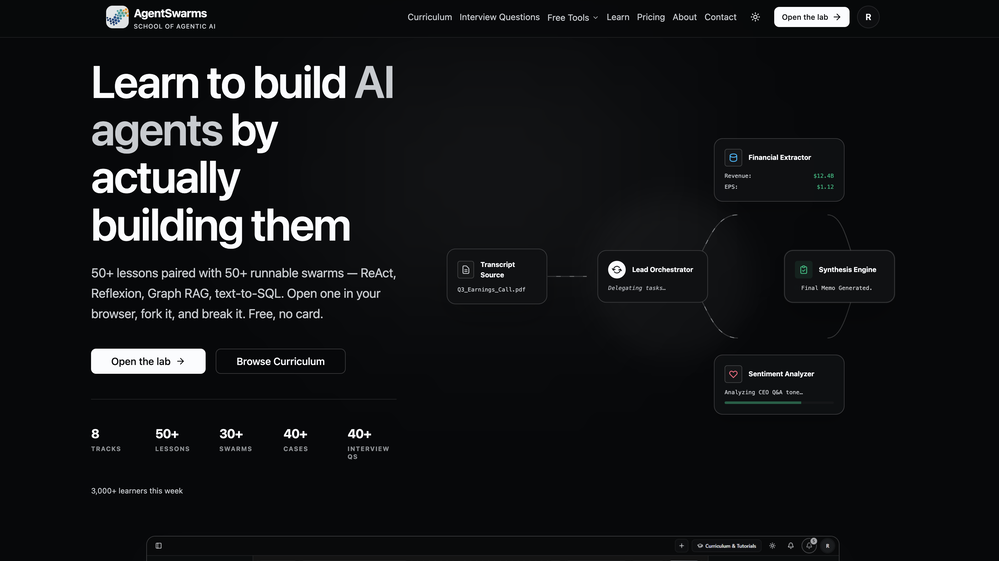 AgentSwarms — Our Biggest Release Yet: 100+ Executable Framework Notebooks, Voice Agents, Website Embeds & More TL;DR — what's new: -103 executable, in-browser notebooks across 9 agent frameworks — no setup, run every cell live. -Voice agents you build with speech-to-text + text-to-speech and talk to right in the browser. -Website embeds — drop a standalone agent or a multi-agent task bot onto your own site with one iframe. -30 interactive field-engineering blogs + 25 interactive presentation decks -9 hands-on failure-mode labs + a 38-cell failure-modes notebook covering 12 real production failures -17 free, no-login interactive AI tools -Detailed swarm execution traces — tokens, cost, latency, every handoff -20 runnable industry templates AgentSwarms is a learn-by-building platform for Agentic AI: build, run, test, and ship AI agents and multi-agent swarms — and actually learn the frameworks by running real code, not reading about it. This is our largest update to date. Here's everything that's new. 1. Framework-specific notebooks with executable cells — learn every major agent framework by running it We shipped 103 notebooks with live, editable cells that execute right in your browser — zero installs, zero API keys to wrangle. There are dedicated, in-depth tracks for OpenAI Agents SDK, Google ADK, LlamaIndex, Mastra, LangChain, LangGraph.js, and AWS Strands SDK — plus Vercel AI SDK and VoltAgent. Each track walks the whole arc: fundamentals → typed tools → multi-agent handoffs → memory → guardrails → evaluation, with clear, beginner-friendly explanations next to code you can change and re-run. Start here: https://agentswarms.fyi/notebooks 2. Build voice agents with TTS + STT — give any agent a voice and talk to it You can now turn any agent into a voice agent using a speech-to-text → LLM → text-to-speech pipeline, pick from 11 studio voices, and talk to it live in the Voice Playground — tap the mic, speak, and hear it answer back. Fork a ready-made sample to get started in seconds. Because voice runs on the same engine as chat, your tools, RAG, memory, and guardrails all carry straight over. Try it: https://agentswarms.fyi/voice-playground 3. Build an AI backend and embed agents + multi-agent task bots on your website Ship what you build. Embeds turns any agent or swarm into a widget you paste into your own site with a single iframe — no backend to stand up. Choose an Agent embed (a streaming chat panel that answers with the agent's full brain) or a Swarm embed (a run-and-return task bot where a whole multi-agent workflow executes server-side and returns the result). Every embed gets domain-locked API keys, a per-embed daily request cap, and serves anonymous visitors with no login. Details: https://agentswarms.fyi/docs/embeds 4. New interactive field-engineering blogs and presentations Our library now includes 30 field-engineering blog posts, each with custom interactive visuals you can click through — covering AI agents in financial services, multi-agent simulation, deploying MCP servers to AWS/Azure/GCP, voice agents, security, retrieval, cost control, and framework deep-dives. Alongside them are 25 interactive presentation decks on everything from LLM internals to multi-agent orchestration and LLMOps. Read them: https://agentswarms.fyi/blog 5. A lot more failure-mode labs and notebooks Real agents fail in ways demos never show, so we built the practice ground for it: 9 hands-on failure-mode labs in the swarm canvas that inject a real fault — a coordination deadlock, a cascading error, a runaway loop, a prompt injection — and then grade your fix. They're backed by a 38-cell "Failure Modes Lab" notebook that reproduces 12 production failure modes (hallucinations, sycophancy, RAG poisoning, context rot, cost blow-ups, goal drift, and more) and ships the exact fix for each. Start at https://agentswarms.fyi/learn 6. Free interactive AI tools We added 17 free, no-login browser tools for everyday agent work: a RAG chunking visualizer, prompt-injection tester, semantic chunker, swarm-architecture visualizer, PII redactor, multi-agent token-cost calculator, LLM-as-a-judge builder, tool-schema generator, GraphRAG triplet extractor, synthetic RAG-eval dataset generator, and more. Open and use them instantly: https://agentswarms.fyi/tools 7. Detailed swarm execution traces Every multi-agent run is now fully traced and replayable. Step through each node's inputs and outputs, every tool call and handoff, and read per-run token usage, cost, and latency on a timeline — the raw material for debugging, evals, and cost dashboards. No more guessing why a swarm did what it did. 8. More runnable industry templates We expanded the template library to 20 one-click, runnable industry templates — support triage / knowledge-base agent, research RAG, sales outreach, code reviewer, CRM data cleanser, long-context analysis, and more. Each spins up a working agent or swarm you can run immediately and adapt. Browse them: https://agentswarms.fyi/templates
 -
 Molly Luft🙏 1 karmaMay 16, 2026@HonenGreat!!!! It's a really great app! Go check it out!
 -

-
-
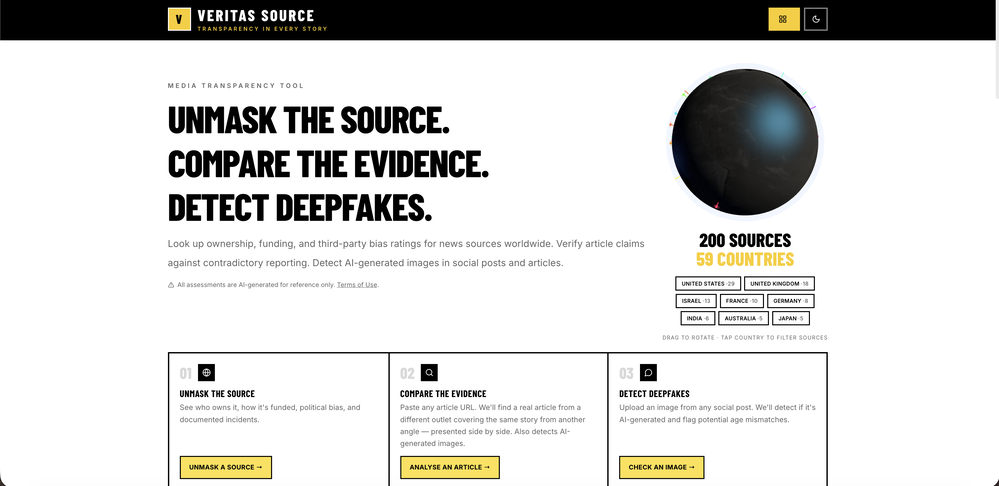
 Talk to the exact expert you need — sourced from anywhere.Open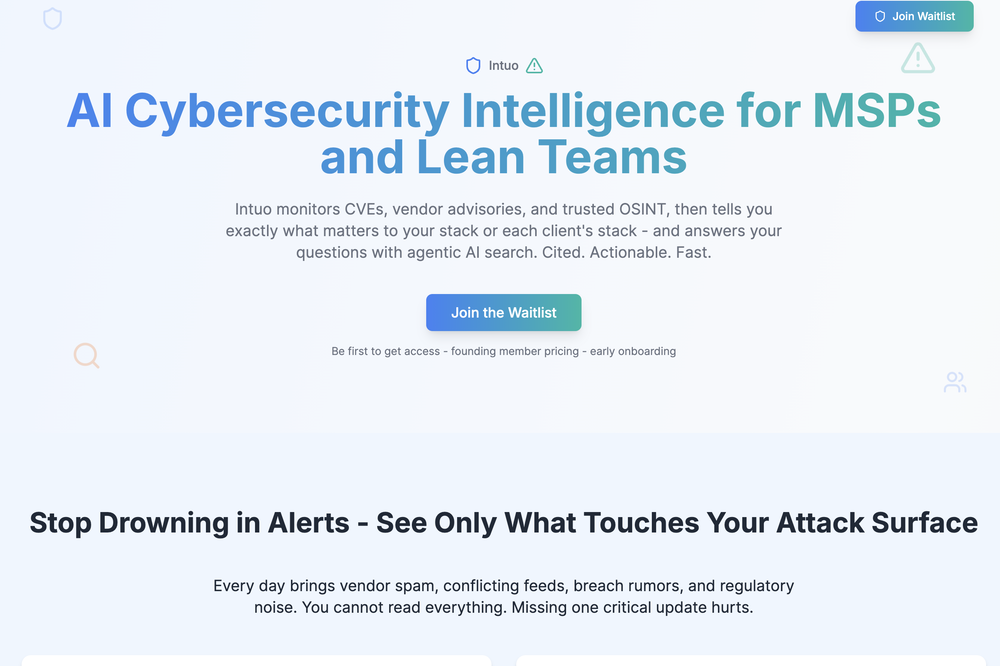
-








Other tools
-
 Transform imagination into reality with AI-powered art.Open
 -
 Create whimsical 3D cartoon backgrounds with charming houses.Open
 - SpotlightSureThing.io - "OpenClaw" for BeginnersTask automation
-
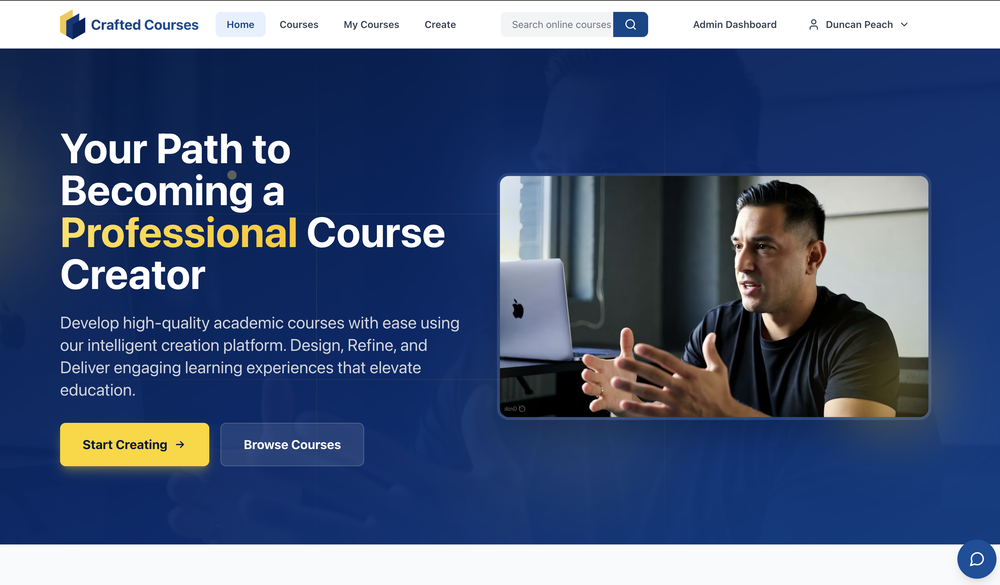
Comprehensive course outlines, lessons, and assessments within seconds.
-
 OpenVideo editing is the process of selecting, trimming, and arranging footage to create a cohesive story or visual narrative. Here are some fundamental concepts and techniques: Types of Video Editing Linear editing: A straightforward, sequential approach to editing, where clips are arranged in a linear timeline. Non-linear editing: A more flexible approach, where clips can be arranged and rearranged freely in a timeline. Key Video Editing Techniques Cutting: A transition between two clips, where one clip ends and another begins. Cutting on action: Cutting between two clips while an action is in progress, to create a seamless transition. J-cut: Cutting from one clip to another while audio from the second clip starts playing before the video cuts to it. L-cut: Cutting from one clip to another while audio from the first clip continues to play. Video Editing Software Popular video editing software includes: Adobe Premiere Pro: A professional-level editing software with advanced features and integration with other Adobe tools. Final Cut Pro: A professional-level editing software for Mac users, known for its user-friendly interface and advanced features. DaVinci Resolve: A free and paid editing software that offers advanced color grading and audio editing tools. Best Practices for Video Editing Plan your edit: Develop a clear vision and storyboard before starting to edit. Organize your footage: Label and categorize your clips to make them easily accessible. Keep it simple: Avoid overusing transitions and effects; focus on telling a clear story. Advanced Video Editing Techniques Color grading: Adjusting the color and brightness of footage to create a specific mood or atmosphere. Audio ducking: Automatically reducing the volume of background audio when dialogue is present. Motion graphics: Adding animated text, logos, or other graphics to enhance the visual narrative. Video editing involves selecting, trimming, and arranging footage to create a cohesive story. Linear and non-linear editing are two fundamental approaches. Key techniques include cutting, cutting on action, J-cuts, and L-cuts. Popular software includes Adobe Premiere Pro, Final Cut Pro, and DaVinci Resolve. Best practices involve planning, organizing footage, and keeping it simple. Advanced techniques include color grading, audio ducking, and motion graphics. Capcat pro Capcat pro Download image-to-image-generator generated imagetransparent pixel Image to Image Generator Image to Image Generator Download image-to-image-generator generated imagetransparent pixel Image to Image Generator Image to Image Generator Download image-to-image-generator generated imagetransparent pixel Image to Image Generator Image to Image Generator Download image-to-image-generator generated imagetransparent pixel Image to Image Generator Image to Image Generator Download image-to-image-generator generated imagetransparent pixel Image to Image Generator Image to Image Generator Download image-to-image-generator generated imagetransparent pixel Image to Image Generator Image to Image Generator Download image-generator generated imagetransparent pixel Image Generator Image Generator Copy Video Editing Basics Video editing is the process of selecting, trimming, and arranging footage to create a cohesive story or visual narrative. Here are some fundamental concepts and techniques: Types of Video Editing Linear editing: A straightforward, sequential approach to editing, where clips are arranged in a linear timeline. Non-linear editing: A more flexible approach, where clips can be arranged and rearranged freely in a timeline. Key Video Editing Techniques Cutting: A transition between two clips, where one clip ends and another begins. Cutting on action: Cutting between two clips while an action is in progress, to create a seamless transition. J-cut: Cutting from one clip to another while audio from the second clip starts playing before the video cuts to it. L-cut: Cutting from one clip to another while audio from the first clip continues to play. Video Editing Software Popular video editing software includes: Adobe Premiere Pro: A professional-level editing software with advanced features and integration with other Adobe tools. Final Cut Pro: A professional-level editing software for Mac users, known for its user-friendly interface and advanced features. DaVinci Resolve: A free and paid editing software that offers advanced color grading and audio editing tools. Best Practices for Video Editing Plan your edit: Develop a clear vision and storyboard before starting to edit. Organize your footage: Label and categorize your clips to make them easily accessible. Keep it simple: Avoid overusing transitions and effects; focus on telling a clear story. Advanced Video Editing Techniques Color grading: Adjusting the color and brightness of footage to create a specific mood or atmosphere. Audio ducking: Automatically reducing the volume of background audio when dialogue is present. Motion graphics: Adding animated text, logos, or other graphics to enhance the visual narrative. Video editing involves selecting, trimming, and arranging footage to create a cohesive story. Linear and non-linear editing are two fundamental approaches. Key techniques include cutting, cutting on action, J-cuts, and L-cuts. Popular software includes Adobe Premiere Pro, Final Cut Pro, and DaVinci Resolve. Best practices involve planning, organizing footage, and keeping it simple. Advanced techniques include color grading,
 -
 Create charming cartoons of animal friends for kids.Open
 - Didn't find the AI you were looking for?
-
-
 AI-powered tool to create engaging training course outlines instantly.OpenI used 2 of my Interest Topics and it seems to have gotten a good outline, when reading through the outline I thought of other information that I could add to it if I wanted to.
 -
its very limited, not Free at all 19 Dollars per month
-
 SCORM-compliant, Interactive course builder, personalized learning, tools instructional designers, Teacher toolsOpenI’ve been using Mexty for a few weeks now and it honestly makes lesson creation so much easier. The interface is clean, and I can build interactive content in minutes without needing to code. It’s been super helpful for saving time and still getting professional results.
 -
 Transform any topic into a complete online course in 15 seconds.Open
 -
 Open
Open -
Suppppeeeeerrr! Wowwww! Mindsmith is absolutely fantastic! It is incredibly useful, easy to use, and very professional.
-
Makes some pretty houses, gives a good idea for when I want to do it one day.. 4/5
-
it got nothing free (absolutely). it only lets you write 300 characters (not words) then asks to pay for the citations. but if your paying, this might be the best one your looking for.
-
Just started using BeeBee and I'm genuinely impressed. The blend of AI-driven insights with real-time data is a game-changer for seasoned investors. It's refreshing to see a platform that prioritizes quality Alpha info over sheer volume. Highly recommend!