Go to section
Sponsor
 Flow - 4x faster than typing
🎤 Dictation
Flow - 4x faster than typing
🎤 Dictation
The front page of AI.Used by 90M+ humans.

TAAFT Tutorial
Generate image
Tasks
Generate text
Free mode
Trending
Leaderboard
Characters
 Mini tools
New
Featured
Lists
Agents
Requests
Jobs
Map
Newsletter
Starter pack
Free tools
Speech to text
Text translator
Remove background
Settings
Edit profile
My tools
Gallery
Dashboard
Inbox
Get featured
Contact TAAFT
For you
Popular
Job impact index
Most saved
Affiliate program
Submit AI tool
Notification preferences
Glossary
Home
Timeline
My profile
Create tool
Deals
Companies
Models
Robots
Papers
Fundraises
Repositories
Devices
Organizations
Events
Prompt Pack
Merchendise
APIs
Features
Tools
Countries
Collections
Videos
Mini tools
New
Featured
Lists
Agents
Requests
Jobs
Map
Newsletter
Starter pack
Free tools
Speech to text
Text translator
Remove background
Settings
Edit profile
My tools
Gallery
Dashboard
Inbox
Get featured
Contact TAAFT
For you
Popular
Job impact index
Most saved
Affiliate program
Submit AI tool
Notification preferences
Glossary
Home
Timeline
My profile
Create tool
Deals
Companies
Models
Robots
Papers
Fundraises
Repositories
Devices
Organizations
Events
Prompt Pack
Merchendise
APIs
Features
Tools
Countries
Collections
Videos
Mini tools
New
Featured
Lists
Agents
Requests
Jobs
Map
Newsletter
Starter pack
Free tools
Speech to text
Text translator
Remove background
Settings
Edit profile
My tools
Gallery
Dashboard
Inbox
Get featured
Contact TAAFT
For you
Popular
Job impact index
Most saved
Affiliate program
Submit AI tool
Notification preferences
Glossary
Home
Timeline
My profile
Create tool
Deals
Companies
Models
Robots
Papers
Fundraises
Repositories
Devices
Organizations
Events
Prompt Pack
Merchendise
APIs
Features
Tools
Countries
Collections
Videos

▼ Latest
Humor-infused
Free mode
100% free
Freemium
Free Trial
Featured matches
-
 Turn notes into perfect infographics from 500+ designs.Open
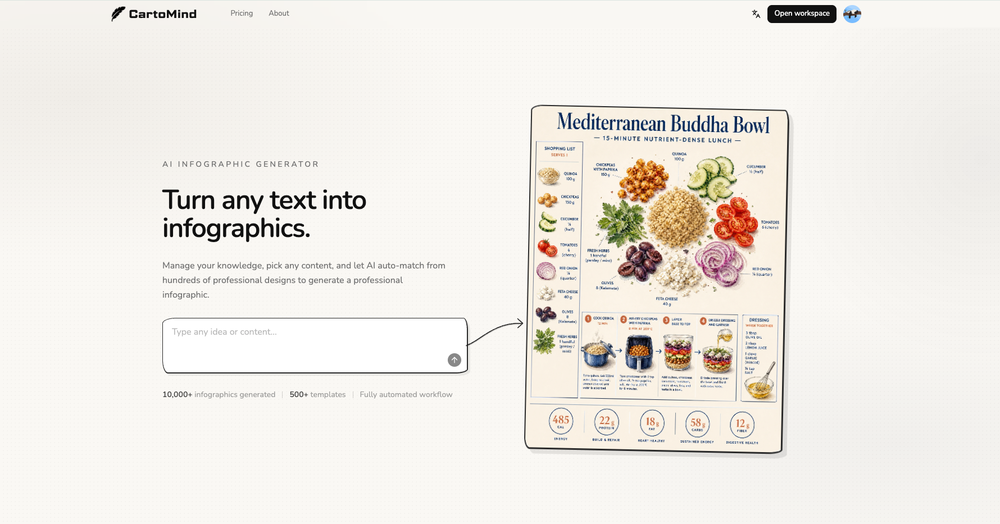 Henry🛠️ 2 tools 🙏 9 karmaMay 11, 2026@AI Infographic Generator - CartoMindHi TAAFT! I'm Henry, the founder of CartoMind. CartoMind offers a fully automated AI workflow to help you quickly organize text content and generate the perfect infographics to match. 【Why did I build this?】 When creating infographics with AI today, users are often forced to choose between two extremes. You either use generic AI image SaaS tools that trap you in complex prompt engineering and steep design learning curves with zero knowledge management, or you use products like NotebookLM. While they are fantastic for knowledge management, their infographic generation is just an afterthought, lacking design freedom and rich templates. 【Here is where CartoMind stands out:】 1. Lightweight knowledge & note management: We support uploading multiple file formats and automatically parsing text, allowing you to freely select the exact knowledge snippets you want to visualize. 2. Fully automated workflow: Based on your selected content, our AI automatically distills the key text elements and instantly matches you with the ideal infographic design from over 500 professional combinations. 3. Massive template library: A rich selection of infographic templates offering a true what-you-see-is-what-you-get experience. 【Who is using it?】 Marketers, educators, social media creators... In fact, anyone who needs to make their domain knowledge "visible" and loves to share it will find it incredibly useful. 【I can't wait for you all to try it out!】
 -
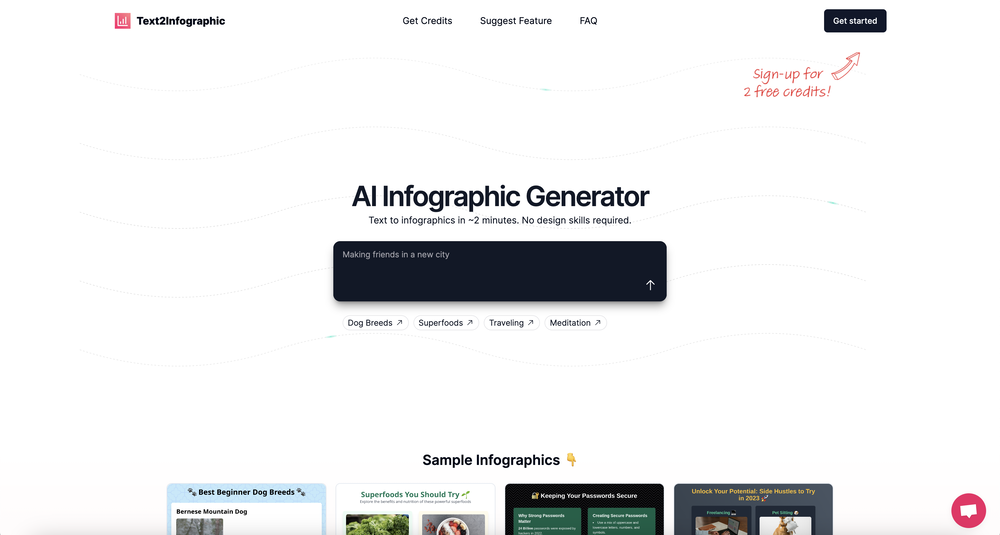 Which is more valuable, time or money? This doesn't save you either, at the moment as you only get two infographics to test out and you have to do quite a bit of editing to get it to look ok. The point of infographics is to inform in a highly visual and compelling way. None of the example info graphics are that. I suggest a pivot and use AI to fill out the text in a pre-made graphic template.



Verified tools
-
This one is by far the most realistic, some of the voices feel so real it's actually scary.
-
I did not like it. Seems very generic and did not adapt or recognized the topic to change the figures and the templates. Simply put my text to templates not related to the topic.
-
 Instantly rewrite, polish, and perfect any text without leaving your current tabOpen
 -
It's super easy to use, and the humanizer works. I tried a sample text, and it could pass ZEROGPT and GPTZERO (as a human). Recommended.
- SponsorFlow - 4x faster than typing🎤 Dictation
-
You get a free one credit to try on the signup.







Other tools
-
-
-
I stumbled upon this site, so happy I did . I asolutely love it. There is a mother load of AI tools to choose from. My new favorite site!
-
-
Very, very short “free” leash of 200 words. I didn’t give it a second whirl after that. Smh. Maybe limit free to about 1,000 Words. Or limit functions instead of characters. But I don’t know… I’m nothing but a chump layman here so don’t mind me
- Didn't find the AI you were looking for?
-
Started out good and has real potential, but the owners got greedy. You used to be charged 1 credit for each generation and got 20 free credits a day. Now you get 30 credits, but (for example Flux pro ultra) costs 9 credits and some change, meaning you get just 3 credits a day in reality. And when a run fails you are still charged so if you click a fourth time and it fails, they subtract and put you into credit debt (negative credits). Greed... the downfall of so many AI art websites. You are better off just buying a miniPC with good memory and good video card and downloading Flux to your computer and running it locally. The pricing? Let's do the math. $2 for 200 credits, but a Flux ultra run will cost you 9.97 credits. So for $2 you get actually 20 runs, and that is what you used to get each day for free. Totally not worth your money, especially when they charge you for failed runs too and the fact that on the average, it will take you 5 or 6 runs to get a decent picture that doesn't have deformed hands or other defects or deviations from what you are looking for. Better to download stable diffusion and run flux on it or uses any of the other local ways to run AI art if you can.