
 Mini tools
▼ Latest
Icons
Free mode
100% free
Freemium
Free Trial
Featured matches
-
-
 Turn any idea or face photo into polished square icons instantly.Open
-
 Vishav Jason🛠️ 1 tool 🙏 132 karmaSep 22, 2025@Iconikman it literally says that you have to pay to use it


Verified tools
-
Tested this out a few days ago for my project and I really like how the icons turned out! Very nice quality, will definitely use it again in the future :)
- Sponsor
 Rocket - Think it. Type it. Launch it.
 -
-
Simple, easy to use tool, does the job. I had an issue while activating my licence, reached out to get support and got immediate response from the owner who helped with the activation.
-
calling this freemium feels like a stretch as the free version is extremely limited. results are covered in watermarks and the upscaling isn't great either...
-
Every step requires credits, extremely poor quality. Not able to customize freely. Not worth the 10 Euros I paid for 100 credits. That's the only way to try the LogoMaker. I do not recommend
-
Was really impressed with the quality of logo gen! I created a logo for my business in 5 minutes and was able to convert it to a vector
-
 Boost your site's credibility with Aithenticate, bringing transparency to AI content.Open












Other tools
-
Sir Great tool! Was very helpful in content production
- Didn't find the AI you were looking for?
-
Tried this logo tool and it was actually great. It did a really good job incorporating some of the elements I mentioned in the prompt into the design. Definitely helpful for getting ideas.
-
Love this AI logo platform! Super easy to use—no design skills needed. The logos it spits out are clean, sharp, and totally on point for my brand. Saved me tons of time fussing with tools. Straight-up great. Recommend!
-
That is a very good tip particularly to those fresh to the blogosphere. Short but very precise info… Appreciate your sharing this one. A must read post!
-
-
-
 Transform flat icons into glowing visual masterpieces.Open
 -
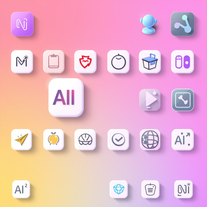 Generate neumorphic icons with AI-powered 3D aesthetics.Open
 -
 AI-powered icon generator creating custom, professional icons in any style.Open
 -
Ya'll accidentally head here because of the name? I had to Google why I suddenly boomed in usage and why this tool suddenly had actual data for analysis which is a first for me and is very neat, and saw there's an image model with similar name. To be honest, I couldn't get hi-fidelity out of my head for some reason and could only pivot to Hi-Dreams as a name haha. If anyone has a moment, I see there's common words being attempted and it might be helpful to know if it does help the generation more? I'm trying hard to think on how I can break a very simplified tool framework into making a complex proper icon maker with transparent backgrounds but still struggling to get it 100% because it probably can't.
-
eh, not the best, but with a liiiittle bit of shaping your prompt, you can get great results
-
I tested them all and this icon generator is by far the best. Make sure you specify 'app icon' though so you actually get one that looks like an app icon.
-
-
being just a text to image it's pretty hard to "transform myself" into a '50 film icon haha. but in general the outcomes here are niceeeeee!
-
 OpenVideo editing is the process of selecting, trimming, and arranging footage to create a cohesive story or visual narrative. Here are some fundamental concepts and techniques: Types of Video Editing Linear editing: A straightforward, sequential approach to editing, where clips are arranged in a linear timeline. Non-linear editing: A more flexible approach, where clips can be arranged and rearranged freely in a timeline. Key Video Editing Techniques Cutting: A transition between two clips, where one clip ends and another begins. Cutting on action: Cutting between two clips while an action is in progress, to create a seamless transition. J-cut: Cutting from one clip to another while audio from the second clip starts playing before the video cuts to it. L-cut: Cutting from one clip to another while audio from the first clip continues to play. Video Editing Software Popular video editing software includes: Adobe Premiere Pro: A professional-level editing software with advanced features and integration with other Adobe tools. Final Cut Pro: A professional-level editing software for Mac users, known for its user-friendly interface and advanced features. DaVinci Resolve: A free and paid editing software that offers advanced color grading and audio editing tools. Best Practices for Video Editing Plan your edit: Develop a clear vision and storyboard before starting to edit. Organize your footage: Label and categorize your clips to make them easily accessible. Keep it simple: Avoid overusing transitions and effects; focus on telling a clear story. Advanced Video Editing Techniques Color grading: Adjusting the color and brightness of footage to create a specific mood or atmosphere. Audio ducking: Automatically reducing the volume of background audio when dialogue is present. Motion graphics: Adding animated text, logos, or other graphics to enhance the visual narrative. Video editing involves selecting, trimming, and arranging footage to create a cohesive story. Linear and non-linear editing are two fundamental approaches. Key techniques include cutting, cutting on action, J-cuts, and L-cuts. Popular software includes Adobe Premiere Pro, Final Cut Pro, and DaVinci Resolve. Best practices involve planning, organizing footage, and keeping it simple. Advanced techniques include color grading, audio ducking, and motion graphics. Capcat pro Capcat pro Download image-to-image-generator generated imagetransparent pixel Image to Image Generator Image to Image Generator Download image-to-image-generator generated imagetransparent pixel Image to Image Generator Image to Image Generator Download image-to-image-generator generated imagetransparent pixel Image to Image Generator Image to Image Generator Download image-to-image-generator generated imagetransparent pixel Image to Image Generator Image to Image Generator Download image-to-image-generator generated imagetransparent pixel Image to Image Generator Image to Image Generator Download image-to-image-generator generated imagetransparent pixel Image to Image Generator Image to Image Generator Download image-generator generated imagetransparent pixel Image Generator Image Generator Copy Video Editing Basics Video editing is the process of selecting, trimming, and arranging footage to create a cohesive story or visual narrative. Here are some fundamental concepts and techniques: Types of Video Editing Linear editing: A straightforward, sequential approach to editing, where clips are arranged in a linear timeline. Non-linear editing: A more flexible approach, where clips can be arranged and rearranged freely in a timeline. Key Video Editing Techniques Cutting: A transition between two clips, where one clip ends and another begins. Cutting on action: Cutting between two clips while an action is in progress, to create a seamless transition. J-cut: Cutting from one clip to another while audio from the second clip starts playing before the video cuts to it. L-cut: Cutting from one clip to another while audio from the first clip continues to play. Video Editing Software Popular video editing software includes: Adobe Premiere Pro: A professional-level editing software with advanced features and integration with other Adobe tools. Final Cut Pro: A professional-level editing software for Mac users, known for its user-friendly interface and advanced features. DaVinci Resolve: A free and paid editing software that offers advanced color grading and audio editing tools. Best Practices for Video Editing Plan your edit: Develop a clear vision and storyboard before starting to edit. Organize your footage: Label and categorize your clips to make them easily accessible. Keep it simple: Avoid overusing transitions and effects; focus on telling a clear story. Advanced Video Editing Techniques Color grading: Adjusting the color and brightness of footage to create a specific mood or atmosphere. Audio ducking: Automatically reducing the volume of background audio when dialogue is present. Motion graphics: Adding animated text, logos, or other graphics to enhance the visual narrative. Video editing involves selecting, trimming, and arranging footage to create a cohesive story. Linear and non-linear editing are two fundamental approaches. Key techniques include cutting, cutting on action, J-cuts, and L-cuts. Popular software includes Adobe Premiere Pro, Final Cut Pro, and DaVinci Resolve. Best practices involve planning, organizing footage, and keeping it simple. Advanced techniques include color grading,
 -
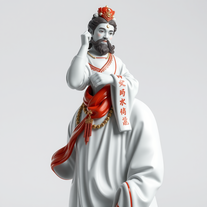 Transform icons into hyper-realistic porcelain statues.Open
 -
 Open
Open -
 Open
Open -
 Specialist in reverse engineering icons to your specifications.Open
 -
 Designing with Insight — A UI Designer Who Truly Understands Your NeedsOpen
 -
 Generates UI elements and icons visually with multiple styles.Open
 -
 Generating Shopify App Store Listings with Icons.Open
 -
 Open
Open
























































Post





