Tools 50,517
Mini tools 36,185
Companies 7,163
Tasks 11,171
Jobs 5,238
Events 94
Papers 7,811
Models 1,188
Repos 39,608
Robots 545
Devices 197
Countries 100
Investors 1,885
Collections 13,249
Job openings 341
Requests 1,505
Fundraises 1,896
Deals 410
Characters 23,289
Features 68
Tools 50,517
Tasks 11,171
Models 1,188
Mini tools 36,185
Characters 23,289
Companies 7,163
Requests 1,505
Papers 7,811
Collections 13,249
Fundraises 1,896
Investors 1,885
Countries 100
Repos 39,608
Devices 197
Features 68
Jobs 5,238
Robots 545
Events 94
Deals 410
Tools 50,517
Mini tools 36,185
Companies 7,163
Tasks 11,171
Jobs 5,238
Events 94
Papers 7,811
Models 1,188
Repos 39,608
Robots 545
Devices 197
Countries 100
Investors 1,885
Collections 13,249
Job openings 341
Requests 1,505
Fundraises 1,896
Deals 410
Characters 23,289
Features 68
Tools 50,517
Tasks 11,171
Models 1,188
Mini tools 36,185
Characters 23,289
Companies 7,163
Requests 1,505
Papers 7,811
Collections 13,249
Fundraises 1,896
Investors 1,885
Countries 100
Repos 39,608
Devices 197
Features 68
Jobs 5,238
Robots 545
Events 94
Deals 410
Go to section
Sponsor
 Speechmatics - API for Voice AI Agents
#1 website for AI tools.Used by 90M+ humans.
TAAFT Tutorial
Generate image
Tasks
Generate text
Free mode
Trending
Leaderboard
Characters
 Mini tools
New
Featured
Lists
Agents
Requests
Jobs
Map
Newsletter
Starter pack
Free tools
Speech to text
Text translator
Remove background
Settings
Edit profile
My tools
Gallery
Dashboard
Inbox
Get featured
Contact TAAFT
For you
Popular
Job impact index
Most saved
Affiliate program
Submit AI tool
Notification preferences
Glossary
Home
Timeline
My profile
Create tool
Deals
Companies
Models
Robots
Papers
Fundraises
Repositories
Devices
Organizations
Events
Prompt Pack
Merchendise
Credits
APIs
Features
Tools
Countries
Collections
Mini tools
New
Featured
Lists
Agents
Requests
Jobs
Map
Newsletter
Starter pack
Free tools
Speech to text
Text translator
Remove background
Settings
Edit profile
My tools
Gallery
Dashboard
Inbox
Get featured
Contact TAAFT
For you
Popular
Job impact index
Most saved
Affiliate program
Submit AI tool
Notification preferences
Glossary
Home
Timeline
My profile
Create tool
Deals
Companies
Models
Robots
Papers
Fundraises
Repositories
Devices
Organizations
Events
Prompt Pack
Merchendise
Credits
APIs
Features
Tools
Countries
Collections
Mini tools
New
Featured
Lists
Agents
Requests
Jobs
Map
Newsletter
Starter pack
Free tools
Speech to text
Text translator
Remove background
Settings
Edit profile
My tools
Gallery
Dashboard
Inbox
Get featured
Contact TAAFT
For you
Popular
Job impact index
Most saved
Affiliate program
Submit AI tool
Notification preferences
Glossary
Home
Timeline
My profile
Create tool
Deals
Companies
Models
Robots
Papers
Fundraises
Repositories
Devices
Organizations
Events
Prompt Pack
Merchendise
Credits
APIs
Features
Tools
Countries
Collections

▼ Latest
Online image generation
Free mode
100% free
Freemium
Free Trial
Featured matches
-
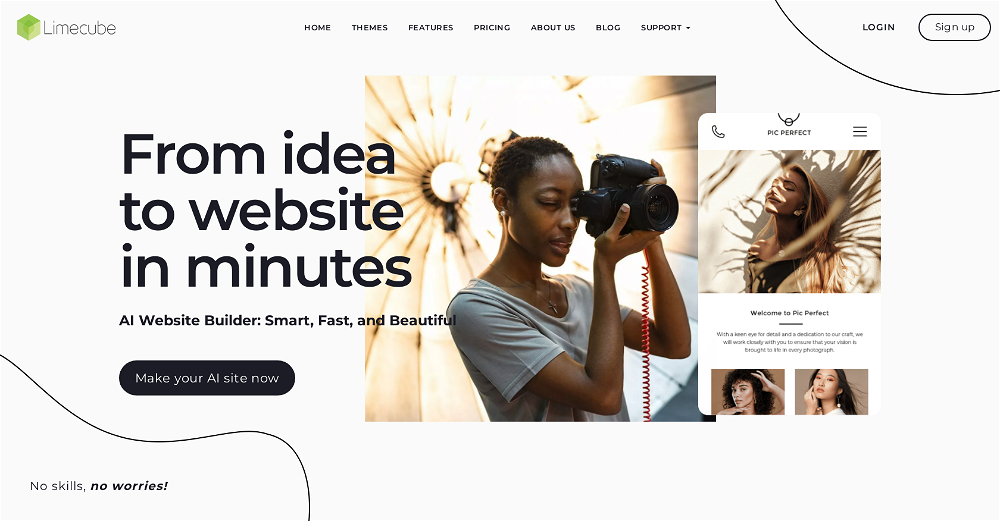 Joe Smythe🙏 140 karmaSep 13, 2024@LimecubeVery cool app! Build was fast as, and with a few tweaks I fully launched my website in 1 hour!
 -
 Open
Open I found out this girl i was talking to was catfish, and just promoting her OF account
 -
 Open
Open
-
-
-
-
-
 Open
Open Sorry Marek, at this point it is an embedded BigCommerce app, which can only be used within a BigCommerce store. PS...I see that you work for ProductLasso.com? Doing competitive research?
 -

-





Verified tools
-
A very clean website — simple, clear, and fast to generate results.
- SponsorSpeechmatics - API for Voice AI Agents
-
 Turn phone photos into compliant passport photos instantly.Open
 -
 Turn one product upload into complete ecommerce image sets.Open
 -
 Turn property photos into scroll-stopping videos that sell homes faster.Open
 -
 Turn tweets into LinkedIn carousels instantly.OpenHate that LinkedIn carousel took so much time, and tools on the market either too simple or sophisticated and paid. This one is awesome, solved my problem
 -
-
it removed the watermark cleanly while keeping the original quality.
-
Paige is legit for local SEO. Spins up GBP posts, Q&A, review replies, even blog briefs fast and the auto-post saves hours. Pricing isn't cheap but it's worth.
-
I tried TheMultiverse.ai and was genuinely impressed — the headshots it generated look sharp, professional, and true to me. The editing options gave me just enough control without feeling overwhelming. I think it is more affordable than other ai headshot options out there.
-
Love how it offers stuff for both free and premium users. huge thanks to the devs and keep it up!
-
 Generate professional AI dating photos for 3x more matches.OpenHey, I'm Jacob. Indie developer, built a few AI products. My friend complained about no matches on Tinder. His photos were terrible - bad lighting, messy backgrounds, awkward angles. "Get better photos." "Photographers are expensive and it's weird doing a photoshoot for dating apps." He was right. What I built Spent 2 weeks building this with Stable Diffusion and Claude. Upload 10-15 photos, generates 80-180 dating photos in ~20 minutes. The tricky part: making them look real, not AI-generated. Most AI headshot tools optimize for LinkedIn. Dating photos need to feel natural. Optimized specifically for Tinder, Bumble & Hinge - each platform has different vibes. Added a "realness score" to filter out obvious AI stuff. Current issues - Hands are still weird sometimes - Some photos don't quite look like you - Background inconsistencies Tested with ~40 people. Most said it helped. Some photos were off. Why I'm posting Not sure if this is actually useful or just solving my friend's specific problem. If people care, I'll keep improving it. If not, learned a lot anyway. Link: https://datephotos.ai/
 -
It's really frustrating when you try to select something you want, only to be immediately redirected to a subscription-based payment model. There's no opportunity to even test things out, which kills the enthusiasm right away. It seems like everything is geared towards subscriptions nowadays, and it's a turn-off. Companies should prioritize transparency and give customers a chance to try out products before committing to a subscription. Practices like these erode consumer trust and deter many potential customers.
-
 Get Realistic, Natural-Looking AI-Generated Professional Headshots in 2 Hours.OpenI never thought I’d be using an AI service for something like this, but I’m glad I did. The headshot looks like it was taken by a professional photographer, without the pain.
 -
 Transform images with AI-powered creative editing tools.Open
 -
 Open
Open -
This looks like a solid tool for quick text to image work, especially with all the extra features like watermark removal and photo restore. If anyone here is experimenting with bold typography or pop style visuals, I have also tried https://allbratgenerator.com for fast brat inspired text and cover style graphics. It is simple and works well for social posts.
-
-
 Open
Open -
-
This is a really good site if you're trying to find a an easy way to find good products without wasting any time. this is the best
-
 Unlimited AI Clothing Generator — Design, Try-On & Fashion Video | WearMindOpen
 -
 AI product photos for faster ecommerce launchesOpen
 -
Steer clear of this by any cost ! it gives you ONE video for free and then ask you for no less than FIFTY dollars a month for only FIVE videos ! they must be crazy with all the alternatives.
-
-
This was impressive. From just one picture and a few details, it made a really good, professional video. Amazing quality!
-
-
The workflow is straightforward, the output quality is clean, and it’s especially useful for marketing videos, product demos, and social media content. Overall, it’s a solid AI video generator that saves a lot of time. Highly recommended.
-
I would just feel like a POS to create something like this. Like you got to be down bad or a degenerate...
-
 Open
Open -
 Open
Open -
 OpenThe watermark was removed so cleanly, it's amazing!
 -
 Remove backgrounds from images with AI in seconds.Open
 -
 Transform one photo into complete Etsy media kits.Open
 -
👋 Hi There! I’m James the maker of RemakePic. I built RemakePic for e-commerce sellers who source products from B2B platforms and keep running into the same problem: you’re not allowed to reuse the same product images across marketplaces, but reshooting everything is slow and expensive. RemakePic uses AI to recreate product images while preserving the original product details — so sellers can generate unique, platform-safe images without reshooting or manual editing. It’s especially useful if you sell on multiple platforms (Amazon, Wayfair, Shopify, etc.) or work with supplier-provided photos. I’m excited to hear your feedback — especially: • How do you currently handle duplicate image issues? • What marketplaces give you the most trouble with image compliance? Happy to answer any questions. Thanks for checking it out 🙌
-
 Discover your life's secrets through professional palm reading analysis.Open
 -
 All-in-one AI kitchen assistant: pantry management, recipe generation, meal planning, shopping listsOpenThis app is great- I use it weekly to create meal plans, recipes, and reduce waste and save money by using leftover ingredients that I already have!
 -
✨ Key Advantages of Pixwith: 1. Wide range of AI models: From video generation to image creation, enhancement, and style transformation — you get access to a full suite of cutting-edge AI models in one place. 2. Affordable and transparent pricing: Our credit-based system is flexible and offers better value compared to many similar platforms. 3. Free trials available: Several models can be used for free, allowing you to test the quality before purchasing credits. 4.Beginner-friendly interface: Simple and intuitive design — generate high-quality content in just a few clicks. 5.Constant updates: We continuously add new models and features, ensuring you always have access to the latest AI capabilities.
-
Tried to fix a cropped travel photo and it worked great. The AI naturally expanded the sky and beach, so the image fit a 16:9 YouTube thumbnail without any visible seams or quality loss.
-
 Remove unwanted text, watermark or logo from images online free.Open
 -
 Open
Open -
Slop Or Not is the world’s first and only on-device AI content detector for iPhone. Check text and images with 100% privacy and no uploads. It catches C2PA/IPTC watermarked images from ChatGPT, Gemini, Flux, and Grok with 100% accuracy, plus 95% for AI text (no word limits) and 90% for other AI images. We trained compact models that run locally, outperform many cloud tools, and work offline. Great for students as well as pros like journalists, lawyers or anyone handling sensitive content
-
I used the tool with a one-time paid plan. 2/25 generations succeed with disappointing output. The tool is not intuitive and there is lack of explanation how to use it properly. I can not recommend based on my experience.
-
The translation is good enough. It's free, so waiting longer for the result is not a problem
-
create a background for a website
-
-
tried it for quick photo cleanups, solid results. the bg remover is free with HD downloads and does clean cutouts on tricky edges. the full editor gives 5 daily credits, not badd
-
-
-
pretty clean tool, i tried a couple product images fast and the controls make sense. model picks, image-to-image and quick batch runs are handy for ad shots or thumbnails. the free tier is tiny at 2 credits, so it's more of a taste test than real use.
-
it does only do one image per time i am looking for multiple images to video
-
 Auto remove people from photos with AI.OpenMaybe not the best tool, I uploaded an image and it removed the main subject, didnt even think it was possible. Literally only the background was left
 -
Six months ago I was building some landing pages and found myself wasting way too much time downloading stock photos, cropping them, resizing, rehosting... the whole thing felt broken. I looked around for a tool that just let me describe the image I wanted and get it in the right format instantly—but nothing really existed. So I built Inliner AI. Now when I need an image, I just write what I want directly into a URL like this: https://img.inliner.ai/my-project/panda-playing-guitar-on-stage_1200x750.png Hit enter and boom Inliner generates an original AI image, intelligently cropped, resized for the web, and served instantly via CDN. Need a quick edit? Just append it to the URL: .../remove-the-guitar_900x750.png No uploads, no UI, no waiting. You can also upload your own products, people, or logos and compose them into generated scenes. For more control, there's a Studio web GUI where you can play with prompts and dimensions and compare variants side by side before committing. Where this gets really powerful is when you show your LLM how to use these URLs. Once it knows the pattern like: https://img.inliner.ai/my-project/xxx-yyy-zzz.png It can generate, tweak, and iterate on image assets dynamically, right inside your prompts or your code. Everything stays self contained in the link. We also include copy/pasteable instructions for Claude, GPT, Cursor, and more so you can wire this up in minutes. If you're building a product, designing a page, or just prototyping something new try it out and let me know what you think!
-
 OpenHi, this is Zeeshaan, co-founder of The Influencer AI. Virtual try on technology has recently taken a massive jump with new core models, and we wanted to let people to see what it's like for themselves. I think this could be genuinely value-creating, and just enable things that weren't possible before. Open to all feedback. Appreciate the community!
 -
-
 Open
Open -
-
 Open
Open -
calling this freemium feels like a stretch as the free version is extremely limited. results are covered in watermarks and the upscaling isn't great either...
-
It fetches the picture location and uses that information to generate relevant hashtags. If there’s text inside the picture, it parses it and uses it for context. Recommended
-
Super quick and easy to use; makes product photos look way more professional.
-
Photos look super clean and actually match my vibe. Tried other tools, but this one just works.
-
Hi! I'm the founder of watch.ID - feel free to ask any questions or feedbacks ✌️
-
Fast & straightforward with acceptable quality






































































































Other tools
-
This is a phenomenal service guys! I've made my designing very easy with AVC Labs AI Tools. I love their Image enhancer, Upscaler and Colorizer!
-
 Apply spooky Halloween filters and scary makeup effects online for free.Open
 - Didn't find the AI you were looking for?
-
Threw a pic of my living room in, asked for warm modern and it gave me a layout that was actually really nice. Some renders look a bit plastic and it guesses weird details here and there, but as a quick vibe check it’s legit.
-
-
Used to make coloring pages for the wedding of a friend’s son. Was easy to use. Can pay monthly.
-
This website very good image and understanding the all your thoughts. So best uses for reels creators and article writes and images posting very help ful
-
it generates the food on par with the prompt, but it doesn't get all the details done, and makes it look underwhelming as a result.
-
-
 Create free AI professional headshots instantlyOpenNice to play with, but not for anything else. No resemblance, mix of faces...
 -
-
It is a great photo editing tool for e-commerce sellers who need product photos.
-
-
 Open
Open -
It's pretty good. transformed my regular selfie into a professional-quality portrait in seconds. Highly recommend!
-
 Automate professional replies to Google reviews with AI.Open
 -
I was able to make a few images for free that closely matched what I was looking for. I will use them for YouTube thumbnails.
-
-
OK, it says "FREE" and "NO Pricing," and yet some tools are available only to "Premium users?" If that's not misleading, I don't know what's "free" any longer! Oh, yes, the air, thank God, but maybe soon they'll start selling it as well ;-) THX
-
It clearly states that you need to use Google Colab or your own server. However, I totally agree that the claim of unlimited image generation is misleading. There should be an app for mobile devices and PCs. I bought this on the first day with high expectations, and I was very disappointed. I ended up creating my own setup on Colab, and I’m moving it to a local software build that doesn’t depend on VMs.
-
 Transform any photograph into elegant engraving-style line art.Open
 -
 Transform ideas into stunning visuals with AI.Open
 -
 Transform any text into vibrant cartoon images instantly.Open
 -
 Transform ordinary product photos into stunning, market-ready e-commerce images.Open
 -
 Open
Open -
-
 Open
Open