 Rocket - Think it. Type it. Launch it.

 Mini tools
Go to 📷 Images
🖌️
Image editing
(311)
👤
Avatars
(283)
🖼️
Portraits
(205)
🎨
Illustrations
(202)
🖼️
Wallpapers
(132)
🖍️
Coloring pages
(101)
🎨
Surreal art
(99)
🎨
Abstract art
(95)
🧝♀️
Fantasy images
(87)
✏️
Sketches
(84)
📷
Product images
(81)
🎥
Cinematic images
(73)
🌿
Nature images
(66)
🤪
Funny images
(64)
🍔
Food images
(50)
🖼️
Icons
(46)
🔍
Image analysis
(45)
🏷️
Stickers
(43)
🖋
Line art
(42)
📸
Image prompts
(28)
 Photo AI
 Freepik AI Image Generator
 Stockimg AI
 Midjourney
 CreativePixel
 INLINER
 BestPhotoAI
 Ideogram
 SD Telegram bot
 Getimg.ai
 Shoots by Diktatorial
 Seedream
 Picsman - AI Photo Editor
 PixAI Art
 NewHero AI
 GenTube
 Reface
 FLUX
FLUX
 Stable Diffusion
 TinderProfile.ai
Photo AI
246,734
Freepik AI Image Generator
130,983
Stockimg AI
104,539
Midjourney
87,328
CreativePixel
81,070
INLINER
68,140
BestPhotoAI
67,528
Ideogram
62,417
SD Telegram bot
55,121
Getimg.ai
53,773
Shoots by Diktatorial
47,255
Seedream
46,970
Picsman - AI Photo Editor
45,348
PixAI Art
43,023
NewHero AI
39,791
GenTube
36,681
Reface
34,480
FLUX
32,840
Stable Diffusion
31,923
TinderProfile.ai
31,899
Retro images
taaft.com/retro-imagesThere are 27 AI tools for Retro images.
Get alerts
Number of tools
27
▼ Popular
Free mode
100% free
Freemium
Free Trial
Top featured
-
 Open
Open
Specialized tools 27
-
 Create retro halftone illustrations from any concept.
 anthony louis miller🙏 12 karmaAug 1, 2025@retro-style halftoneSuch a legendary epic badass tool and I sincerely appreciate it being free and thx very much to the adept developer. Exquisite tool. Peace. ✌️
 -
 Transform into hyper-realistic photos at 1980s parties.Video editing is the process of selecting, trimming, and arranging footage to create a cohesive story or visual narrative. Here are some fundamental concepts and techniques: Types of Video Editing Linear editing: A straightforward, sequential approach to editing, where clips are arranged in a linear timeline. Non-linear editing: A more flexible approach, where clips can be arranged and rearranged freely in a timeline. Key Video Editing Techniques Cutting: A transition between two clips, where one clip ends and another begins. Cutting on action: Cutting between two clips while an action is in progress, to create a seamless transition. J-cut: Cutting from one clip to another while audio from the second clip starts playing before the video cuts to it. L-cut: Cutting from one clip to another while audio from the first clip continues to play. Video Editing Software Popular video editing software includes: Adobe Premiere Pro: A professional-level editing software with advanced features and integration with other Adobe tools. Final Cut Pro: A professional-level editing software for Mac users, known for its user-friendly interface and advanced features. DaVinci Resolve: A free and paid editing software that offers advanced color grading and audio editing tools. Best Practices for Video Editing Plan your edit: Develop a clear vision and storyboard before starting to edit. Organize your footage: Label and categorize your clips to make them easily accessible. Keep it simple: Avoid overusing transitions and effects; focus on telling a clear story. Advanced Video Editing Techniques Color grading: Adjusting the color and brightness of footage to create a specific mood or atmosphere. Audio ducking: Automatically reducing the volume of background audio when dialogue is present. Motion graphics: Adding animated text, logos, or other graphics to enhance the visual narrative. Video editing involves selecting, trimming, and arranging footage to create a cohesive story. Linear and non-linear editing are two fundamental approaches. Key techniques include cutting, cutting on action, J-cuts, and L-cuts. Popular software includes Adobe Premiere Pro, Final Cut Pro, and DaVinci Resolve. Best practices involve planning, organizing footage, and keeping it simple. Advanced techniques include color grading, audio ducking, and motion graphics. Capcat pro Capcat pro Download image-to-image-generator generated imagetransparent pixel Image to Image Generator Image to Image Generator Download image-to-image-generator generated imagetransparent pixel Image to Image Generator Image to Image Generator Download image-to-image-generator generated imagetransparent pixel Image to Image Generator Image to Image Generator Download image-to-image-generator generated imagetransparent pixel Image to Image Generator Image to Image Generator Download image-to-image-generator generated imagetransparent pixel Image to Image Generator Image to Image Generator Download image-to-image-generator generated imagetransparent pixel Image to Image Generator Image to Image Generator Download image-generator generated imagetransparent pixel Image Generator Image Generator Copy Video Editing Basics Video editing is the process of selecting, trimming, and arranging footage to create a cohesive story or visual narrative. Here are some fundamental concepts and techniques: Types of Video Editing Linear editing: A straightforward, sequential approach to editing, where clips are arranged in a linear timeline. Non-linear editing: A more flexible approach, where clips can be arranged and rearranged freely in a timeline. Key Video Editing Techniques Cutting: A transition between two clips, where one clip ends and another begins. Cutting on action: Cutting between two clips while an action is in progress, to create a seamless transition. J-cut: Cutting from one clip to another while audio from the second clip starts playing before the video cuts to it. L-cut: Cutting from one clip to another while audio from the first clip continues to play. Video Editing Software Popular video editing software includes: Adobe Premiere Pro: A professional-level editing software with advanced features and integration with other Adobe tools. Final Cut Pro: A professional-level editing software for Mac users, known for its user-friendly interface and advanced features. DaVinci Resolve: A free and paid editing software that offers advanced color grading and audio editing tools. Best Practices for Video Editing Plan your edit: Develop a clear vision and storyboard before starting to edit. Organize your footage: Label and categorize your clips to make them easily accessible. Keep it simple: Avoid overusing transitions and effects; focus on telling a clear story. Advanced Video Editing Techniques Color grading: Adjusting the color and brightness of footage to create a specific mood or atmosphere. Audio ducking: Automatically reducing the volume of background audio when dialogue is present. Motion graphics: Adding animated text, logos, or other graphics to enhance the visual narrative. Video editing involves selecting, trimming, and arranging footage to create a cohesive story. Linear and non-linear editing are two fundamental approaches. Key techniques include cutting, cutting on action, J-cuts, and L-cuts. Popular software includes Adobe Premiere Pro, Final Cut Pro, and DaVinci Resolve. Best practices involve planning, organizing footage, and keeping it simple. Advanced techniques include color grading,
 -
 Transform ideas into vintage masterpieces.
 -
 Resurrect historical cityscapes with AI-generated vintage architecture.
 -
 Revive 50s-60s pop culture with AI-generated images.
 -
 Turn ideas into vintage storybook illustrations.
 -
 Transform modern photos into vintage masterpieces.
 -
 Create vibrant retro psychedelic illustrations instantly.
 -
 Transform words into nostalgic 1950s-style images.
 -
 Transform any concept into authentic VHS-style footage.Changed the prompt to improve results.
 -
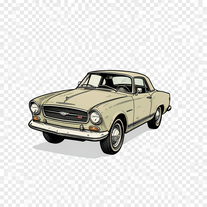 Creates vintage automotive illustrations with classic advertisement aesthetics.
 -
 Transform modern concepts into nostalgic masterpieces.Changed the prompt to improve results.
 -
 Transform inputs into vintage-inspired digital art.
 -
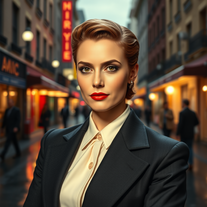 Become a 1950s film noir icon with AI.being just a text to image it's pretty hard to "transform myself" into a '50 film icon haha. but in general the outcomes here are niceeeeee!
 -
 Transform modern photos into authentic vintage masterpieces with AI.i love the vintage aesthetic, this is a perfect AI tool for me! pictures are great!!
 -
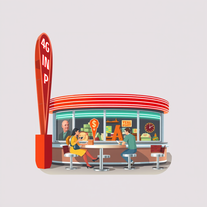 Generate authentic 1950s visuals with nostalgic charm.
 -
 Transform ideas into stunning 1980s-inspired visuals.
 -
 Transform prompts into retro comic book artwork.
 -
 Transform photos into vintage masterpieces with AI.
 -
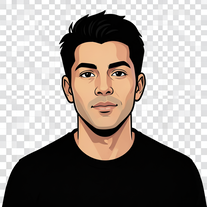 Transform portraits into bold street-art illustrations.
 -
 Transform ideas into stunning retro psychedelic cartoon art.
 -
 Generate nostalgic 90s-style analog photos of yourself.
 -
 Transform ideas into nostalgic DS-style gaming visuals.
 -
 Transform your photo into El Chavo del 8 memories.Simply upload your photo; you don't need to type anything in the prompt field. Just click "generate" and watch the magic happen.







