 Rocket - Think it. Type it. Launch it.
 Mini tools
 EZdubs
 Dubverse.ai
 YouTube Dubbing
 Genve AI
 Perso AI
 ElevenLabs Dubbing
 Dub AI
 UniDub
 AI Dubbing by Captions
 LipDub AI
 Sawtly
 AI Dubbing.io
 Checksub
 Noiz AI
 Subformer
 Dubecos
 Speechify AI Dubbing
 Word Spinner
 So You Want To Be A Writer?
 Minka
Minka
 Ancient AI powered spirits
 somacguffin
 Jvb ai
 Cuty
Cuty
 Superfly Stoner
 freebeat AI
 D-ID
D-ID
 MagicLight
 HeyGen
 Kaiber
 Sora
Sora
 Seedance
 Kling
Kling
 AI Video Generator by RenderFlow AI
 BeatViz AI Music Video Generator
 neural frames
 ViGi
ViGi
 Videnly
 Viddo AI - AI Video Generator
 Chraft AI
 D-ID Creative Reality Studio
 CreatorFrames
 VideoGen
 AI Studios
 Aura AI - AI Video Generator
 CAMB.AI
Overview
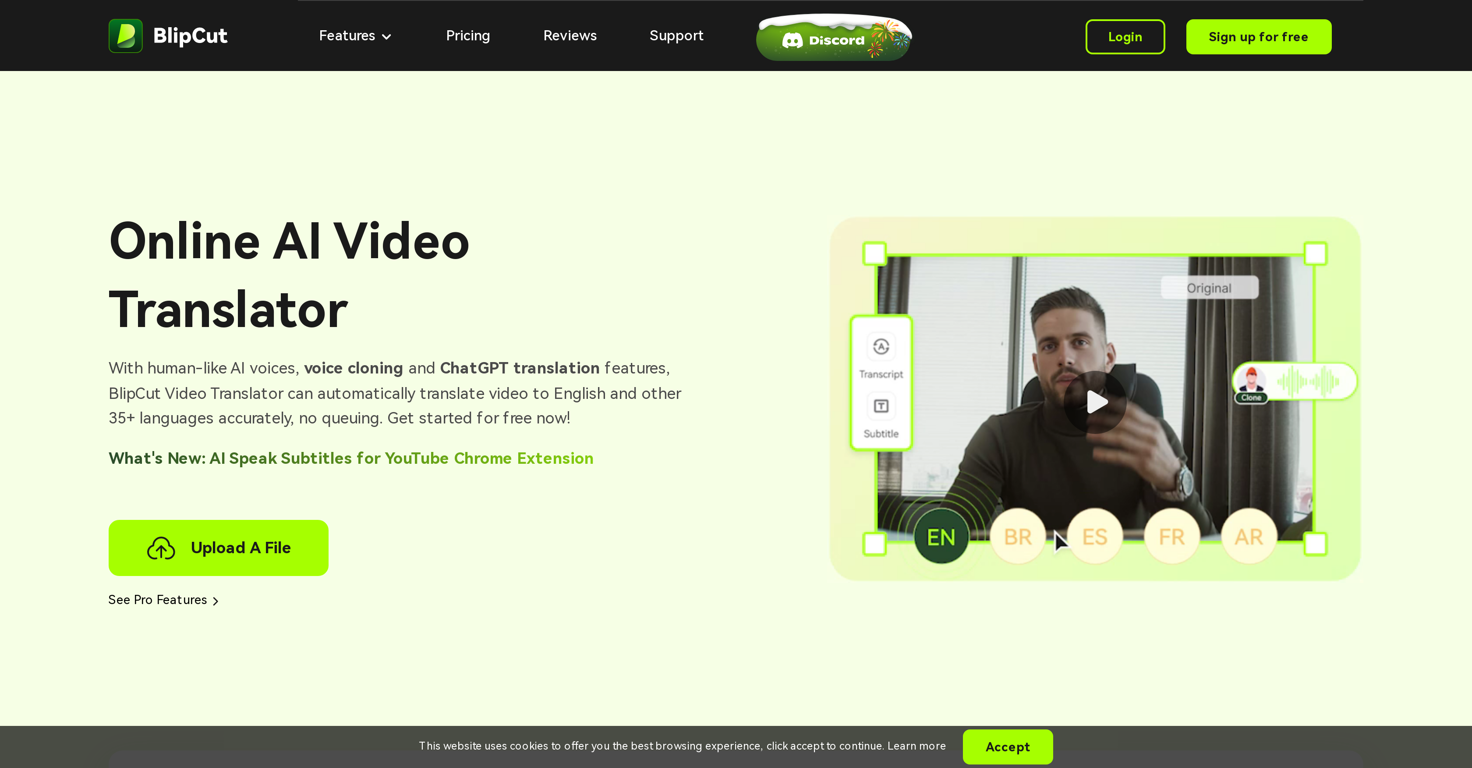
BlipCut AI Video Translator is an online tool that allows users to translate their video content into English and over 35 other languages. It offers a suite of features including voice cloning, automatic speech recognition, and chatbot-powered translation.
Cloned voices maintain a natural, human-like sound across languages, making it an effective tool for multiple situations, from translating YouTube videos to language translation in international marketing, education, news, gaming, and films.
Its translation experience offers accuracy and does not require queuing. The tool also comes with a dubbing feature, offering a range of high-quality AI voices.
Its automatic caption generation functionality allows for simple and quick subtitle creation, editing, and translation, providing a more streamlined experience for multimedia content.
The voice changer option not only alters the voices in videos but does so in a hyper-realistic manner and can speak in any desired language. BlipCut is additionally developing a lip syncing feature that will adapt voice and lip movements to the chosen language for a more natural translation result.
The tool also features the AI Speak Subtitles for YouTube Chrome extension, which translates and voices YouTube subtitles in various languages, improving the accessibility and reach of your YouTube content.
Releases

Top alternatives
-
Anthem Ardiles🙏 6 karmaMar 13, 2024@EZdubsOnly <10 min videos.
-
This software helps me watch various educational videos on YouTube without any obstacles, significantly improving my learning efficiency.
-
Seemed good UI at first. But the quality is not good at all.



 1
1





