Can I preview songs before I download them in Create Music AI?
Yes, you can preview songs on Create Music AI before downloading them. The platform allows users to preview generated music within just 30 seconds from the prompt, ensuring the outcome aligns with their requirements.
How is the music generated by Create Music AI licensed?
Music generated by Create Music AI is commercially licensed, and all music is royalty-free. Users can use the produced tracks without worry of any additional copyright claims, making it ideal for commercial use on platforms such as YouTube, Spotify and TikTok among others.
Is Create Music AI suitable for marketers and advertisers?
Yes, Create Music AI is very suitable for marketers and advertisers. It allows them to create original, royalty-free, commercially licensed music for a wide range of needs and platforms, which can be beneficial for ad campaigns, YouTube marketing, Spotify promotions, and more.
What is the procedure to convert text into songs in Create Music AI?
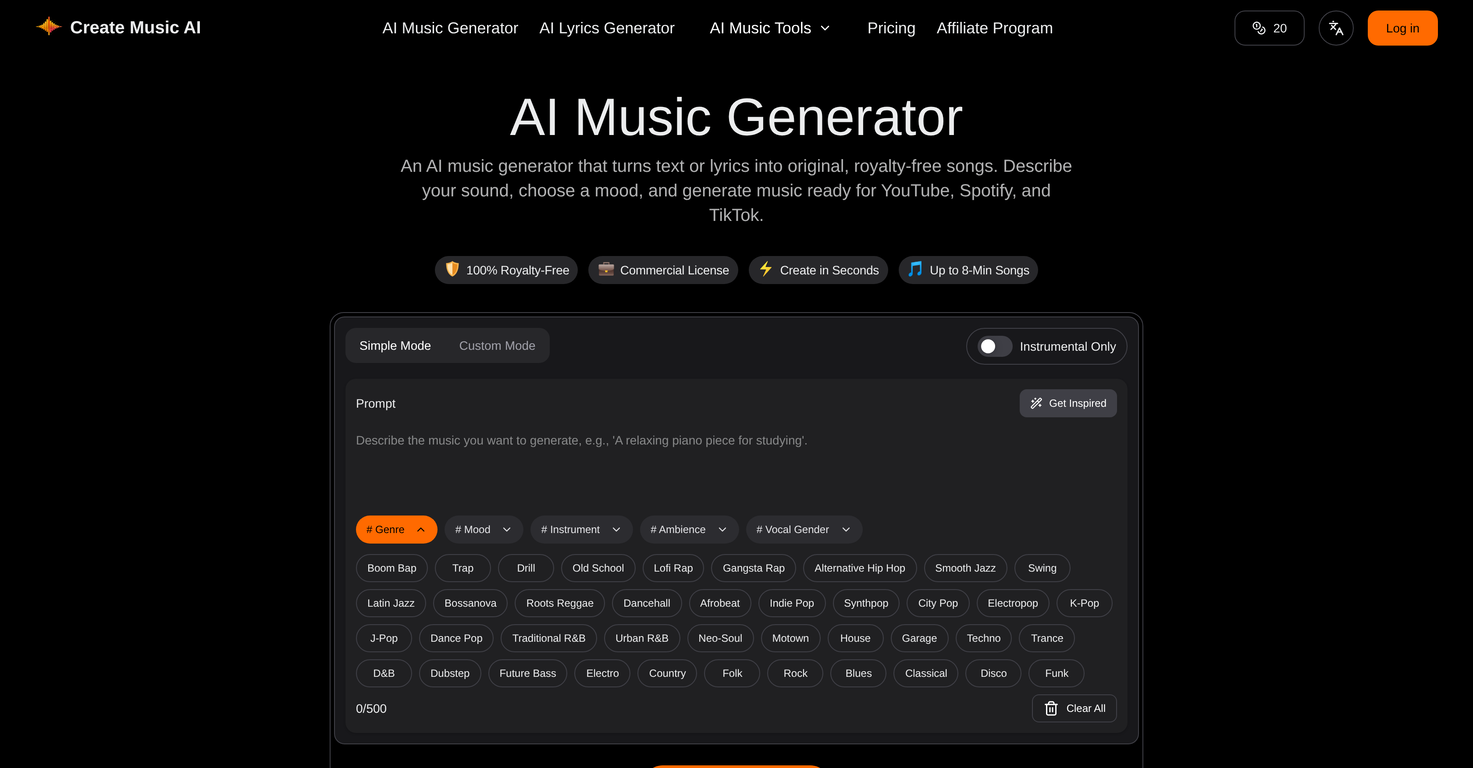
To convert text into songs on Create Music AI, start by entering your desired text or lyrics. Then, choose the genre, mood, and style you want for your song. Once you've made your choices, the AI will compute the information and generate a complete track in seconds. You can download the track in WAV or MP3 format, as per your requirement.
Can I safely use music created on Create Music AI for my YouTube videos?
Yes, you can use music created on Create Music AI for your YouTube videos, as all music generated by the platform includes a commercial license. You can use the tracks without additional licensing or copyright claims, making them safe for commercial use on YouTube and other platforms.
Is the Create Music AI toolkit able to remove vocals from the tracks?
Yes, Create Music AI offers a feature to remove vocals from tracks. This is part of the overarching AI music creation toolkit provided by the platform. This enhances the versatility and adaptability of the platform to various user needs.
How fast can Create Music AI generate a song?
Create Music AI can generate a song in seconds. Users can preview the generated music within 30 seconds from the prompt, making it a fast and efficient tool for music creation.
What is the procedure to convert audio to MIDI in Create Music AI?
In Create Music AI, converting audio to MIDI for further editing is part of the music analysis tools. It allows users to take existing audio and transform it into editable MIDI files right within the browser, eliminating the need for separate software or installations.
Is the music created with Create Music AI royalty-free?
Yes, the music created with Create Music AI is 100% royalty-free. As part of its offering of safety and convenience, the platform ensures all its generated music is cleared for commercial use without any additional copyright claims.
How does the BPM analysis of Create Music AI?
Create Music AI uses its built-in music analysis tools to perform BPM (beats per minute) analysis. By assessing the tempo, rhythm, and timing of the music, the AI accurately determines the BPM of the track, providing valuable information for editing and commercial utilizations.
Can I create full-length songs using Create Music AI?
Yes, Create Music AI is designed to create full-length songs. The tool can generate complete songs with vocals or instrumentals based on the prompts given by the users. The songs can be up to 8 minutes long.
What options do I have to customize the music in Create Music AI?
With Create Music AI, you can customize your music in various ways. Beyond inputting text or lyrics, you can choose the genre, mood, and style manually. You can also use tools for lyrics writing, MIDI editing, vocal removing, and stem splitting. Moreover, you can adjust the tempo or convert your audio to MIDI for further enhancements.
How is the mood and style of the music selected in Create Music AI?
In Create Music AI, the mood and style of the music are selected according to user preferences. While inputting text or lyrics, users can also choose a genre, mood, and style that best match their vision for the song. The AI then generates music that aligns with these chosen elements.
Can I use Create Music AI to generate music for commercials?
Absolutely, Create Music AI is a powerful tool for creating music for commercials. Given that all music generated is commercially licensed and royalty-free, advertisers can use the platform to create unique, original soundtracks for their campaign ads without worry of copyright claims.
What is Create Music AI?
Create Music AI is a technologically advanced tool that uses artificial intelligence capabilities to generate completely original, royalty-free music. Primarily designed for content creators, advertisers, and marketers, it takes in text or lyrics as prompts and then creates songs that match selected genre, mood, and style preferences. The tool hosts an array of components inclusive of lyrics writing, vocal removal, stem splitting, MIDI editing, and BPM analysis. It caters to applications on different platforms like YouTube, Spotify, and TikTok, and all provided music is commercially licensed, ensuring it's safe to utilize without any copyright claims.
How does Create Music AI work?
Guided by exceptional machine learning algorithms, Create Music AI generates music by analyzing the input text or lyrics provided by the user. The given input forms the basis for the AI's understanding of the mood, genre, and style of the music piece. By using these inputs, it crafts songs that cater to specific preferences. Apart from music generation, it also provides a platform for music analysis that can detect BPM, key, tempo, and mood, and can convert audio to MIDI for more detailed edits.
Can Create Music AI generate full-length songs?
Yes, Create Music AI can generate complete, full-length songs. These songs can take the form of instrumentals or include vocals, depending on the user's requirements. The songs can be as long as 8 minutes making it suitable for a variety of applications.
How does Create Music AI use text or lyrics to create music?
Create Music AI takes text or lyrics provided by the user and utilizes them to generate music. This input drives the AI engine’s direction regarding melody, structure, and sound. The AI engine interprets the text for cues on mood, genre, and style, and generates music accordingly. It's an intuitive process that recognizes and understands the nuance of language, thereby making unique, suitable soundtracks.
What is the commercial license included with Create Music AI?
The commercial license provided with Create Music AI grants users the right to use the generated music in a commercial capacity. This means that all the music generated can be used on multiple platforms for different projects without encountering any copyright issues or additional licensing needs. Every single track produced carries a commercial license, ensuring the user can freely use it as needed.
Can I use music generated by Create Music AI on platforms like YouTube, Spotify, and TikTok?
Yes, Create Music AI created music is suitable for use across various platforms, including YouTube, Spotify, and TikTok. The fact that all the music generated is royalty-free and comes with a commercial license allows users to confidently incorporate songs into their content, regardless of the platform used.
What are the music analysis capabilities of Create Music AI?
Create Music AI goes beyond just generating music, it also offers music analysis tools. These tools can detect BPM, key, tempo, and mood of the generated songs. Plus, it is capable of converting audio to MIDI format for further editing or fine-tuning. Such a feature helps to create music that meets very specific requirements or creative visions.
Can Create Music AI create songs in different genres, moods, and styles?
Yes, Create Music AI stands out for its ability to produce music in wide varieties of genres, moods, and styles. The user can further customize this through the inputs they provide. By specifying their genre preferences, desired mood, instrumental choice, and overall vibe, they guide the AI to create the customized music they envision.
What is the BPM analysis feature in Create Music AI?
BPM or Beats Per Minute analysis is one of the advanced features of Create Music AI. It intelligently calculates the speed of a song by counting the 'beats' present per minute. This information can be invaluable for DJs, runners, dancers, and anyone else who needs to pinpoint specific tempo for their sequences or activities.
What is the function of the MIDI editing tool in Create Music AI?
Create Music AI incorporates a comprehensive MIDI editing tool. This tool lets users perform detailed edits on their generated music. MIDI, or Musical Instrument Digital Interface, defines a technical standard that allows music applications, computers and digital instruments to interact. With MIDI editing, users can change pitches, tempo, and volume, adding or removing instruments as desired and giving them greater control over their musical creations.
Is Create Music AI a user-friendly tool?
Yes, Create Music AI is designed to be very user-friendly. It's built to engage users without extensive musical or technical backgrounds. Simple and straightforward, it allows users to generate music in just a few steps. Also, with the robust features available, advanced users can dive deep into customization and creation.
How fast can Create Music AI generate music?
Create Music AI is optimized for speed and can generate preview of the music within as quick as 30 seconds from receiving the prompt. It's designed to convert input to playable audio rapidly, with no waiting or rendering queues.
What features does the AI Lyrics Generator tool in the Create Music AI have?
The AI Lyrics Generator tool allows users to create structured lyrics for their songs. It helps in matching the lyrics with the melody, structure, and sound generated by the AI. It can be seen as a way to help users with their lyrics writing requirements, offering more creative possibilities to the constructed music.
What additional music editing tools are provided in the Create Music AI toolkit?
Create Music AI features a complete toolkit for music creation, apart from just the music generator. This includes a lyrics writing tool, a vocal remover, a stem splitter, and a MIDI editing tool. These tools allow users to refine and customize their generated music in various ways. It provides a holistic solution, ensuring users have all the necessary functionalities to create, edit, and refine their music without needing to use multiple platforms.
Can the AI separate stems in the generated music for further refining?
Yes, the AI has the ability to separate stems in the generated music. Stem splitting enables you to isolate and work on the individual components of a song, such as vocals, drums, bass, and more. With stems separated, users can focus on each part - perfect for remixing, learning, and maintaining creative control after generation.
Can I preview the music generated by Create Music AI?
Yes, users can preview the music generated by Create Music AI. Post the successful receipt of the user's input, a preview of the entity gets generated within 30 seconds. This quick, instant preview capability allows users to listen to song snippets, making decisions regarding whether the generated music fulfills their needs.
Does Create Music AI support multi-platform music creation?
Yes, Create Music AI provides a multi-platform music creation setup. It generates music that is suitable for multiple platforms, including YouTube, Spotify, and TikTok. It is compliant with the different copyright and algorithm requirements of such platforms and ensures seamless application across them.
How versatile is Create Music AI in terms of musical styles it can create?
Create Music AI proves to be highly versatile in terms of the musical styles it can create. From soundtracks to high-energy dance tracks, it's capable of generating a wide range of sounds. Backed by powerful AI, it's not tied to a single genre or style and can meet varied creative requirements.
Can Create Music AI remove vocals from the generated music?
Yes, Create Music AI has a 'Vocals Removal' feature which allows users to create instrumental versions of the generated songs. By removing the vocals, users can focus on the instrumental components of the song, providing them more room for creativity and customization.
Are there any copyright issues with the music created by Create Music AI?
No, all music generated by Create Music AI is 100% safe to use without any copyright claims. Each piece of music comes with a comprehensive commercial license, making it safe to use anywhere from monetized YouTube videos to commercial advertisements. The user retains all commercial rights to the generated music.