 Wispr Flow - Don’t type, just speak

 Mini tools
 Turn your music into cinematic videos with AI.
 BeatViz AI Music Video Generator
 Music Video Generator
 BeatMV
 1MoreShot
 Plazmapunk
 AirMusic - AI Music Video Generator
 Musid.ai
 LABEL IQ AI
 Musiv
Musiv
 yesTool | AI Music Video
 NeonVideo.ai
 AI Music Video Generator
 GetLyricVideo AI
 HayNo AI Music Video Generator
 So You Want To Be A Writer?
 Minka
Minka
 Ancient AI powered spirits
 Jvb ai
 somacguffin
 Cuty
Cuty
 Superfly Stoner


 Suno
Suno
 Singify
 Tunee
Tunee
 AirMusic
 MusicStar.ai
 MakeBestMusic-Al Song Generator
 Extend music
 UniMusic AI
 Songmastr
 SongBot AI Rajib Gartia
 Video Music-Score by Vidsembly
 SongR
SongR
 Soundful
 Melodusk - AI Music Maker
 Raplyrics
 Synthesizer V
 AIMusicGen.ai
 Instavibes
 Riffusion
 Mubert

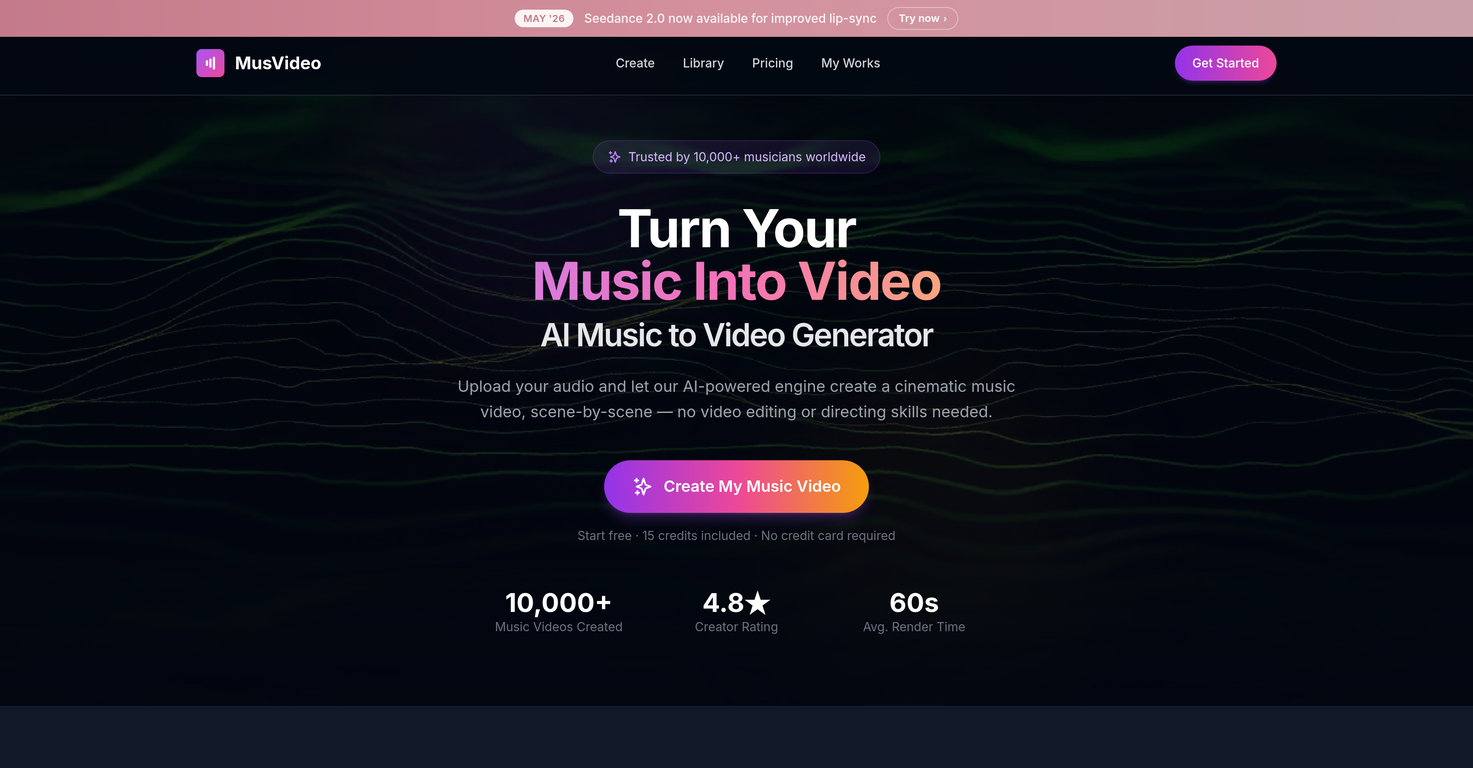
MusVideov1.1.0Version updatev1.1.0May 27, 2026Seedance 2.0 audio-driven lip sync · new Cinematic MV mode · 5 video models · 13 art styles · reference image styling. Turn any track into a cinematic music video in 60 seconds.




Overview
MusVideo is an AI-powered tool designed to convert audio tracks into music videos. The tool analyzes music files uploaded by users and creates a storyboard for a music video based on the tempo, mood, and energy of the track.
It generates scenes and syncs them to the beats of the music. A visual style can be manually selected by the user or automatically chosen by the tool to suit the track.
The tool simplifies the process of creating a music video and eliminates the need for video editing or directing skills. It can generate a downloadable music video in minutes.
MusVideo can create music videos for tracks of any genre and in any language. The AI can frame and color-grade shots, generate mood boards, compose shots, and sequence scenes to create a storyline in sync with the track.
It also allows users to re-render videos, change visual styles, and download in HD. The tool is optimized for various social platforms including TikTok, Instagram Reels, and YouTube.
Supported features
Releases

Pricing
Top alternatives
-
 Transform your music into stunning visual experiences with AIGraphThread🙏 4 karmaJan 4, 2026@BeatViz AI Music Video GeneratorThe generation effect is good, the pictures are exquisite, and the transition animations of the pictures are smooth The only drawback is that it would be better if the generation time were a little faster
 -
 Turn your song into a cinematic, lyrics-driven music videoTo just upload my song and have AI figure out the rest so I can share my songs on tiktok etc... As a Suno user I've wanted something simple and affordable, this is finally it. Other tools want $50 credits then it turns out it's not even enough to learn the tool, never mind just get a usable video out.
 -
 Turn any song into scroll-stopping videos in minutes with AI-directed scripts and🎬 BeatMV v2.6 — Product Update Turn any Suno or Udio song into a karaoke-ready lyric video — lyrics that hit every beat, baked right into the export. ✨ New Features 🎤 Synced Lyrics for Suno & Udio Paste a Suno or Udio song and BeatMV reads its word-level timestamps to lay out perfectly timed, line-by-line lyrics across your video. Uploaded or external tracks get AI-estimated timing automatically — no manual syncing. 🎬 Cinematic Subtitle Styles Style your lyrics like a real music video: 20+ display fonts (Anton, Bebas, Oswald, Montserrat, plus CJK), three sizes, color presets, top/center/bottom positioning, and smooth fade in/out — on by default. 📤 One-Click Lyric Video Export Lyrics burn directly into the final MP4 from the export dialog, so what you preview is exactly what you share — ready for TikTok, Reels, and Shorts. 🔧 Improvements & Fixes 🔁 Auto-Retry for Stuck Scenes Scenes that fail or stall (timeouts, page reloads) now retry automatically in the background — and you can hit Cancel on any retrying card to stop the loop instantly. 🎵 Smoother Suno / Udio Import Refined CDN extraction for cover art, audio, and metadata so imports land cleanly the first time.
 -
 Transform tracks into professional music videos instantly.Great tool! The most complete one if you want to create music video specifically.
 -
 Turn Your Music into Stunning AI-Generated Videos in MinutesI used the Punk subscription for 2 months and really went deep into it. Plazmapunk offers great flexibility and a lot of option to create videos/animated visuals that can look stunning and cool. My favorite part is the Scene Editor where you can be your own story director. Sometimes videos won't turn out the way you like them, but upon refining you usually get it to be satisfying for you. So in short, I enjoyed it a lot :)
 -
 Turn any song into viral music videos.🚀 AirMusic AI Music Video Generator v2.5 23% Lower Video Cost, Mobile Optimization, and Smarter Generation Control AirMusic AI Music Video Generator v2.5 focuses on making AI music video creation more affordable, easier to use, and more reliable across devices. This update reduces the credit cost of music video generation, improves the mobile creation experience, refines the song upload and video style selection flow, and fixes reported video stuttering issues. 📌 Summary · AI music video generation now costs 23% fewer credits for the same video duration · Mobile-optimized workflow for creating music videos from phones · Improved song upload experience · Smoother video style selection flow · Cancel & regenerate support for slow image or video generations · No credits charged for cancelled or failed tasks · Fixes for reported video stuttering issues · AirMusic also adds 25+ AI music styles, making it easier to create songs before turning them into videos 💰 AI Music Video Cost Reduced by 23% AirMusic v2.5 optimizes the AI music video generation pipeline. Creating a video of the same duration now requires 23% fewer credits. This helps users create more music videos with the same credit balance, especially when testing different scenes, video styles, or versions of the same song. For creators who regularly make music videos for YouTube, TikTok, Instagram Reels, Shorts, or music promotion, this lowers the cost of repeated production. 📱 Mobile-Optimized AI Music Video Creation The AI Music Video Generator is now better adapted for mobile devices. Users can upload songs, choose video styles, adjust settings, and start generation more comfortably from a phone. This is useful for creators who produce and publish short-form music content directly from mobile workflows. 🎵 Improved Song Upload Flow The song upload experience has been refined to reduce friction at the first step of video creation. Users can move from uploading a track to choosing a video style more smoothly, whether they are using an original song, a Suno-generated track, or music created with AirMusic’s AI Music Generator. 🎨 Better Video Style Selection AirMusic v2.5 improves the video style selection experience. Users can choose the visual direction of the music video more clearly before generation starts. This helps when creating different types of videos, such as storytelling MVs, singing avatar videos, dance videos, lyric-style visuals, or social media clips. ⚡ Cancel & Regenerate Without Losing Credits If image or video generation is too slow, users can now cancel and regenerate without extra credit loss. This gives creators more control when testing different prompts, models, scenes, and visual styles. Instead of waiting for a slow generation to finish, users can restart the task and continue iterating. Cancelled or failed tasks do not consume additional credits. 🎬 Fixes for Video Stuttering Issues Based on user feedback, AirMusic v2.5 fixes a small number of reported video stuttering issues. This improves playback smoothness and helps exported music videos feel more stable, especially for social media publishing and music promotion. 🎶 25+ Music Styles for Better Music-to-Video Workflows AirMusic v2.5 also expands the AI Music Generator with 25+ music styles, including Pop, R&B, K-Pop, Hip Hop, Trap, Lo-Fi, House, Synthwave, Rock, Reggaeton, Afrobeats, Country, Jazz, Classical, Cinematic, and more. This helps users create music in a clearer style direction before turning it into an AI-generated music video. 🎯 Best For · Suno and AI music creators who want to turn generated songs into music videos with lower credit cost · YouTube, TikTok, Instagram Reels, and Shorts creators who need a mobile-friendly workflow for music-based videos · Artists and indie musicians who want to create promotional music videos without manual editing · High-volume creators and agencies who need lower per-video cost for repeated content production · Users testing multiple video styles who want to cancel slow generations and regenerate without wasting credits · Creators who experienced video stuttering and need smoother playback in exported music videos








