Can I export my work from Safe Appeals? In what formats?
Yes, you can export your work from Safe Appeals. The final output can be exported as polished papers, timelines, or summaries, providing flexibility based on user needs.
Is Safe Appeals free to use? Are there any paid features?
Safe Appeals offers flexible usage options with free initial download and use. However, its AI features require either credits or the user can utilize their own API keys. These components are considered as its paid features.
What are the ways to gain access to AI features in Safe Appeals?
To gain access to AI features in Safe Appeals, users can either purchase credits or utilise their own API keys. There are various packages offered with a one-time payment model, including Starter, Pro, and Power, all of which include access to all AI models and tokens.
What type of work is Safe Appeals suitable for?
Safe Appeals is suitable for various types of work including legal appeals, dissertations, research papers, grant applications, as well as consulting projects.
How is citation management handled in Safe Appeals?
Citation management in Safe Appeals can be handled directly within the platform. Users are able to directly edit files and manage citations within the same workspace, eliminating the need to switch between different applications.
How can Safe Appeals simplify the project management process?
Safe Appeals simplifies the project management process through its centralized workspace which manages multiple types of documents. Its AI assistant provides a comprehensive understanding of the entire project, including documents, notes, and timelines, reducing the need to explain or copy and paste repeatedly.
Does Safe Appeals allow integration with user API keys?
Yes, Safe Appeals allows integration with user's own API keys. This gives users the option to either use credits or their own API keys to gain access to the AI features.
How can I utilize my API keys in Safe Appeals?
API keys in Safe Appeals can be used to access the AI features. This is part of the Bring Your Own Key (BYOK) program that grants users the ability to leverage their own keys instead of using credits.
How does Safe Appeals organize and index imported files?
Safe Appeals organizes and indexes imported files by using its AI capabilities. Users can drop their PDFs, research papers, notes, and sources into the workspace. Safe Appeals then systematically organizes all data and indexes everything, making everything easily accessible.
Does Safe Appeals support a function to ask questions to the AI and get answers in real-time?
Yes, Safe Appeals features a function to ask questions to the AI and receive answers in real-time. This allows for effective drafting of content, analysis of sources, and gaining insights relating to the project.
Can I import my own PDFs, research papers, and notes into Safe Appeals?
Yes, users can import their own PDFs, research papers, and notes into Safe Appeals. The imported documents will be automatically organized and indexed by the AI for seamless project management.
Does Safe Appeals AI understand the entire project including the timeline?
Yes, Safe Appeals AI understands the entire project, including the timeline. It sees not only the documents but also notes and prior conversations to provide comprehensive assistance.
Is there a feature to draft and analyze content within Safe Appeals?
Yes, Safe Appeals features a built-in function to draft and analyze content within the platform. With the AI assistant, users can ask questions, draft content, and analyze sources, making the tool highly dynamic for various needs.
What kind of support does Safe Appeals offer in terms of legal appeals and academic research?
Safe Appeals offers extensive support for legal appeals, academic research, and other complex document operations. It provides a single workspace where all relevant files — be it legal appeals or research papers or dissertations — can be managed, edited, and understood contextually thanks to its AI functionalities.
What exactly is Safe Appeals?
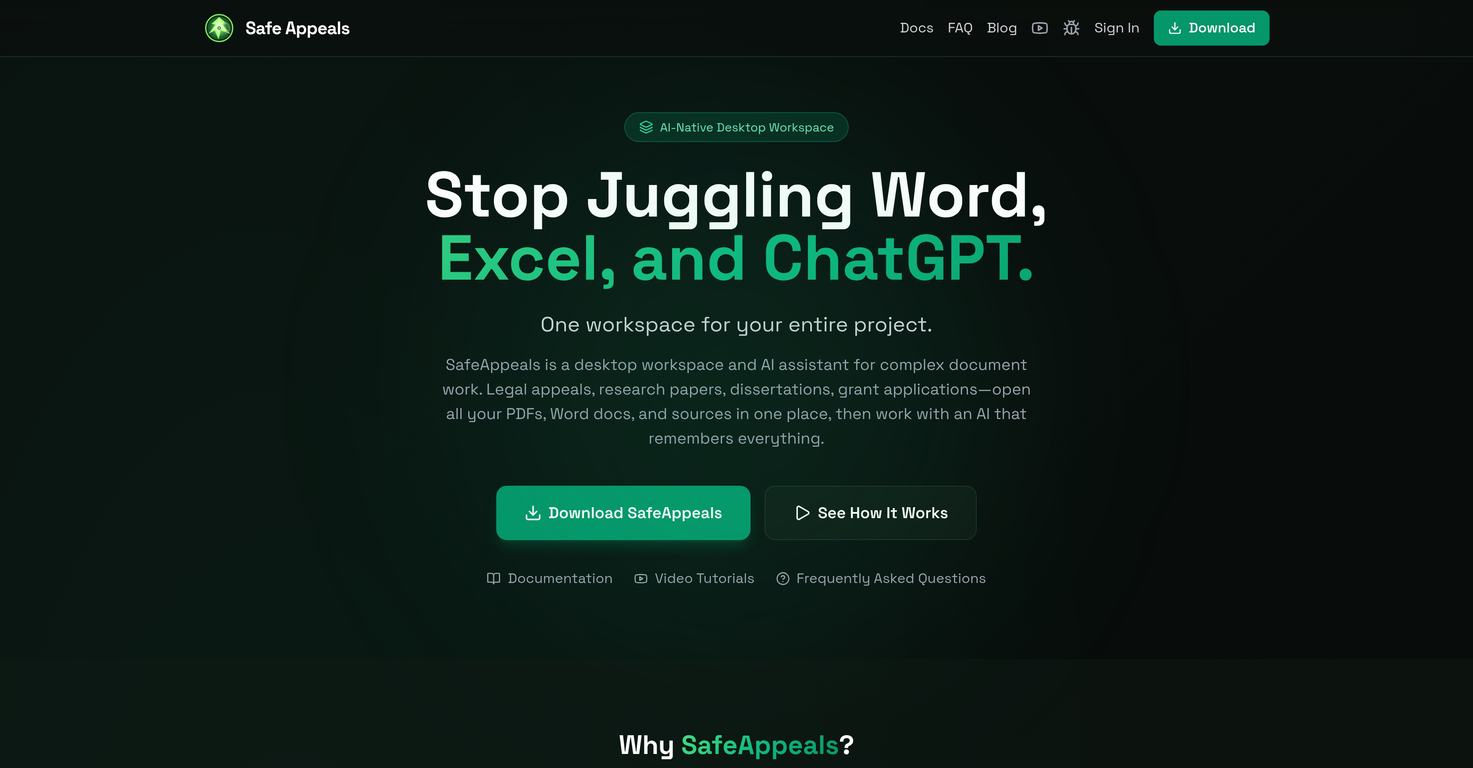
Safe Appeals is an AI-native desktop workspace designed to facilitate complex document-related tasks. It assembles all files - PDFs, Word documents, and others - in a single, intuitive platform, eliminating the need for constant app-switching. An integrated AI assistant, attuned to the entire project, streamlines organization and increases efficiency.
What are the core features of Safe Appeals?
Safe Appeals' core features include unified project workspace - assembling all files in one place, AI that remembers everything about the project, and native document editors for Word, Excel, and PDF files directly inside Safe Appeals.
What types of documents does Safe Appeals support?
Safe Appeals supports multiple types of documents including PDFs, Word docs, and spreadsheets. It also allows for the use of various sources and notes in one coherent workspace.
Who is Safe Appeals suitable for?
Safe Appeals is suitable for individuals or institutions dealing with document-intensive tasks such as legal practitioners, graduate students, academic researchers, and consultants. It is also ideal for managing workers' compensation and human-rights cases, writing dissertations or theses, conducting academic research, and preparing consulting reports and case studies.
How does the AI assistant embedded in Safe Appeals function?
The AI assistant in Safe Appeals is a context-aware feature that keeps track of the entire project, including documents, notes, and prior conversations. No re-explaining or copy-pasting is necessary as the AI assistant remembers everything, providing insightful context that helps streamline the work process.
Can I edit Word, Excel and PDF files directly within Safe Appeals?
Yes, Safe Appeals allows direct editing of Word, Excel, and PDF files within its platform. This feature makes it possible to handle tasks like paper writing, source annotation, and citation management all in one place.
What types of tasks does the AI assistant in Safe Appeals help with?
The AI assistant in Safe Appeals is designed to facilitate tasks such as content drafting, source analysis, and answering questions. The assistant provides a holistic view by understanding the entire project, including documents, notes, and timelines which leads to more efficient project management.
In what format can the final output be exported in Safe Appeals?
In Safe Appeals, the final work can be exported as polished papers, timelines, or summaries. This facilitates submission of the final output in a format that meets the specific requirements of the project or task.
Is Safe Appeals free to use?
Safe Appeals offers free initial download and usage. However, additional AI functionalities require either credits, which can be purchased, or the user's own API keys.
What are the payment models for additional AI features in Safe Appeals?
Safe Appeals offers various payment packages for additional AI features. These packages include: a 'Starter' pack at $30 for 700,000 tokens; a 'Pro' pack at $65, saving 24% with 2,000,000 tokens; and a 'Power' pack at $130, saving 39% with 5,000,000 tokens. These credits never expire and function across all models. Users can also opt for the BYOK or Bring-Your-Own-Key option for free access.
What is BYOK in the context of Safe Appeals?
BYOK, or Bring Your Own Key, in the context of Safe Appeals, allows users to access the platform's AI features using their own API keys without any additional cost. This introduces another layer of flexibility in the usage options, permitting fee-free access point to the users.
How does Safe Appeals help in managing complex document-related tasks?
Safe Appeals manages complex document-related tasks by providing a unified workspace for all kinds of files. It organizes and indexes everything, turning scattered files into a coherent project in a matter of minutes. The integrated AI assistant keeps track of the project, reducing rework and ensuring efficiency.
How does Safe Appeals improve efficiency in document processing?
Safe Appeals improves efficiency in document processing by offering a unified workspace where users can manage all documents in one place. The integrated AI assistant understands the entire project context, thereby reducing the need for re-explaining or copying and pasting. The software enables easy organization and management of scattered files towards an organized project.
What is the 'one-stop workspace' feature in Safe Appeals?
The 'one-stop workspace' feature in Safe Appeals refers to its ability to combine and manage all types of documents like PDFs, Word docs, and spreadsheets in a single hub. This eliminates the need for constant switching between applications, thus improving efficiency and productivity.
Can I keep track of entire project, including documents, notes and prior conversations using Safe Appeals?
Yes, Safe Appeals allows users to keep track of the entire project, including documents, notes, and prior conversations. Its integrated AI assistant indexes and remembers all the elements, providing insightful context and eliminating the need for re-explaining or copying and pasting.
How does Safe Appeals organize scattered files?
Safe Appeals organizes scattered files by importing them into the software, where it then organizes and indexes everything. It creates a unified project workspace, turning scattered data into organized information that can be easily managed and processed.
Can Safe Appeals be used for writing dissertations?
Yes, Safe Appeals can be used for writing dissertations. This is made possible through its feature of supporting various types of documents, allowing direct editing, simplifying citation management, and providing AI-assisted content drafting.
Can Safe Appeals be used for crafting grant applications?
Yes, Safe Appeals can be used for crafting grant applications. It allows users to assemble, manage, and process all the necessary documents in one place. Additionally, the AI assistant can assist in drafting content and analyzing sources, which can be particularly valuable in the grant writing process.
Can Safe Appeals be used for legal appeals?
Yes, Safe Appeals can be used for legal appeals. The software is particularly useful for managing workers' compensation and human rights cases as it allows for efficient document organization, AI-assisted content drafting, and the ability to track and remember all elements of the case.
What are the use cases of Safe Appeals for researchers and consultants?
Safe Appeals proves beneficial for researchers and consultants who handle multifarious documents. For researchers conducting academic papers, grant applications, and multisource analyses, the AI assistance and capacity to organize all files and notes in a single place streamlines workflow. For consultants, Safe Appeals is instrumental in the creation of client reports, case studies, and project documentation banking on the context-aware AI.