 Base44 Superagents-AI agent that does it all
 Mini tools
 Speak naturally, write perfectly, 4x faster.
 So You Want To Be A Writer?
 Ancient AI powered spirits
 Minka
Minka
 Jvb ai
 somacguffin
 Cuty
Cuty
 Superfly Stoner
 Voicetype AI
 AssemblyAI
 Transcript LOL
 TurboScribe
 RambleFix
 WhisperClip
 Paraspeech
 Voicy Speech to Text
 WriteVoice
 ElevenLabs Scribe
 Whisper Notes
 WavoAI
 Universal-3 Pro by AssemblyAI
 HappySRT
 AirCaption
 Speechmatics | Python SDK
 TalkToText
 Speech to Text
 Transkriptor
 Skeleton Fingers

 EchoWrite
 CiteTrue
 Clico
Clico
 Freeway
 Sleekio
 Ping: AI-Powered To Do List
 HoldSpeak
Overview
Wispr Flow is a voice dictation tool designed for quick and clear writing. It offers the ability to translate spoken words into written text in a more efficient and intelligent way across various applications.
This tool not only has auto-edit capabilities but also supports a wide range of languages which helps a user to write faster and more accurately in any application.
Wispr Flow has an added feature of adapting to user's speech style based on the application used. It also provides an intuitive user experience allowing users to make quick edits as they speak.
Another interesting feature of Wispr Flow is its ability to assist users in formulating full sentences when they might be stuck in thought. This makes it particularly beneficial to professionals and writers who might need to articulate their ideas seamlessly.
The tool is context-aware thereby managing to correctly capture uncommon names, and provides access to its AI commands, allowing users to control their documents.
Layered with intelligence, it seamlessly works across every application in a computer, enhancing productivity and reducing interruptions during work.
Releases

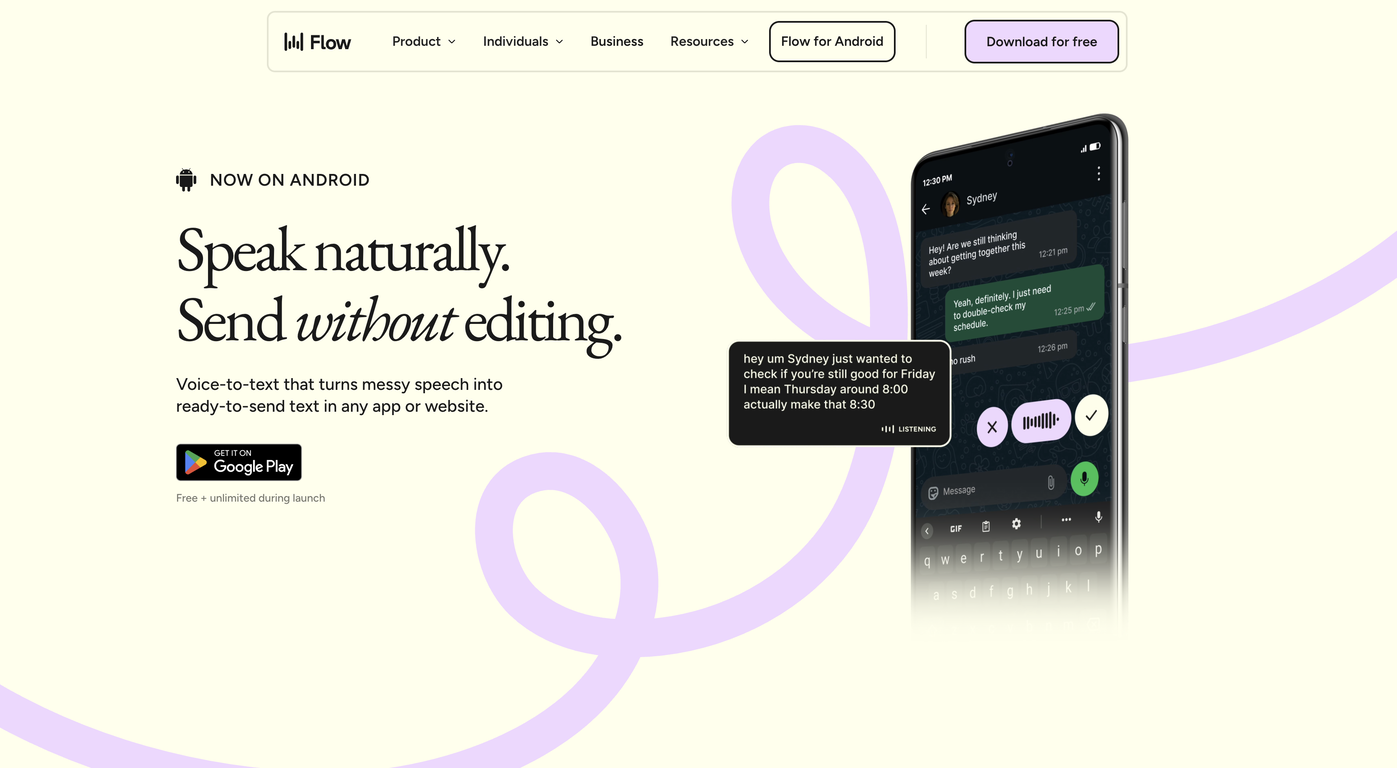
Speak naturally in any app--WhatsApp, Slack, Gmail, anywhere. Flow gives you polished, send-ready output. No fixing. No cleanup.
Reid Hoffman, LinkedIn co-founder, sends 89% of messages with zero edits. Now Android users get the same experience.
Free and unlimited for a limited time. Plus 2 months free on desktop when you download.
From rambling to ready-to-send. That's Flow.
Download Flow →


Pricing
Top alternatives
-
 Jwins Tate🙏 10 karmaMar 3, 2026@EchoWriteReally solid on Windows. I’ve tried several similar transcription tools before, but this one feels much better integrated into the system. The customizable global shortcuts are a game changer, you can either just do plain transcription or trigger your own custom prompts/actions with Adifferent hotkeys. A lot of competitors do Aroughly the same thing, but EchoWrite stands out because the basic transcription is essentially free (you just need your own OpenAI API key, which costs next to nothing). If you want the custom prompts and translations, it’s a one-time payment instead of yet another subscription. In 2026 that’s actually pretty fair compared to everything else out there. Big thumbs up.















 10
10





