Go to section
Sponsor
 Wispr Flow - Don’t type, just speak
🎤 Dictation
Wispr Flow - Don’t type, just speak
🎤 Dictation
The front page of AI.Used by 90M+ humans.

TAAFT Tutorial
Generate image
Tasks
Generate text
Free mode
Trending
Leaderboard
Characters
 Mini tools
New
Featured
Lists
Agents
Requests
Jobs
Map
Newsletter
Starter pack
Free tools
Speech to text
Text translator
Remove background
Settings
Edit profile
My tools
Gallery
Dashboard
Inbox
Get featured
Contact TAAFT
For you
Popular
Job impact index
Most saved
Affiliate program
Submit AI tool
Notification preferences
Glossary
Home
Timeline
My profile
Create tool
Deals
Companies
Models
Robots
Papers
Fundraises
Repositories
Devices
Organizations
Events
Prompt Pack
Merchendise
Credits
APIs
Features
Tools
Countries
Collections
Mini tools
New
Featured
Lists
Agents
Requests
Jobs
Map
Newsletter
Starter pack
Free tools
Speech to text
Text translator
Remove background
Settings
Edit profile
My tools
Gallery
Dashboard
Inbox
Get featured
Contact TAAFT
For you
Popular
Job impact index
Most saved
Affiliate program
Submit AI tool
Notification preferences
Glossary
Home
Timeline
My profile
Create tool
Deals
Companies
Models
Robots
Papers
Fundraises
Repositories
Devices
Organizations
Events
Prompt Pack
Merchendise
Credits
APIs
Features
Tools
Countries
Collections
Mini tools
New
Featured
Lists
Agents
Requests
Jobs
Map
Newsletter
Starter pack
Free tools
Speech to text
Text translator
Remove background
Settings
Edit profile
My tools
Gallery
Dashboard
Inbox
Get featured
Contact TAAFT
For you
Popular
Job impact index
Most saved
Affiliate program
Submit AI tool
Notification preferences
Glossary
Home
Timeline
My profile
Create tool
Deals
Companies
Models
Robots
Papers
Fundraises
Repositories
Devices
Organizations
Events
Prompt Pack
Merchendise
Credits
APIs
Features
Tools
Countries
Collections

▼ Latest
Graphic visuals
Free mode
100% free
Freemium
Free Trial
Featured matches
-
-
-
-
 Open
Open


Verified tools
-
 nico🛠️ 2 tools 🙏 3 karmaMar 20, 2026@MakeInfographic AIThe infographic maker lets you use it once for free without signing in. This infographic maker is simple and easy to use, even more so than Canva or Venngage. However, the available styles and templates are still limited. I hope they add more design options and customization in future updates. Overall, a good choice for quickly creating infographics.
 - SponsorWispr Flow - Don’t type, just speak🎤 Dictation
-
 AI infographic generator that turns blog posts into link magnetsOpen
 -
 Remove backgrounds from images with AI in seconds.Open
 -
like it . I punch in 1920×1080 or 2000×2000 and it delivers the right size
-
-
Their latest studio release it’s pretty insane! It can generate speech bubbles and custom characters. I haven’t seen any other tool doing so!
-
I did not like it. Seems very generic and did not adapt or recognized the topic to change the figures and the templates. Simply put my text to templates not related to the topic.
-
-
-
Hi Taaft community! I’m the creator of ConceptViz. We built this tool specifically for educators and researchers who deal with complex information daily. ConceptViz uses AI to instantly transform dense lesson plans, curriculum notes, or research frameworks into clear, structured diagrams. Our goal is to help K12 teachers make abstract concepts tangible for students and to help researchers map out logical workflows without the manual drudgery of drawing. I’d love to hear how this fits into your academic or classroom workflow—your feedback will help us build a better tool for the education community! 🚀
-
 Open
Open -
Looks promising but found it very slow to load and create templates and previews
-
-
I had to tweak a few things to match my brand style, but overall it saved me a ton of time. Definitely handy if you need something fast and professional-looking.
-
I got some free credits to try the app when I signed up, I could create a few great infographics
-
 Open
Open























Other tools
-
clean pics and nice styles, got some artsy results fast. solid for art inspo.
-
-
-
- Didn't find the AI you were looking for?
-
-
Says "free during testing," but keeps telling me I have insufficient credits. I also can't seem to find a way to delete my account.
-
-
It took me less than 20 minutes to create infographic perfection- all the other AI design sites I tried, and I tried them all, weren't able to give me what I wanted in 1 way or another. Outline Ninja helped me create my infographic
-
 Unleash Marvel mayhem with AI-generated wallpapers.Open
 -
 Generate hyperreal portraits that preserve your exact identity.Open
 -
 Open
Open -
Simply upload your photo; you don't need to type anything in the prompt field. Just click "generate" and watch the magic happen.
-
 Open
Open -
 Open
Open -
 Generate hauntingly beautiful carnival performers with disturbing anatomy.Open
 -
Changed the prompt to improve results.
-
Changed the prompt to improve results.
-
 Creates strikingly simple AI artwork using clean lines.OpenChanged the prompt to improve results.
 -
 Create stunning luminous images with vivid neon colors.OpenChanged the prompt to improve results.
 -
 Transform text descriptions into stunning cartoon images instantly.OpenDid not match my image 100%, but it still slayed! Good job
 -
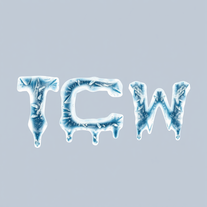 Transform ordinary text into stunning icy letters.Open
 -
 AI-powered graphic design tool that creates vibrant candy advertisement posters.Open
 -
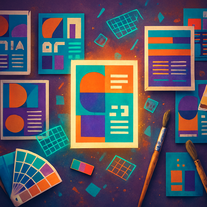 Transform text prompts into polished, design-ready visuals.Open
 -
 Transform dark surrealism into striking AI visuals.Open
 -
good for wallpapers, pretty fast tho.
-
It's perfect for creating simple images that will serve as reference images in more advanced generative AI applications! Thank you!
-
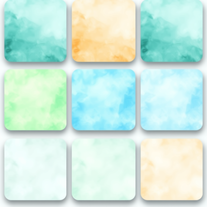 AI-generated watercolor backgrounds for stunning visuals.Open
 -
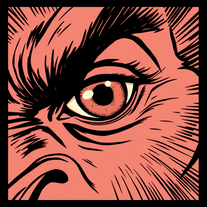 Transform ideas into striking vintage comic close-ups.Open
 -
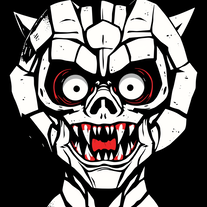 Create haunting AI posters with Junji Ito-inspired grungeOpen
 -
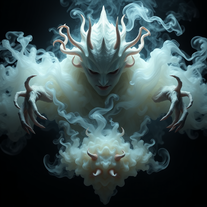 Open
Open -
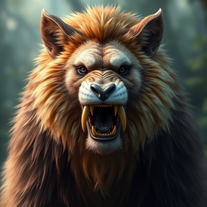 Open
Open -
 Craft smoky silhouette art from your ideas.Open
 -
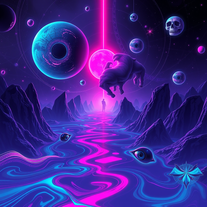 Craft trippy, cosmic wallpapers from dark dreams.Open
 -
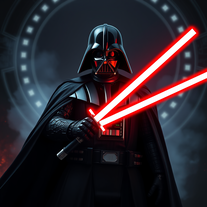 OpenIt's pretty good at making pics of Darth Vader, since it's the whole shtick of the generator. Nice.
 -
 Open
Open -
 Open
Open -
 Create mesmerizing spiral patterns with AI-generated designs.Open
 -
Not exactly what I was searching for, but this images are really cute, did not expect that! 5/5 stars
-
 Open
Open -
 AI-powered fantasy imagery for your digital world.Open
 -
-
This is a great tool for bringing your ideas to life, just describe what you want to see and how you see it in your mind and it makes it happen, the more descriptive you are the better the final outcome and if it's not perfect you can add more instruction and it adds your changes until it's what you want. It's really great!
-
 Create celestial-inspired AI backgrounds effortlessly.Open
 -
-
 AI-powered floral vector illustrations for stunning designs.Open
 -
 Open
Open -
The images generated are EXACTLY what I’ve been searching for to promote my “ Spiritual Warfare” channel. Great job.
-
It's cool, but it hardly respects my requests and kinda misses what I asked . Credits for style accuracy tho
-
 OpenIt is creepy in a good way. The horror vibes are spot on. The level of detail and atmosphere are surprisingly good, nicely done.
 -
-
It is billed an SVG generator but it only outputs to PNG. PNGs are not SVGs.
-
Did what I asked great result shove and beyond awesome job
-
 Open
Open -
It doesn't want to follow the prompt (only up to 30%), so the strong stylization is too close to "coloring book art" rather than paintings, 2D, 3D, or any "handmade art," as strictly specified in the prompt and shown on the app's demo picture. It simply does whatever it wants, not whatever we want because it's a shiny-fancy rebel like R2D2 ;-) THX
-
teHelp other people by letting them know if this AI was useful.
-
 AI-powered designs for scroll-stopping social posts.Open
 -
-
 Open
Open -
I asked it for a vector of a rocket ship and it proceeded to describe how to design this. Then I asked it to create the image it described. The result was in a vector-looking style, but of course not a vector graphic, since Dall-e can't do that. I'd have to use another program like Illustrator to convert it to a vector.