
 Mini tools
▼ Price
Pantry
Free mode
100% free
Freemium
Free Trial
Featured matches
-
-
 AI party planner creates complete birthday plans in minutes.Open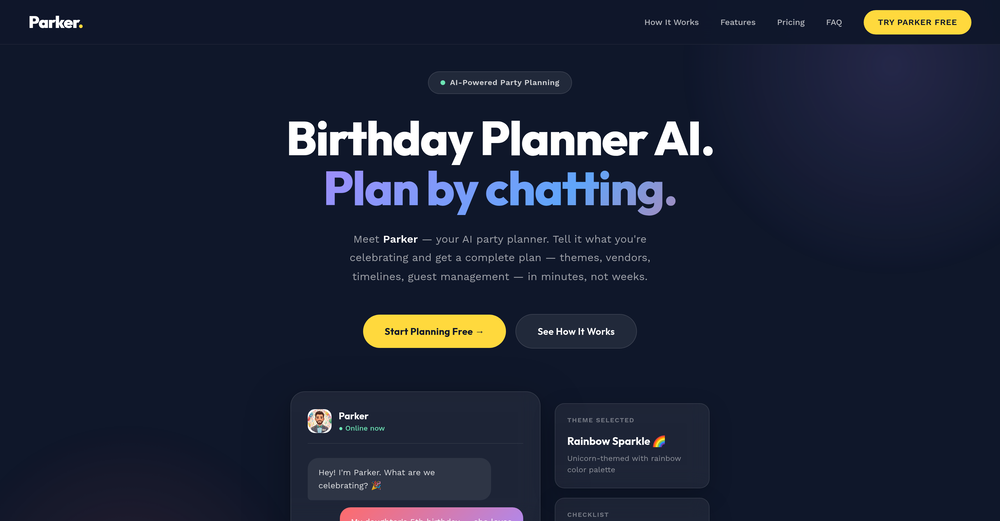
-
-
-
-
 Anthony Roger🛠️ 1 tool 🙏 2 karmaJan 28, 2026@My AI Food BuddyThanks for trying out My AI Food Buddy! The goal of this app is to help households waste less food and save more on groceries. Indeed, while many use databases in their professional life, I realised there was no easy way to create and manage a database with your pantry. Please share any feedback (is it useful? easy to use?) as I am exploring whether to invest more on this app Thanks a lot






Other tools
-
Didn’t get to read the poem as a VPN spam ad came up. Had to shut the page down. Waste of time
- Sponsor
 Rocket - Think it. Type it. Launch it.
 -
I'm enjoying the current features and customization options – it's clear a lot of thought went into this! I'd love to see a recipe import feature from other websites to make it even better. This would significantly streamline my workflow and make it an even more indispensable tool. I believe it would be a valuable addition for many users.
-
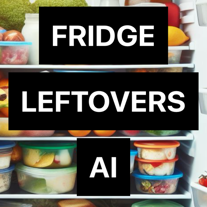 Transform Your Leftovers into Culinary Masterpieces with FridgeLeftovers AI!OpenThanks to you all for the feedback! 🙏 iOS Update is live: 🐞 Bugfix: No more crashes when all ingredients are selected. 📲 Share Button: Easily share recipes with friends. 🖼️ Multiple Pictures: Analyze up to 5 pics at once! And additionally working on the 🤖 Android Version. Excited to hear your thoughts! 😊
 -
This actually gave me some ideas on what to cook with what i have available, but i can't find some common recipes, like pasta carbonara. It's usually the recipe i look when to judge if i trust other recipes or not. Other than that, the recipes list off everything you need, along with prep and cooking steps. I wonder, is the android app still coming?..
- Didn't find the AI you were looking for?
-
 All-in-one AI kitchen assistant: pantry management, recipe generation, meal planning, shopping listsOpenThis app is great- I use it weekly to create meal plans, recipes, and reduce waste and save money by using leftover ingredients that I already have!
 -
Keepy has been a game-changer for my business. The effortless data entry and reliable automation have streamlined our processes and saved us countless hours. Keepy's seamless integration with Google Sheets makes it easy to access and manage our financial data. It's an essential tool for any organization looking to boost efficiency and productivity. I highly recommend Keepy.
-
Nanonets significantly improved our accuracy compared to the previous system we were using. The platform has a user-friendly interface, seamless integration, and excellent customer support that was always available to answer our questions.
-
 OpenVideo editing is the process of selecting, trimming, and arranging footage to create a cohesive story or visual narrative. Here are some fundamental concepts and techniques: Types of Video Editing Linear editing: A straightforward, sequential approach to editing, where clips are arranged in a linear timeline. Non-linear editing: A more flexible approach, where clips can be arranged and rearranged freely in a timeline. Key Video Editing Techniques Cutting: A transition between two clips, where one clip ends and another begins. Cutting on action: Cutting between two clips while an action is in progress, to create a seamless transition. J-cut: Cutting from one clip to another while audio from the second clip starts playing before the video cuts to it. L-cut: Cutting from one clip to another while audio from the first clip continues to play. Video Editing Software Popular video editing software includes: Adobe Premiere Pro: A professional-level editing software with advanced features and integration with other Adobe tools. Final Cut Pro: A professional-level editing software for Mac users, known for its user-friendly interface and advanced features. DaVinci Resolve: A free and paid editing software that offers advanced color grading and audio editing tools. Best Practices for Video Editing Plan your edit: Develop a clear vision and storyboard before starting to edit. Organize your footage: Label and categorize your clips to make them easily accessible. Keep it simple: Avoid overusing transitions and effects; focus on telling a clear story. Advanced Video Editing Techniques Color grading: Adjusting the color and brightness of footage to create a specific mood or atmosphere. Audio ducking: Automatically reducing the volume of background audio when dialogue is present. Motion graphics: Adding animated text, logos, or other graphics to enhance the visual narrative. Video editing involves selecting, trimming, and arranging footage to create a cohesive story. Linear and non-linear editing are two fundamental approaches. Key techniques include cutting, cutting on action, J-cuts, and L-cuts. Popular software includes Adobe Premiere Pro, Final Cut Pro, and DaVinci Resolve. Best practices involve planning, organizing footage, and keeping it simple. Advanced techniques include color grading, audio ducking, and motion graphics. Capcat pro Capcat pro Download image-to-image-generator generated imagetransparent pixel Image to Image Generator Image to Image Generator Download image-to-image-generator generated imagetransparent pixel Image to Image Generator Image to Image Generator Download image-to-image-generator generated imagetransparent pixel Image to Image Generator Image to Image Generator Download image-to-image-generator generated imagetransparent pixel Image to Image Generator Image to Image Generator Download image-to-image-generator generated imagetransparent pixel Image to Image Generator Image to Image Generator Download image-to-image-generator generated imagetransparent pixel Image to Image Generator Image to Image Generator Download image-generator generated imagetransparent pixel Image Generator Image Generator Copy Video Editing Basics Video editing is the process of selecting, trimming, and arranging footage to create a cohesive story or visual narrative. Here are some fundamental concepts and techniques: Types of Video Editing Linear editing: A straightforward, sequential approach to editing, where clips are arranged in a linear timeline. Non-linear editing: A more flexible approach, where clips can be arranged and rearranged freely in a timeline. Key Video Editing Techniques Cutting: A transition between two clips, where one clip ends and another begins. Cutting on action: Cutting between two clips while an action is in progress, to create a seamless transition. J-cut: Cutting from one clip to another while audio from the second clip starts playing before the video cuts to it. L-cut: Cutting from one clip to another while audio from the first clip continues to play. Video Editing Software Popular video editing software includes: Adobe Premiere Pro: A professional-level editing software with advanced features and integration with other Adobe tools. Final Cut Pro: A professional-level editing software for Mac users, known for its user-friendly interface and advanced features. DaVinci Resolve: A free and paid editing software that offers advanced color grading and audio editing tools. Best Practices for Video Editing Plan your edit: Develop a clear vision and storyboard before starting to edit. Organize your footage: Label and categorize your clips to make them easily accessible. Keep it simple: Avoid overusing transitions and effects; focus on telling a clear story. Advanced Video Editing Techniques Color grading: Adjusting the color and brightness of footage to create a specific mood or atmosphere. Audio ducking: Automatically reducing the volume of background audio when dialogue is present. Motion graphics: Adding animated text, logos, or other graphics to enhance the visual narrative. Video editing involves selecting, trimming, and arranging footage to create a cohesive story. Linear and non-linear editing are two fundamental approaches. Key techniques include cutting, cutting on action, J-cuts, and L-cuts. Popular software includes Adobe Premiere Pro, Final Cut Pro, and DaVinci Resolve. Best practices involve planning, organizing footage, and keeping it simple. Advanced techniques include color grading,
 -
 Transform objects into whimsical croissant creations.Open
 -
 Open
Open -
 AI party planner: Tailored drinks, stress-free gatherings.Open
 -
Generic cookie cutter lyrics fabricated together by words like "whisper", "shadows", etc . Not impressed at all. bummer
-
 Transform subjects into whimsical dessert sculptures.Open
 -
 Confucian scholar reading Chinese poems with explanations and Q&AOpen
 -
Step into the distant future with our dystopian murder party game.Open
-
 Open
Open -
 Guiding confectionery artists in crafting intricate pastry sculptures.Open
 -
 Open
Open -
 Your world is a book of poems - upload a photo to begin reading.Open
 -
 Sarcastic, witty, humorously mean sports commentary.OpenTell me about your team’s ’amazing’ performance
 -
 A bot that vents frustration about the New York Knicks.Open
 -
 Open
Open -
 Express in the style of poet René Char with lyrical and philosophical depth.Open
 -
 Open
Open




























































































Post





