
 Mini tools
▼ Most saved
Presentation model
Free mode
100% free
Freemium
Free Trial
Featured matches
-
 Blazingly fast multi-view consistent rendering of 3D models with SketchUp supportOpen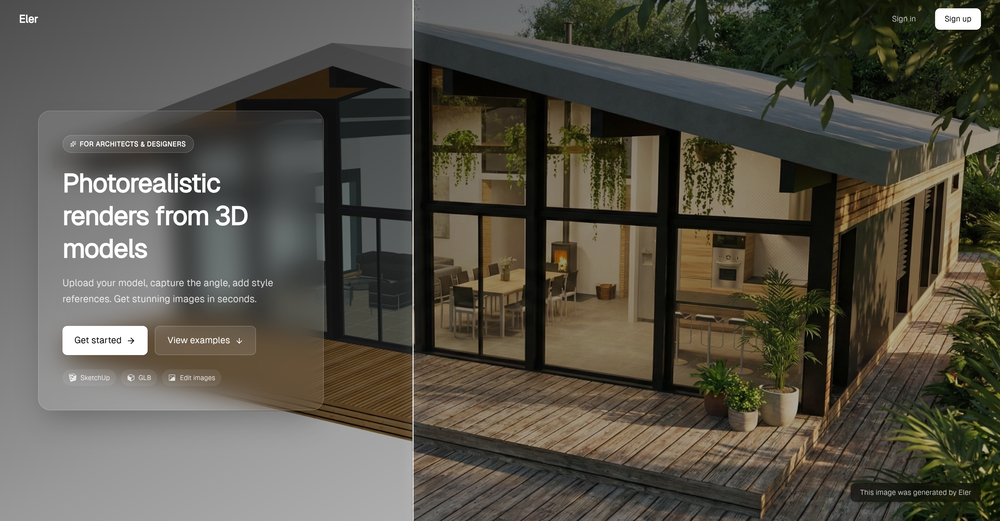
Other tools
-
Daniel Garaiacu🛠️ 5 tools 🙏 1,423 karmaMay 28, 2025@PresentationsAIHello Lalith! Try refreshing the page and giving it another shot,the app seems to be working fine.
-
Thanks for free credits. Please 🙏 adapt for mobile💪
-
-
- Sponsor:
 Base44💻 Vibe coding
 -
Very intuitive and easy to use tool, that will allow whoever wants to create presentations a wide range of templates to add cool graphics and design in very little time. The cons are that as a web based app, you have to store your presentations online and depend on having good internet connection to present. It does give you the option to download a PDF or PPTX document, but transitions, videos and audio doesn't download. The AI generator for images is not quite there yet, but the prompts to create slides is very good. Tip: Create slide by slide if you are going to use AI. The command to generate a whole presentation from a prompt is still not very accurate in my experience.
-
 Generate professional presentations in seconds with AIOpenDid not allow to download the slides.... ideally they should keep it free till sufficient traffic hits the platform and allow people to share feedback.
 -
-
 Open
Open -
VModel provides rich AI model resources, clothing display picture shooting becomes very easy!
-
Looks promising but found it very slow to load and create templates and previews
-
This is without doubt, the fastest and easiest way to compare and test different AI models side by side
- Didn't find the AI you were looking for?
-
A very useful AI slides tool! The content it generates is genuinely smart.
-
It easy to use and you can create beautiful presentations but you can't share professionally without a HUGE cost of 50 per month thats billed annual! they try and force you to buy. Will not use as it is NOT easy to share
-
Thanks for your note. Pi is independently developed, with more than Gamma: richer themes, interactive surveys, AI copilot. 7-day free trial—try it to see! We value innovation and users.
-
 Create autonomous, interactive AI Assistants for real-world impact.OpenIt works for me. Have you tried recently?
 -
-
 Create stunning presentations in seconds with AIOpen
 -
It suponer to be free but i need to pay for the download
-
Finally, an AI that makes fine-tuning simple and fast. No infrastructure, no coding, just results. This is exactly what the community needs!
-
 Generate placeholder text for design mockups instantly.Open
 -
 Educational tutoring: Clarifying concepts - Quiz generation - Activity proposals - Presentation creationOpen
 -
 Microsoft Power Platform Expert GPT, modeled on Steve Mordue's knowledge and personality.Open
 -
 Offering marketing advice, focusing on design and innovation.Open


























Post





