
 Mini tools
▼ Latest
Schematics
Free mode
100% free
Freemium
Free Trial
Verified tools
-
Lukas SinkevičiusJan 15, 2026@SnapDiagramIdea is nice, but recognizes only 15% of nicely drawn sketch, so for now - it's crap.
-
Hi Taaft community! I’m the creator of ConceptViz. We built this tool specifically for educators and researchers who deal with complex information daily. ConceptViz uses AI to instantly transform dense lesson plans, curriculum notes, or research frameworks into clear, structured diagrams. Our goal is to help K12 teachers make abstract concepts tangible for students and to help researchers map out logical workflows without the manual drudgery of drawing. I’d love to hear how this fits into your academic or classroom workflow—your feedback will help us build a better tool for the education community! 🚀
- Sponsor
 MongoDB - Build AI That Scales🗄️ Database
 -
 From idea to software application fast with Archie’s AI-first platform and services.Open
 -
Didn't really do the graphs that i thought it would do. Good for simple graphs, like for a presentation
-
nice! does exatly what i wanted it to do, takes text, makes a nice looking diagram.
-
 Visual expression artifact. Turn docs and ideas into instant diagrams with AI.OpenGame changer. Stays on topic, generates solid layouts, fast, and switching formats is smoother than I expected, so what else do you really want/need? Big plus that it lets you test things properly before hitting you with a paywall (most tools do exactly that). Giving this one a 5 for sure!
 -
-
 Learning shouldn't be a chore. Gamify your learning with AISheets.study.Open











Other tools
-
Isn't it possible that when downloading a diagram from it, the diagram to have white background rather than black background.
-
I'm the creator, so I'm biased. Slatebox lets you build editable diagrams/visuals using natural language. You can even chat with the AI to build a diagrams in real-time and brainstorm together. Real-time collaborate with your team. Starts at free.
-
opened this tool between client calls. quiet UI, no fluff. gave it a mood and to must haves and it came back with room comps that stick to the idea instead of drifting. not a mind melt, but it moves a concept board forward fast. give me auto retry on fails and i'd park this in my daily kit.
- Didn't find the AI you were looking for?
-
Made a full scale office building in no time. Fascinating that without any experience a user can catch up with someone that has maybe 5 years of knowledge in the domain. 4 start for me . Great tool overall
-
 Create stunning hand-drawn flowcharts from text instantly.OpenI use AI Flowchart Generator to create flowcharts for my blog posts. It’s incredibly easy to use and saves me so much time. Now, I can turn my text to flowchart and make my posts more interesting and helpful for readers!
 -
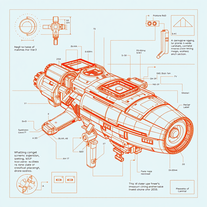 Transform ideas into futuristic sci-fi blueprints.OpenThe image generation model uses a basic interpretation and assumes the rest as something random. I am working on improving this and many other factors soon. My tip is to be very objective and basic, that is, let’s say you want to make a cat, simply put black cat on the beach in the prompt, and never use the suggestion because it makes a mess and doesn’t follow it. Take advantage and get to know my tools and again always use key and objective words for your description. You will be successful, ok.
 -
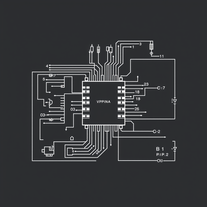 AI-powered schematics for precise electronic designs.Open
 -
 OpenI thought this was going to generate a circuit, but it generates a stylised pictures of a circuit with no information















Post





