Go to section
Spotlight SureThing.io - "OpenClaw" for BeginnersTask automation
The front page of AI.Used by 90M+ humans.

TAAFT Tutorial
Generate image
Tasks
Generate text
Free mode
Trending
Leaderboard
Characters
 Mini tools
New
Featured
Lists
Agents
Requests
Jobs
Map
Newsletter
Starter pack
Free tools
Speech to text
Text translator
Remove background
Settings
Edit profile
My tools
Gallery
Dashboard
Inbox
Get featured
Contact TAAFT
For you
Popular
Job impact index
Most saved
Affiliate program
Submit AI tool
Notification preferences
Glossary
Home
Timeline
My profile
Create tool
Deals
Companies
Models
Robots
Papers
Fundraises
Repositories
Devices
Organizations
Events
Prompt Pack
Merchendise
APIs
Features
Tools
Countries
Collections
Videos
Mini tools
New
Featured
Lists
Agents
Requests
Jobs
Map
Newsletter
Starter pack
Free tools
Speech to text
Text translator
Remove background
Settings
Edit profile
My tools
Gallery
Dashboard
Inbox
Get featured
Contact TAAFT
For you
Popular
Job impact index
Most saved
Affiliate program
Submit AI tool
Notification preferences
Glossary
Home
Timeline
My profile
Create tool
Deals
Companies
Models
Robots
Papers
Fundraises
Repositories
Devices
Organizations
Events
Prompt Pack
Merchendise
APIs
Features
Tools
Countries
Collections
Videos
Mini tools
New
Featured
Lists
Agents
Requests
Jobs
Map
Newsletter
Starter pack
Free tools
Speech to text
Text translator
Remove background
Settings
Edit profile
My tools
Gallery
Dashboard
Inbox
Get featured
Contact TAAFT
For you
Popular
Job impact index
Most saved
Affiliate program
Submit AI tool
Notification preferences
Glossary
Home
Timeline
My profile
Create tool
Deals
Companies
Models
Robots
Papers
Fundraises
Repositories
Devices
Organizations
Events
Prompt Pack
Merchendise
APIs
Features
Tools
Countries
Collections
Videos

▼ Latest
Verbal assault
Free mode
100% free
Freemium
Free Trial
Featured matches
-
-
 Know before you build with institutional-grade startup analysis.Open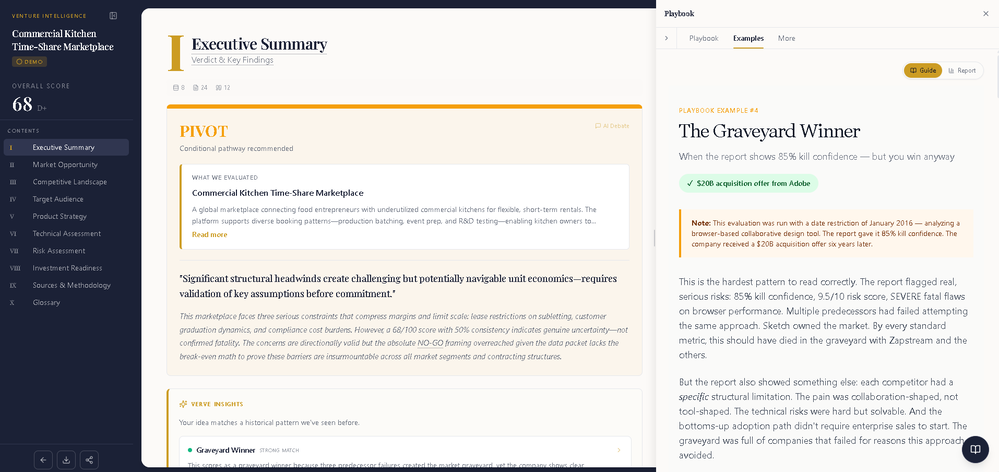
-
-



Verified tools
-
 James Harvey🙏 13 karmaJul 18, 2024@VerbalateVoice clone sounds really good and the lip sync is the most accurate I've seen. Look forward to seeing how this product progresses. Pricing is good imo, especially since others don't have voice clone or lip sync with the translation. The editor is also really useful for checking the transcripts and translations. I think it's the best editor out of all the ones I have tested.
 -
 Sales Assistant and Coach that reads transcript, body language and ParalinguisticsOpenWe built Stella to help decode verbal and nonverbal behaviour during video calls into clear next steps. It auto-notes, summarizes, and flags where attention rose or dropped—then points to the exact clip to coach the rep. We’ve tightened discovery and sped up follow-ups without rewatching meetings.
 -
This is hands-down the most engaging language app I’ve ever used. The AI conversations feel real, and the talking avatar makes it fun to practice speaking without anxiety.
- SpotlightSureThing.io - "OpenClaw" for BeginnersTask automation
-
Before registration, it was free, but after downloading to your computer, it became paid.
-
Really impressed by the multi-model planning and code review. Having different models collaborate instead of relying on just one actually leads to better decisions. You can feel the difference on more complex tasks.
-
- Automatic dictionary correction learning: Paraspeech can now learn from words you fix after dictation - More reliable recording start, stop, finalization, clipboard insertion, and saved recordings - Clearer local-vs-cloud routing for transcription and rewrites, including privacy-mode handling - Better local model state while models are downloading, activating, or unavailable - Improved file-drop transcription behavior with clearer local/cloud availability - More predictable cleanup and rewrite finalization for emails, selected text, and general dictated text - Reworked onboarding for account setup, privacy, model setup, permissions, shortcut testing, and first dictation - More reliable checkout, purchase, trial, subscription, lifetime, and account-link recovery - Cleaner status overlay states for recording, loading, completion, and setup recovery - Stronger diagnostics privacy scrubbing and quieter crash/hang reporting - Release reliability improvements across Mac testing, DMG validation, Sparkle automation, and update tracing













Other tools
-
Very suprised about this tool. I like the design and the output. Looking forward to the upcoming developments
-
I like the interface and all the variety of activities but I’ve found the leveling system to be rather inaccurate. I’m in advanced speaker of Korean, and after doing the level test and manually adjusting my level, I still receive activities related to beginner Korean grammar. Overall, I think it’s a great idea, but it might still need some tweaking regarding levels.
-
Voiser is an exceptional platform that seamlessly bridges the gap between text and speech. What sets Voiser apart is its user-friendly interface and the versatility it offers. Whether you're looking to convert written content into speech or vice versa, the platform's intuitive design ensures a smooth and efficient experience.