

 Mini tools
Captioner.io
 Add accurate, multilingual subtitles to videos - fast, right in your browser.
Go to 📝 Video captions
 RenderCut
 Rask
Rask
 Animaker Subtitles
 AddSubtitle
 Submagic
 Easyssub
 fframes - Subtitles
 AutoCaption
 Ava
Ava
 Brevidy
 GPT Subtitler
 SubtitleBee
 SubtitleGen
 AI Captions for Videos: VidCap
 CaptionKit
 AI-Media
 GeekLink
 SnapSubtitles
 Zubtitle
 ShortMagic
RenderCut
12,596
Rask
7,597
Animaker Subtitles
7,570
AddSubtitle
6,139
Submagic
5,203
Easyssub
4,874
fframes - Subtitles
4,287
AutoCaption
3,921
Ava
3,593
Brevidy
2,895
GPT Subtitler
1,839
SubtitleBee
1,819
SubtitleGen
1,714
AI Captions for Videos: VidCap
1,487
CaptionKit
1,287
AI-Media
880
GeekLink
663
SnapSubtitles
650
Zubtitle
582
ShortMagic
582
Go to 🎨 Creativity
📷
Images
(3411)
🔠
Text
(2158)
💻
Software
(1949)
🎥
Videos
(1059)
🔊
Audio
(807)
🎨
Art
(599)
🎨
Design
(282)
🌪️
Brainstorming
(206)
🖌️
3D
(78)
📸
Multimedia
(19)
 So You Want To Be A Writer?
 Minka
Minka
 Ancient AI powered spirits
 Jvb ai
 somacguffin
 Cuty
Cuty
 Superfly Stoner
So You Want To Be A Writer?
393
Minka
273
Ancient AI powered spirits
261
Jvb ai
243
somacguffin
208
Cuty
200
Superfly Stoner
177
Go to 🎥 Videos
🎥
Movies
(154)
🔍
YouTube
(151)
🎬
Video editing
(103)
🎬
Animations
(66)
📽️
Image to video
(58)
🎥
Short videos
(52)
📽
Video transcription
(31)
🕵️
Faceless videos
(27)
📝
Video captions
(23)
🎥
Product videos
(21)
🎬
Video dubbing
(18)
📹
Video scripts
(18)
🎥
Video avatars
(15)
🎤
Lip sync videos
(11)
🎥
Video analysis
(7)
🎥
Personalized videos
(5)
📹
Video thumbnails
(5)
🎬
Video repurposing
(4)
🎥
Audio to video
(3)
🎬
PDF to videos
(3)
 freebeat AI
 ClipMode
 Magik Face
 D-ID
D-ID
 MagicLight
 HeyGen
 Kaiber Superstudio
 Seedance
 Kling
Kling
 AI Video Generator by RenderFlow AI
 neural frames
 Funy AI: AI Dance, AI Bikini, AI Kiss
 Chraft AI
 Vidu AI Video Generator
 ViGi
ViGi
 Videnly
 Viddo AI - AI Video Generator
 VidGen AI Video Generator
 Wan Video
 AIReel
freebeat AI
528,153
ClipMode
418,053
Magik Face
289,974
D-ID
181,701
MagicLight
181,158
HeyGen
164,478
Kaiber Superstudio
126,682
Seedance
106,980
Kling
91,833
AI Video Generator by RenderFlow AI
84,697
neural frames
67,039
Funy AI: AI Dance, AI Bikini, AI Kiss
63,356
Chraft AI
61,250
Vidu AI Video Generator
56,309
ViGi
54,971
Videnly
54,250
Viddo AI - AI Video Generator
52,102
VidGen AI Video Generator
51,748
Wan Video
50,281
AIReel
49,810

Captioner.io
Inputs:
Outputs:
Add accurate, multilingual subtitles to videos - fast, right in your browser.
Overview








Overview
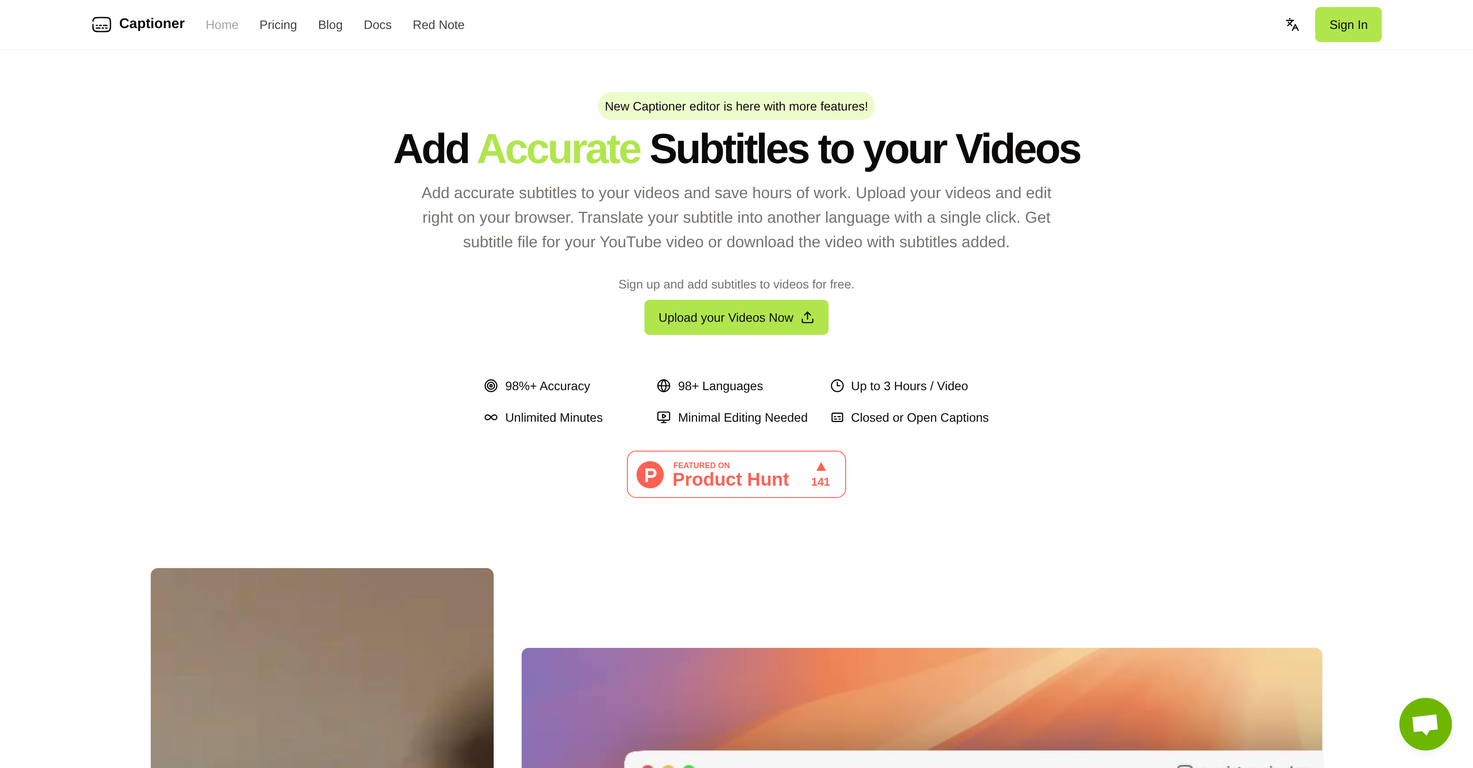
Captioner is a browser-based subtitle platform built for creators who care about accuracy. Upload an MP4 or MOV and get highly accurate speech-to-text in 98+ languages, with timestamps aligned for video, not just raw transcripts. Word-level timing and precise line breaks mean minimal cleanup and a smoother editing flow.It’s designed to slot into real creator workflows. Import an existing transcript and auto-sync it to your video (think YouTube auto-sync, but tighter), then refine everything in an editor made specifically for subtitles. When you’re done, export SRT, VTT, or SBV for your editor—or burn captions directly into the video in your chosen style up to 4K.
Captioner also supports quick translation (currently English → Mandarin Chinese in Express) and long videos up to 3 hours per file, with unlimited total minutes. It optimizes for accuracy over raw speed, so you spend less time fixing mistakes and more time publishing.
Show more
Releases
Get notified when a new version of Captioner.io is released
Notify me
September 2, 2025
Initial release of Captioner.io.
Author

Pricing
Pricing model
Free Trial
Paid options from
$5/month
Billing frequency
Monthly
Top alternatives
-
 Add stylish subtitles to short videos instantly.Render Cut🛠️ 1 tool 🙏 21 karmaFeb 25, 2025@RenderCutAmazing tool! Just started working on my videos and I’m loving everything RenderCut offers. It’s super easy to use and saves me a ton of time with subtitles. 5 tacos, no doubt!
 -
 AI-powered video localization and dubbing made easy
 -
 Generate subtitles for videos with AI in one click.It doesn't create the subtitles and it doesn't let you upload them. You can only create them manually
 -
 Translate video subtitles into 100+ languages instantly.Amazing functionality! I created stunning animations for my online courses.
 -
 AI-powered captions for viral TikTok videostried submagic and it does the job, auto captions came out clean and it’s super easy to use. free trial lets you upload 3 vids which is enough to test it out, but the watermark on them means you can’t really use those exports anywhere. still, pretty solid tool overall :p
 -
 Generate AI subtitles for long videos effortlessly.


0
0






