
 Mini tools
▼ Latest
Presentation tool
Free mode
100% free
Freemium
Free Trial
Other tools
- Sponsor
 MongoDB - Build AI That Scales🗄️ Database
 -
 Enhanced PowerPoint Assistant for comprehensive, linked outlines.Open
 -
 Assisting you to plan, write and deliver your life's speech through a 10-step question process.Open
 - Didn't find the AI you were looking for?
-
 Open
Open -
 Specializes in UK Theses Database in Agriculture & Veterinary Sciences.Open
 -
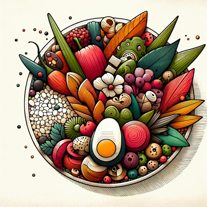 Creative ideas for plating dishes with visual appeal and practicality.Open
 -
Tushar Kaushik🙏 5 karmaJan 29, 2025@Powerpoint Makerbad for creative presentations just copy paste the content in form of ppt , can't humans just not do Ctrl C and Ctrl V now ? No designs , no images, no transitions or animations, and saying bs in the chat that i am doing this not that now on your previous command blah blah ...
-
it did not meet my expectations, ai could not create and add visuals.
-
 Expert in creating tailored clinical psychology workshop presentations.Open
 -
 Creating professional PowerPoint slides tailored to your tone.Opensimple, easy and effective. Thanks
 -
 Open
Open -
 Adaptable to your Level of experience Google Slides Assistant.Open
 -
 Supporting agencies with market research and presentation insights.Open
 -
 Automates clear and understandable PPT content extraction and structuring.Open
 -
 Expert in PowerPoint structures, slide descriptions, and speaker notes.Open
 -
 Effortlessly design anything: presentations, logos, social media posts and more.OpenCanva is a user-friendly online design tool great for creating a variety of visuals like social media posts and presentations. Its drag-and-drop interface and vast template library make it ideal for those without design skills. While it's free for basic use, advanced features require a paid subscription. It simplifies design work and promotes collaboration, but professionals might find it less versatile than more sophisticated software. Overall, Canva is an excellent tool for quick, attractive designs.

















































Post





