TAAFT Tutorial
Generate image
Tasks
Generate text
Free mode
Trending
Leaderboard
Characters
 Mini tools
New
Featured
Lists
Agents
Requests
Jobs
Map
Newsletter
Starter pack
Free tools
Speech to text
Text translator
Remove background
Settings
Edit profile
My tools
Gallery
Dashboard
Inbox
Get featured
Contact TAAFT
For you
Popular
Job impact index
Most saved
Affiliate program
Submit AI tool
Notification preferences
Glossary
Home
Timeline
My profile
Create tool
Deals
Companies
Models
Robots
Papers
Fundraises
Repositories
Devices
Organizations
Events
Prompt Pack
Merchendise
APIs
Features
Tools
Countries
Collections
Videos
Mini tools
New
Featured
Lists
Agents
Requests
Jobs
Map
Newsletter
Starter pack
Free tools
Speech to text
Text translator
Remove background
Settings
Edit profile
My tools
Gallery
Dashboard
Inbox
Get featured
Contact TAAFT
For you
Popular
Job impact index
Most saved
Affiliate program
Submit AI tool
Notification preferences
Glossary
Home
Timeline
My profile
Create tool
Deals
Companies
Models
Robots
Papers
Fundraises
Repositories
Devices
Organizations
Events
Prompt Pack
Merchendise
APIs
Features
Tools
Countries
Collections
Videos
Mini tools
New
Featured
Lists
Agents
Requests
Jobs
Map
Newsletter
Starter pack
Free tools
Speech to text
Text translator
Remove background
Settings
Edit profile
My tools
Gallery
Dashboard
Inbox
Get featured
Contact TAAFT
For you
Popular
Job impact index
Most saved
Affiliate program
Submit AI tool
Notification preferences
Glossary
Home
Timeline
My profile
Create tool
Deals
Companies
Models
Robots
Papers
Fundraises
Repositories
Devices
Organizations
Events
Prompt Pack
Merchendise
APIs
Features
Tools
Countries
Collections
Videos

▼ Price
Retro
Free mode
100% free
Freemium
Free Trial
Featured matches
-
 Turn any song into scroll-stopping videos in minutes with AI-directed scripts andOpen
-
 Open
Open
Other tools
-
James Weitz🙏 295 karmaMar 15, 2025@GenTubeAs far as generating anything useful for product design, the results are pretty useless. the prompt I interfered was quite detailed. Not for me.
-
I like pay for what I love, just like go shopping and buy clothes. what do you think?
- Spotlight
 CodeRabbitCode reviews
 -
I really enjoy using Remini, but I can only rate it three stars for two main reasons: 1. The ads in the free version are too long and disrupt the experience. 2. The pro version is extremely expensive, making it hard to justify the upgrade.
-
- Didn't find the AI you were looking for?
-
 Open
Open -
 Upload a photo and explore simple ways to refresh your look.Open
 -
I built Forevi after trying to restore my own family photos, especially for my grandpa. He doesn’t really care about physical gifts anymore, but he does care about memories: his youth, his family, the small things that mattered to him. Every tool I tried either changed faces, added fake filters, or made everything look overly smooth. So I built a full restoration workflow: restore → colorize → enhance/upscale → animate → add sound. The goal is to help people bring old moments back to life and create new memories from old photos. Would love your feedback on what feels right, what doesn’t, and how I can improve the tool. Thank you folks!! Best, Daniel
-
pixelicious was good as free tool, now requires payment for something very basic as pixelating an image
-
We use it at Ucademy with 10 gmail accounts and works like a charm
-
-
It’s good but I don’t like that it doesn’t animate the whole picture, I mean 4 people on 1 picture would be animated differently so you can’t save a picture as whole
-
 Open
Open -
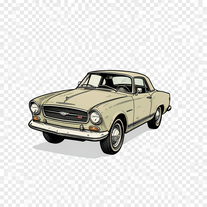 Creates vintage automotive illustrations with classic advertisement aesthetics.Open
 -
Changed the prompt to improve results.
-
 Transform photos into Lichtenstein pop-art portraits.Open
 -
not very consistent with the pixels, but the main image request at least is respected to some degree. could be better tho
-
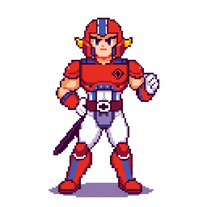 Openquick n easy to use, great results with upscaling option. great tool. 5/5
 -
Such a legendary epic badass tool and I sincerely appreciate it being free and thx very much to the adept developer. Exquisite tool. Peace. ✌️
-
 Open
Open -
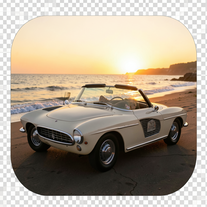 Transform your photo into a cinematic masterpiece.Open
 -
 Transform photos into stunning vintage portraits with AI.Open
 -
 Transform your photo into an ultra-realistic 8K cinematic portrait.Open
 -
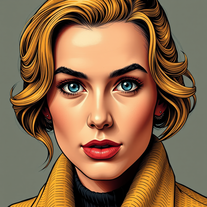 Transform photos into vintage comic book covers.Open
 -
 Transform photos into charming retro cartoons.Open
 -
 AI visual art generator creating stunning 'Futuristic Retro' images.Open
 -
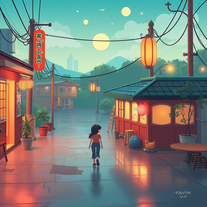 Craft nostalgic anime art with retro flair.OpenNow I got a new wallpaper for my phone home-screen. Thank you very much! Nice tool.
 -
 Creates ultra-realistic cinematic portraits from your photos.Open
 -
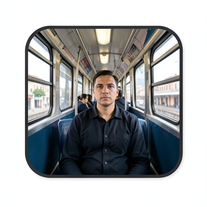 Create cinematic AI photographs of yourself anywhere.Open
 -
This is pretty good. I think it might have me hooked !
-
 OpenVideo editing is the process of selecting, trimming, and arranging footage to create a cohesive story or visual narrative. Here are some fundamental concepts and techniques: Types of Video Editing Linear editing: A straightforward, sequential approach to editing, where clips are arranged in a linear timeline. Non-linear editing: A more flexible approach, where clips can be arranged and rearranged freely in a timeline. Key Video Editing Techniques Cutting: A transition between two clips, where one clip ends and another begins. Cutting on action: Cutting between two clips while an action is in progress, to create a seamless transition. J-cut: Cutting from one clip to another while audio from the second clip starts playing before the video cuts to it. L-cut: Cutting from one clip to another while audio from the first clip continues to play. Video Editing Software Popular video editing software includes: Adobe Premiere Pro: A professional-level editing software with advanced features and integration with other Adobe tools. Final Cut Pro: A professional-level editing software for Mac users, known for its user-friendly interface and advanced features. DaVinci Resolve: A free and paid editing software that offers advanced color grading and audio editing tools. Best Practices for Video Editing Plan your edit: Develop a clear vision and storyboard before starting to edit. Organize your footage: Label and categorize your clips to make them easily accessible. Keep it simple: Avoid overusing transitions and effects; focus on telling a clear story. Advanced Video Editing Techniques Color grading: Adjusting the color and brightness of footage to create a specific mood or atmosphere. Audio ducking: Automatically reducing the volume of background audio when dialogue is present. Motion graphics: Adding animated text, logos, or other graphics to enhance the visual narrative. Video editing involves selecting, trimming, and arranging footage to create a cohesive story. Linear and non-linear editing are two fundamental approaches. Key techniques include cutting, cutting on action, J-cuts, and L-cuts. Popular software includes Adobe Premiere Pro, Final Cut Pro, and DaVinci Resolve. Best practices involve planning, organizing footage, and keeping it simple. Advanced techniques include color grading, audio ducking, and motion graphics. Capcat pro Capcat pro Download image-to-image-generator generated imagetransparent pixel Image to Image Generator Image to Image Generator Download image-to-image-generator generated imagetransparent pixel Image to Image Generator Image to Image Generator Download image-to-image-generator generated imagetransparent pixel Image to Image Generator Image to Image Generator Download image-to-image-generator generated imagetransparent pixel Image to Image Generator Image to Image Generator Download image-to-image-generator generated imagetransparent pixel Image to Image Generator Image to Image Generator Download image-to-image-generator generated imagetransparent pixel Image to Image Generator Image to Image Generator Download image-generator generated imagetransparent pixel Image Generator Image Generator Copy Video Editing Basics Video editing is the process of selecting, trimming, and arranging footage to create a cohesive story or visual narrative. Here are some fundamental concepts and techniques: Types of Video Editing Linear editing: A straightforward, sequential approach to editing, where clips are arranged in a linear timeline. Non-linear editing: A more flexible approach, where clips can be arranged and rearranged freely in a timeline. Key Video Editing Techniques Cutting: A transition between two clips, where one clip ends and another begins. Cutting on action: Cutting between two clips while an action is in progress, to create a seamless transition. J-cut: Cutting from one clip to another while audio from the second clip starts playing before the video cuts to it. L-cut: Cutting from one clip to another while audio from the first clip continues to play. Video Editing Software Popular video editing software includes: Adobe Premiere Pro: A professional-level editing software with advanced features and integration with other Adobe tools. Final Cut Pro: A professional-level editing software for Mac users, known for its user-friendly interface and advanced features. DaVinci Resolve: A free and paid editing software that offers advanced color grading and audio editing tools. Best Practices for Video Editing Plan your edit: Develop a clear vision and storyboard before starting to edit. Organize your footage: Label and categorize your clips to make them easily accessible. Keep it simple: Avoid overusing transitions and effects; focus on telling a clear story. Advanced Video Editing Techniques Color grading: Adjusting the color and brightness of footage to create a specific mood or atmosphere. Audio ducking: Automatically reducing the volume of background audio when dialogue is present. Motion graphics: Adding animated text, logos, or other graphics to enhance the visual narrative. Video editing involves selecting, trimming, and arranging footage to create a cohesive story. Linear and non-linear editing are two fundamental approaches. Key techniques include cutting, cutting on action, J-cuts, and L-cuts. Popular software includes Adobe Premiere Pro, Final Cut Pro, and DaVinci Resolve. Best practices involve planning, organizing footage, and keeping it simple. Advanced techniques include color grading,
 -
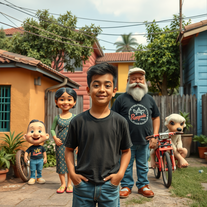 Transform your photo into El Chavo del 8 memories.OpenSimply upload your photo; you don't need to type anything in the prompt field. Just click "generate" and watch the magic happen.
 -
 Generate nostalgic 90s-style analog photos of yourself.Open
 -
Changed the prompt to improve results.
-
 Transform any concept into stunning 1980s-inspired visuals.OpenChanged the prompt to improve results.
 -
 Generate nostalgic visions of tomorrow from the past.OpenChanged the prompt to improve results.
 -
 Transform modern photos into authentic vintage masterpieces with AI.Openi love the vintage aesthetic, this is a perfect AI tool for me! pictures are great!!
 -
being just a text to image it's pretty hard to "transform myself" into a '50 film icon haha. but in general the outcomes here are niceeeeee!
-
-
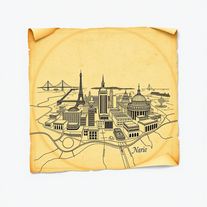
 Resurrect historical cityscapes with AI-generated vintage architecture.Open
 -
there are no words to xpress the feeling.. out of the world
-
-
-
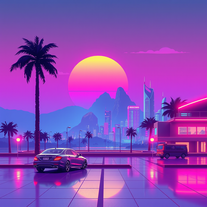
 Creates haunting retro-futuristic visuals with neon-soaked 80s cyberpunk aesthetics.Open
 -
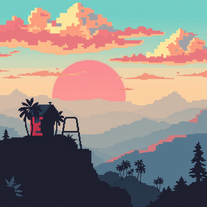
 Transform any theme into stunning retro pixel art wallpapers.Open
 -
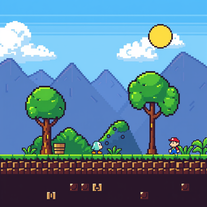 Create custom 8-bit Nintendo sprites for retro gaming nostalgia.Open
 -
 Transform photos into cinematic synthwave masterpieces.Open
 -
 Transform photos into vibrant comic book illustrations.Open
 -
 Open
Open -
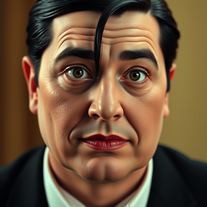 Transform into an Addams Family cinematic portrait.OpenSimply upload your photo; you don't need to type anything in the prompt field. Just click "generate" and watch the magic happen.
 -
 Open
Open -
 Transform ideas into stunning 8-bit pixel art.Open
 -
 Create charming 16x16 pixel art in Susan Kare's iconic style.Open
 -
Thanks for the report. I'll try changing the prompt to improve the results.
-
 Transform ideas into authentic 1980s horror movie scenes.OpenChanged the prompt to improve results.
 -
 Open
Open -
 Transform any text into vibrant cartoon images instantly.Open
 -
 Generate authentic 80s New Wave song lyrics instantly.Open
 -
 Open
Open -
 Transform any description into vibrant cartoon-style images instantly.Open
 -
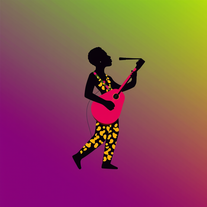 AI-powered graphic designer for vibrant Afrobeat album covers.Open
 -
well i have to admit these are not always pixelated, sometimes they turn out as normal looking images, but they are indeed stunning
-
 Turn ideas into 1920s-30s cartoons instantly.OpenReally poor prompt adherance. Needs work.
 -
Really cool app that produces creative images, love the "steam" theme, though the girl featured seems to be the same one every time. When I prompted with an instruction to make the character point, it didn't produce exactly the result I wanted; I suspect that playing around for longer I would have got it to work but the edits take a long time to resolve. Nice though, worth a go!
-
 Open
Open -
-
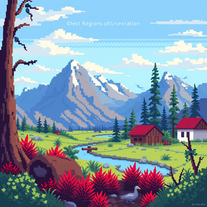 Transform ideas into vivid 8-bit pixel art.Open
 -
It generates a couple of very nice pixel art scenes. But then it seems to forget it is supposed to draw in pixel art style and starts drawing in regular cartoon style instead, or a combination of pixel art/cartoon style.
-
 Get your life's 80s soundtrack in secondsOpen
 -
 Transform ideas into vibrant 8-bit pixel art scenes.Open
 -
Nah, I want like Brazilian phonk covers. No thank you sir…
-
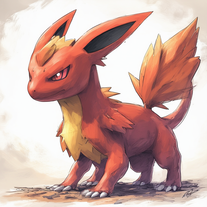 Open
Open -
Indeed, i checked up the tool too, you must have GPT and DALLE image generation enabled. without those you can generate the description and design of the cartoon you want to display.
-
It only provides an overview no details of gamrs
-
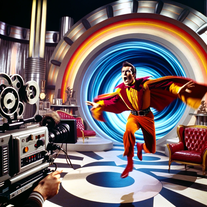 An interactive game to repair timelines in a B-movie style.Open
 -
 Open
Open -
 Your Atari expert on 8-bit systems, programming, and modern use.Open
 -
 Open
Open

































![Metro AI.[ IMAGE ]](https://media.theresanaiforthat.com/icons/metro-ai-image@2812607.png?height=207)