Go to section
Spotlight SureThing.io - "OpenClaw" for BeginnersTask automation
The front page of AI.Used by 90M+ humans.

TAAFT Tutorial
Generate image
Tasks
Generate text
Free mode
Trending
Leaderboard
Characters
 Mini tools
New
Featured
Lists
Agents
Requests
Jobs
Map
Newsletter
Starter pack
Free tools
Speech to text
Text translator
Remove background
Settings
Edit profile
My tools
Gallery
Dashboard
Inbox
Get featured
Contact TAAFT
For you
Popular
Job impact index
Most saved
Affiliate program
Submit AI tool
Notification preferences
Glossary
Home
Timeline
My profile
Create tool
Deals
Companies
Models
Robots
Papers
Fundraises
Repositories
Devices
Organizations
Events
Prompt Pack
Merchendise
APIs
Features
Tools
Countries
Collections
Videos
Mini tools
New
Featured
Lists
Agents
Requests
Jobs
Map
Newsletter
Starter pack
Free tools
Speech to text
Text translator
Remove background
Settings
Edit profile
My tools
Gallery
Dashboard
Inbox
Get featured
Contact TAAFT
For you
Popular
Job impact index
Most saved
Affiliate program
Submit AI tool
Notification preferences
Glossary
Home
Timeline
My profile
Create tool
Deals
Companies
Models
Robots
Papers
Fundraises
Repositories
Devices
Organizations
Events
Prompt Pack
Merchendise
APIs
Features
Tools
Countries
Collections
Videos
Mini tools
New
Featured
Lists
Agents
Requests
Jobs
Map
Newsletter
Starter pack
Free tools
Speech to text
Text translator
Remove background
Settings
Edit profile
My tools
Gallery
Dashboard
Inbox
Get featured
Contact TAAFT
For you
Popular
Job impact index
Most saved
Affiliate program
Submit AI tool
Notification preferences
Glossary
Home
Timeline
My profile
Create tool
Deals
Companies
Models
Robots
Papers
Fundraises
Repositories
Devices
Organizations
Events
Prompt Pack
Merchendise
APIs
Features
Tools
Countries
Collections
Videos

▼ Latest
Text-to-text conversion
Free mode
100% free
Freemium
Free Trial
Featured matches
-
-
 Jezza Beard🛠️ 1 tool 🙏 40 karmaNov 30, 2024@Format MagicThis is a gamechanger!
 -
 Solid. Not perfect but it gets the job done and the updates have been pretty consistent
 -
 Looks pretty clean and easy to use! The upload process is straightforward, though the top section feels a little crowded. Maybe add a bit more info about how the credits work.
 -
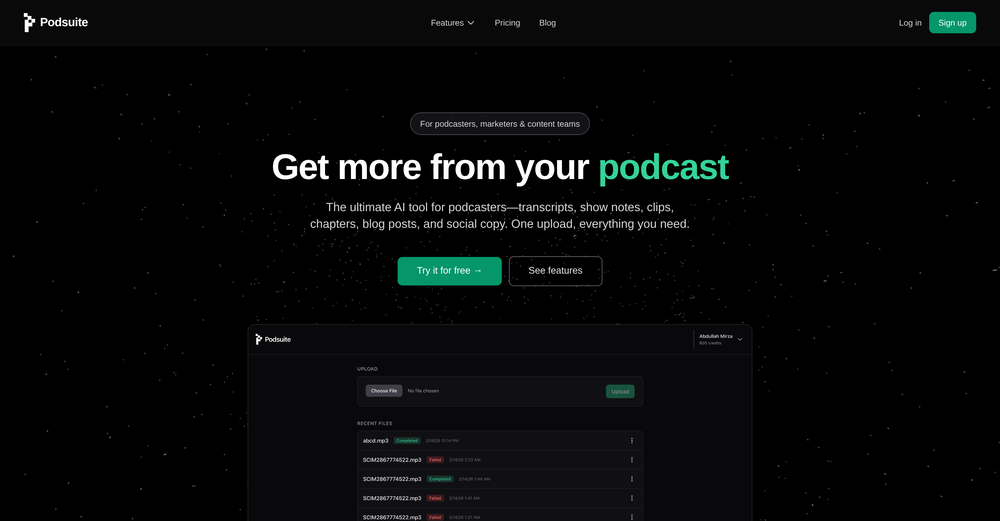 I think it delivers on all of its claims, specially the transcription and Blogs.
 -
-

-
-
-









Verified tools
- SpotlightSureThing.io - "OpenClaw" for BeginnersTask automation
-
It's great to have free tools of such high value
-
Been using TranscriptTool whenever I need to quickly turn short videos into text. I like that it keeps things simple and makes it easier to review claims or pull quotes without having to watch clips repeatedly. Handy tool for anyone dealing with video content regularly.
-
-
made a presentation for my site with just 1 prompt, lol how did the AI get so much information out of my website lol
-
Works wonders for anime, has me taking it in consideration for a tool rotation.
-
It pretty much does everything I need and more, I give it 5 stars for accuracy and ease of use. Most of the tools I use are cluttered and complex but this platforms very simple to use and neat
-
 Web platform for video translation, text-to-speech conversion, image creation, media editingOpenGenerated a pretty accurate video translation. Also, was quite impressed with a price tag.
 -
The price disappeared because of some problem. Now, it's back! Thanks a lot for the feedback :) Please let me know if there's any feature you need or if you have feedback! Thanks!
-
-
⭐⭐⭐⭐⭐ Great AI Presentation Tool! I really liked the Brand PPT feature. It helped me create professional, on-brand presentation slides in under 60 seconds. The AI-generated content was well-structured, the design looked polished, and the editing process was simple. It has saved me a lot of time compared to creating presentations manually. Highly recommended for anyone who needs fast, professional-quality PowerPoint presentations.
-
 OpenThis is my favourite, so handy and works brilliant
 -
 Turn text and images into production-ready 3D models with AI in seconds.OpenThis tool is definitely good for basic stuff, no doubt. Just keep the prompts super duper simple and it gets the job done. But once I put in something a bit more complex at it… it kinda screwed up the thing. Still, I see potential here
 -
Apologies for the delayed response. Let me clarify our free tier benefits: 1.Daily Quick Credits: Free users receive 2 quick generation credits every day. 2.Unlimited Standard Generation: You can generate an unlimited number of images daily. Please note that during peak usage times, generation speeds may be slower to accommodate high traffic. 3.Advanced Features: Free users also have access to our excellent face-swap feature. 4.Our platform features the leading Nanobanana series models, supports various LoRA effects, and includes tools for background removal and image outpainting/expansion. 5.We welcome you to try them out! Regarding your question about pricing: The core features mentioned above are genuinely free. The 'pricing' structure you saw likely refers to optional paid plans for users who need faster speeds during peak times, higher priority, or additional commercial features. It is not 'free after you pay,' but rather a free base service with optional upgrades. We hope this clears up any confusion!"
-
 Transform documents into interactive knowledge bases using advanced AI.OpenThis tool is expected to evolve rapidly, we are also taking all feature requests so submit what you like and we'll build it if it aligns with our product vision! Have fun with the tool and let us know what you think!
 -
I’ve found Jogg.ai to be super convenient, especially for creating short ad videos for products! If you haven’t tried it yet, you should check out this tutorial: https://www.jogg.ai/blog/4-steps-to-create-your-product-video-ads-in-minutes/
-
-
-
Very simple and easy to use. The premium feature of Lyrics helper really helped me to write lyrics exactly the way i wanted.
-
While searching for audio transcription tools, I found that many came with limitations—until I discovered Audio Transcriber AI. Not only is it free and unlimited, but its accuracy rivals that of paid tools; I have since recommended it to my friends.
-
 AI-powered scientific illustration and data visualization platform.Open
 -
-
-
AITextSong.com is a solid choice for creators who need high-quality music without a background in production. The ability to extend tracks up to 8 minutes is a standout feature, and the built-in vocal remover is a massive plus for those who want to remix or create karaoke versions. While it could use more vocal customization options, it’s one of the most efficient tools I've found for turning lyrics into fully produced WAV files.
-
 Turn product photos into marketing videos instantly.Open
 -
I tried Animon for a bit and it’s actually pretty solid. It does a good job with simple animations and keeps the original image style pretty well, so the results usually look clean.
-
Nice interface and a good ai humanizer.
-
-
 Extract structured data from images and PDFs into usable tables with AIOpen
 -
-
 AI-native OCR platform, 95%+ accuracy, zero prompt engineering, flags uncertain fields.OpenWe are a team of founders who worked before in data extraction, with traditional manual review of each document to check accuracy / errors. We are so excited about AI and the new LLM models because we have created DeepRead using those and the accuracy is 95% and we flag uncertain fields so no one has to manually review entire documents (whew), only the exceptions! We hope you try it out and please share your review, comments and feedback. Looking forward to hearing from users!
 -
KikiVoice does a great job with voice cloning — the results sound very natural and close to the original, and there’s no sign-up required.
-
-
 Convert YouTube videos to text with 99% accuracy.OpenI’ve used Riverside before and it’s a really solid tool for recording and producing high-quality audio and video. If you’re looking for a YouTube transcript generator, I’ve also been using Saveto AI. It’s been pretty handy for turning videos into clean text and quick notes.
 -
-
 Translate manga while preserving original artwork and layout.Open
 -
 Transcribe audio & video with Whisper. Export TXT/SRT/VTT. Auto-delete 24h.Open
 -
needed background instrumentals for a demo track and this delivered. the beats are clean and royalty free which is huge.
-
COngratulaitons on your new release,Wishing you a prosperous New Year! 😊 I came across your profile in the SaaS and startups directories, and I'm excited to connect . I help SaaS & Tech Product owners create Promo, interactive explainer, and demo videos that drive engagement. Would you be interested in exploring how video can boost your business? I'm available to chat. Best regards
-
Well, it did give me an insanely good image, but you only get one free trial, i.e, generate one image for free. And the model is costly for someone who wants free AI tools. But it does the job if you're willing to pay.
-
It's very easy to use, completely free, and even supports files up to 1GB in size.
-
I'm giving it two stars because it does do an ok job on videos but I would NOT recommend this. The "free trial" gives you 80 credits. It's not even enough to make a 60 second video so you can't really "trial" anything. I then spent $35 to make a 60 second video and I did two edits to it and I only have 451 credits left for the month. Until the costs come down, this is not feasible.
-
I built Forevi after trying to restore my own family photos, especially for my grandpa. He doesn’t really care about physical gifts anymore, but he does care about memories: his youth, his family, the small things that mattered to him. Every tool I tried either changed faces, added fake filters, or made everything look overly smooth. So I built a full restoration workflow: restore → colorize → enhance/upscale → animate → add sound. The goal is to help people bring old moments back to life and create new memories from old photos. Would love your feedback on what feels right, what doesn’t, and how I can improve the tool. Thank you folks!! Best, Daniel
-
Just tried the Seedance 2.0 experience on LumeFlow and I’m honestly blown away. That "uncanny AI jitter" I’m used to seeing in other models is practically gone—the motion is just so smooth and fluid. I was a little skeptical at first since it’s tagged as an "Early Access Lab" feature, but the output quality is 100% the real deal. If you’re looking for cinematic physics that actually make sense, this is easily one of the best AI video experiences out there right now. Highly recommend giving it a spin.
-
 vocal remover, remove vocal, vocal remover online free, vocal remover AIOpen
 -
 Turn scripts into creator-style videos instantly.OpenI built this because I had a spare RTX 5090 sitting idle and friends in e-commerce kept telling me UGC videos were too expensive. Most AI UGC tools cost 80 to 110 dollars a month, about 10 dollars per video. My prototype can already create 3-minute videos, but it takes almost an hour on one GPU, so I limited the public version to 30 seconds while I scale to 4 GPUs. Would love feedback on the best pricing model and go-to-market.
 -
img2img AI is the first image editor that actually replaced three tools on our team. I can upload a product shot, type what I want in plain English.
-
This tool not only transcribes videos and audio, but also automatically generates summaries, which greatly helps me organize my study notes.
-
 OpenHere's the rundown. If you thought image editing like Photoshop or Affinity Photo, you were wrong. It's 100% insert a photo and put a filter over it or change it into another AI image. Signing up for an account gets you 4 credits. Enough for one image to image generation. Instead, you should go to aistudio.google.com. This Dreamega site is just using google to generate their stuff anyways. You can do this yourself without paying per generation, the only difference is you need to type the prompt yourself. Is it worth paying some overblown monthly subscription on Dreamega for something you can do yourself or something you'll probably only do once?
 -
tried it for quick photo cleanups, solid results. the bg remover is free with HD downloads and does clean cutouts on tricky edges. the full editor gives 5 daily credits, not badd
-
poor tool doesn't take your prompts correctly i asked for specific colors and still gave me colors i didn't want even when asked not to.. waste of time
-
I like that the ai support many languages the only disadvantage is that the free version is limited and the paid version is also high $8 per month!!
-
 OpenThe PowerPoint presentation I made met my expectations very well
 -
YouTube to Doc is freaking awesome! Total lifesaver for turning videos into text. Just paste the URL → boom, you’ve got a doc. Perfect for notes or quotes. 10/10 recommend!
-
I would have given five stars but it cut off before the song ended. The vocals were very good.
-
-
The maximum podcast duration is 10 minutes only. Whereas, with NotebookLM, the maximum is 35 minutes, and it's free. They need to increase the duration of the podcasts to at least 30 minutes. Also, definitely more than 200 minutes a month.
-
Not what I expected. The roblocks stuff. When you say PDF to video, I was expecting whatever the PDF says there would be an animation or cartoon or something visually animated going on.
-
Tried Synexa AI for a quick deployment last week—clean and straightforward. No clutter, just worked.
-
i use free generative fill use in photoshop 2024
-
Every student must try this. It really saves me before final exams.
-
-
 Open
Open
















































































































Other tools
-
 Apply spooky Halloween filters and scary makeup effects online for free.Open
 -
I forgot to take videos on my trip, so I gave this a shot with just the photos I had. Surprisingly, it created a short clip that actually looked real, super cool. Just wish it didn’t take forever to render
-
-
Really impressed with audien.to so far. I dropped in a meeting recording and got a clean transcript plus useful notes in just a few minutes, without having to tweak much. The speaker tags and filler cleanup make it way easier to share with the team.
-
 Open
Open - Didn't find the AI you were looking for?
-
Been using it for the past few days and it is exactly what I hoped it was. Nothing complicated, does exactly what it says it does without the fluff. The analysis section is great, does not produce canned summaries. It appears to be doing something different for every different type of topic, which is great. Still playing with it.
-
No free use because I use a VPN?? I'm out. I should have a choice to stay private if I want to and still be able to review the product without penalty. Others allow it - I will use them before buying. If you have that big of an issue with what you feel are multiple accounts using your free services, then reduce the amount of free use.
-
It's suitable for beginners like me. I think it is simple and comprehensive, which can solve music creation problems. The creation speed is also prettey fast. And I hope it can keep improving, so we can create better music together.
-
-
Says "free during testing," but keeps telling me I have insufficient credits. I also can't seem to find a way to delete my account.
-
-
No no no. This is not what it claims to be. Yes there claim to be a free trial but free trial does not work at all. Its just a workaround.👎🏻
-
I’ve used this product, and the AI video generation quality is excellent. Most importantly, it offers the best value for money I’ve ever seen. In addition, if you need help optimizing your video prompts, you can email their professional advisors for free consultation.
-
this one looks good, it has a clean layout and a clear flow that makes prompt-building feel approachable. the idea is genuinely useful, and the execution alr feels solid, it has a lot of potential, WELL DONE! :)
-
ListenHub takes notebookLM to the next level, providing the unique ability to clone your voice for AI podcast production.
-
UI is chill, export is fine. Free credits disappear fast if you experiment. 3/5 for now, nothing extremely special :j
-
Can't see the PRICING page anywhere unless I make an account. OK, but why PAY for it if Google AI Studio (https://aistudio.google.com/generate-speech) offers the same for free? Nothing beats "gratis!" Besides, which author can afford so many monthly payments if he or she is not Steven King, who'd rather buy a whole studio with a dozen professional human narrators? ;-) THX
-
 Convert YouTube videos to text fast and freeOpenHands down the best ai tool for content creators. Their free YouTube transcriptor is always on point
 -
 Open
Open -
its really good, works super well. I use a lot for resumes at classes.
-
-
This is a text extraction service. Not image to text.
-
-
pontless. it spit out the word ”the” multiple time for a 9 minute file
-
 Transforms casual, slang-filled messages into clear, professional communication suitable for corporate use.Open
 -
 Transform text descriptions into professional circuit diagrams instantly.Open
 -
 Transform modern English into archaic linguistic style.OpenInteresting little tool here!!!
 -
The feature of having a file as reference is great, having two files for reference would be better when conceptualizing conplex ideas. Like I want A element from pic A and B element from pic B to make C
-
 Transforming text into spreadsheet tables magically.Open