Go to section
Sponsor
 Wispr Flow - Don’t type, just speak
🎤 Dictation
Wispr Flow - Don’t type, just speak
🎤 Dictation
The front page of AI.Used by 90M+ humans.

TAAFT Tutorial
Generate image
Tasks
Generate text
Free mode
Trending
Leaderboard
Characters
 Mini tools
New
Featured
Lists
Agents
Requests
Jobs
Map
Newsletter
Starter pack
Free tools
Speech to text
Text translator
Remove background
Settings
Edit profile
My tools
Gallery
Dashboard
Inbox
Get featured
Contact TAAFT
For you
Popular
Job impact index
Most saved
Affiliate program
Submit AI tool
Notification preferences
Glossary
Home
Timeline
My profile
Create tool
Deals
Companies
Models
Robots
Papers
Fundraises
Repositories
Devices
Organizations
Events
Prompt Pack
Merchendise
APIs
Features
Tools
Countries
Collections
Videos
Mini tools
New
Featured
Lists
Agents
Requests
Jobs
Map
Newsletter
Starter pack
Free tools
Speech to text
Text translator
Remove background
Settings
Edit profile
My tools
Gallery
Dashboard
Inbox
Get featured
Contact TAAFT
For you
Popular
Job impact index
Most saved
Affiliate program
Submit AI tool
Notification preferences
Glossary
Home
Timeline
My profile
Create tool
Deals
Companies
Models
Robots
Papers
Fundraises
Repositories
Devices
Organizations
Events
Prompt Pack
Merchendise
APIs
Features
Tools
Countries
Collections
Videos
Mini tools
New
Featured
Lists
Agents
Requests
Jobs
Map
Newsletter
Starter pack
Free tools
Speech to text
Text translator
Remove background
Settings
Edit profile
My tools
Gallery
Dashboard
Inbox
Get featured
Contact TAAFT
For you
Popular
Job impact index
Most saved
Affiliate program
Submit AI tool
Notification preferences
Glossary
Home
Timeline
My profile
Create tool
Deals
Companies
Models
Robots
Papers
Fundraises
Repositories
Devices
Organizations
Events
Prompt Pack
Merchendise
APIs
Features
Tools
Countries
Collections
Videos

▼ Latest
Whispering voice
Free mode
100% free
Freemium
Free Trial
Featured matches
-
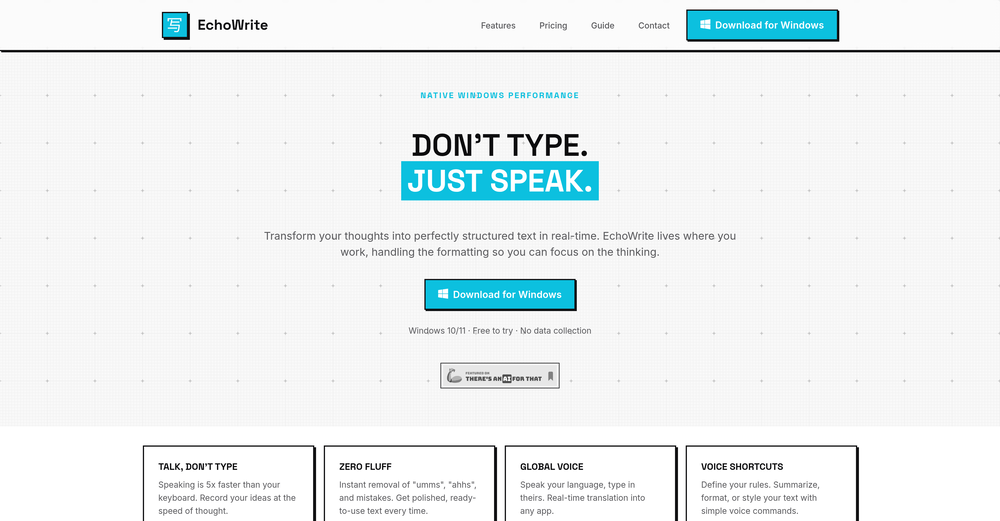
 Taylor Lavie🙏 16 karmaMar 3, 2026@EchoWriteReally solid on Windows. I’ve tried several similar transcription tools before, but this one feels much better integrated into the system. The customizable global shortcuts are a game changer, you can either just do plain transcription or trigger your own custom prompts/actions with Adifferent hotkeys. A lot of competitors do Aroughly the same thing, but EchoWrite stands out because the basic transcription is essentially free (you just need your own OpenAI API key, which costs next to nothing). If you want the custom prompts and translations, it’s a one-time payment instead of yet another subscription. In 2026 that’s actually pretty fair compared to everything else out there. Big thumbs up.

Verified tools
-
Hi 👋 I'm Vera, the maker of Whisper Web. I built it because I needed a frictionless way to turn recordings into structured text — meeting notes, interview quotes, podcast transcripts, YouTube research. Whisper Web runs entirely in your browser. Drop an audio or video file (up to 2GB), record from your mic, or paste a YouTube URL. You get a clean transcript with automatic speaker labels and a structured AI summary covering key points, action items, decisions, and quotes — all in under 3 minutes. 100+ languages, auto-detected. Six export formats: TXT, DOCX, PDF, SRT, VTT, and JSON. Privacy-first by design. Free to try, no credit card. Would love your feedback — drop a recording you've been putting off and tell me how it went. — Vera
-
This is awesome. It tells me the answers to my practice exam questions automatically through my airpods without me having to do anything, just by seeing my exam through my phone camera. I've been looking for an AI tool like this for a while.
-
This app now supports both iOS & macOS: https://whispernotes.app
- SponsorWispr Flow - Don’t type, just speak🎤 Dictation
-
Great for automating podcast mastering. Voicecrush takes care of removing "em, eh, äh, um" etc. Also: my recording setup has some subtle background noise / hum, which cause I never was able to identify, nor able to get rid of with typical audio software. I don't know how Voice Crush accomplishes it, but I guess its AI features are doing an awesome job of filtering out these noises and distortions from hour-long recordings flawlessly.
-
This is one of those apps that when you use it for the first time, it feels like magic. It is one of the apps that has led to me using it the most every day. It's almost as integral to me now as ChatGPT.












Other tools
-
Great app. I am trying Free version. Working fine. will upgrade to Pro soon to transcribe and summarize my online meetings.
-
-
Cheap one-time fee, however, then you are offered a TranscriptionPlus subscription for features. No mention of this before after payment.
-
 Open
Open -
A reaaly good AI, though not completely free, when register will still give you a good word limit, and there's a lot of voices from almost every language.
- Didn't find the AI you were looking for?
-
Voiser is an exceptional platform that seamlessly bridges the gap between text and speech. What sets Voiser apart is its user-friendly interface and the versatility it offers. Whether you're looking to convert written content into speech or vice versa, the platform's intuitive design ensures a smooth and efficient experience.
-
 Open
Open