 Base44 Superagents-AI agent that does it all
 Mini tools
 ChatGPT
 Smarter ChatGPT by Athena AI
 Rabbitholes AI
 WhyBot
 God In A Box
 ChatFAI
 Free AI Chatbot & Image Generator
 KoalaChat
 FlowGPT
 Chatmind app
 Ormind
 Anonchatgpt
 AiryChat
 ChatGPT Sugar
 Harpa
Harpa
 Monica
 AI Chat for Search
 Chatsonic
 Chatbase
 Omnigpt
 55club
 Personal Performance
 The Mid Life Magic Woman
 Auramind
 Moments
 Nomi AI
 Otherhalf
 Eva AI
 Love AI: Relationship Analysis
 Lucen.app
 Maia
Maia
 CoupleWork
 Mosaic AI Chat Analyzer
 Lexikon AI: Real Roleplay
 RedPill AI
 Andi
Andi
 RolePlai
 Memorr.AI
 FireTexts
 Chatmate AI
 Poe
Poe
 Layla
Layla
 PrivateLLM
 Odin
Odin
 ConversAI
 Pheon
Pheon
 Unlim AI
 LLMChat
 Mate
Mate
 Pal Chat
 Pi
Pi
 AI Chat
 Freechat.run


Overview
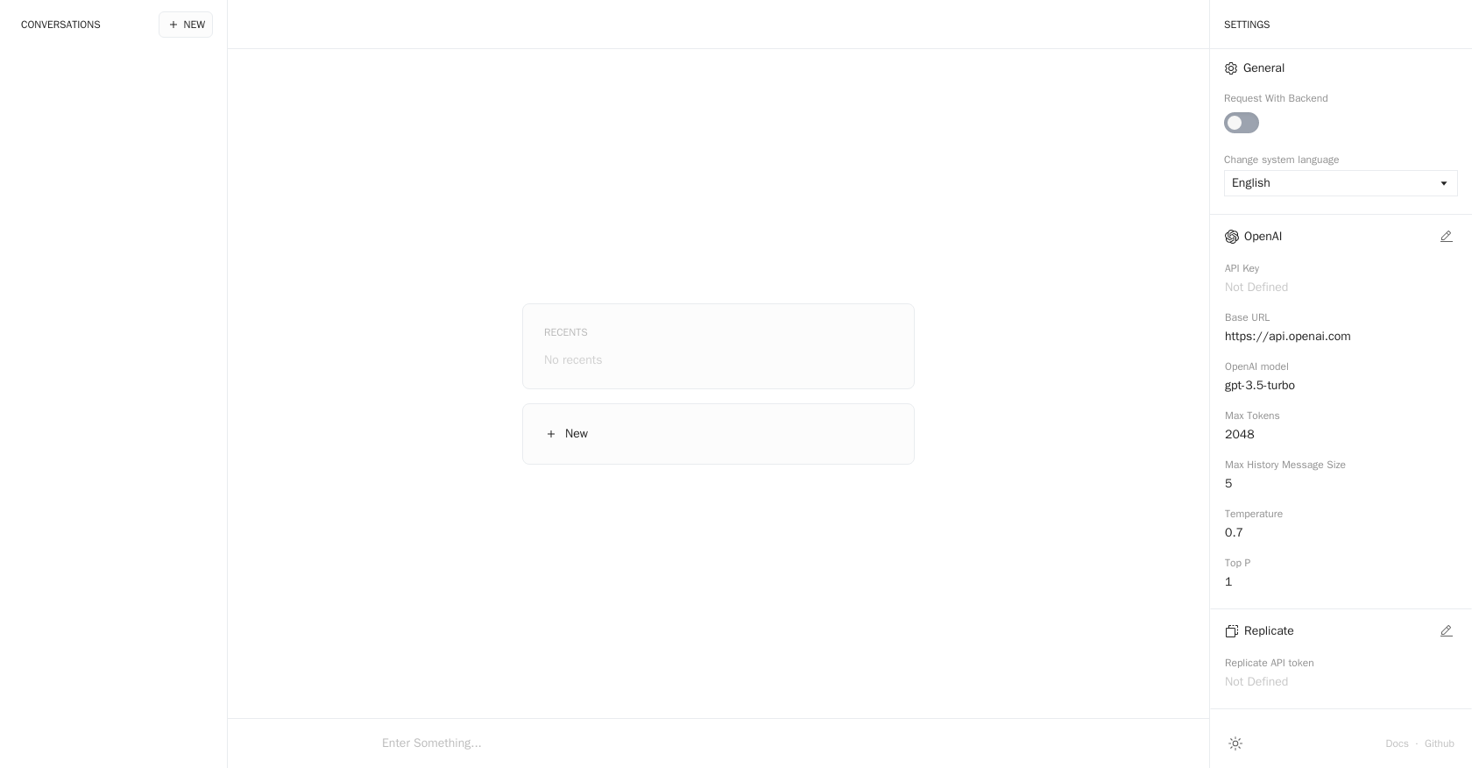
Anse is an AI tool that allows users to obtain answers in an elegant and simplified manner. It facilitates conversations with an AI system, providing quick and accurate responses.
The tool offers a clean interface with options to configure its functionality through the settings menu.Users can enter their queries into the input field provided by Anse and receive responses based on the AI models integrated with the tool.
While the exact model used is not specified, Anse is powered by OpenAI's gpt-3.5-turbo model.The tool has certain limitations to ensure optimal performance and effectiveness.
The maximum number of tokens per request is not mentioned, but a configured maximum limit exists to prevent excessively long input. Similarly, the tool restricts the size of the conversation history to a maximum of five messages.Users have the option to adjust the temperature parameter, controlling the randomness of the AI responses.
The settings also include language preferences, allowing users to select English or simplified Chinese as the system language.In addition to basic functionality, Anse provides further documentation and resources through its website and GitHub repository, enabling users to access additional information and technical details if needed.Overall, Anse offers an easy-to-use and aesthetically pleasing platform for obtaining AI-powered answers, emphasizing simplicity and elegance in its conversational interface.
Releases
Top alternatives
-
 Dmitry G.🙏 163 karmaAug 29, 2023@ChatGPTState of the Art
 -
 AI assistant that gets your tasks done. Smarter than ChatGPT.OpenAthena has been a useful product for travel and product recommendations. Additionally, it has helped me with my daily tasks.
 -
Yeah AI has ongoing cost. You have to purchase that model. But if you have a good computer, you can also use local models
-
Its an interesting concept that needs a better UX. Once the answer tree gets big, its impossible to navigate easily. The UI needs to be able condense and expand branches. It also needs a way to print or share the output.
-
it’s a cool tool if you wanna chat with made up characters or build your own. works fine and feels fun. the ui could def be better organized. alsooo letting people upload any pic for their characters makes things kinda messy, some look 🔥, some are like 144p pics. would be sick if they added a 'generate image' button that uses your character's description or lets you write one for it.




Related topics
 0
0





