 Base44 Superagents-AI agent that does it all
 Mini tools
 Create presentation slides with AI in seconds.
 MagicSlides.app AI PPT Maker
 Gamma
Gamma
 NextDocs.io
 HyperPresent AI
 GenPPT
 VoxDeck
 okkslides
 PresentationGPT
 SlidesPilot
 Xavier AI
 Chronicle
 SlideSpeak
 PresentationsAI
 Alai
Alai
 AI GPT for Slides
 AI Presentation Maker by SketchBubble
 Prezo
Prezo
 Beautiful.ai DesignerBot
 Tome App AI
 PPTX
PPTX
 Younet
 CleeAI
 Avataar's GenAI Creator
 Activepieces
 Kong.ai
 BigTeam
 Olivya
 Sreda.ai
 Abstra
 DoubleO
 AI Agents
 Neferdata
 Pipefy
 Quixl
Quixl
 Cubeo
Cubeo
 Sema4.ai
 Ridvay
 Drast AI
 Cognition by Mindcorp
 Tray.io
 Averi AI
 Digibate
 DFIRST AI
 The AI CMO
 BrandJet AI
 Beno One
 BlueAlpha
 Waxwing
 Markifact
 Layers
 ActiveCampaign
 mavic.ai
 Octo
Octo
 Swipe Insight
 BOSCO
BOSCO
 Hopprz
 Planist
 Zenie
Zenie
 InstantPersonas
 LiftKit

SlidesAI




Overview

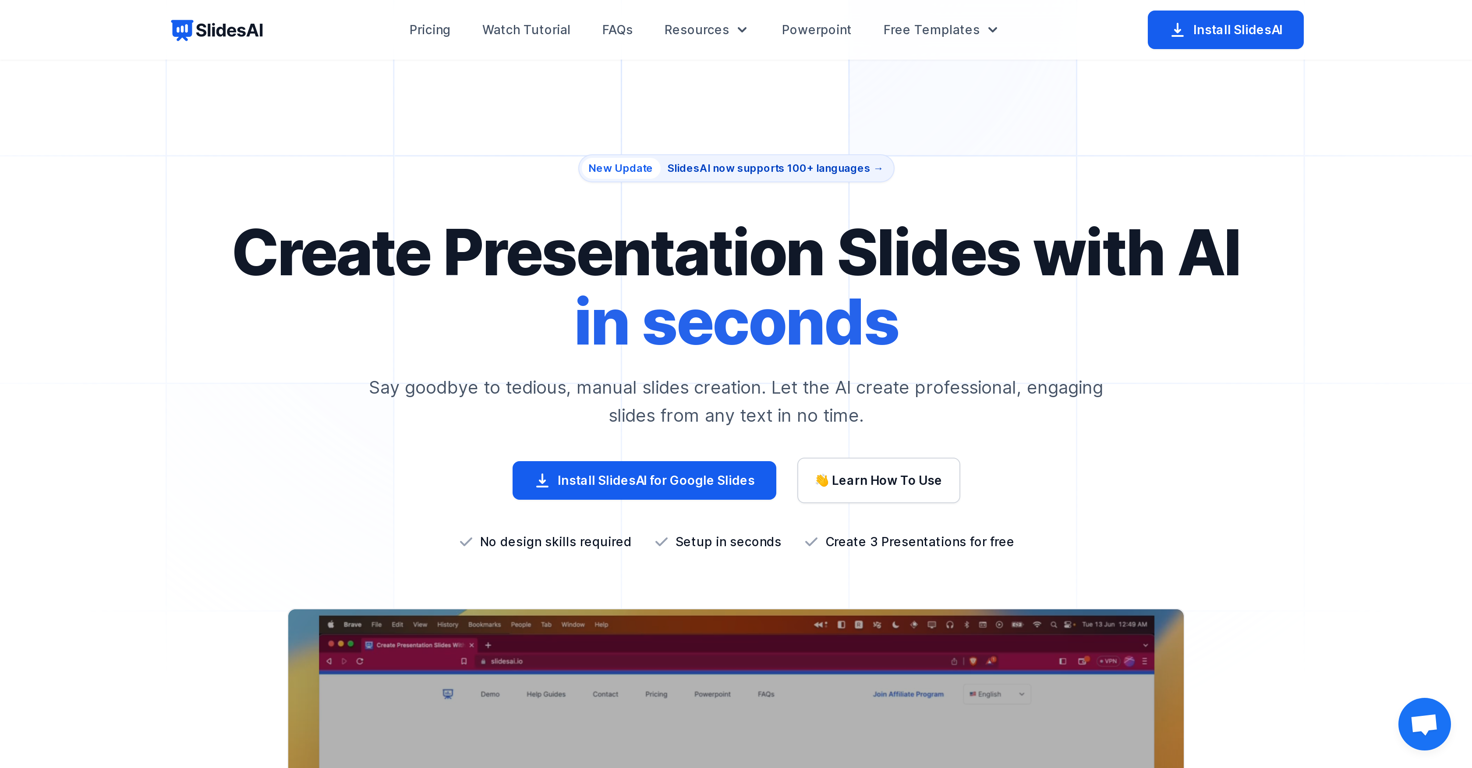
SlidesAI is an AI-powered tool designed to transform text into presentations instantly. This software allows users to automatically detail and structure any given body of text into engaging slideshow presentations.
It streamlines the process of slide creation, making it efficient and less tedious. SlidesAI can be easily integrated into Google Slides for a smoother workflow.
Besides creating presentations from text input, users can also customize the appearance of their slides by choosing from pre-designed color and font presets.
AI capabilities extend to image search and suggestions, automatic citation search for slide content, paraphrasing sentence structures, and icon customization.
The tool also boasts translation and support for over 100 languages and planning to offer video export and document upload features. SlidesAI could be an invaluable resource for individuals and teams seeking to economize time on manual slides creation, focusing more on the details and quality of presentations.
Releases


Pricing
Top alternatives
-
 OpenYURY SAKHONCHYK🙏 72 karmaApr 18, 2024@MagicSlides.app AI PPT MakerThere is nothing here that meets the presentation requirements. The slides are monotonous and boring; it's as if I just copied my entire text and pasted it onto 10 slides - there's no value in that. The information is inconvenient and uninteresting to read. It's even summarised and organized worse than I could do it in 5 mins. It's better to use free GPT and put all into slides then use this. Omg it's really very bad, extremely poor, and I will never use it again.
 -
Makes it easy to get started with a presentation if you have an outline, but as soon as you want more control, you're better off using Google Slides. Gamma's feature that I used the most was image generation - you can select among a variety of models (Ideogram, Flux, DALL-E, but not Midjourney), and it shows 3 variations to choose from. Performance is slow and a little janky, even in Chrome. Prompts and settings are often not respected - e.g. you set it to "preserve text" and just generate slides, and it goes onto dumping an entire 3 paragraphs of text in one slide. You can't overlay text over images (e.g. for image attribution), and there's no precise positioning control, or grouping elements. No way to control table layout, e.g. to have two images slide-by-side in full bleed mode. I tried Gamma for a new presentation, but next time I need to make a presentation, I'll go back to Google Slides and generate images independently.
-
NextDocs v1.7.0 - Motion Animations, Video Export, and More Released: March 2026 Animate any object on your slides. Export to video. Present with confidence. NextDocs v1.7.0 adds motion animations to presentations. Select any element on the canvas and assign entrance, exit, or emphasis animations. Preview directly in the editor, then present full-screen with keyboard controls. The AI assigns appropriate animations automatically when generating slides. Describe what you need. AI generates animated presentations. You get ready-to-present results. --- Motion Animations Every object on the canvas can be animated. Text, images, shapes, charts, diagrams. Select an element, open the motion panel, and choose an animation. Animations are organized in beats. Logical groups that play together. Each presentation supports up to 20 beats, reorderable by dragging in the sidebar. What makes this powerful: - Stagger animations: group objects and have them animate one by one with a delay - Drag-and-drop ordering: rearrange animation sequences visually - In-editor preview: see animations without entering presentation mode - Auto-play after generation: AI picks sensible animations and plays them automatically - Keyboard navigation: arrow keys to advance, spacebar to play, escape to exit Use cases: - Pitch decks: reveal key numbers one at a time for dramatic effect - Lecture slides: step through formulas and diagrams progressively - Sales presentations: build visual stories that guide attention - Conference talks: control pacing so the audience focuses on what you are saying --- Video Export Create animated content and export the full sequence as an MP4 file. No external video editing software needed. What you can create: - Short explainer videos for social media - Animated infographics for reports - Product walkthroughs and demos - Educational video content for courses The AI generates motion-ready slides designed for video output. The export pipeline handles concurrent frame capture and produces a clean MP4 you can share directly. --- Page Transitions Presentations now support smooth fade and slide transitions between pages. Combined with motion animations, your slides flow naturally from one to the next. --- Also in v1.7.0 Keyboard Shortcuts Full keyboard control in presentation mode. Arrow keys, spacebar, escape. Faster Template Browsing Images preload in the background for instant display. WebP Blog Images Blog pages load faster with optimized image formats. i18n System New unified management system with audit tooling across 13 languages. About Page New company About page with full localization. Redesigned Marketing Pages New hero section, animated statistics, improved template browsing with category chip labels. Mobile responsiveness improved across all pages. --- Who is this for? Business Professionals Pitch decks, sales presentations, and quarterly reviews with animated reveals. Teachers and Professors Lecture slides with progressive reveal of complex concepts. Students Thesis defenses and coursework presentations with professional animations. Content Creators Animated explainer videos and social media content, exported as MP4. Engineers and Designers Technical walkthroughs and product demos with controlled pacing. --- Try It Go to nextdocs.io. Open a presentation. Add your first animation. If you have ever wished your AI-generated slides had more visual storytelling, v1.7.0 delivers that. - The NextDocs Team
-
Using it on day-to-day basis to create presentations for my real estate clients. It's good.
-
It does it's job and I love that it has a lifetime plan
-





Related topics

 1
1





