▼ Latest
Docs
Free mode
100% free
Freemium
Free Trial
Featured matches
-

NextDocs v1.4.8 – Generate beautiful docs and slides directly from ChatGPT and Claude via our MCP Integration Released: January 2026 Create presentations and documents directly from Claude and ChatGPT. Connect NextDocs as an MCP server, describe what you need, and get professionally designed results — complete with AI-generated themes and multiple design variants. No more copy-pasting. Just describe and create. --- MCP Integration NextDocs now works as an MCP (Model Context Protocol) server, letting you create documents directly from your favorite AI assistants: - Works with Claude (desktop, web, and API) - Works with ChatGPT (via Apps SDK) - OAuth 2.0 authentication for secure access To try it, add this server URL in your AI assistant's settings: https://mcp.nextdocs.io/mcp --- Available Tools NextDocs MCP provides three tools: create_presentation Creates canvas-based slide presentations. Perfect for pitch decks, sales presentations, training materials, and visual storytelling. create_document Creates professional documents — either canvas-based (fixed pages) or pageless (continuous flow). Great for resumes, proposals, reports, and whitepapers. hello A simple connectivity test that returns a greeting. Use it to verify your connection is working before creating documents. --- Key Features Multi-Variant Generation Generate 2-4 design variations simultaneously. Each variant has different structure, visual direction, and layout approach. Compare side-by-side and pick your favorite. AI-Generated Themes Set theme_mode to "auto" (default) and NextDocs analyzes your prompt to generate custom color themes that match your content. A presentation about "Ocean Conservation" might get Deep Sea Blue, Aquatic Teal, or Marine Green themes. Fast vs Quality Models - fast (default): Optimized for quick generation, typically under a minute - quality: More powerful models for complex content, better for detailed topics Canvas vs Pageless Documents - Canvas: Page-based with fixed dimensions, perfect for presentations and PDF exports - Pageless: Continuous flow without page breaks, ideal for long-form content and articles --- How to Connect Claude: 1. Go to Settings → Connectors 2. Click "Add Custom Connector" 3. Enter server URL: https://mcp.nextdocs.io/mcp 4. Authorize with your NextDocs account 5. Start creating from any Claude conversation ChatGPT: 1. Go to Settings and add a custom MCP connector 2. Enter server URL: https://mcp.nextdocs.io/mcp 3. Authorize with your NextDocs account 4. Start creating --- Example Prompts Sales Presentation: "Create a 10-slide sales presentation for a B2B SaaS product called 'DataFlow' that helps companies automate their data pipelines. Include slides for: problem statement, solution overview, key features, pricing tiers, customer testimonials placeholder, and a call to action." Project Proposal: "Create a project proposal document for renovating a historic downtown building into a mixed-use development. Include sections for executive summary, project scope, timeline, budget overview, and risk assessment." Quick Document: "Create a pageless document outlining the benefits of remote work for a company internal memo. Keep it concise — about 3-4 main points with brief explanations." --- What You Get Back When NextDocs creates your document, you receive: - A direct link to view and edit in NextDocs - Document details (title, type, page count) - Variant selection if you generated multiple copies - Full editing capabilities in NextDocs - Export to PDF, PowerPoint, Google Slides, or images --- Tips for Best Results Be Specific: "Make a presentation about marketing" → Less optimal "Create an 8-slide presentation about digital marketing strategies for small e-commerce businesses. Include slides on SEO, social media, email marketing, and paid advertising." → Better Choose the Right Variants: - 1 variant: When you know exactly what you want - 2 variants (default): Good balance for A/B selection - 3-4 variants: When exploring creative directions --- Privacy & Security - OAuth 2.0 for secure authentication - Documents stored in your NextDocs account - No conversation history stored from Claude or ChatGPT - Disconnect anytime from your AI assistant's settings --- What's New in v1.4.8 - MCP server integration for Claude and ChatGPT - OAuth 2.0 authentication flow - create_presentation and create_document tools - Multi-variant generation from AI assistants - AI-generated themes based on prompt analysis - Fast and quality model options --- Try It Now Add the server URL to your AI assistant: https://mcp.nextdocs.io/mcp Full setup guide: https://nextdocs.io/en/blogs/introducing-nextdocs-mcp-create-slides-from-claude-chatgpt Questions or feedback? [email protected] --- Your ideas. Your AI assistant. Beautiful results. — The NextDocs Team -
Open
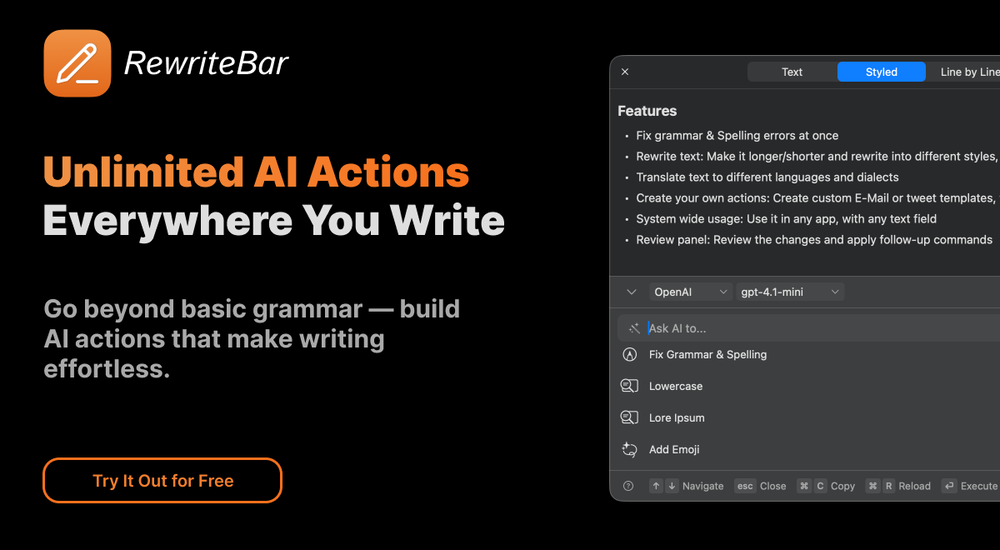
musthafa basheer🙏 16 karmaMay 24, 2024@RewriteBarIt's a useful app. -
-
Great meeting assistant, everything what is necessary! 3 different Notetaker solutions, Meeting Insights, People insights and task manager

Verified tools
-
AI documentation that stays fresh and reduces support tickets.Open
-
This is a very useful tool, especially for me as a small business owner. It keeps everything in one place
-
🚀 Supercharge Your AI Workflow with Keymate! AI enthusiasts, researchers, and productivity power-users — meet Keymate, your new favorite AI-powered assistant to collect, manage, search, and chat with your digital knowledge. ✨ Why Keymate? 🔹 Collect any source – PDFs, Google Docs, YouTube videos, emails, web links — all in one private memory space. 🔹 Chat with your content – Ask complex questions and get grounded answers directly from your own documents. 🔹 Add notes and organize collections – Structure your memory the way you think. 🔹 Boost with AI context – Keymate uses a 128K context window and multi-LLM setup to deliver better, focused results. 🔹 Secure
- Spotlight:
TendemTask automation
-
ChatGPT, Gemini, Mistral, Perplexity for Sheets | Programmatic SEO | Data Enrichment | o1-preview | o1-mini | gpt-4oGPT, Gemini, Mistral, Perplexity for Sheets | Programmatic SEO | Data EnrichmentOpenAmazing tool! it has helped me with Programmatic SEO
Other tools
-
Great tool. I like their free AI slogan generator. You don't even need to sign up to use it. I made a video on it recently https://youtu.be/ApK-UHMGKDM
-
Very unique document parser. Works extremely well even on complex PDF tables and emails
-
I use it for a few years now, for me it´s a great "all-in-one" tool especially if you like to build apps. Build-in AI is also great and at all the price is fair. no-Coder.io
Post