Go to section
Sponsor
 Flow - 4x faster than typing
🎤 Dictation
Flow - 4x faster than typing
🎤 Dictation
The front page of AI.Used by 90M+ humans.

TAAFT Tutorial
Generate image
Tasks
Generate text
Free mode
Trending
Leaderboard
Characters
 Mini tools
New
Featured
Lists
Agents
Requests
Jobs
Map
Newsletter
Starter pack
Free tools
Speech to text
Text translator
Remove background
Settings
Edit profile
My tools
Gallery
Dashboard
Inbox
Get featured
Contact TAAFT
For you
Popular
Job impact index
Most saved
Affiliate program
Submit AI tool
Notification preferences
Glossary
Home
Timeline
My profile
Create tool
Deals
Companies
Models
Robots
Papers
Fundraises
Repositories
Devices
Organizations
Events
Prompt Pack
Merchendise
APIs
Features
Tools
Countries
Collections
Videos
Mini tools
New
Featured
Lists
Agents
Requests
Jobs
Map
Newsletter
Starter pack
Free tools
Speech to text
Text translator
Remove background
Settings
Edit profile
My tools
Gallery
Dashboard
Inbox
Get featured
Contact TAAFT
For you
Popular
Job impact index
Most saved
Affiliate program
Submit AI tool
Notification preferences
Glossary
Home
Timeline
My profile
Create tool
Deals
Companies
Models
Robots
Papers
Fundraises
Repositories
Devices
Organizations
Events
Prompt Pack
Merchendise
APIs
Features
Tools
Countries
Collections
Videos
Mini tools
New
Featured
Lists
Agents
Requests
Jobs
Map
Newsletter
Starter pack
Free tools
Speech to text
Text translator
Remove background
Settings
Edit profile
My tools
Gallery
Dashboard
Inbox
Get featured
Contact TAAFT
For you
Popular
Job impact index
Most saved
Affiliate program
Submit AI tool
Notification preferences
Glossary
Home
Timeline
My profile
Create tool
Deals
Companies
Models
Robots
Papers
Fundraises
Repositories
Devices
Organizations
Events
Prompt Pack
Merchendise
APIs
Features
Tools
Countries
Collections
Videos

▼ Popular
Editing a pdf
Free mode
100% free
Freemium
Free Trial
Featured matches
-
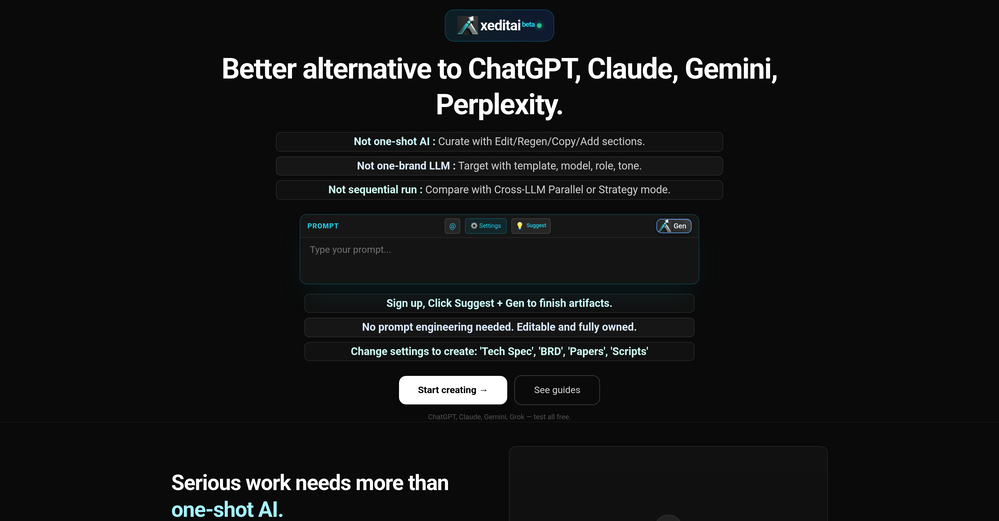
 Raj Sentamil🛠️ 1 tool 🙏 4 karmaFeb 28, 2026@xeditaixeditai.com has options that most chat AIs lack, 1) Options to choose multiple vendor 2) Save content online 3) Regenerate by Section/Paragraph switch model to regenerate 4) Edit/Add text or image 5) Add branding and export 6) Run Parallel and copy across by Section/Paragraph 7) Run Strategy mode to a maximum of 3 LLMs to evaluate/synthesize/debate 8) Optionally switch templates to target output to different format 9) Tweak roles, thinking, model params 10) Use suggested next steps to follow up or target next template by process for e.g. BRD-> PRD
 -
-
-



Other tools
-
 Open
Open -
The fact that it's available as a Chrome and Firefox extension makes it super convenient to integrate into my workflow. I love how it not only helps with proofreading and editing but also tracks changes, which is incredibly useful.
-
-
Good to use even for free. Gives answers related directly to the info in the document, along with references to pages where it can be found. Also does well at analyzing graphs and charts
- SponsorFlow - 4x faster than typing🎤 Dictation
-
Highly recommend it for anyone dealing with high-volume document processing. Simplifies the process of extracting data from multiple PDFs into clean, accurate spreadsheets.
-
-
Highly recommended. It saves a lot of time. Their PDF chat feature is very user-friendly.
-
Although the results are slightly inferior to Nano Banana, it has more relaxed content restrictions, including NSFW content.
-
The translation is good enough. It's free, so waiting longer for the result is not a problem
- Didn't find the AI you were looking for?
-
 AI-powered PDF assistant for summarizing, translating, and creating content.Open
 -
 Open
Open