Go to section
Sponsor
 MongoDB - Build AI That Scales
🗄️ Database
MongoDB - Build AI That Scales
🗄️ Database
The front page of AI.Used by 90M+ humans.

TAAFT Tutorial
Generate image
Tasks
Generate text
Free mode
Trending
Leaderboard
Characters
 Mini tools
New
Featured
Lists
Agents
Requests
Jobs
Map
Newsletter
Starter pack
Free tools
Speech to text
Text translator
Remove background
Settings
Edit profile
My tools
Gallery
Dashboard
Inbox
Get featured
Contact TAAFT
For you
Popular
Job impact index
Most saved
Affiliate program
Submit AI tool
Notification preferences
Glossary
Home
Timeline
My profile
Create tool
Deals
Companies
Models
Robots
Papers
Fundraises
Repositories
Devices
Organizations
Events
Prompt Pack
Merchendise
Credits
APIs
Features
Tools
Countries
Collections
Mini tools
New
Featured
Lists
Agents
Requests
Jobs
Map
Newsletter
Starter pack
Free tools
Speech to text
Text translator
Remove background
Settings
Edit profile
My tools
Gallery
Dashboard
Inbox
Get featured
Contact TAAFT
For you
Popular
Job impact index
Most saved
Affiliate program
Submit AI tool
Notification preferences
Glossary
Home
Timeline
My profile
Create tool
Deals
Companies
Models
Robots
Papers
Fundraises
Repositories
Devices
Organizations
Events
Prompt Pack
Merchendise
Credits
APIs
Features
Tools
Countries
Collections
Mini tools
New
Featured
Lists
Agents
Requests
Jobs
Map
Newsletter
Starter pack
Free tools
Speech to text
Text translator
Remove background
Settings
Edit profile
My tools
Gallery
Dashboard
Inbox
Get featured
Contact TAAFT
For you
Popular
Job impact index
Most saved
Affiliate program
Submit AI tool
Notification preferences
Glossary
Home
Timeline
My profile
Create tool
Deals
Companies
Models
Robots
Papers
Fundraises
Repositories
Devices
Organizations
Events
Prompt Pack
Merchendise
Credits
APIs
Features
Tools
Countries
Collections

▼ Latest
Evidence collection
Free mode
100% free
Freemium
Free Trial
Featured matches
-
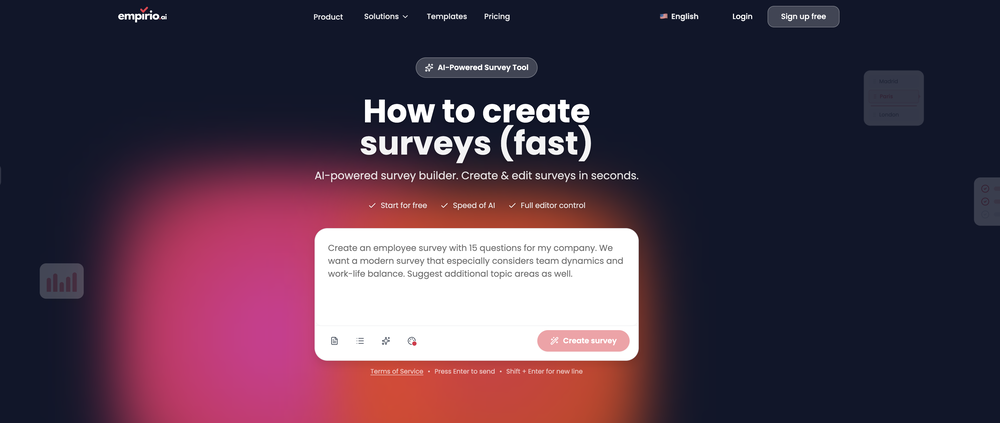 Klaudi a21🙏 1 karmaFeb 9, 2026@empirio.aiempirio.ai is a user-friendly tool that allows you to quickly and easily create a survey in just a few minutes. With the AI, you can rapidly generate questions on a topic and customize them. It offers templates that can be personalized to your needs, and it is fully compliant with data protection regulations. Highly recommended!
 -
-
-




Verified tools
-
I’ve been using UX sniff for a little while now and I absolutely love it! It’s brilliant! It’s very easy to use, very easy to set up and the support has been spot on. It’s really been helping me with my Business - Pawfection Pet Products. I highly recommend this product.
-
I’ve been using it for a month now and I have decided to keep it for a year. There definitely are some kinks they can still work out like file management, but it’s very good at it’s core function: it generally does a good job answering questions and most times identifies PDFs automatically and correctly. The browser plugin works great, and it’s very nice that Papers allows you to add your university’s library API so you can automatically download PDFs that are accessible through your institution (sometimes it refuses to download some papers, so you just have to downlow it yourself and manually add it). The iPad and Android apps are serviceable. Every once in a while it will mess up the PDF identification, especially with papers from either very old sources or online-only journals. Things they must work on: * A much better system to annotate PDFs (the post-it type notes are cumbersome). * Introduce a notepad attached to each PDF or some way to easily link and save the AI’s output to the PDF. Currently, you have to add a little post it note and then paste the text there. * Keep the AI answers available after closing the documents. If you close the document by mistake or have several open and wish to close some, the ai conversation will be reset. * I REALLY wish that you could get citations and links to where the info was from extracted from PDFs. Currently, I have found Coral.ai does a much better job of showing you where the info came from and it even highlights it for you. Give it a try, their 30-day no credit card needed trial allowed me to truly test it, and now I’m a yearly subscriber looking forward for new additions and releases.
- SponsorMongoDB - Build AI That Scales🗄️ Database







Other tools
-
I would say it's the best in this field but I haven't tried other AIs yet. That's only because this one didn't make me need to.
-
Think its a fab tool but why wont it allow you to save your workflows?
-
-
It made my life so easy! It used to take me days sometimes to find the right information, tediously reading through papers to find the relevant data. Epsilon automated the entire process for me. Now, I find the relevant information in just a couple searches
-
Love it! This website saved me a number of times in my Chinese-taught classes. As a non-native speaker, I can actually follow what the teachers say and get back any time.
-
 Open
Open - Didn't find the AI you were looking for?
-
 AI-powered legal document analysis for rapid insightsOpen
 -
I found a lot of value so far. I'm surprised this isn't saved more often. Great tool for speeding up qual data analysis and repository.
-
Can't understand SAAS that require registration only with business email. I never enter my business email.