TAAFT Tutorial
Generate image
Tasks
Generate text
Free mode
Trending
Leaderboard
Characters
 Mini tools
New
Featured
Lists
Agents
Requests
Jobs
Map
Newsletter
Starter pack
Free tools
Speech to text
Text translator
Remove background
Settings
Edit profile
My tools
Gallery
Dashboard
Inbox
Get featured
Contact TAAFT
For you
Popular
Job impact index
Most saved
Affiliate program
Submit AI tool
Notification preferences
Glossary
Home
Timeline
My profile
Create tool
Deals
Companies
Models
Robots
Papers
Fundraises
Repositories
Devices
Organizations
Events
Prompt Pack
Merchendise
APIs
Features
Tools
Countries
Collections
Videos
Mini tools
New
Featured
Lists
Agents
Requests
Jobs
Map
Newsletter
Starter pack
Free tools
Speech to text
Text translator
Remove background
Settings
Edit profile
My tools
Gallery
Dashboard
Inbox
Get featured
Contact TAAFT
For you
Popular
Job impact index
Most saved
Affiliate program
Submit AI tool
Notification preferences
Glossary
Home
Timeline
My profile
Create tool
Deals
Companies
Models
Robots
Papers
Fundraises
Repositories
Devices
Organizations
Events
Prompt Pack
Merchendise
APIs
Features
Tools
Countries
Collections
Videos
Mini tools
New
Featured
Lists
Agents
Requests
Jobs
Map
Newsletter
Starter pack
Free tools
Speech to text
Text translator
Remove background
Settings
Edit profile
My tools
Gallery
Dashboard
Inbox
Get featured
Contact TAAFT
For you
Popular
Job impact index
Most saved
Affiliate program
Submit AI tool
Notification preferences
Glossary
Home
Timeline
My profile
Create tool
Deals
Companies
Models
Robots
Papers
Fundraises
Repositories
Devices
Organizations
Events
Prompt Pack
Merchendise
APIs
Features
Tools
Countries
Collections
Videos

▼ Latest
Extract information email spreadsheet
Free mode
100% free
Freemium
Free Trial
Featured matches


Verified tools
-
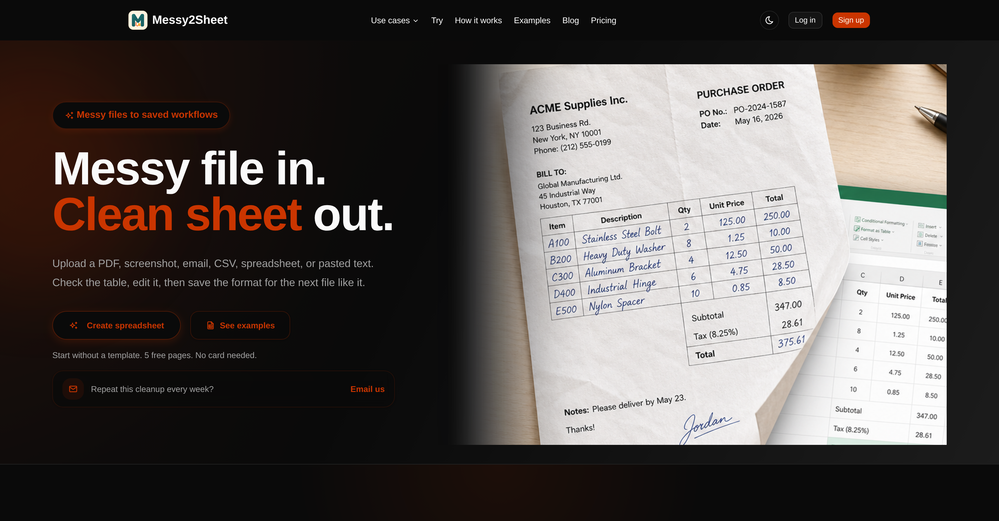
 Tarang🙏 20 karmaDec 18, 2024@Lido Document ProcessingHighly recommend it for anyone dealing with high-volume document processing. Simplifies the process of extracting data from multiple PDFs into clean, accurate spreadsheets.
 -
Very unique document parser. Works extremely well even on complex PDF tables and emails
-
 Extract data instantly: Grab text, images, emails & links from any websiteOpen
 -
 AI-powered Gmail assistant. Get instant email summaries, task extraction, replies +moreOpen
 - Sponsor
 Tripo AI 3D Generator
 -
 OpenAmazing! This is exactly what I‘ve been looking for for years
 -
Hey TAAFT, I’m Richie, cofounder of Forage Mail! 👋 Forage has seriously changed my relationship to my inbox, and I'm excited for more of you to experience it. Forage is not a new email app you need to learn. It’s an AI that plugs right into your Gmail account and filters out your low-priority mail. Then, it sends you a clean daily summary with everything it filtered out—including a TLDR of every newsletter you received.
-
Mail Sweeper V2 — Four ways to clean your Gmail inbox Mail Sweeper V2 turns a one-trick sweeper into a complete inbox-cleanup toolkit. A redesigned dashboard now offers four cleanup tools in one place: - Quick Clean — scans your inbox and suggests the smartest cleanups: top cluttering senders, years-old unread mail, and storage-hogging attachments, each with a one-click sweep and a "View in Gmail" preview before anything moves. - Organize Inbox — AI scans your senders, suggests smart Gmail labels grouped by category, and applies them in bulk. - Unsubscribe — every mailing list in one place, with one-click unsubscribe and bulk delete. - Automatic Cleanup — the signature Dustpan now has a guided setup and a dedicated configuration page, sweeping unimportant email to the trash on a schedule you control. V2 also adds a 14-day free trial, a limited pay-once lifetime plan, impact stats (emails deleted, storage reclaimed, estimated CO₂e saved), and a faster, streamlined onboarding. Everything goes to Gmail's trash first — nothing is ever permanently deleted without a rescue window.
-
I felt there is need of more ready made templates. But, it does what it claims. I chose one question suggested by the AI agent, and it created the infographics in few seconds. It's cool. Saving it for future reference.




Other tools
-
-
 Extract contact data from email signatures using AI.Open
 - Didn't find the AI you were looking for?