TAAFT Tutorial
Generate image
Tasks
Generate text
Free mode
Trending
Leaderboard
Characters
 Mini tools
New
Featured
Lists
Agents
Requests
Jobs
Map
Newsletter
Starter pack
Free tools
Speech to text
Text translator
Remove background
Settings
Edit profile
My tools
Gallery
Dashboard
Inbox
Get featured
Contact TAAFT
For you
Popular
Job impact index
Most saved
Affiliate program
Submit AI tool
Notification preferences
Glossary
Home
Timeline
My profile
Create tool
Deals
Companies
Models
Robots
Papers
Fundraises
Repositories
Devices
Organizations
Events
Prompt Pack
Merchendise
APIs
Features
Tools
Countries
Collections
Videos
Mini tools
New
Featured
Lists
Agents
Requests
Jobs
Map
Newsletter
Starter pack
Free tools
Speech to text
Text translator
Remove background
Settings
Edit profile
My tools
Gallery
Dashboard
Inbox
Get featured
Contact TAAFT
For you
Popular
Job impact index
Most saved
Affiliate program
Submit AI tool
Notification preferences
Glossary
Home
Timeline
My profile
Create tool
Deals
Companies
Models
Robots
Papers
Fundraises
Repositories
Devices
Organizations
Events
Prompt Pack
Merchendise
APIs
Features
Tools
Countries
Collections
Videos
Mini tools
New
Featured
Lists
Agents
Requests
Jobs
Map
Newsletter
Starter pack
Free tools
Speech to text
Text translator
Remove background
Settings
Edit profile
My tools
Gallery
Dashboard
Inbox
Get featured
Contact TAAFT
For you
Popular
Job impact index
Most saved
Affiliate program
Submit AI tool
Notification preferences
Glossary
Home
Timeline
My profile
Create tool
Deals
Companies
Models
Robots
Papers
Fundraises
Repositories
Devices
Organizations
Events
Prompt Pack
Merchendise
APIs
Features
Tools
Countries
Collections
Videos

▼ Popular
Nostalgia
Free mode
100% free
Freemium
Free Trial
Other tools
-
Andy🙏 116 karmaDec 9, 2023@FindsightGreat idea, but does not find what you are looking for-about the same as Google Scholar
-
After not even ONE try, it asks for Pro. No success, just imo developer hyper-greed. Avoid!
-
It’s good but I don’t like that it doesn’t animate the whole picture, I mean 4 people on 1 picture would be animated differently so you can’t save a picture as whole
-
- Sponsor
 Tripo AI 3D Generator
 -
 Open
Open -
 Create romantic kissing videos from images with AI.Open
 -
 Geni Make your aging parents' smartphones accessible and fun touseOpenI have tried it for my grandma, this is really game changing! She found it easy to use, and now we are starting to preserve her memories.
 - Didn't find the AI you were looking for?
-
This one is quite rewarding, getting my old photos to move as a video
-
 Open
Open -
I’ve been using Image Combiner for quick image blending tests, and it does exactly what I need without making the workflow complicated. The interface is clean, uploads are simple, and the generated combinations are useful enough to iterate on quickly.
-
 Open
Open -
 OpenVideo editing is the process of selecting, trimming, and arranging footage to create a cohesive story or visual narrative. Here are some fundamental concepts and techniques: Types of Video Editing Linear editing: A straightforward, sequential approach to editing, where clips are arranged in a linear timeline. Non-linear editing: A more flexible approach, where clips can be arranged and rearranged freely in a timeline. Key Video Editing Techniques Cutting: A transition between two clips, where one clip ends and another begins. Cutting on action: Cutting between two clips while an action is in progress, to create a seamless transition. J-cut: Cutting from one clip to another while audio from the second clip starts playing before the video cuts to it. L-cut: Cutting from one clip to another while audio from the first clip continues to play. Video Editing Software Popular video editing software includes: Adobe Premiere Pro: A professional-level editing software with advanced features and integration with other Adobe tools. Final Cut Pro: A professional-level editing software for Mac users, known for its user-friendly interface and advanced features. DaVinci Resolve: A free and paid editing software that offers advanced color grading and audio editing tools. Best Practices for Video Editing Plan your edit: Develop a clear vision and storyboard before starting to edit. Organize your footage: Label and categorize your clips to make them easily accessible. Keep it simple: Avoid overusing transitions and effects; focus on telling a clear story. Advanced Video Editing Techniques Color grading: Adjusting the color and brightness of footage to create a specific mood or atmosphere. Audio ducking: Automatically reducing the volume of background audio when dialogue is present. Motion graphics: Adding animated text, logos, or other graphics to enhance the visual narrative. Video editing involves selecting, trimming, and arranging footage to create a cohesive story. Linear and non-linear editing are two fundamental approaches. Key techniques include cutting, cutting on action, J-cuts, and L-cuts. Popular software includes Adobe Premiere Pro, Final Cut Pro, and DaVinci Resolve. Best practices involve planning, organizing footage, and keeping it simple. Advanced techniques include color grading, audio ducking, and motion graphics. Capcat pro Capcat pro Download image-to-image-generator generated imagetransparent pixel Image to Image Generator Image to Image Generator Download image-to-image-generator generated imagetransparent pixel Image to Image Generator Image to Image Generator Download image-to-image-generator generated imagetransparent pixel Image to Image Generator Image to Image Generator Download image-to-image-generator generated imagetransparent pixel Image to Image Generator Image to Image Generator Download image-to-image-generator generated imagetransparent pixel Image to Image Generator Image to Image Generator Download image-to-image-generator generated imagetransparent pixel Image to Image Generator Image to Image Generator Download image-generator generated imagetransparent pixel Image Generator Image Generator Copy Video Editing Basics Video editing is the process of selecting, trimming, and arranging footage to create a cohesive story or visual narrative. Here are some fundamental concepts and techniques: Types of Video Editing Linear editing: A straightforward, sequential approach to editing, where clips are arranged in a linear timeline. Non-linear editing: A more flexible approach, where clips can be arranged and rearranged freely in a timeline. Key Video Editing Techniques Cutting: A transition between two clips, where one clip ends and another begins. Cutting on action: Cutting between two clips while an action is in progress, to create a seamless transition. J-cut: Cutting from one clip to another while audio from the second clip starts playing before the video cuts to it. L-cut: Cutting from one clip to another while audio from the first clip continues to play. Video Editing Software Popular video editing software includes: Adobe Premiere Pro: A professional-level editing software with advanced features and integration with other Adobe tools. Final Cut Pro: A professional-level editing software for Mac users, known for its user-friendly interface and advanced features. DaVinci Resolve: A free and paid editing software that offers advanced color grading and audio editing tools. Best Practices for Video Editing Plan your edit: Develop a clear vision and storyboard before starting to edit. Organize your footage: Label and categorize your clips to make them easily accessible. Keep it simple: Avoid overusing transitions and effects; focus on telling a clear story. Advanced Video Editing Techniques Color grading: Adjusting the color and brightness of footage to create a specific mood or atmosphere. Audio ducking: Automatically reducing the volume of background audio when dialogue is present. Motion graphics: Adding animated text, logos, or other graphics to enhance the visual narrative. Video editing involves selecting, trimming, and arranging footage to create a cohesive story. Linear and non-linear editing are two fundamental approaches. Key techniques include cutting, cutting on action, J-cuts, and L-cuts. Popular software includes Adobe Premiere Pro, Final Cut Pro, and DaVinci Resolve. Best practices involve planning, organizing footage, and keeping it simple. Advanced techniques include color grading,
 -
Kindred Tales is one of those rare things that genuinely makes you pause and feel grateful. I didn’t just discover a product. I found a way to capture memories I never want to lose. From the first prompt, it felt thoughtful and personal. The questions gently guided me into stories I hadn’t thought about in years. Moments I never realized mattered suddenly became something I could hold onto and share. It never felt forced or overwhelming. It felt natural, like having a quiet conversation with someone who really cared. What surprised me most was how easy it all was. Whether I was replying by email, speaking my thoughts out loud, or using the AI biographer, everything felt intuitive and surprisingly emotional. It didn’t feel like technology. It felt like someone helping me tell my story the right way. When the finished book arrived, I wasn’t prepared for how powerful it would be. Holding it in my hands felt like holding a piece of my life, carefully preserved. It’s not just a book. It’s something my family will treasure for years and generations to come. If you are looking for a meaningful way to capture memories, honor someone you love, or create something truly lasting, Kindred Tales is unlike anything else out there. We searched, it is the most flexible and innovative solution out there, turning everyday moments into something timeless.
-
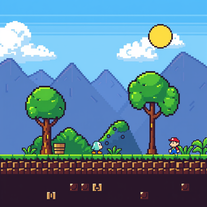 Create custom 8-bit Nintendo sprites for retro gaming nostalgia.Open
 -
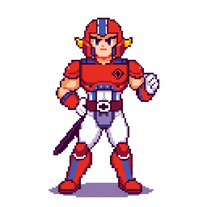 Openquick n easy to use, great results with upscaling option. great tool. 5/5
 -
 Transform ideas into vibrant 8-bit pixel art scenes.Open
 -
 Turn ideas into 1920s-30s cartoons instantly.OpenReally poor prompt adherance. Needs work.
 -
 Open
Open -
It generates a couple of very nice pixel art scenes. But then it seems to forget it is supposed to draw in pixel art style and starts drawing in regular cartoon style instead, or a combination of pixel art/cartoon style.
-
 Test your 60s-70s music and Route 66 trivia in an AI treasure hunt.Open
 -
 Resurrect historical cityscapes with AI-generated vintage architecture.Open
 -
 Create surreal double-exposure masterpieces from your images.OpenThe fusion is out of this cosmic world. It gives goosebumps..
 -
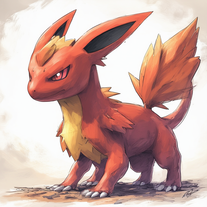 Open
Open -
 Transform photos into charming retro cartoons.Open
 -
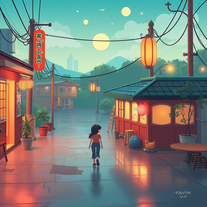 Craft nostalgic anime art with retro flair.OpenNow I got a new wallpaper for my phone home-screen. Thank you very much! Nice tool.
 -
-
 AI-powered Pokmon wallpaper creator for stunning 4K backgrounds.Open
 -
Changed the prompt to improve results.
-
-
 Create charming 16x16 pixel art in Susan Kare's iconic style.Open
 -
 Transform ideas into authentic 1980s horror movie scenes.OpenChanged the prompt to improve results.
 -
 Transform photos into cinematic scenes with cartoon characters.OpenNot what I expected . Need more info
 -
 Create hilarious alternate realities from false memories.Open
 -
 Transform everyday objects into whimsical robotic art.Open
 -
 Get your life's 80s soundtrack in secondsOpen
 -
 Open
Open -
being just a text to image it's pretty hard to "transform myself" into a '50 film icon haha. but in general the outcomes here are niceeeeee!
-
 Generate nostalgic visions of tomorrow from the past.OpenChanged the prompt to improve results.
 -
-
 Generate epic 3D fisheye selfies with original TMNT.Open
 -
 AI-generated Sailor Moon wallpapers for your screenOpen
 -
 Generate authentic 1940s song lyrics with wartime nostalgia.Open
 -
 Transform ideas into stunning 8-bit pixel art.Open
 -
there is probably something wrong with you. he makes images with me
-
 Creates haunting retro-futuristic visuals with neon-soaked 80s cyberpunk aesthetics.Open
 -
 Transform your photo into El Chavo del 8 memories.OpenSimply upload your photo; you don't need to type anything in the prompt field. Just click "generate" and watch the magic happen.
 -
 Create charming 3D toy-style characters like classic action figures.Open
 -
 AI visual art generator creating stunning 'Futuristic Retro' images.Open
 -
 Generate nostalgic 90s-style analog photos of yourself.Open
 -
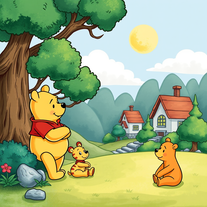 Transform images into 1970s Winnie the Pooh storybook style.Open
 -
 Open
Open -
 Open
Open -
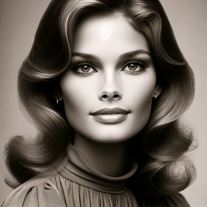 Open
Open -
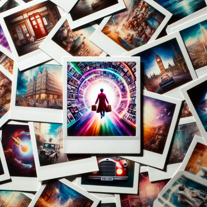 Fix the timeline with our nostalgic, interactive game.Open
 -
 The Bestest Boy Ever is waiting for you! Fully customizable and fun!Open
 -
 Open
Open -
 Open
Open -
 Open
Open -
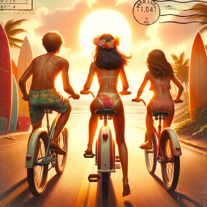 Entertain yourself with this interactive coming of age adventure game.Open
 -
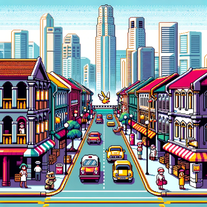 Embark on a <10-turn adventure in 90s SingaporeOpen
 -
 Immerse yourself in a personalized 1990s-style adventure.Open