Go to section
Spotlight SureThing.io - "OpenClaw" for BeginnersTask automation
The front page of AI.Used by 90M+ humans.

Generate image
Tasks
Generate text
Free mode
Trending
Leaderboard
Characters
 Mini tools
New
Featured
Lists
Agents
Requests
Jobs
Map
Newsletter
Starter pack
Free tools
Speech to text
Text translator
Remove background
Settings
Edit profile
My tools
Gallery
Dashboard
Inbox
Get featured
Contact TAAFT
For you
Popular
Job impact index
Most saved
Affiliate program
Submit AI tool
Notification preferences
Glossary
Home
Timeline
My profile
Create tool
Deals
Companies
Models
Robots
Papers
Fundraises
Devices
Organizations
Events
Prompt Pack
Merchendise
APIs
Features
Tools
Countries
Collections
Videos
News
Investors
Repositories
Mini tools
New
Featured
Lists
Agents
Requests
Jobs
Map
Newsletter
Starter pack
Free tools
Speech to text
Text translator
Remove background
Settings
Edit profile
My tools
Gallery
Dashboard
Inbox
Get featured
Contact TAAFT
For you
Popular
Job impact index
Most saved
Affiliate program
Submit AI tool
Notification preferences
Glossary
Home
Timeline
My profile
Create tool
Deals
Companies
Models
Robots
Papers
Fundraises
Devices
Organizations
Events
Prompt Pack
Merchendise
APIs
Features
Tools
Countries
Collections
Videos
News
Investors
Repositories
Mini tools
New
Featured
Lists
Agents
Requests
Jobs
Map
Newsletter
Starter pack
Free tools
Speech to text
Text translator
Remove background
Settings
Edit profile
My tools
Gallery
Dashboard
Inbox
Get featured
Contact TAAFT
For you
Popular
Job impact index
Most saved
Affiliate program
Submit AI tool
Notification preferences
Glossary
Home
Timeline
My profile
Create tool
Deals
Companies
Models
Robots
Papers
Fundraises
Devices
Organizations
Events
Prompt Pack
Merchendise
APIs
Features
Tools
Countries
Collections
Videos
News
Investors
Repositories

▼ Most saved
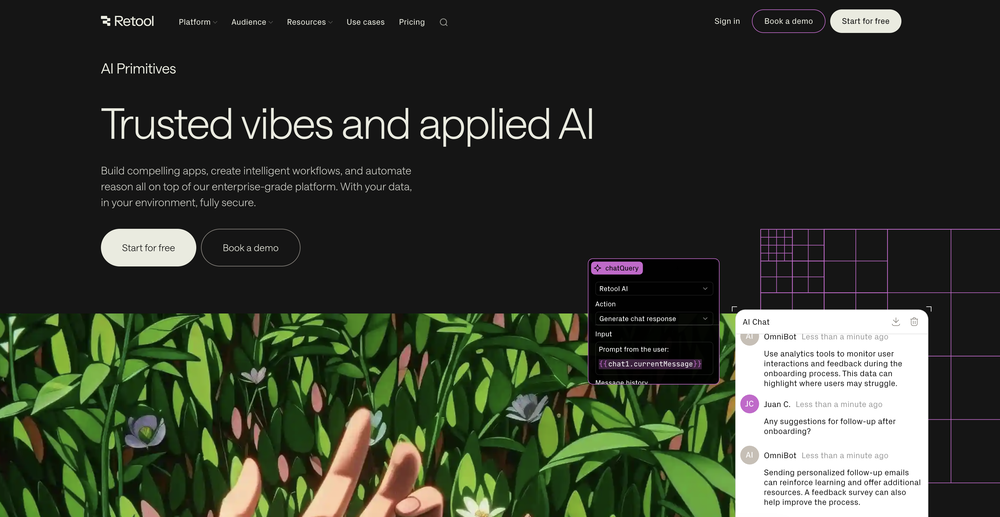
Retool
Free mode
100% free
Freemium
Free Trial

Featured matches
-
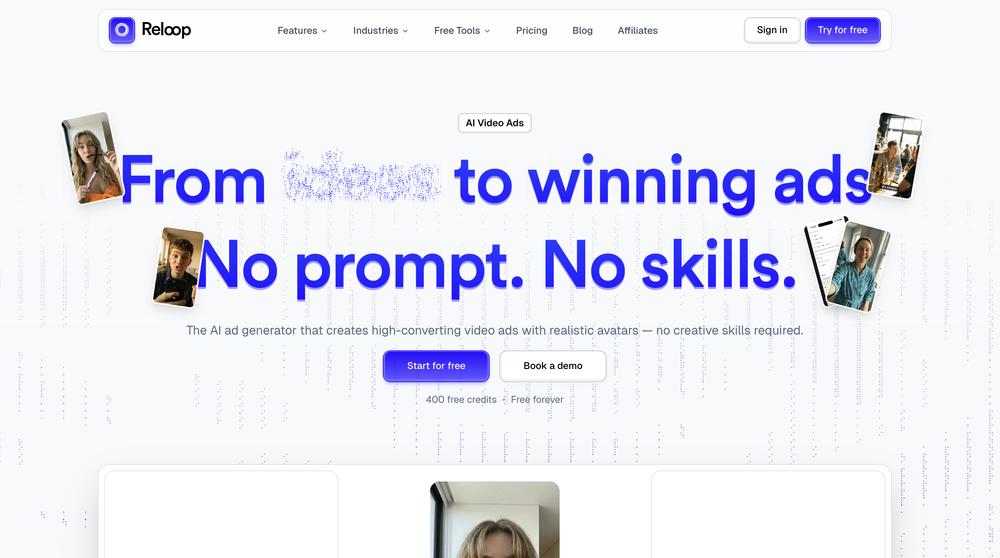
 Aurélien D'Hondt🛠️ 1 tool 🙏 9 karmaMay 6, 2026@ReloopReloop let's you create and edit ads in different kind of styles, whether you want to promote a product, a service or a tool, you can do it in 3 minutes, by having a convo with an agent. The output and ease of use is great!
 -
 Master any topic in 1v1 quiz duels. Knowledge that sticks.Open

Other tools
-
 Open
Open -
Such a legendary epic badass tool and I sincerely appreciate it being free and thx very much to the adept developer. Exquisite tool. Peace. ✌️
-
Not for me, had issues changing only one word to a specific font or size it would make other changes such as editing other text that was not mentioned for the changes. And the end result would make the logo worse off than before.
-
- SpotlightSureThing.io - "OpenClaw" for BeginnersTask automation
-
 Supercharge South African SEO with AI-powered keyword insights.OpenI’m still learning SEO, but this AI tool made keyword research so much easier. It gives clear suggestions, helps me find low-competition terms fast, and saves me tons of time. Great for beginners like me.
 -
 The Smartest Way to Capture, Transcribe & Summarize AnythingOpenVery smooth and effective. It could detect even Hindi language and could summarise pretty reasonably
 -
 Craft AI-powered single-purpose tools autonomouslyOpenGood app if u struggling with prompt
 -
 Openquick n easy to use, great results with upscaling option. great tool. 5/5
 -
 OpenVideo editing is the process of selecting, trimming, and arranging footage to create a cohesive story or visual narrative. Here are some fundamental concepts and techniques: Types of Video Editing Linear editing: A straightforward, sequential approach to editing, where clips are arranged in a linear timeline. Non-linear editing: A more flexible approach, where clips can be arranged and rearranged freely in a timeline. Key Video Editing Techniques Cutting: A transition between two clips, where one clip ends and another begins. Cutting on action: Cutting between two clips while an action is in progress, to create a seamless transition. J-cut: Cutting from one clip to another while audio from the second clip starts playing before the video cuts to it. L-cut: Cutting from one clip to another while audio from the first clip continues to play. Video Editing Software Popular video editing software includes: Adobe Premiere Pro: A professional-level editing software with advanced features and integration with other Adobe tools. Final Cut Pro: A professional-level editing software for Mac users, known for its user-friendly interface and advanced features. DaVinci Resolve: A free and paid editing software that offers advanced color grading and audio editing tools. Best Practices for Video Editing Plan your edit: Develop a clear vision and storyboard before starting to edit. Organize your footage: Label and categorize your clips to make them easily accessible. Keep it simple: Avoid overusing transitions and effects; focus on telling a clear story. Advanced Video Editing Techniques Color grading: Adjusting the color and brightness of footage to create a specific mood or atmosphere. Audio ducking: Automatically reducing the volume of background audio when dialogue is present. Motion graphics: Adding animated text, logos, or other graphics to enhance the visual narrative. Video editing involves selecting, trimming, and arranging footage to create a cohesive story. Linear and non-linear editing are two fundamental approaches. Key techniques include cutting, cutting on action, J-cuts, and L-cuts. Popular software includes Adobe Premiere Pro, Final Cut Pro, and DaVinci Resolve. Best practices involve planning, organizing footage, and keeping it simple. Advanced techniques include color grading, audio ducking, and motion graphics. Capcat pro Capcat pro Download image-to-image-generator generated imagetransparent pixel Image to Image Generator Image to Image Generator Download image-to-image-generator generated imagetransparent pixel Image to Image Generator Image to Image Generator Download image-to-image-generator generated imagetransparent pixel Image to Image Generator Image to Image Generator Download image-to-image-generator generated imagetransparent pixel Image to Image Generator Image to Image Generator Download image-to-image-generator generated imagetransparent pixel Image to Image Generator Image to Image Generator Download image-to-image-generator generated imagetransparent pixel Image to Image Generator Image to Image Generator Download image-generator generated imagetransparent pixel Image Generator Image Generator Copy Video Editing Basics Video editing is the process of selecting, trimming, and arranging footage to create a cohesive story or visual narrative. Here are some fundamental concepts and techniques: Types of Video Editing Linear editing: A straightforward, sequential approach to editing, where clips are arranged in a linear timeline. Non-linear editing: A more flexible approach, where clips can be arranged and rearranged freely in a timeline. Key Video Editing Techniques Cutting: A transition between two clips, where one clip ends and another begins. Cutting on action: Cutting between two clips while an action is in progress, to create a seamless transition. J-cut: Cutting from one clip to another while audio from the second clip starts playing before the video cuts to it. L-cut: Cutting from one clip to another while audio from the first clip continues to play. Video Editing Software Popular video editing software includes: Adobe Premiere Pro: A professional-level editing software with advanced features and integration with other Adobe tools. Final Cut Pro: A professional-level editing software for Mac users, known for its user-friendly interface and advanced features. DaVinci Resolve: A free and paid editing software that offers advanced color grading and audio editing tools. Best Practices for Video Editing Plan your edit: Develop a clear vision and storyboard before starting to edit. Organize your footage: Label and categorize your clips to make them easily accessible. Keep it simple: Avoid overusing transitions and effects; focus on telling a clear story. Advanced Video Editing Techniques Color grading: Adjusting the color and brightness of footage to create a specific mood or atmosphere. Audio ducking: Automatically reducing the volume of background audio when dialogue is present. Motion graphics: Adding animated text, logos, or other graphics to enhance the visual narrative. Video editing involves selecting, trimming, and arranging footage to create a cohesive story. Linear and non-linear editing are two fundamental approaches. Key techniques include cutting, cutting on action, J-cuts, and L-cuts. Popular software includes Adobe Premiere Pro, Final Cut Pro, and DaVinci Resolve. Best practices involve planning, organizing footage, and keeping it simple. Advanced techniques include color grading,
 -
 Craft immersive RPG adventures with AI-powered storytelling.OpenDoesn't listen to text unless it fails to put it in captions or titles.
 - Didn't find the AI you were looking for?
-
This one is great for logo and poster concepts. The vector-style output looks clean, and it handled a few pixel-art prompts better than expected. I’d still like tighter controls for fonts and style consistency, but it’s a strong tool overall.
-
 Open
Open -
 Transform your photo into a cinematic masterpiece.Open
 -
This tool is just rewriting the text, and the limit is 1500 words.
-
 Craft compelling novel covers with AI precision.Open
 -
 Open
Open -
 Resurrect historical cityscapes with AI-generated vintage architecture.Open
 -
 Transform photos into charming retro cartoons.Open
 -
Very useful tool, especially that it's free and easy to use.
-
 Craft nostalgic anime art with retro flair.OpenNow I got a new wallpaper for my phone home-screen. Thank you very much! Nice tool.
 -
Excelente parafraseador, puedes regular el tono del parafraseo, te permite hacer unos ejercicios gratis y después te exige hacer una cuenta para obtener 20 parafraseos extras y posteriormente pagar una cuenta premium por 8 dólares americanos mensuales o 60 usd anuales.
-
 Improve your communication with AI writing and grammar tools.Open
 -
 AI-powered Bible study companion for deep scriptural insights.Open
 -
 AI-powered script magic for global filmmakers.Open
 -
 Open
Open -
not very consistent with the pixels, but the main image request at least is respected to some degree. could be better tho
-
Changed the prompt to improve results.
-
 Slash 70% time-to-hire with one-way video interviewsOpenA perfect solution for candidate screening! 🔥 Very convenient and efficient for interviews. Saves time, automates the process, and helps quickly assess candidates. Highly recommend!
 -
 Open
Open -
 Transform photos into Lichtenstein pop-art portraits.Opennice artwork. good lines and colors
 -
 Transform your photo into an ultra-realistic 8K cinematic portrait.Open
 -
Changed the prompt to improve results.
-
 Moto-speak: English to Hinglish for bike enthusiastsOpen
 -
 Generate nostalgic visions of tomorrow from the past.OpenChanged the prompt to improve results.
 -
 Transform modern photos into authentic vintage masterpieces with AI.Openi love the vintage aesthetic, this is a perfect AI tool for me! pictures are great!!
 -
-
being just a text to image it's pretty hard to "transform myself" into a '50 film icon haha. but in general the outcomes here are niceeeeee!
-
 Track brand mentions & find warm leads with AI-powered social listeningOpen
 -
 Creates vintage automotive illustrations with classic advertisement aesthetics.Open
 -
been using retell ai for last year.... Built over 50 voice agents for mysel and clients.... easy to use ...
-
 Transform lengthy content into concise, purpose-driven summaries.Open
 -
 Study smarter with AI-powered active recall and spaced repetition.OpenI tried it. Very useful to convert my materials and images to Q&A pairs (like flashcards). I will try the scheduled study plan.
 -
 Generate nostalgic 90s-style analog photos of yourself.Open
 -
 Transform photos into vintage comic book covers.Open
 -
Doesnt work. Also even if it would work the free Version offers only 5 seconds of video generation per month which is almost nothing. but then again, doesnt work in the first place
-
 Transform your photo into El Chavo del 8 memories.OpenSimply upload your photo; you don't need to type anything in the prompt field. Just click "generate" and watch the magic happen.
 -
 Transform any concept into stunning 1980s-inspired visuals.OpenChanged the prompt to improve results.
 -
 Transform ordinary text into stunning icy letters.Open
 -
 AI visual art generator creating stunning 'Futuristic Retro' images.Open
 -
 Transform photos into stunning vintage portraits with AI.Open
 -
 Bring history to life with AI-generated cityscapes.Open
 -
 Export Instagram followers to CSV instantly.Open
 -
 Open
Open -
 Upload a photo and explore simple ways to refresh your look.Open
 -
👋 Hi There! I’m James the maker of RemakePic. I built RemakePic for e-commerce sellers who source products from B2B platforms and keep running into the same problem: you’re not allowed to reuse the same product images across marketplaces, but reshooting everything is slow and expensive. RemakePic uses AI to recreate product images while preserving the original product details — so sellers can generate unique, platform-safe images without reshooting or manual editing. It’s especially useful if you sell on multiple platforms (Amazon, Wayfair, Shopify, etc.) or work with supplier-provided photos. I’m excited to hear your feedback — especially: • How do you currently handle duplicate image issues? • What marketplaces give you the most trouble with image compliance? Happy to answer any questions. Thanks for checking it out 🙌
-
 AI-powered multilingual translation for JSON and blog postsOpen
 -
 Break language barriers with instant AI video translations.Open
 -
It designed lots of tue dye shirts for me big help
-
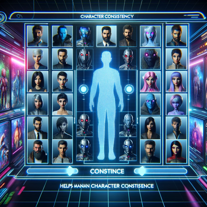 Create Consistent Characters in various scenes.Open
 -
 Discovering tools you never knew you needed.Open
 -
It provides generic recommendations, such as crawl your website with screaming frog, consult google pagespeed etc. Specific into that it should fetch from the website to be analysed are plain wrong. For example, it got the page title wrong, the meta description.
-
 Automatically translate and extract keywords from text or websites.Open
 -
 Analyzes keywords, thematically clusters, and finds optimal seed keywords.Open
 -
 Discover the best free copywriting formula for your websites and sales letters.Open
 -
 Open
Open -
 Open
Open -
 Your go-to tool for estimating website worth.Open
 -
 Deciding what's best - Gold IRA or Physical Gold.Open
 -
 Searches the perfect AI Tool or GPT for your use case.Open
 -
 Easily explains copyright and contract terms for manga artists.Open
 -
 Your guide to the Malaysian Franchise Act 1998.Open
 -
 Consultant for optimizing Shopify product pagesOpen
 -
 Inspiration for Crafting Adventures for D&D, Pathfinder, and more!Open
 -
 Open
Open -
 Open
Open -
 Efficiently extracts keywords from various texts, social media, and customer feedbackOpen
 -
 Choose the best gold investment companies with our tool.Open
 -
 Calculate your domain value with ChatGPT's appraisal tool.Open
 -
Open
-
 Aid in selecting Google Business categories for diverse small businesses.Open
 -
 Polishing and expanding your Chinese essays.Open
 -
Indeed, i checked up the tool too, you must have GPT and DALLE image generation enabled. without those you can generate the description and design of the cartoon you want to display.