
 Mini tools
▼ Popular
Text remover
Free mode
100% free
Freemium
Free Trial
Featured matches
-
 Open
Open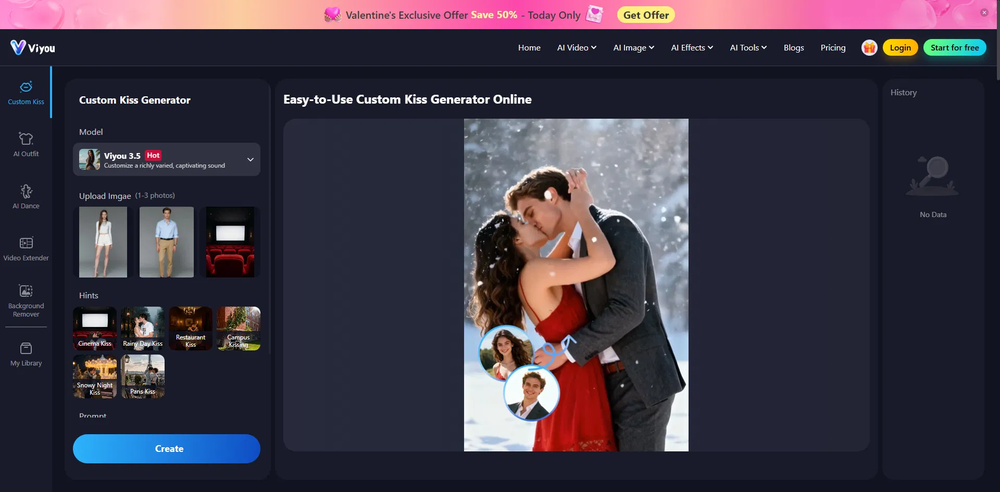 youngwind🙏 5 karmaMar 2, 2026@Viyou AI Kiss GeneratorHonestly, the kissing effect on Viyou is remarkably fluid—way better than other AI tools I’ve tried. The preset scenes are a great touch and super fun to play with. My only tip? The default prompts could be a bit more polished to get even better details, but the results are already top-tier. Definitely worth checking out!
 -
-

-
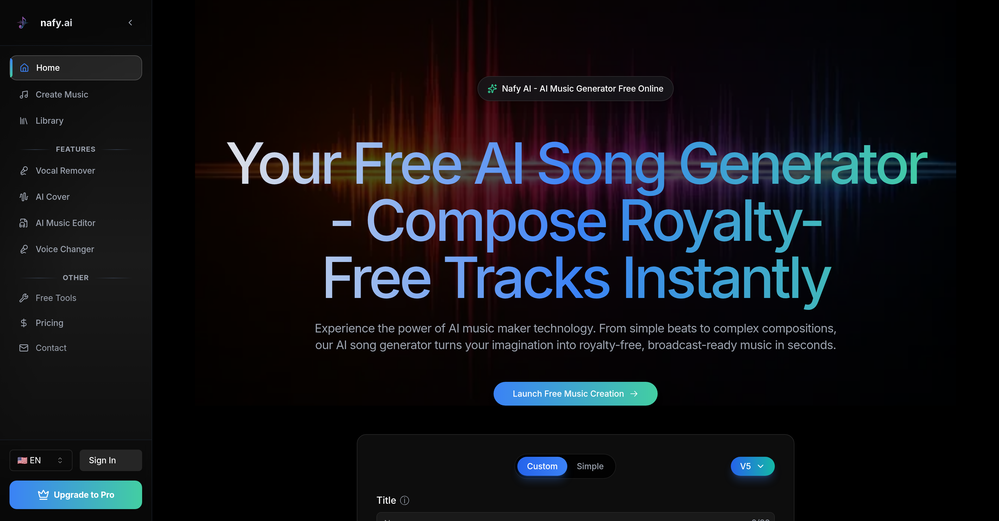
 Terrible, first of all the audio quality, I asked for brass, in purpose, the timbre was absolutely sythntectic, the supposed Tuba was hilariously low, then it did not follow boundary conditions (Use only this instruments), I would do the task 30 times faster. Pointless
 -







Other tools
-
It works! It is fast and you have many choices for the background. Also the pricing seems to be ok
-
Removal.AI is fast and easy to use, especially useful when removing backgrounds in batches. However, with complex backgrounds, manual adjustments are sometimes required. Overall, this is a useful tool that is fast and saves time.
- Sponsor
 Rocket - Think it. Type it. Launch it.
 -
 Openamazing 9/10 1 gone bcus need improvement but still w
 -
gave it a shot and it cooked. vocals and beats came out decent, def fun to mess around with when you're bored or something. i wonder if it uses the same ai magic as suno.
-
 Open
Open -
"I was very disappointed to find out that although this AI claims to be free, it requires payment when downloading files. This was not clear upfront and felt misleading. Please provide clearer information about any charges before users get too far in the process."
-
only the part of my own voice is not possible, but it's amazing as application
- Didn't find the AI you were looking for?
-
Greetings Nathan Have you tried signing up using your Google account? It worked perfectly for me. I was able to use the app right away and I have to say I was fairly impressed by how it removed the object from the image.
-
As the creator of this tool, I designed it to help anyone turn their lyrics into complete songs with just a few clicks. Whether you’re a music enthusiast, content creator, or simply exploring songwriting, our AI takes care of melody, vocals, and composition—no music skills required. Give it a try and bring your lyrics to life effortlessly!
-
Upside: Amazing quality, full-length songs, intelligent use of timing change-ups and key changes. Downside: A very, very miserly 3 free creation credits and the only way to get more is to subscribe. Overall: Using this felt like easily 1-2 generations ahead of competitors like Udio. I guess that's why it isn't free.
-
-
-
super dope tool! the whole process was smooth and the track came out way better than I expected. the instrumentals were solid. definitely a cool way to cook up a song fast. 5 stars for this joint.
-
 Open
Open -
Very useful tool with variety of features and new AI models.
-
-
 Auto remove people from photos with AI.OpenMaybe not the best tool, I uploaded an image and it removed the main subject, didnt even think it was possible. Literally only the background was left
 -
 Transform photos into sketches, anime, paintings instantly.OpenNOT even 1 FREE demo to TEST it. It demands subscription right away! IT'S A BANDIT ON STEROIDS! ;-(
 -
Not bad at all. Signing up is straightforward and there is some free credits for testing. Prompt adherence is not bad at all in comparison to other platforms. Non-English lyrics and pronounciation is very good. I would recommend give it a try.
-
 Edit smarter, faster and easier with Filmora’s powerful AI video tools.Open
 -
 OpenThe watermark was removed so cleanly, it's amazing!
 -
 Undetectable AI writing. Credits never expire. The most affordable humanizer.OpenI used it when writing my graduation thesis. It was a great help, and I finally passed the review.
 -
Recently, I've been trying some AI music generation websites. This one makes me feel that creation can be really simple to beginners. I really like the part where lyrics generate music, because it can express my inner emotions. Most importantly, the staff will help solve problems one-on-one. Love it!
-
 Remove unwanted text, watermark or logo from images online free.Open
 -
 vocal remover, remove vocal, vocal remover online free, vocal remover AIOpen
 -
-
-
It's suitable for beginners like me. I think it is simple and comprehensive, which can solve music creation problems. The creation speed is also prettey fast. And I hope it can keep improving, so we can create better music together.
-
 Remove subtitles, captions, and watermarks from videos instantly.Open













































Post





