

 Mini tools
Nily (aka Remail)
 From smart emails to endless web help, Remail goes with you
Go to 📧 Email management
 Forage Mail
 Ayari
Ayari
 HeyHelp
 Eloquens AI
 Pullsy
 MailSweeper
 SaneBox
 Fyxer.ai
 Breezemail
 Stamp
Stamp
 Inboxly
 Smart Inbox AI
 Duet Mail
 Notion Mail
 Varolio
 Inbox Zero
 Dobror
 Spark Mail
 Inbox AI
 Pingg
Pingg
Forage Mail
25,384
Ayari
19,064
HeyHelp
13,798
Eloquens AI
12,554
Pullsy
11,552
MailSweeper
6,895
SaneBox
6,649
Fyxer.ai
5,281
Breezemail
3,893
Stamp
3,443
Inboxly
3,262
Smart Inbox AI
3,107
Duet Mail
2,828
Notion Mail
2,153
Varolio
1,941
Inbox Zero
1,567
Dobror
1,495
Spark Mail
1,060
Inbox AI
1,016
Pingg
832
Go to 🚀 Productivity
📚
Knowledge
(246)
🔍
Research
(181)
📧
Email
(144)
💼
Personal assistant
(105)
🤖
Task automation
(100)
🔎
Search
(87)
📋
Task management
(85)
📝
Notes
(51)
🌐
Web browsing
(47)
💻
Operating systems
(41)
🎯
Goals
(31)
🔎
Problem solving
(24)
⌛
Time management
(20)
🗄️
Workspace organization
(10)
📈
Productivity advice
(9)
📝
Form filling
(7)
 TheLibrarian.io
 Supernormal App
 Saidar
 MiroAI
 Collate
 Runable
 ComputerX
 Slashspace (Formerly RabbitHoles AI)
 AiAssistWorks - GPT Gemini Claude AI for Sheets Docs Slides
 ConsoleX AI
 Ask Steve
 Kolva
Kolva
 Alfred by Simbli.ai
 Affint
 Octofy
 Sup AI
 BrowseWiz
 ZeroTwo
 Support Flow
 Hyperis
TheLibrarian.io
643,710
Supernormal App
203,347
Saidar
133,099
MiroAI
131,379
Collate
130,460
Runable
125,109
ComputerX
124,247
Slashspace (Formerly RabbitHoles AI)
119,625
AiAssistWorks - GPT Gemini Claude AI for Sheets Docs Slides
113,581
ConsoleX AI
68,683
Ask Steve
52,379
Kolva
43,765
Alfred by Simbli.ai
43,554
Affint
40,247
Octofy
39,268
Sup AI
37,258
BrowseWiz
36,766
ZeroTwo
35,916
Support Flow
33,738
Hyperis
30,445
Go to 📧 Email
✉️
Email writing
(65)
📧
Email management
(39)
✉️
Email replies
(9)
💌
Email enhancement
(8)
📧
Email templates
(4)
📧
Email subject lines
(3)
📩
Email summaries
(3)
📧
Email personalization
(1)
 hi ai
hi ai
 Atomic Mail
 Superhuman
 Canary Mail
 Re:GPT
 Arch AI
 Letty
Letty
 Quiky.email
 Gmail
Gmail
 Agentic Mail | Hostinger
 Sendmux
 Moosend
 Unlimited E-mails
 EMAIL DRAFT
 temp email
hi ai
22,530
Atomic Mail
12,767
Superhuman
11,421
Canary Mail
4,090
Re:GPT
3,528
Arch AI
1,099
Letty
974
Quiky.email
966
Gmail
621
Agentic Mail | Hostinger
505
Sendmux
383
Moosend
64
Unlimited E-mails
55
EMAIL DRAFT
51
temp email
17
Inputs:
Outputs:
From smart emails to endless web help, Remail goes with you
Overview






Overview
Socials:





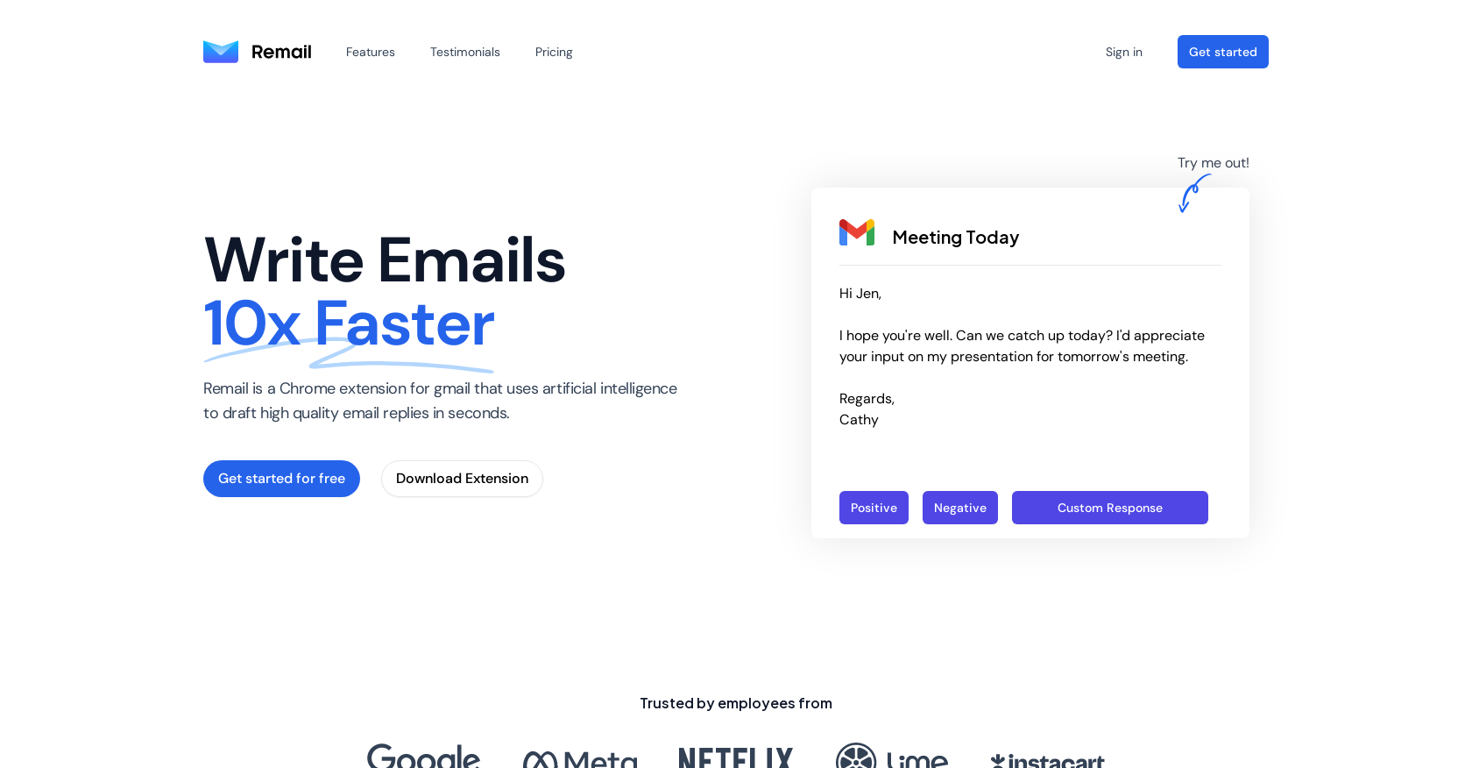
Use this AI assistant to access 20+ models to write content, create images and videos, and boost productivity
One Chrome extension, 20 AI models:
- Chat with web content, extract text from images, and translate into 40+ languages
- Generate blogs, social posts, product descriptions, and more
- Correct grammar, adjust tone, and use custom prompts
Compare outputs in real time
- See real-time outputs from multiple models and choose the one you like
- Leverage each model and generate the best answer with Remix AI
- Access this feature right from your phone using the web app
Manage your emails with AI
- Generate three responses based on the context by explaining what you want to say
- Customize the tone and reply based on your own knowledge base
- Automatically respond in 14 languages
Image and Video Generation
- Choose from 30+ styles, including anime, cinematic, and monochrome
- Remove and replace backgrounds, upscale quality, and adjust colors
- Create posters, logos, and stickers that match your branding
Show more
Releases
Get notified when a new version of Nily (aka Remail) is released
Notify me
January 19, 2023
Initial release of Nily (aka Remail).
Author

Follow
Pricing
Pricing model
Free Trial
Paid options from
$9/month
Billing frequency
Monthly
Free trial duration
7 days

Top alternatives
-
 AI that solves email overwhelm. Not another mail app.
 Richie🛠️ 1 tool 🙏 10 karmaMar 25, 2025@Forage MailHey TAAFT, I’m Richie, cofounder of Forage Mail! 👋 Forage has seriously changed my relationship to my inbox, and I'm excited for more of you to experience it. Forage is not a new email app you need to learn. It’s an AI that plugs right into your Gmail account and filters out your low-priority mail. Then, it sends you a clean daily summary with everything it filtered out—including a TLDR of every newsletter you received.
 -
 Conversational AI for email and calendar management.Maybe making an browser extension to integrate directly into mail clients would be great here :)
 -
 AI Email Assistant in Gmail that saves you 1 hour each day.Been loving this tool so far, it's awesome to keep my inbox organized with the auto-tagging feature. I'll try the auto-draft as well, seems promising 🙏
 -
 AI email assistant that never sleeps.Worth the $60 monthly if you're a small business especially because it sends email on your behalf - doesn't just draft and keep it in your inbox (that option also exists). Mails composed are accurate, it's as if the tool is thinking on your behalf too. Learns and understands your writing style, job role, etc. and tailors the response.
 -
 Your inbox, organized. Your replies drafted.
 -
 Reclaim your inbox with AI-powered email cleanup.Mail Sweeper V2 — Four ways to clean your Gmail inbox Mail Sweeper V2 turns a one-trick sweeper into a complete inbox-cleanup toolkit. A redesigned dashboard now offers four cleanup tools in one place: - Quick Clean — scans your inbox and suggests the smartest cleanups: top cluttering senders, years-old unread mail, and storage-hogging attachments, each with a one-click sweep and a "View in Gmail" preview before anything moves. - Organize Inbox — AI scans your senders, suggests smart Gmail labels grouped by category, and applies them in bulk. - Unsubscribe — every mailing list in one place, with one-click unsubscribe and bulk delete. - Automatic Cleanup — the signature Dustpan now has a guided setup and a dedicated configuration page, sweeping unimportant email to the trash on a schedule you control. V2 also adds a 14-day free trial, a limited pay-once lifetime plan, impact stats (emails deleted, storage reclaimed, estimated CO₂e saved), and a faster, streamlined onboarding. Everything goes to Gmail's trash first — nothing is ever permanently deleted without a rescue window.


0
0



