 Wispr Flow-Now on Android!
 Mini tools
ScreenApp
 Your Second Brain - Convert Recordings into Insights










Go to 🎨 Creativity
📷
Images
(3129)
🔠
Text
(2044)
💻
Software
(1791)
🎥
Videos
(933)
🔊
Audio
(718)
🎨
Art
(542)
🎨
Design
(263)
🌪️
Brainstorming
(206)
🖌️
3D
(58)
📸
Multimedia
(13)
 Creative Minds Think Alike
 GoEnhance
 Ceacle tools
 Remini
 Apple Creator Studio
 cre8tiveAI
 Unboring
 So You Want To Be A Writer?
 Ancient AI powered spirits
 Minka
Minka
 Jvb ai
 somacguffin
 Cuty
Cuty
 Superfly Stoner
Creative Minds Think Alike
22,985
GoEnhance
18,505
Ceacle tools
13,569
Remini
11,963
Apple Creator Studio
11,646
cre8tiveAI
7,983
Unboring
6,179
So You Want To Be A Writer?
314
Ancient AI powered spirits
196
Minka
195
Jvb ai
153
somacguffin
151
Cuty
149
Superfly Stoner
123
Go to 📚 Summaries
📝
Article summaries
(26)
📚
Book summaries
(24)
📚
Website summaries
(19)
🎥
Video summaries
(17)
🎧
Podcast summaries
(10)
📝
Note summaries
(7)
📞
Call summaries
(4)
📄
PDF summaries
(3)
📊
Presentation summaries
(2)
📝
Conversation summaries
(1)
📄
One-page summaries
(1)
 Futurwise
 Summarify.me
 Documator
 Summate
 pdf2gpt
 Summate
 Summary Box
 Speech to Note
 Nex : AI Knowledge Copilot
 Summarize.one
 Shortify
 Sassbook AI Summarizer
 Reflectr
 Alphy
Alphy
 SummarAI
 Dropbox AI
 SummariseGPT
 IntentSeek
 MyMap AI PDF Summarizer
 My Assignment Help
Futurwise
36,176
Summarify.me
23,099
Documator
16,764
Summate
12,218
pdf2gpt
11,764
Summate
9,058
Summary Box
8,790
Speech to Note
6,405
Nex : AI Knowledge Copilot
6,226
Summarize.one
5,640
Shortify
5,599
Sassbook AI Summarizer
4,524
Reflectr
4,213
Alphy
4,062
SummarAI
3,789
Dropbox AI
3,774
SummariseGPT
3,528
IntentSeek
3,524
MyMap AI PDF Summarizer
3,462
My Assignment Help
3,128
Inputs:
Your Second Brain - Convert Recordings into Insights
Overview






Overview
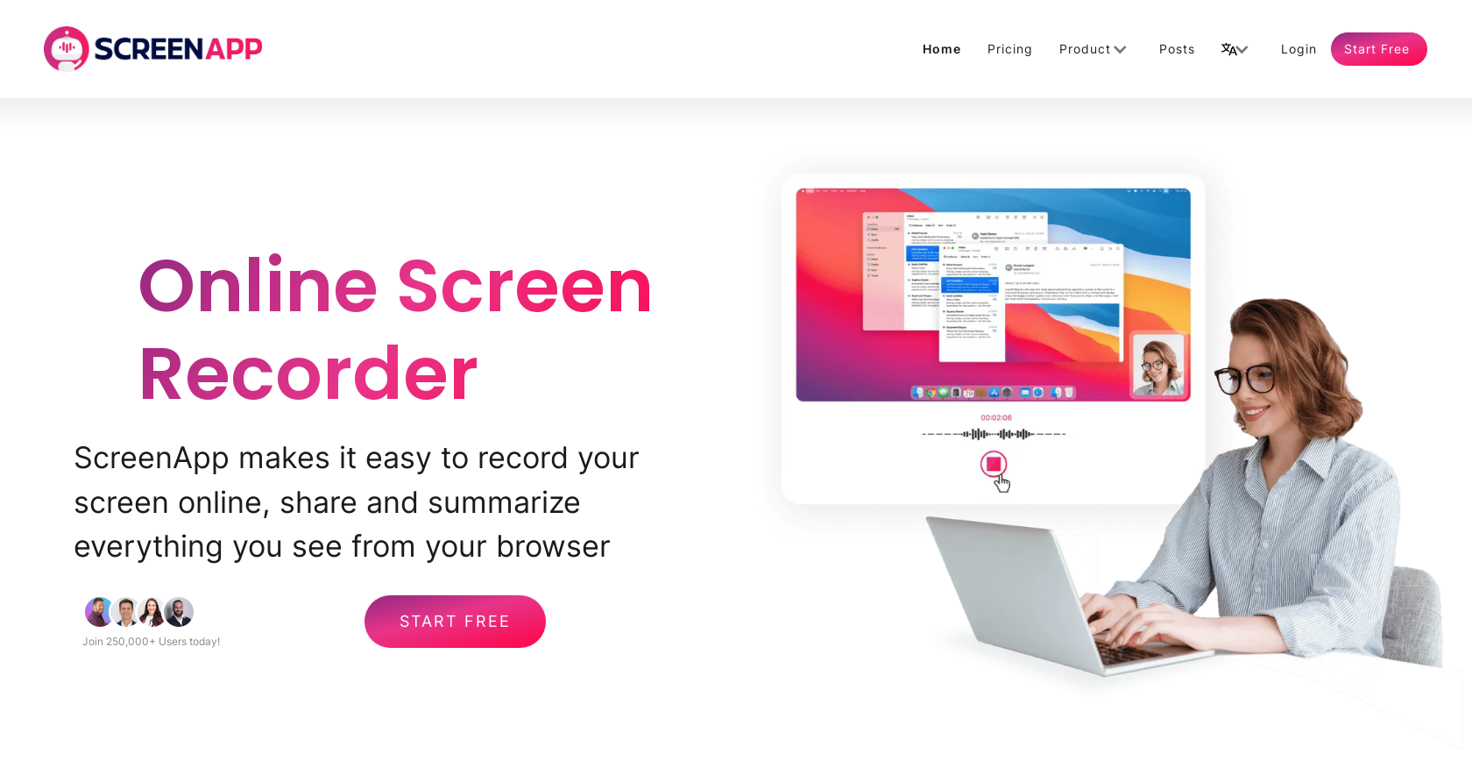
Turn audio and video into actionable insights with AI-powered transcription, summarization, and analysis. Save time, extract key points, and never lose important details.
Perfect for professionals, teams, and businesses looking to streamline workflows and enhance productivity.
Show more
Releases
Get notified when a new version of ScreenApp is released
Notify me
Feb 18, 2025

Andre Dean Smith
v6.20.12 – Smarter, Faster, and More Collaborative
This update brings major improvements to folder permissions, making collaboration even more seamless. We've also introduced editable transcripts, a better chapter summary UI with thumbnails, and team logo customization for a more personalized experience.
🚀 What’s New?
✅ Analyze visual content in videos
✅ Folder Permissions – Manage access with improved team controls
✅ Editable Transcripts – Edit your transcripts directly in-app
✅ Hungarian Language Added – Expanded support for translations
✅ Better Chapter Summaries – Now with thumbnails for easier navigation
✅ Team Logo Customization – Personalize your workspace
✅ New UI Theme & Enhancements – A more modern and intuitive interface
🔧 Improvements & Fixes
🔹 Faster & More Accurate Transcriptions – Upgraded engine for improved speed & precision
🔹 Disable Email Notifications for Transcriptions – Stay focused without inbox clutter
🔹 Install ScreenApp as a Web App – Easy access anytime, anywhere
🔹 Custom Template Persistence – Your settings now save automatically
🔹 Webhooks Overhaul – More reliable and responsive integrations
🔹 Multi-Video Actions & Note-Taking – Capture notes during recordings
🔹 Google Calendar Meeting Bot (Beta) – AI joins & records your meetings
🔹 Redesigned Sidebar & Folder Navigation – Faster access to your content
🔹 Performance Optimizations & Bug Fixes – A smoother, more reliable experience
This update builds on our ongoing mission to make ScreenApp the ultimate tool for capturing, analyzing, and transforming your recordings. 🚀
Got feedback? We’d love to hear from you!
0
0
This update brings major improvements to folder permissions, making collaboration even more seamless. We've also introduced editable transcripts, a better chapter summary UI with thumbnails, and team logo customization for a more personalized experience.
🚀 What’s New?
✅ Analyze visual content in videos
✅ Folder Permissions – Manage access with improved team controls
✅ Editable Transcripts – Edit your transcripts directly in-app
✅ Hungarian Language Added – Expanded support for translations
✅ Better Chapter Summaries – Now with thumbnails for easier navigation
✅ Team Logo Customization – Personalize your workspace
✅ New UI Theme & Enhancements – A more modern and intuitive interface
🔧 Improvements & Fixes
🔹 Faster & More Accurate Transcriptions – Upgraded engine for improved speed & precision
🔹 Disable Email Notifications for Transcriptions – Stay focused without inbox clutter
🔹 Install ScreenApp as a Web App – Easy access anytime, anywhere
🔹 Custom Template Persistence – Your settings now save automatically
🔹 Webhooks Overhaul – More reliable and responsive integrations
🔹 Multi-Video Actions & Note-Taking – Capture notes during recordings
🔹 Google Calendar Meeting Bot (Beta) – AI joins & records your meetings
🔹 Redesigned Sidebar & Folder Navigation – Faster access to your content
🔹 Performance Optimizations & Bug Fixes – A smoother, more reliable experience
This update builds on our ongoing mission to make ScreenApp the ultimate tool for capturing, analyzing, and transforming your recordings. 🚀
Got feedback? We’d love to hear from you!
June 5, 2023
Andre Dean Smith
Initial release of ScreenApp .
Author

Pricing
Pricing model
Freemium
Paid options from
$14/month
Billing frequency
Monthly

Top alternatives
-
 AI Powered tool to transcribe and summarize youtube videos, podcasts, audio notesOpen
 Ray🙏 6 karmaNov 3, 2023@SummifyHey! Summify developer here. which summary style did you tried in which language? could you send us the video to examine? Best, Ry [email protected]
 -
I was able to get a summary for a half hour video in just under 2 minutes. An hour long video took 5 minutes. Saved me a phenomenal amount of time having to watch videos for courses!
-
Did you install the extension through the chrome web store? It shouldn't add anything to your desktop or send you an email haha. If you look at the extension page it says my email is [email protected], please shoot me a line and I'll help figure out what's going on
-
 OpenThanks - are you looking to generate business ideas from the transcript as an extra feature?



Related topics

 1
1





